
Bear 1.7L Electric Kettle with LCD Display
Bear 1.7L Electric Kettle with LCD Display
Model: 1.7L Electric Kettle with LCD Display (Off-White)
Brand: Bear
1. Introduction
Thank you for purchasing the Bear 1.7L Electric Kettle. This appliance is designed for efficient and safe heating of water for various beverages and culinary needs. Featuring a digital LCD display, 11 temperature control options, and a 1.7-liter capacity, it offers convenience and precision for your daily use. Please read this manual thoroughly before first use to ensure proper operation and to maximize the lifespan of your kettle.

Image: The Bear 1.7L Electric Kettle in off-white, featuring an LCD display and control buttons on the handle.
2. Important Safety Instructions
When using electrical appliances, basic safety precautions should always be followed to reduce the risk of fire, electric shock, and injury to persons, including the following:
- Read all instructions before using the kettle.
- Do not touch hot surfaces. Use handles or knobs.
- To protect against fire, electric shock, and injury to persons, do not immerse cord, plugs, or electric kettle in water or other liquid.
- Close supervision is necessary when any appliance is used by or near children.
- Unplug from outlet when not in use and before cleaning. Allow to cool before putting on or taking off parts, and before cleaning the appliance.
- Do not operate any appliance with a damaged cord or plug or after the appliance malfunctions, or has been damaged in any manner.
- The use of accessory attachments not recommended by the appliance manufacturer may result in fire, electric shock, or injury to persons.
- Do not use outdoors.
- Do not let cord hang over edge of table or counter, or touch hot surfaces.
- Do not place on or near a hot gas or electric burner, or in a heated oven.
- Always attach plug to appliance first, then plug cord into the wall outlet. To disconnect, turn any control to "off," then remove plug from wall outlet.
- Do not use appliance for other than intended use.
- Extreme caution must be used when moving an appliance containing hot water.
- The kettle is equipped with boil-dry protection and automatic shut-off features for safety.
3. Product Overview
Familiarize yourself with the components of your electric kettle:
- Kettle Body: 1.7L capacity, stainless steel interior, off-white exterior.
- Lid: Hinged lid for easy filling, with a release button on the handle.
- Handle: Ergonomically designed, heat-proof plastic handle.
- LCD Display: Digital screen showing current temperature and settings.
- Control Buttons: Buttons for temperature selection, boil, and keep warm functions.
- Power Base: 360-degree rotatable base with cord storage.
- Spout: Designed for smooth pouring.

Image: The Bear Electric Kettle displaying its LCD screen and temperature control buttons on the handle.

Image: A hand demonstrating how to open the kettle lid, revealing the stainless steel interior.
4. Setup
- Unpacking: Carefully remove the kettle and all accessories from the packaging. Retain packaging for future storage or transport.
- Initial Cleaning: Before first use, fill the kettle with clean water to the maximum level, boil the water, and then discard it. Repeat this process 2-3 times to remove any manufacturing residues.
- Placement: Place the power base on a flat, stable, heat-resistant surface. Ensure the kettle is not near the edge of a counter or table to prevent accidental tipping.
- Power Connection: Plug the power cord into a suitable wall outlet. Ensure the voltage matches the specifications of your kettle (220 Volts).

Image: The underside of the kettle's power base, showing the power cord and storage area.

Image: A diagram illustrating the 360-degree rotational capability of the kettle on its power base.
5. Operating Instructions
- Filling the Kettle: Press the lid release button on the handle to open the lid. Fill the kettle with the desired amount of fresh water. Do not fill below the minimum mark or above the maximum mark (1.7 Liters). Close the lid securely.
- Placing on Base: Place the kettle firmly onto its power base.
- Boiling Water (100°C): Press the 'Boil Water' button. The LCD display will show the current temperature and then count up as it heats. The kettle will automatically shut off once 100°C is reached.
- Temperature Control (40-90°C): Press the 'Keep Warm' button. The LCD display will show the current temperature. Use the temperature selection buttons (usually '+' and '-') to choose your desired temperature between 40°C and 90°C, in 5°C increments. The kettle will heat the water to this temperature and then maintain it for up to 12 hours.
- Serving: Carefully lift the kettle from its base and pour the hot water. The handle is designed to remain cool to the touch.

Image: The Bear Electric Kettle pouring hot water into a glass, demonstrating its pouring function.
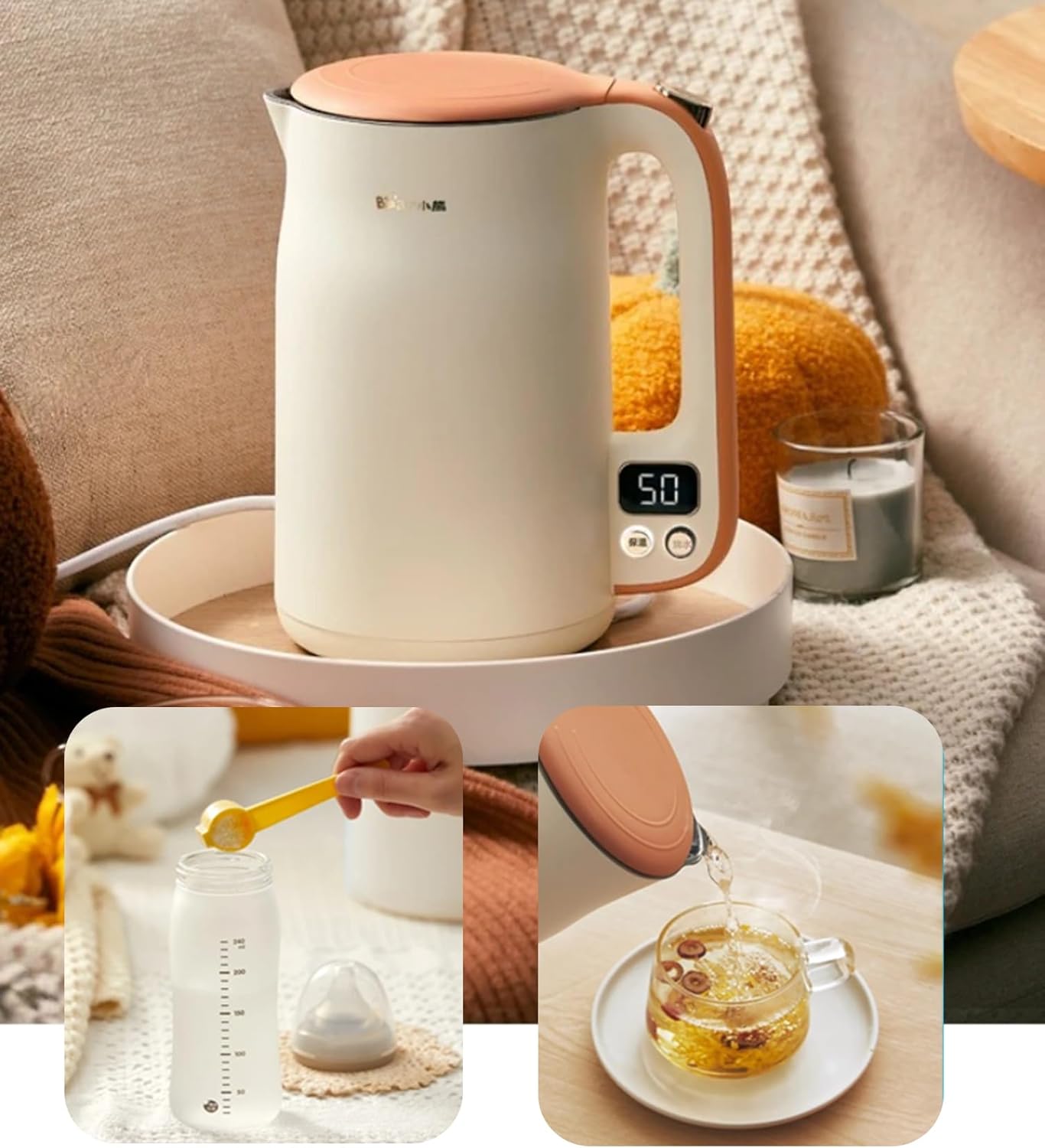
Image: The kettle being used to prepare a baby bottle with formula and a cup of tea, highlighting its versatile temperature control.

Image: A cutaway diagram illustrating the rapid and efficient internal heating process of the electric kettle.
6. Maintenance and Cleaning
Regular cleaning and maintenance will ensure the longevity and optimal performance of your kettle.
- Before Cleaning: Always unplug the kettle from the power outlet and allow it to cool completely before cleaning.
- Exterior Cleaning: Wipe the exterior of the kettle with a soft, damp cloth. Do not use abrasive cleaners or scouring pads, as they may scratch the surface.
- Interior Cleaning (Descaling): Over time, mineral deposits (limescale) may build up inside the kettle, especially in hard water areas. To descale:
- Fill the kettle with a mixture of one part white vinegar and two parts water.
- Boil the mixture and let it stand for at least 30 minutes, or longer for heavy buildup.
- Pour out the mixture and rinse the interior thoroughly with fresh water several times.
- For stubborn deposits, a commercial descaling agent designed for kettles can be used following the product's instructions.
- Do Not Immerse: Never immerse the kettle body or power base in water or any other liquid.

Image: Close-up view of the kettle's seamless, BPA-free stainless steel inner lining, emphasizing ease of cleaning and resistance to limescale.
7. Troubleshooting
| Problem | Possible Cause | Solution |
|---|---|---|
| Kettle does not turn on. | No power supply; Kettle not properly seated on base. | Check if the plug is securely in the outlet. Ensure the kettle is correctly placed on the power base. |
| Water not boiling/heating. | Insufficient water; Kettle has boiled dry; Faulty element. | Ensure water level is above minimum. If boil-dry protection activated, allow to cool before refilling. If problem persists, contact support. |
| Kettle switches off too soon. | Limescale buildup; Faulty thermostat. | Descale the kettle as per maintenance instructions. If issue continues, contact support. |
| Water tastes metallic or unusual. | New kettle residue; Limescale buildup. | Perform initial cleaning steps (boil and discard water several times). Descale if necessary. |
8. Specifications
| Feature | Detail |
|---|---|
| Brand | Bear |
| Model | 1.7L Electric Kettle with LCD Display |
| Color | Off-White |
| Capacity | 1.7 Liters |
| Power / Wattage | 1500 watts |
| Voltage | 220 Volts |
| Material | Stainless Steel (interior), Polypropylene (PP) (exterior) |
| Special Features | Automatic Shut-Off, Boil Dry Protection, Digital Control, Rapid Boil, 11 Temperature Settings, 12-hour Keep Warm |
| Item Weight | 1.51 Kilograms |
| Package Dimensions | 35 x 22.6 x 22.6 cm |

Image: A diagram illustrating the physical dimensions of the Bear Electric Kettle: 215mm width, 155mm depth, and 260mm height.
9. Warranty and Support
This Bear Electric Kettle comes with a 1 Year Warranty. The warranty service is limited to products purchased directly from the SmartLife-Elec store.
For warranty claims, technical support, or any inquiries regarding your product, please contact the retailer or the authorized service center where you purchased the appliance. Please retain your proof of purchase for warranty validation.
Related documents1.7L Electric Kettle with LCD Display


Ask a question about this manual
Ask about setup, troubleshooting, compatibility, parts, safety, or missing instructions. Manuals+ will review the question and use this page’s manual context to help answer it.