
1. Product Overview
The POOCCI AF02 Desk Fan is a versatile, rechargeable, and portable fan designed for personal cooling in various environments. It features a digital display, 100 adjustable speed settings, and quiet operation. This fan can be used as a traditional desk fan or mounted on a wall, making it suitable for office, bedroom, kitchen, home, outdoor, and travel use.

Figure 1: POOCCI AF02 Desk Fan
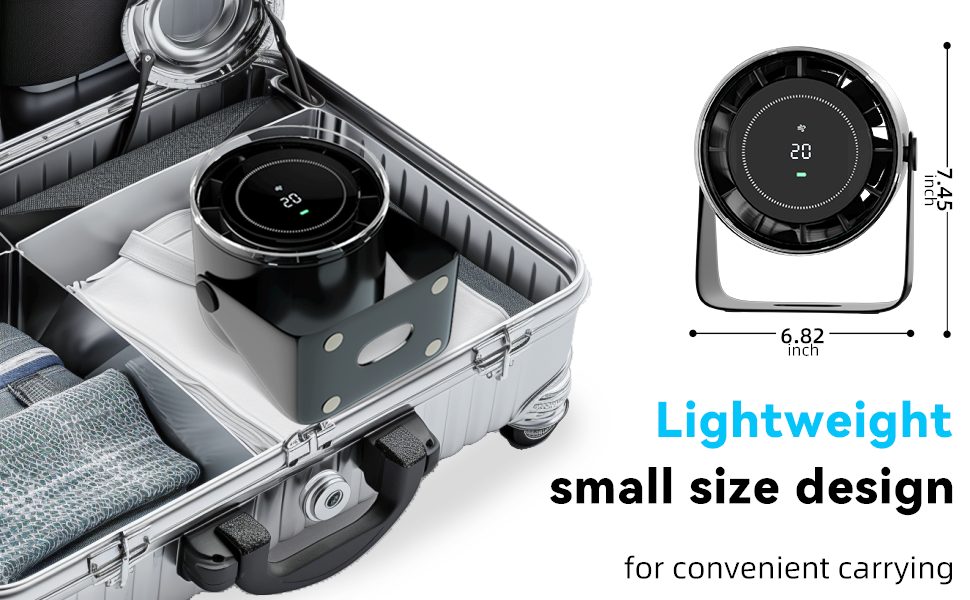
Figure 2: Portable design for travel
2. Package Contents
Please check the package for the following items:
- POOCCI AF02 Desk Fan
- USB Charging Cable
- Wall Mount Holder
- User Manual (this document)
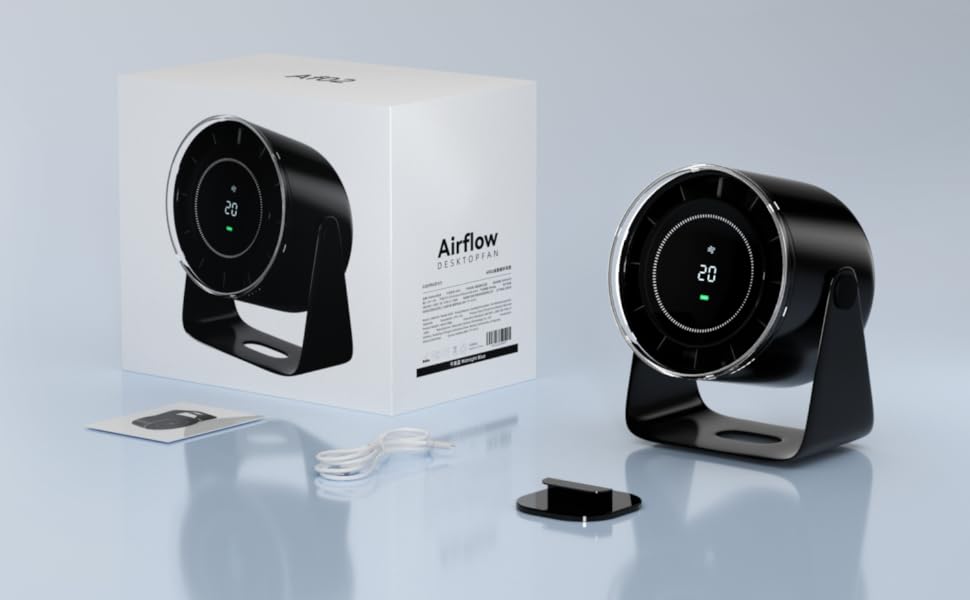
Figure 3: Package Contents
3. Setup
3.1 Initial Charging
Before first use, fully charge the fan. Connect the provided USB charging cable to the fan's charging port and to a compatible USB power adapter (not included) or a computer USB port. The digital display will show the battery level, indicating charging progress.
3.2 Placement Options
The POOCCI AF02 fan offers flexible placement:
- Desk Fan: Place the fan on any flat, stable surface such as a desk, nightstand, or table.
- Wall Mount: Use the included wall mount holder to attach the fan to a vertical surface. Ensure the surface is clean and dry before attaching the holder.

Figure 4: Wall-mounted fan in a kitchen setting.

Figure 5: Wall-mounted fan in a bathroom setting.
4. Operating Instructions
4.1 Power On/Off
Press the power button located on the fan to turn it on or off. The digital display will illuminate upon activation.
4.2 Adjusting Fan Speed
The fan features 100 adjustable speed levels. Use the '+' and '-' buttons to increase or decrease the airflow. The current speed level will be shown on the digital display.
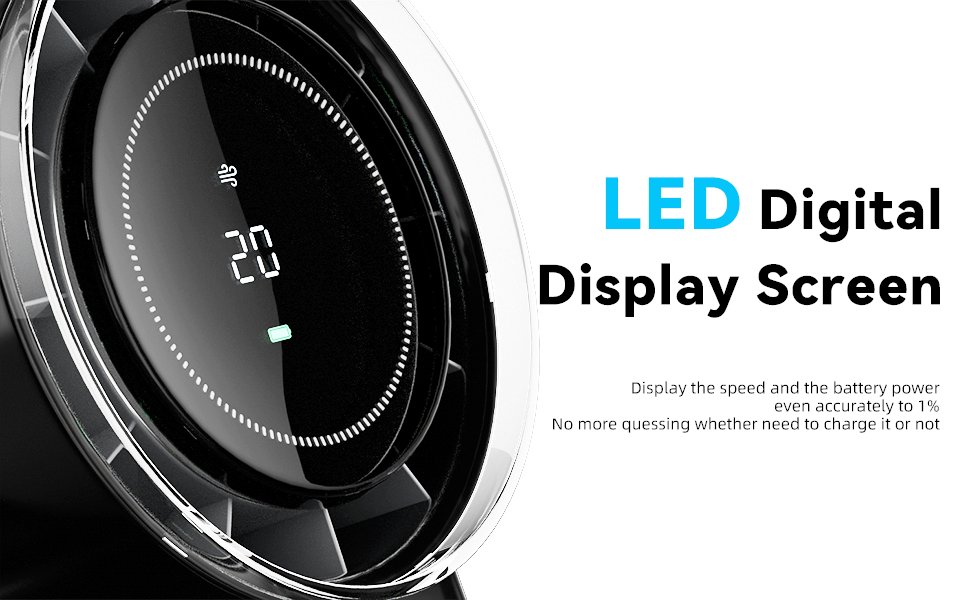
Figure 6: LED Digital Display Screen
4.3 Digital Display Information
The smart digital screen provides real-time information:
- Speed Level: Displays the current fan speed from 1 to 100.
- Battery Life: Shows the remaining battery percentage, allowing you to monitor power levels.
4.4 Adjusting Fan Angle
The fan head can be manually tilted to direct airflow as needed. Gently adjust the fan to your desired angle.

Figure 7: Adjustable Fan Tilt
4.5 Remote Control (If Applicable)
Some versions of the AF02 fan may include a remote control for convenient operation. Refer to the remote control's specific instructions for pairing and function details.
5. Maintenance
5.1 Cleaning
To maintain optimal performance, clean the fan regularly:
- Ensure the fan is turned off and unplugged before cleaning.
- Wipe the exterior surfaces with a soft, damp cloth.
- Do not use abrasive cleaners or solvents.
- The fan features an invisible blade design for safety; avoid attempting to disassemble the fan for internal cleaning.
5.2 Storage
When not in use for extended periods, store the fan in a cool, dry place, away from direct sunlight and extreme temperatures. Ensure the battery is partially charged before storage to prolong its lifespan.
6. Troubleshooting
| Problem | Possible Cause | Solution |
|---|---|---|
| Fan does not turn on. | Low battery or no power. | Charge the fan using the provided USB cable. Ensure the power source is active. |
| Fan makes unusual noise. | Obstruction or internal issue. | Ensure no foreign objects are near the fan intake/outlet. If the noise persists, discontinue use and contact customer support. |
| Battery life is shorter than expected. | High speed setting, aging battery, or environmental factors. | Battery life varies with speed settings (e.g., 20% wind for 9H, 100% wind for 2H). Ensure the fan is fully charged. Battery performance may decrease over time. |
| Digital display is not working. | Power issue or display malfunction. | Charge the fan. If the issue persists, contact customer support. |
7. Specifications
| Feature | Detail |
|---|---|
| Brand | POOCCI |
| Model Name | AF02 |
| Color | White |
| Electric Fan Design | Table Fan |
| Power Source | Battery Powered |
| Product Dimensions | 7.5"D x 4.72"W x 6.3"H |
| Special Features | Adjustable Tilt, Bladeless (invisible blades), Portable |
| Noise Level | 25 Decibels |
| Wattage | 5 watts |
| Number of Blades | 7 (diagonal flow) |
| Speed Settings | 100 |
| Voltage | 5 Volts |
| Included Components | USB Cord |
| Indoor/Outdoor Usage | Indoor, Outdoor |
| Control Method | Remote (if included), On-device buttons |
| Cordless | Yes |
| Item Weight | 1.74 pounds |
| Battery Life (Approx.) | 9 hours (20% wind), 2 hours (100% wind) |
8. Warranty and Support
8.1 Warranty Information
POOCCI products are covered by a limited warranty against defects in materials and workmanship. For specific warranty terms and conditions, please refer to the warranty card included with your product or visit the official POOCCI website.
8.2 Customer Support
If you encounter any issues or have questions regarding your POOCCI AF02 Desk Fan, please contact our customer support team. Contact details can typically be found on the product packaging or the official POOCCI website.
Please have your model number (AF02) and purchase information ready when contacting support.