
1. Introduction
Thank you for choosing the JUOVI J2621 20000mAh 45W Portable Power Bank. This device is designed to provide reliable and fast charging for a wide range of electronic devices, ensuring you stay powered on the go. Please read this manual carefully before use to ensure proper operation and safety.
2. Product Overview
The JUOVI J2621 Power Bank features a high-capacity battery and multiple fast-charging ports, making it a versatile companion for your devices.
Key Features:
- Universal Compatibility: Supports PD 3.0 and QC 3.0 for wide compatibility with laptops, smartphones, tablets, smartwatches, Steam Deck, wireless earbuds, and more.
- 20000mAh Large Capacity: Provides multiple charges for devices like Samsung S23/S22, iPhone 15/14, iPad mini, or MacBook Pro 14.
- LED Digital Display: Clear display to easily check the remaining battery level.
- Safe Charging Protection: Built-in safeguards against overvoltage, overload, overheating, overcurrent, and short circuits. Features automatic shut-off when devices are fully charged.
- Low-Current Mode: Double-click to enter/exit for charging small current devices like AirPods.
Package Contents:
- 1 x JUOVI J2621 20000mAh Power Bank
- 1 x User Manual (this document)
- 1 x 5-core USB-C to USB-C Fast Charging Cable
3. Setup
Initial Charging of the Power Bank:
Before first use, fully charge your JUOVI J2621 Power Bank. Connect the provided USB-C to USB-C cable to one of the power bank's USB-C ports (C1 IN/OUT or C2 IN/OUT) and to a compatible 45W or higher power adapter (not included). The LED digital display will show the charging progress. Charging is complete when the display shows 100%.
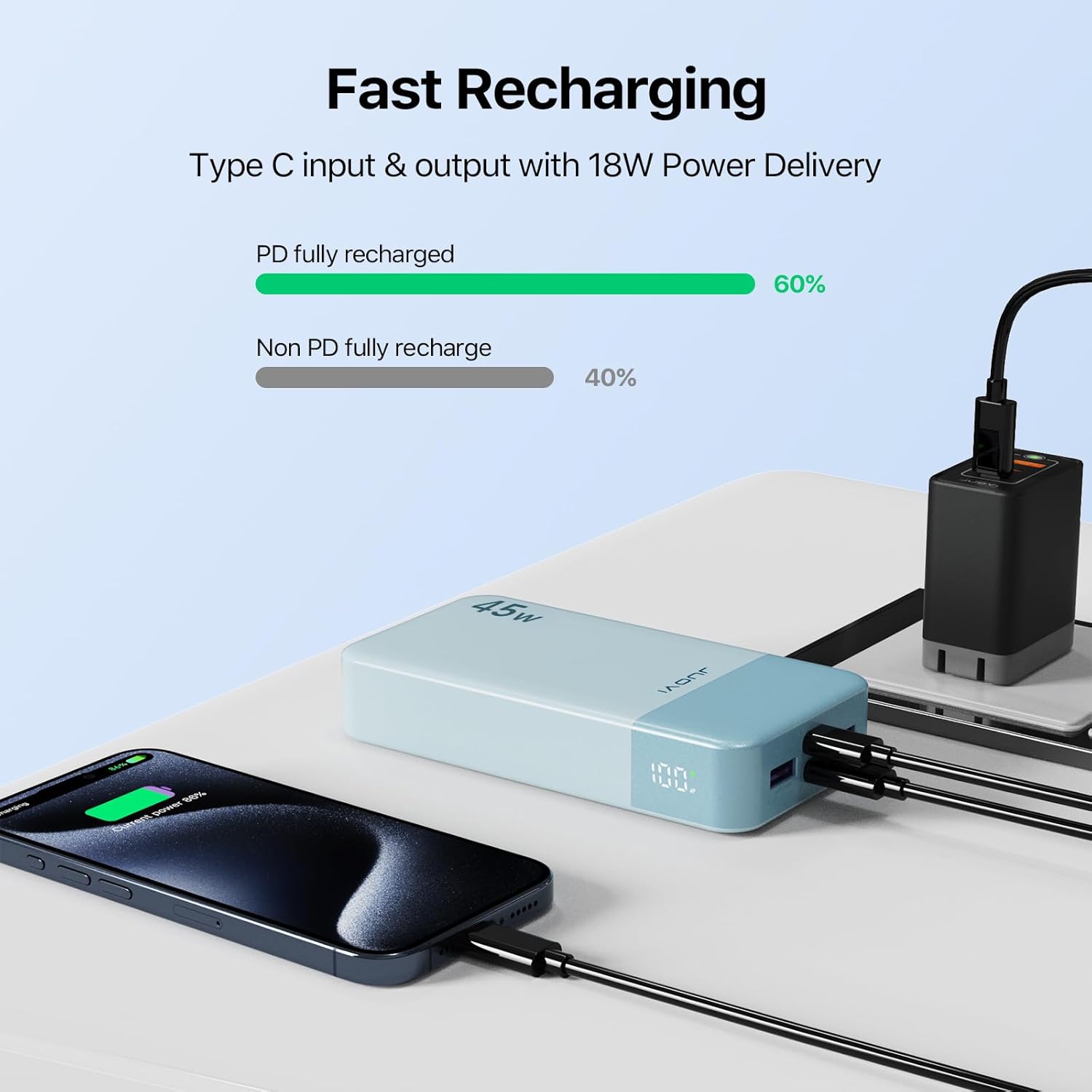
Figure 1: Recharging the JUOVI J2621 Power Bank.
4. Operating Instructions
Turning On/Off and Checking Battery Level:
Press the power button located on the side of the power bank once to turn it on and view the current battery percentage on the LED display. The display will automatically turn off after a few seconds of inactivity. To turn off the power bank, press and hold the power button for a few seconds.
Charging Your Devices:
The power bank features two USB-A output ports (USB1 OUT, USB2 OUT) and two USB-C input/output ports (C1 IN/OUT, C2 IN/OUT). You can charge up to four devices simultaneously.
- Connect your device to the power bank using an appropriate charging cable (USB-A to device, or USB-C to device).
- The power bank will automatically detect the connected device and begin charging. The LED display will show the remaining battery percentage.
- For optimal fast charging, use the USB-C ports with compatible devices and cables.

Figure 2: Charging a smartphone with 45W Power Delivery.
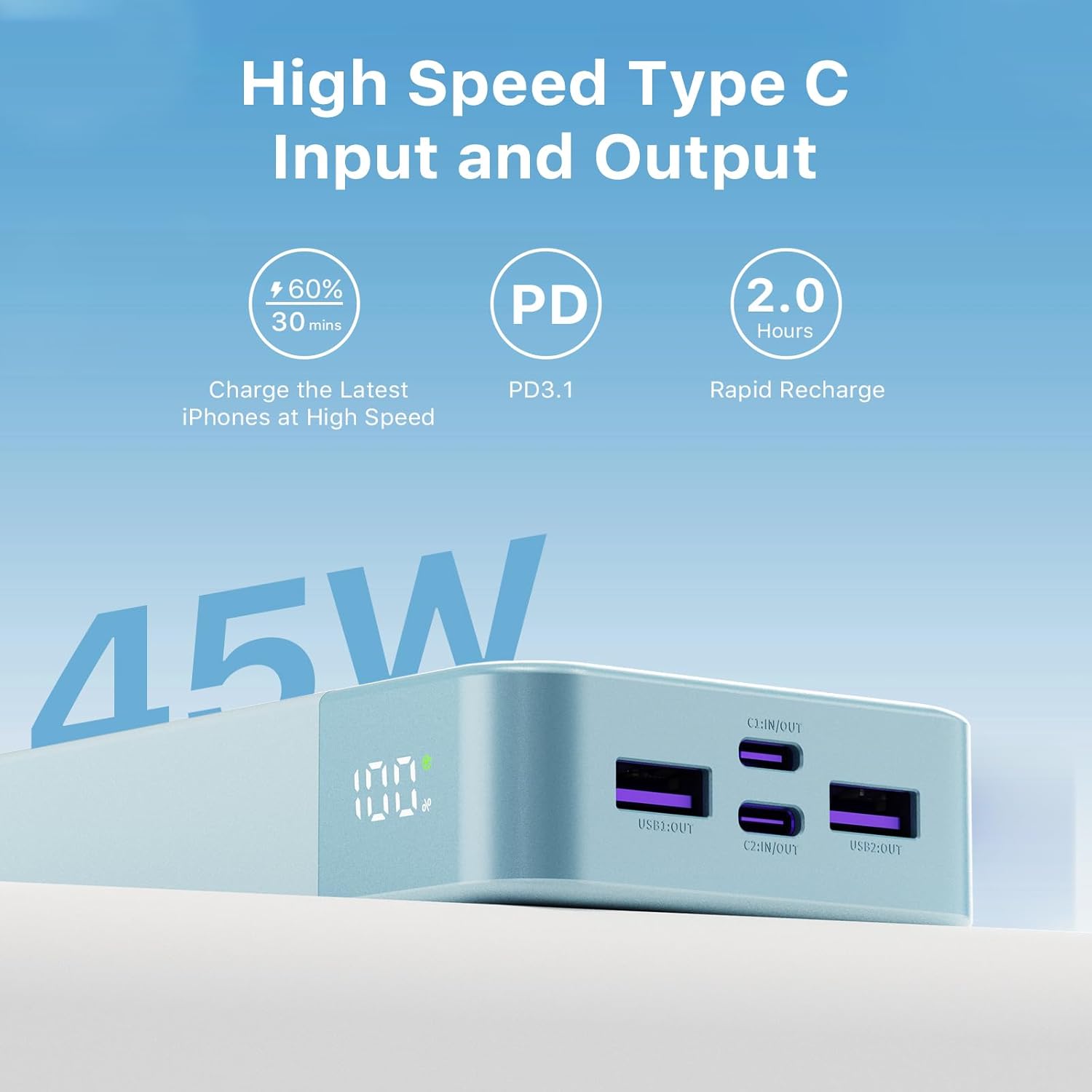
Figure 3: High-speed Type-C input and output ports.
Low-Current Mode:
To charge low-power devices such as wireless earbuds or smartwatches, double-click the power button to enter low-current mode. Double-click again to exit this mode.
5. Safety Information
- Do not expose the power bank to extreme temperatures (above 60°C/140°F or below 0°C/32°F), direct sunlight, or high humidity.
- Avoid dropping, hitting, or disassembling the device.
- Keep away from water and other liquids.
- Use only certified charging cables and adapters.
- Do not operate the power bank if it has been damaged in any way.
- Keep out of reach of children.
6. Maintenance
- Clean the power bank with a soft, dry cloth. Do not use harsh chemicals or abrasive materials.
- Store the power bank in a cool, dry place when not in use.
- Recharge the power bank at least once every three months to maintain battery health.
7. Troubleshooting
Power Bank Not Charging:
- Ensure the charging cable and wall adapter are functioning correctly and are securely connected.
- Try using a different USB-C cable or power adapter.
- Verify that the power adapter meets the recommended specifications (45W or higher for fast charging).
Device Not Charging from Power Bank:
- Check if the power bank has sufficient charge.
- Ensure your device's charging cable is securely connected to both the device and the power bank.
- Try a different port on the power bank or a different charging cable.
- If charging a low-power device, ensure low-current mode is activated (double-click power button).
Slow Charging:
- Ensure both the power bank and your device support fast charging protocols (PD 3.0, QC 3.0).
- Use a high-quality, fast-charging compatible cable.
- Charging multiple devices simultaneously may reduce individual charging speeds.
8. Specifications
| Feature | Detail |
|---|---|
| Model Number | J2621 |
| Battery Capacity | 20000 Milliamp Hours (74Wh) |
| Product Dimensions | 5.39 x 2.76 x 1.02 inches |
| Item Weight | 13.2 ounces |
| Connector Type | 2x USB Type-A Output, 2x USB Type-C Input/Output |
| Special Features | Auto Shut-Off, Digital Display, Over Charging Protection, Short Circuit Protection |
| Manufacturer | Tianjin Zowda New Energy Technology Co.,Ltd |
| Date First Available | April 26, 2024 |
9. Warranty and Support
Your JUOVI J2621 Power Bank comes with dedicated customer support. For any inquiries or assistance, please contact our 7x24 hours friendly customer service. Refer to your purchase documentation for specific warranty details.