1. Introduction
Thank you for choosing the Spacekey QIG-D01 Dehumidifier. This manual provides essential information for the safe and efficient operation of your new appliance. Please read it thoroughly before use and retain it for future reference. This dehumidifier is designed to reduce excess moisture in areas up to 850 square feet, such as basements, bedrooms, bathrooms, RVs, and closets, improving air quality and comfort.

Figure 1: Front view of the Spacekey QIG-D01 Dehumidifier, showing its white and black design with a digital display and visible water tank.

Figure 2: Visual representation of the dehumidifier's effectiveness in reducing room humidity.

Figure 3: Common issues resolved by maintaining optimal humidity levels with the dehumidifier.
2. Important Safety Instructions
To reduce the risk of fire, electric shock, or injury, always follow these basic precautions:
- Read all instructions before using the appliance.
- Do not operate the dehumidifier with a damaged cord or plug.
- Ensure the power outlet is properly grounded.
- Do not block air inlets or outlets.
- Keep the appliance away from water and other liquids.
- Unplug the dehumidifier before cleaning or performing any maintenance.
- Do not allow children to operate the appliance unsupervised.
- This appliance is equipped with a 45° tip-over protection feature. If the unit is tilted beyond 45 degrees, it will automatically shut off to prevent damage or spills.

Figure 4: Illustration of the dehumidifier's 45° tip-over protection, demonstrating automatic shutdown for safety.
3. Product Overview
3.1 Components and Design Features
- Main Unit with Control Panel
- Water Tank (3.0L / 106 oz capacity)
- Washable Air Filter
- Power Cord
- Integrated Handles for portability
- Visual Water Tank for easy monitoring
- 45° Tip-over Protection
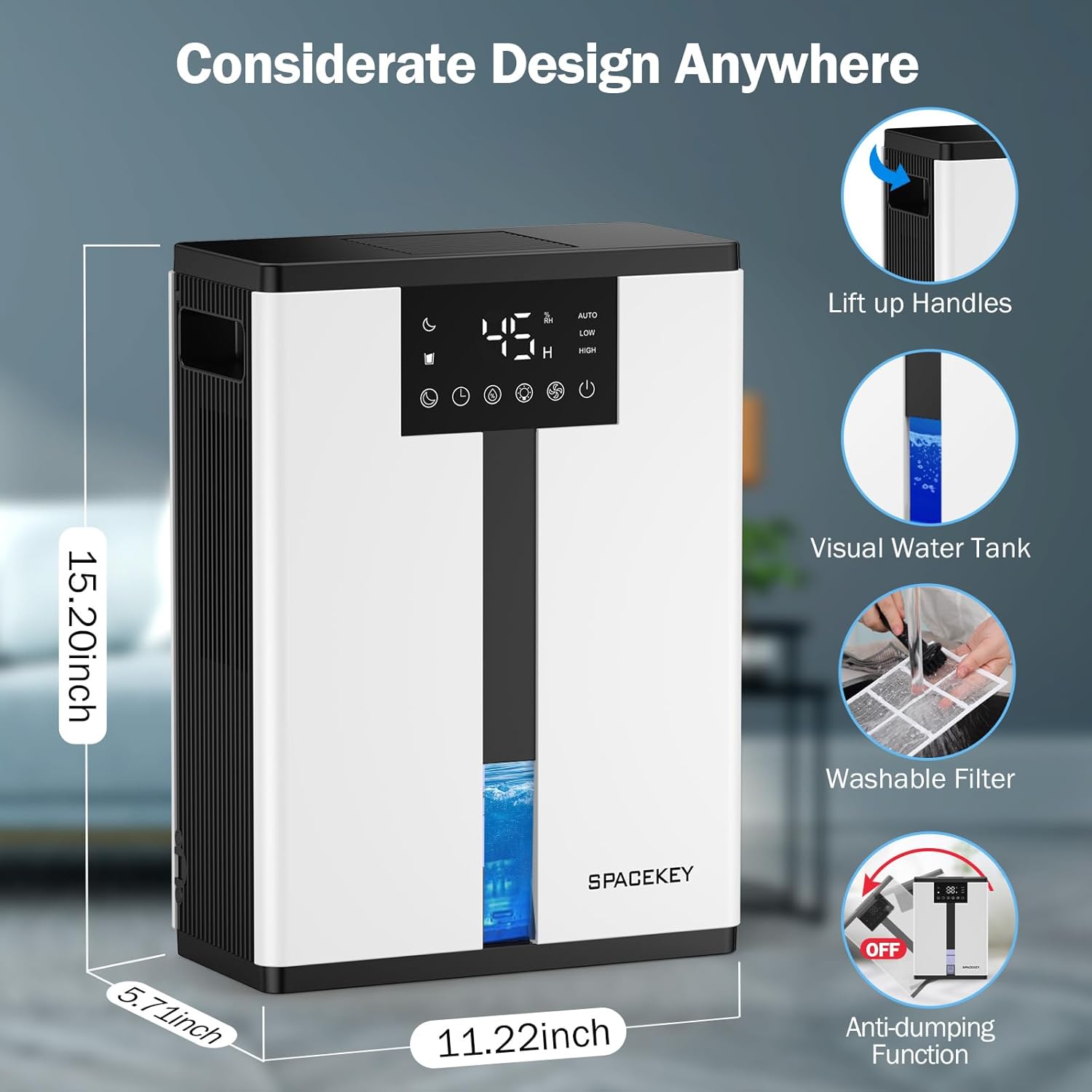
Figure 5: Key design elements and dimensions of the Spacekey QIG-D01 Dehumidifier.
3.2 Advanced Dehumidification Technology
The Spacekey QIG-D01 utilizes semiconductor condensation technology with dual fans and dual semiconductor condensers for enhanced efficiency in moisture removal.
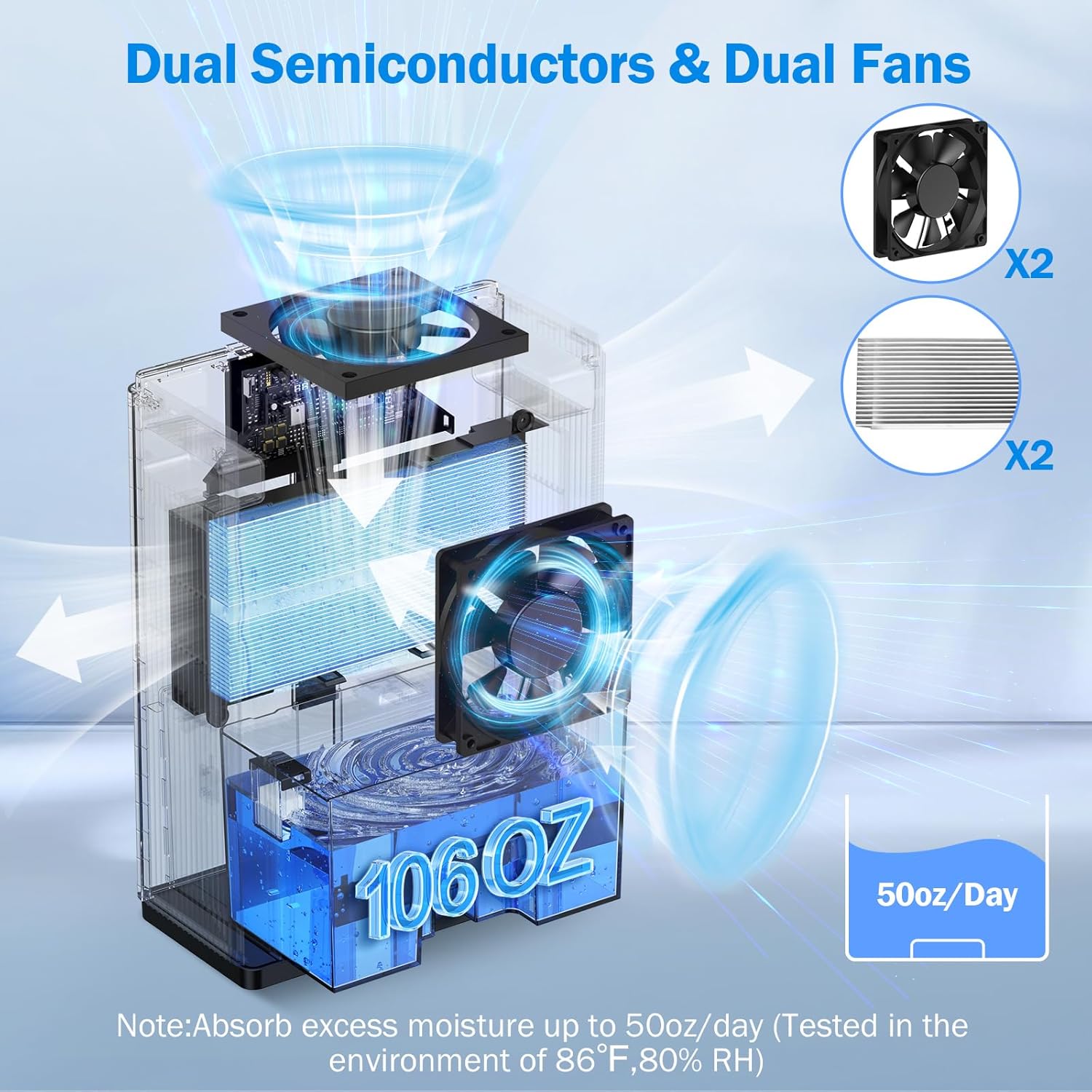
Figure 6: Internal view of the dual semiconductor and dual fan system for efficient dehumidification.
3.3 Control Panel
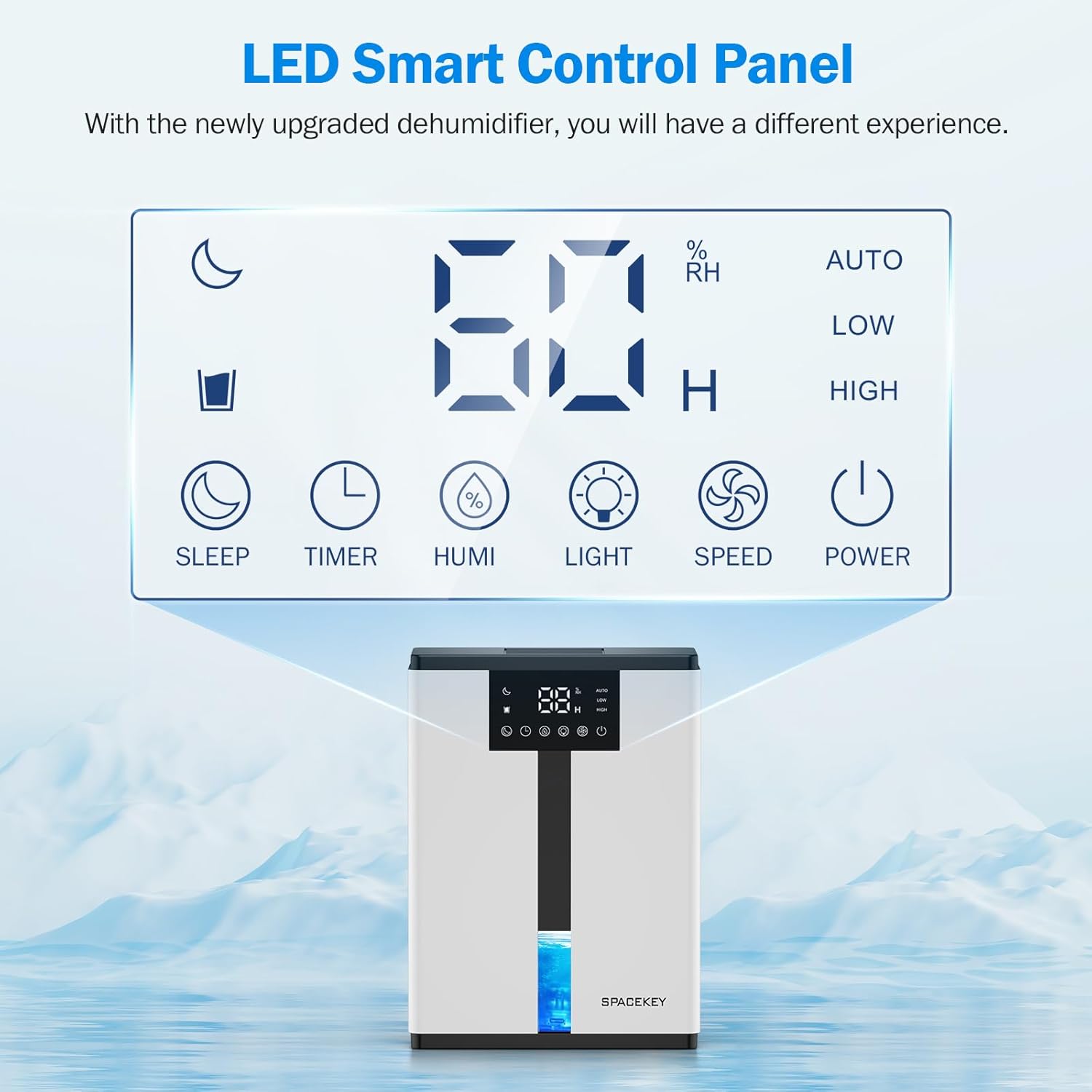
Figure 7: The LED Smart Control Panel, displaying current humidity and various function buttons.
The intuitive LED display shows real-time humidity. Buttons include:
- Sleep Mode: Activates quiet operation and can be used with colorful lights.
- Timer: Sets operating duration (2H, 4H, 6H, 8H, 12H).
- HUMI: Adjusts target humidity (45%, 55%, 65%, or continuous '00').
- LIGHT: Controls the 7-color ambient light.
- SPEED: Selects fan speed (Auto, Low, High).
- POWER: Turns the unit on/off.
4. Setup Instructions
- Unpack: Carefully remove the dehumidifier from its packaging.
- Placement: Place the unit on a flat, stable surface in the desired location. Ensure there is at least 8 inches (20 cm) of space around the air inlets and outlets for proper airflow.
- Power Connection: Plug the power cord into a grounded electrical outlet.
- Initial Check: Ensure the water tank is correctly inserted and empty before starting operation.

Figure 8: Recommended placement areas for the dehumidifier, highlighting its suitability for various indoor environments.
5. Operating Instructions
5.1 Power On/Off
Press the POWER button to turn the dehumidifier on or off.
5.2 Setting Humidity Level
Press the HUMI button to cycle through desired humidity levels: 45%, 55%, 65%. The unit will operate until the set humidity is reached, then pause. If set to '00', the unit will operate continuously.

Figure 9: Setting the target humidity level using the HUMI button.
5.3 Fan Speed Adjustment
Press the SPEED button to select between Auto, Low, and High fan speeds. Auto mode adjusts fan speed based on current humidity.
5.4 Timer Function
Press the TIMER button to set an operating duration of 2, 4, 6, 8, or 12 hours. The unit will automatically turn off after the set time.

Figure 10: Using the Timer function to set the operating duration.
5.5 Sleep Mode & Colorful Lights
Press the SLEEP button to activate sleep mode for ultra-quiet operation (approx. 30dB). Press the LIGHT button to cycle through 7 colorful ambient lights or select a static color. This feature can be used independently or in conjunction with sleep mode.
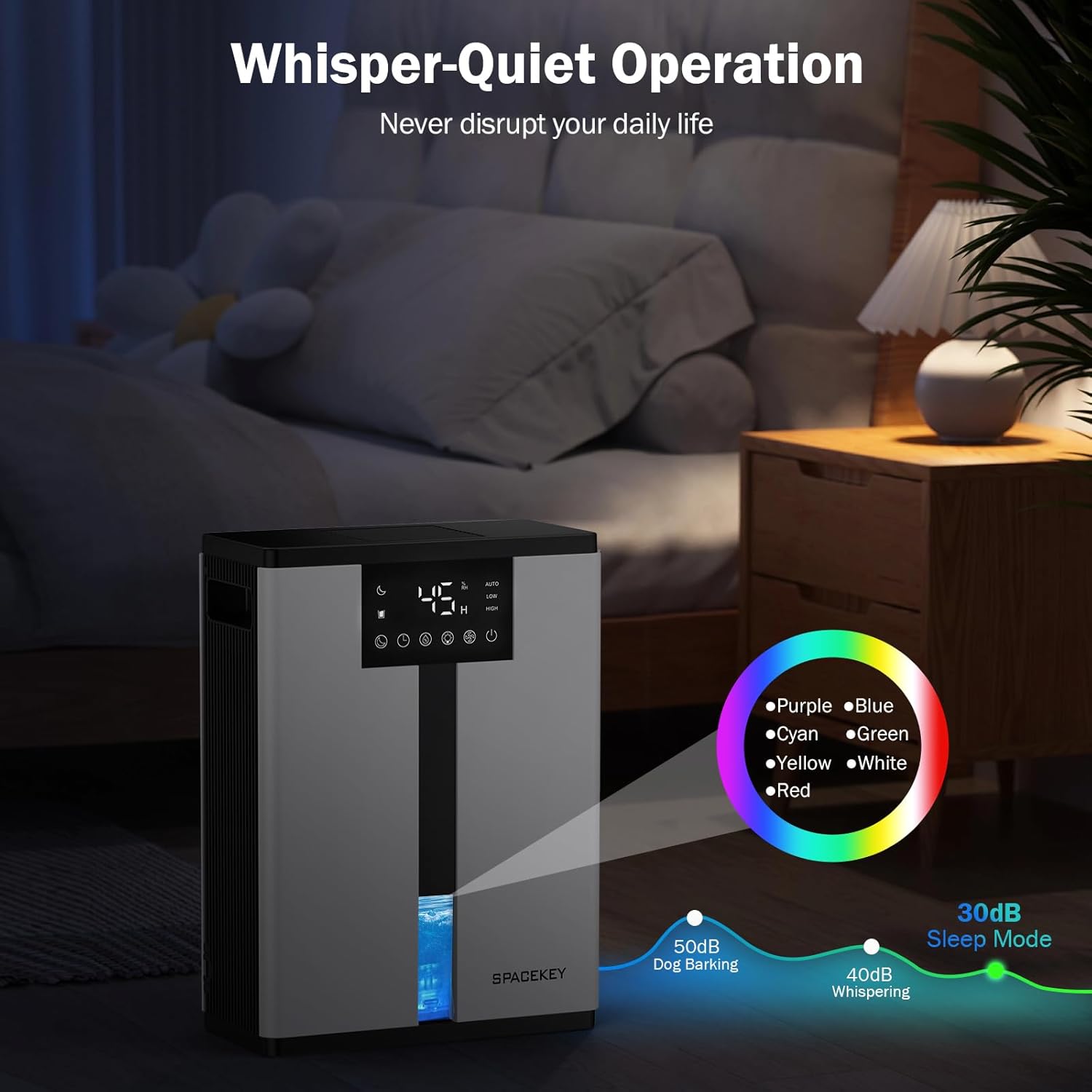
Figure 11: Dehumidifier in Sleep Mode with ambient lighting for a peaceful environment.
5.6 Automatic Shut-Off
The dehumidifier will automatically shut off and flash a red light with an audible beep when the water tank is full. Empty the water tank to resume operation.
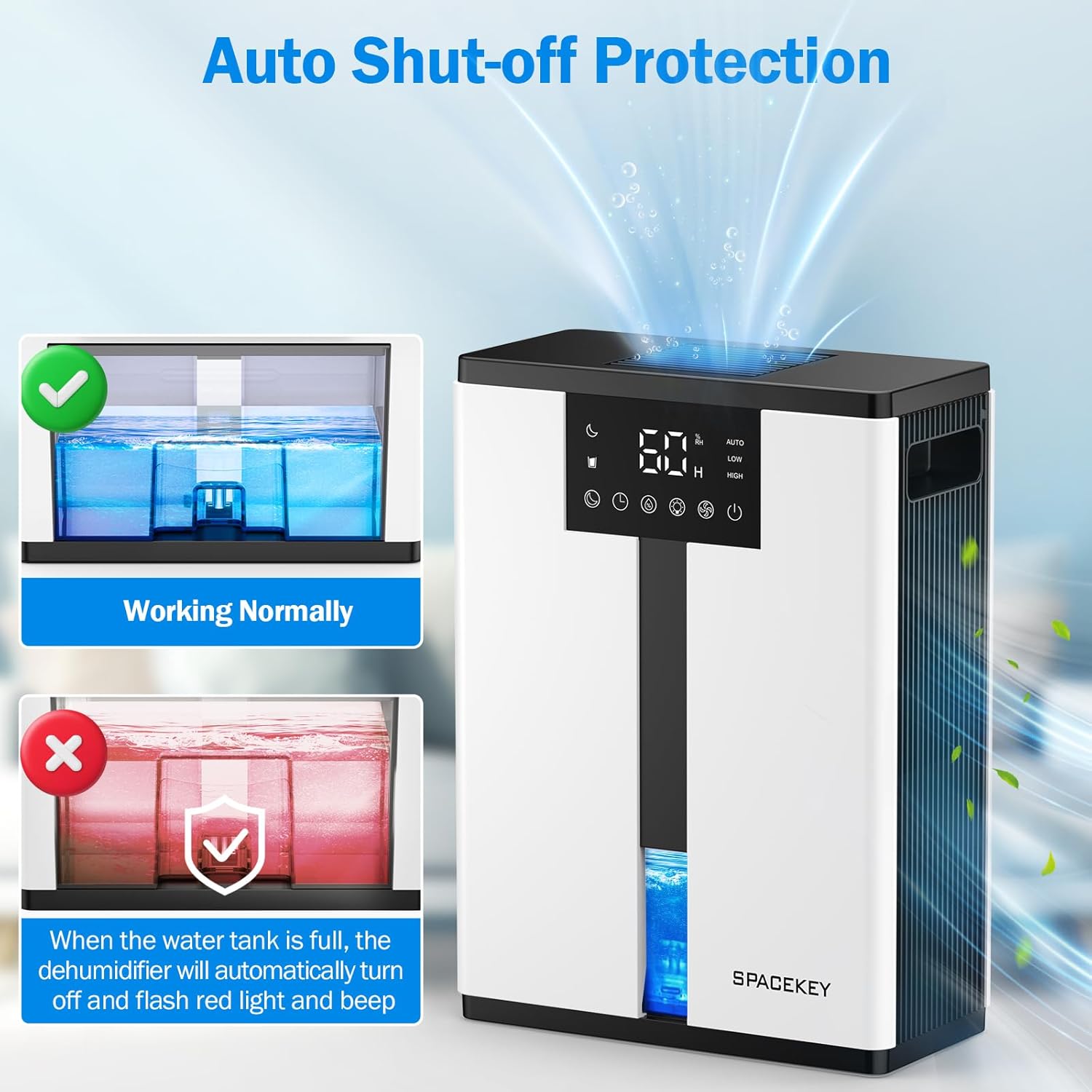
Figure 12: Automatic shut-off mechanism when the water tank is full.
6. Maintenance
6.1 Emptying the Water Tank
- Gently pull out the water tank from the front of the unit.
- Remove the tank lid.
- Pour out the collected water.
- Replace the lid and reinsert the water tank firmly into the dehumidifier.

Figure 13: Step-by-step guide to emptying the water tank.
6.2 Cleaning the Air Filter
The washable filter should be cleaned regularly (every 2-4 weeks, depending on usage) to maintain optimal performance.
- Unplug the dehumidifier.
- Remove the filter from the back of the unit.
- Rinse the filter under running water to remove dust and debris.
- Allow the filter to air dry completely before reinserting it.
- Do not operate the dehumidifier without the filter.

Figure 14: Instructions for removing and washing the air filter.
6.3 Cleaning the Exterior
Wipe the exterior of the dehumidifier with a soft, damp cloth. Do not use abrasive cleaners or solvents.
7. Troubleshooting
| Problem | Possible Cause | Solution |
|---|---|---|
| Dehumidifier does not turn on. | No power; power cord not plugged in; water tank full or incorrectly inserted. | Check power connection; empty and reinsert water tank correctly. |
| No water collected or low dehumidification. | Room humidity is already low; air filter is clogged; ambient temperature is too low; unit size is too small for the space. | Ensure humidity is above target; clean air filter; operate in recommended temperature range; consider unit placement or additional units for larger spaces. |
| Unit is noisy. | Fan speed is set to High; unit is not on a flat surface. | Switch to Low or Sleep mode; ensure unit is on a stable, flat surface. |
| Red light flashing and beeping. | Water tank is full. | Empty the water tank and reinsert it. |
8. Specifications
| Feature | Detail |
|---|---|
| Model Name | QIG-D01 |
| Brand | Spacekey |
| Dehumidification Capacity | Up to 50 oz (approx. 3 pints) per 24 hours (at 86°F, 80% RH) |
| Water Tank Capacity | 3.0 Liters (106 Fluid Ounces) |
| Coverage Area | Up to 850 Square Feet |
| Power Consumption | 70 Watts (not more than 1.68 kWh/Day) |
| Noise Level | Approx. 30dB (in Sleep Mode) |
| Dimensions (D x W x H) | 5.71"D x 11.22"W x 15.2"H |
| Item Weight | 8.91 pounds |
| Special Features | Automatic Shutoff, Intelligent Humidity Control, 4 Fan Speeds, Timer, 7 Colorful Lights, 45° Tip-over Protection, Washable Filter |
9. Warranty and Customer Support
Spacekey offers the following support for your dehumidifier:
- 30-Day Refund: For any dissatisfaction.
- 2-Year Replacement: For product defects or malfunctions.
- Lifetime Customer Service: Dedicated support for any questions or issues.
If you have any questions or require assistance, please do not hesitate to contact Spacekey customer support. We aim to reply within 24 hours.


Figure 15: Overview of Spacekey's customer support and warranty policies.


