
TPone PB-DA0K-L4B8
TPone Wearable Bluetooth Speaker User Manual
Model: PB-DA0K-L4B8
Introduction
This manual provides comprehensive instructions for the TPone Wearable Bluetooth Speaker. Designed for portability and durability, this speaker offers hands-free audio and communication for various activities, including outdoor adventures and daily work. Please read this manual thoroughly to ensure proper use and maintenance of your device.
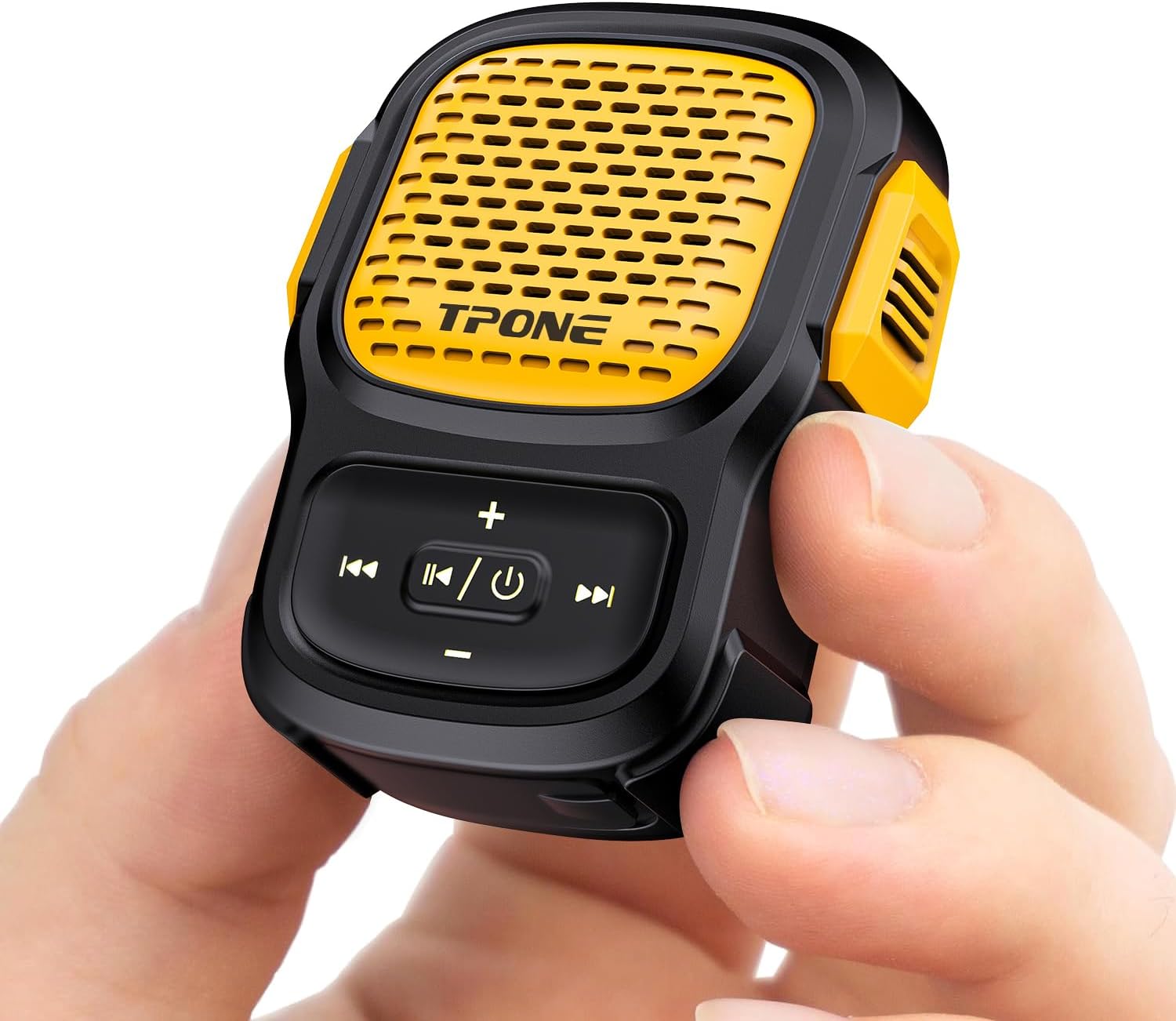
Image: The TPone Wearable Bluetooth Speaker, compact and black with a yellow grille, held in a person's hand, showcasing its small size and portability.
What's in the Box
Verify that all components are present in the package:
- Wearable Bluetooth Speaker (x1)
- Type-C Charging Cable (x1)
- 3.5mm AUX Cable (x1)
- User Manual (x1)
- Wristband (x1)
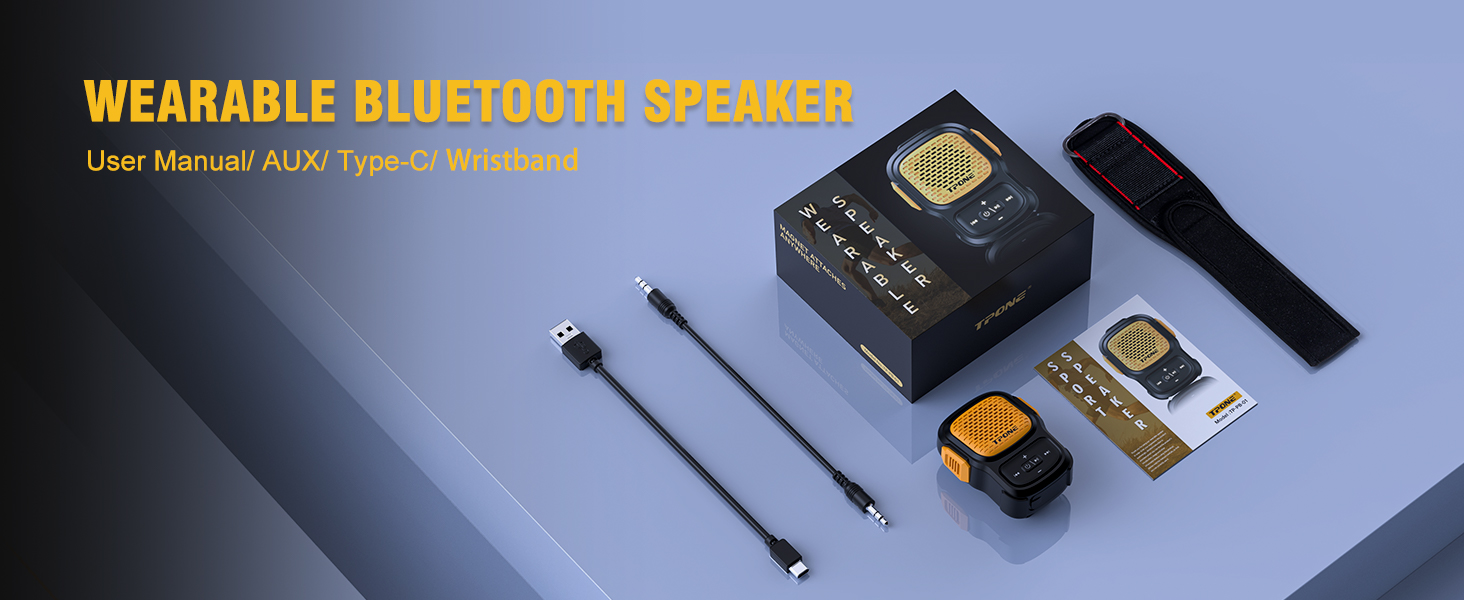
Image: A flat lay of the TPone Wearable Bluetooth Speaker and its accessories, including the speaker, charging cable, AUX cable, user manual, and wristband, all neatly arranged.
Product Features
- Compact and Lightweight Design: Weighing approximately 2 ounces, designed for one-hand operation and easy portability.
- Improved Strong Clip: Durable clip for attachment to clothing, backpacks, or other gear. Includes a hole for threading a line or lanyard.
- Crystal-Clear Audio: Built-in Hi-Fi digital components for high-quality sound with heavy bass.
- Hands-Free Calls with Noise Cancellation: Ensures clear and smooth calls even in noisy environments.
- IPX7 Waterproof Rating: Protected against immersion in water up to 1 meter for 30 minutes, suitable for outdoor use.
- Bluetooth 5.3 Connectivity: Provides a faster and more stable wireless connection.
- Long Battery Life: Built-in robust rechargeable battery for extended playback.
- Durable Construction: Rugged shell made of Acrylonitrile Butadiene Styrene (ABS), offering waterproof, dustproof, and drop-proof protection.
- Breathing Lamp Effect: LED lights on buttons, with an option to turn them off.
- Included Wristband: For additional wearing options, such as on the wrist.

Image: A person cycling outdoors in the rain, wearing the TPone Wearable Bluetooth Speaker on their wrist, demonstrating its IPX7 waterproof capability for active use.

Image: A man wearing a hard hat and safety glasses, with the TPone Wearable Bluetooth Speaker clipped to his shirt, highlighting its hands-free call feature and integrated microphone.
Setup
Charging the Speaker
- Locate the Type-C charging port on the speaker.
- Connect the provided Type-C charging cable to the speaker and a compatible USB power source (e.g., computer USB port, USB wall adapter).
- The charging indicator light will illuminate. A full charge typically takes approximately 2 hours.
- Once fully charged, the indicator light will change or turn off, depending on the model. Disconnect the charging cable.
Bluetooth Pairing
- Ensure the speaker is sufficiently charged.
- Press and hold the Power button (usually combined with Play/Pause) for a few seconds until the speaker powers on and enters pairing mode. The indicator light will typically flash blue rapidly.
- On your smartphone, tablet, or other Bluetooth-enabled device, navigate to the Bluetooth settings.
- Turn on Bluetooth and search for available devices.
- Select "TPone Speaker" or a similar name from the list of found devices.
- Once connected, the speaker will usually emit an audible confirmation tone, and the indicator light will turn solid blue or flash slowly.
- The speaker is now ready for audio playback and calls.
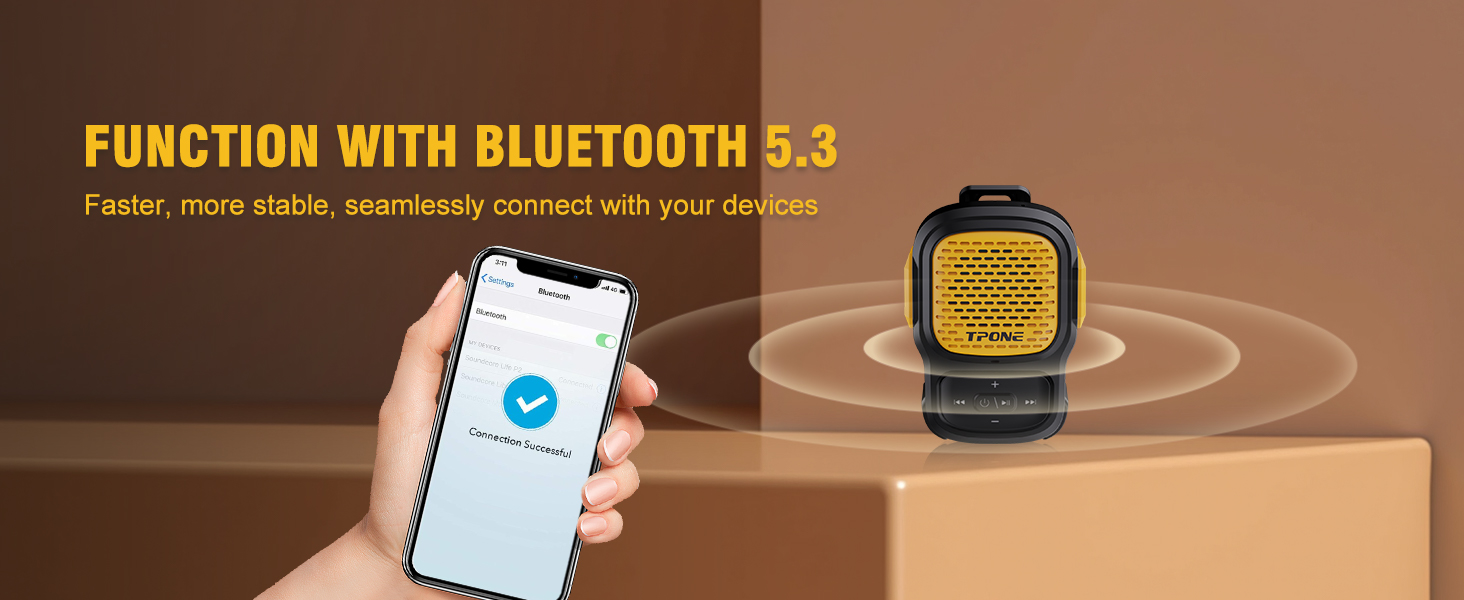
Image: A smartphone screen displaying a successful Bluetooth connection to the TPone speaker, illustrating the ease and stability of Bluetooth 5.3 pairing.
Operating Instructions
Button Functions
| Button | Function (Short Press) | Function (Long Press) |
|---|---|---|
| Power/Play/Pause | Play/Pause music; Answer/End calls | Power On/Off; Reject calls |
| Volume + | Increase volume | Next track |
| Volume - | Decrease volume | Previous track |
| Next Song Button | (Specific function not detailed, typically next track) | Turn off breathing lamp effect (3 seconds press) |
Note: Button functions may vary slightly. Refer to the included user manual for precise details.
Wearing the Speaker
- Clip-on: Use the integrated clip to attach the speaker to your shirt collar, pocket, backpack strap, or jacket.
- Wristband: Thread the speaker through the provided wristband to wear it like a watch, suitable for running or other activities.
- Lanyard/Thread: Utilize the hole in the clip to attach a lanyard or thread for hanging around your neck or other secure points.

Image: A man wearing the TPone Wearable Bluetooth Speaker clipped to his polo shirt, demonstrating its compact size and ease of wear for daily tasks.
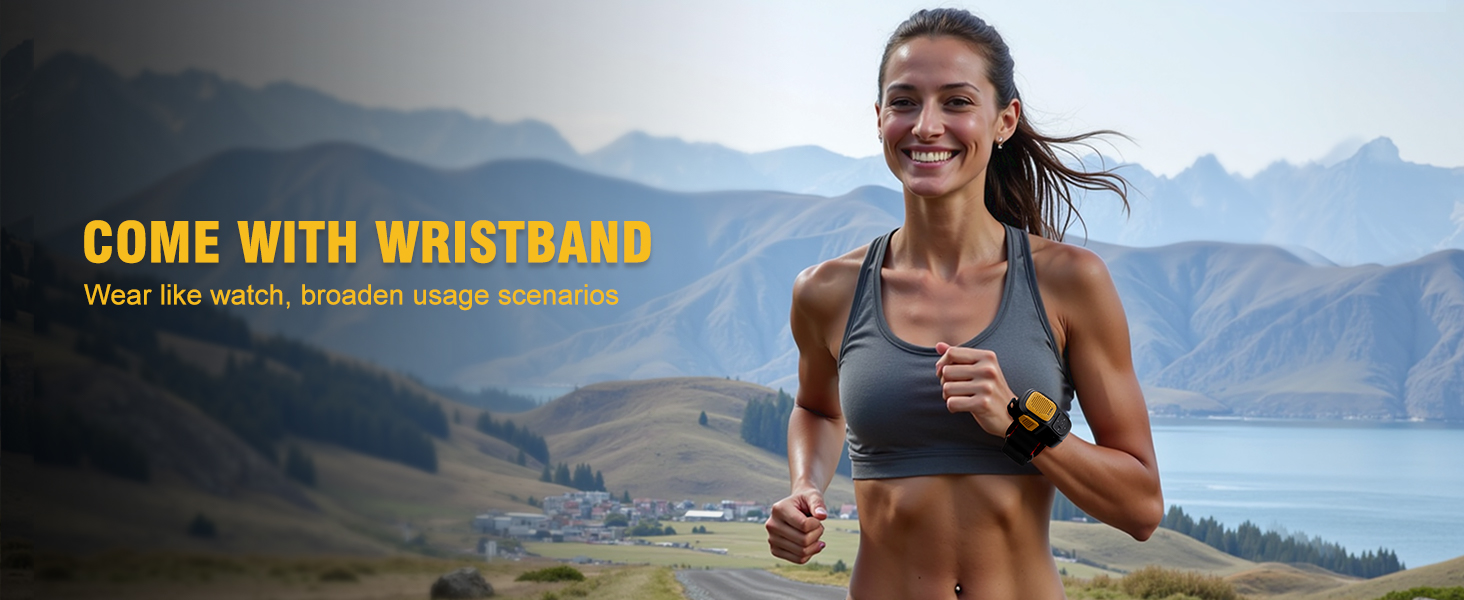
Image: A woman running outdoors with the TPone Wearable Bluetooth Speaker attached to her wrist via the included wristband, showcasing its versatility for active lifestyles.
Maintenance
- Cleaning: Wipe the speaker with a soft, damp cloth. Do not use abrasive cleaners or solvents.
- Water Exposure: While IPX7 waterproof, avoid prolonged submersion or exposure to high-pressure water jets. Ensure the charging port cover is securely closed before exposing to water.
- Storage: Store the speaker in a cool, dry place away from direct sunlight and extreme temperatures.
- Battery Care: To prolong battery life, avoid fully discharging the battery frequently. Charge the speaker regularly, even if not in use for extended periods.
Troubleshooting
| Problem | Possible Cause | Solution |
|---|---|---|
| Speaker does not power on. | Low battery. | Charge the speaker fully. |
| Cannot pair with Bluetooth device. | Speaker not in pairing mode; Device Bluetooth off; Too far from device. | Ensure speaker is in pairing mode (flashing blue light). Turn on Bluetooth on your device. Move speaker closer to device (within 10 meters). Forget previous pairings on your device and try again. |
| No sound or low volume. | Volume too low on speaker or device; Speaker not connected. | Increase volume on both speaker and connected device. Re-establish Bluetooth connection. |
| Sound distortion. | Volume too high; Interference. | Reduce volume. Move away from sources of interference (e.g., Wi-Fi routers, other Bluetooth devices). |
| Breathing lights are on/off unexpectedly. | Light feature activated/deactivated. | Press the next-song button for 3 seconds to toggle the breathing lights on/off. |
Specifications
| Feature | Detail |
|---|---|
| Model Name | TP-PB-01 (Item model number: PB-DA0K-L4B8) |
| Brand | TPone |
| Connectivity Technology | Bluetooth 5.3, Auxiliary |
| Wireless Range | Up to 10 meters (33 feet) |
| Speaker Type | Outdoor, Portable |
| Special Features | Bluetooth, Built-in Microphone, LED Light, Portable, Waterproof |
| Water Resistance Level | IPX7 (Waterproof) |
| Power Source | Battery Powered |
| Battery Capacity | 600 Milliamp Hours |
| Charging Time | Approximately 2 Hours |
| Speaker Maximum Output Power | 3.5 Watts |
| Frequency Response | 18 KHz |
| Signal-to-Noise Ratio | 80 dB |
| Impedance | 4 Ohm |
| Material | Acrylonitrile Butadiene Styrene (ABS) |
| Product Dimensions | 4.84"D x 4"W x 2.16"H |
| Item Weight | 2.3 Ounces |
| Control Method | Touch |
| Included Components | Speaker, Type-C Cable, AUX Cable, User Manual, Wristband |
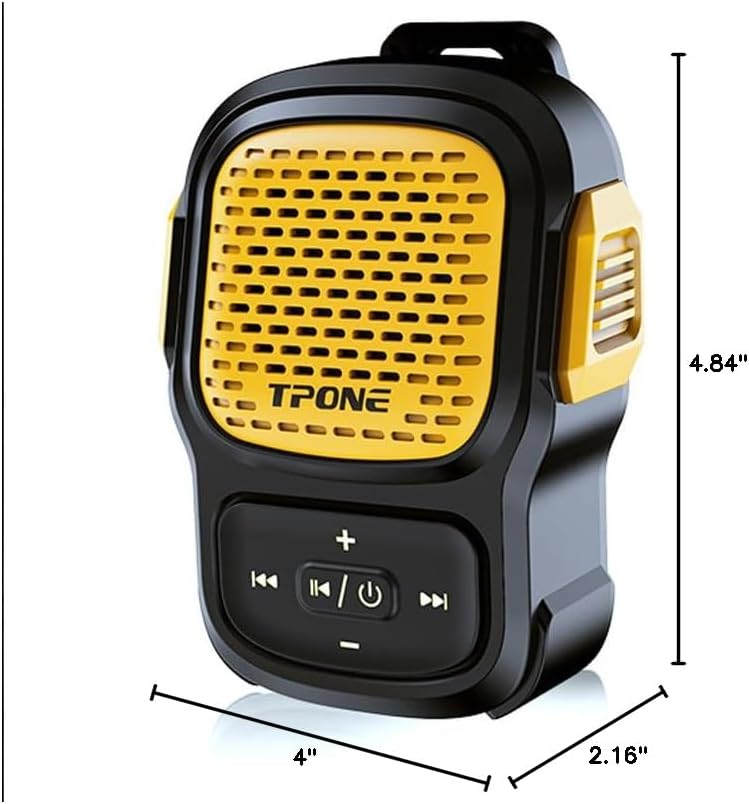
Image: A diagram showing the dimensions of the TPone Wearable Bluetooth Speaker, with measurements of 4.84 inches in depth, 4 inches in width, and 2.16 inches in height.
Warranty and Support
The TPone Wearable Bluetooth Speaker comes with a 2-year manufacturer's warranty. This warranty covers defects in materials and workmanship under normal use.
For warranty claims, technical support, or any inquiries regarding your product, please contact TPone customer service through the retailer where you purchased the product or visit the official TPone store page on Amazon:
Please retain your proof of purchase for warranty validation.
Ask a question about this manual
Ask about setup, troubleshooting, compatibility, parts, safety, or missing instructions. Manuals+ will review the question and use this page’s manual context to help answer it.