
EarHugger EH-SK1-S
EarHugger Swivel Earpiece with Microphone and PTT User Manual
Model: EH-SK1-S
Introduction
This manual provides instructions for the proper use, setup, and maintenance of your EarHugger Swivel Earpiece with Microphone and PTT. This earpiece is designed for use with Vertex and Motorola VX radios, offering clear communication and comfort for extended wear.
Please read this manual thoroughly before using the product to ensure optimal performance and longevity.
Product Overview
The EarHugger Swivel Earpiece is a one-piece communication accessory featuring a swiveling earpiece, an in-line push-to-talk (PTT) button with an integrated microphone, and a radio connector. It is engineered for discreet and comfortable communication in various professional environments.


Key Features:
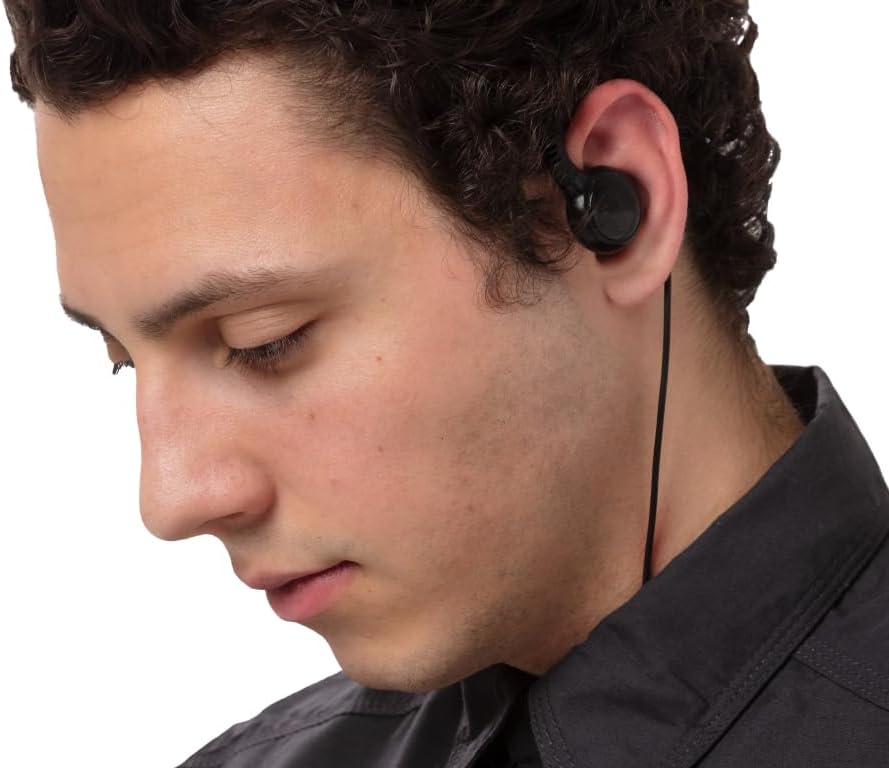
- Swiveling Earpiece: Designed for comfortable, all-day wear, reversible for left or right ear use.
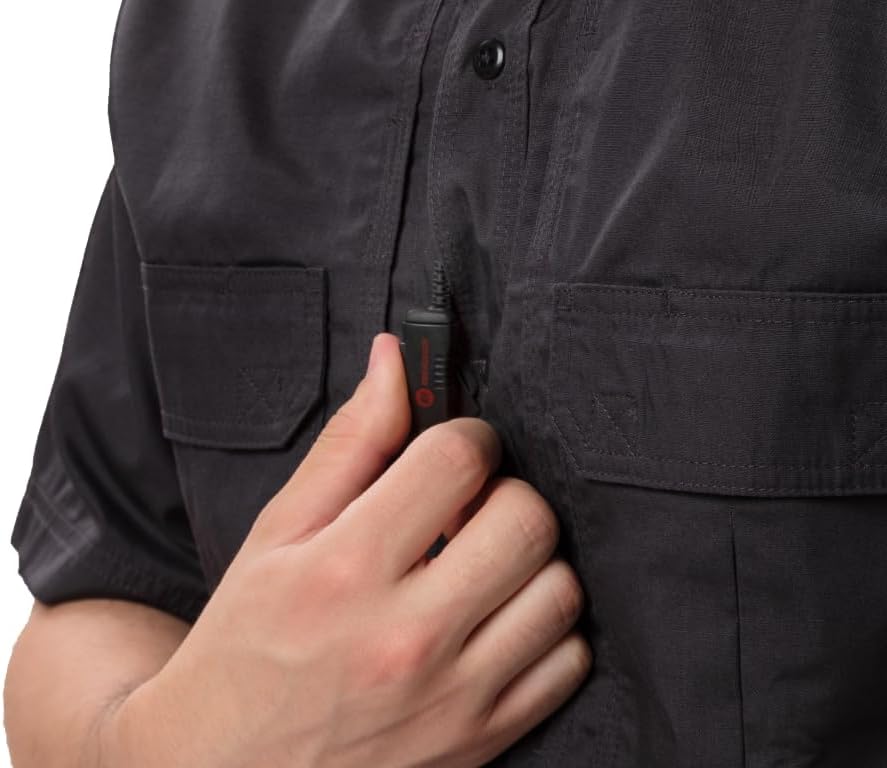
- In-line PTT with Microphone: Allows for easy and discreet transmission without needing to access the radio directly.
- Durable Construction: Features heavy-duty material, rugged design, and reinforced strain relief for longevity.
- Clear Audio: Equipped with a premium quality speaker and a noise-cancelling microphone for clear sound transmission.
- Compatibility: 100% compatible with original equipment manufacturer (OEM) radios, specifically Vertex and Motorola VX models.
Setup and Installation
- Identify Radio Connector: Ensure the earpiece connector matches your radio's port. This model is specifically for Vertex and Motorola VX radios.
- Connect to Radio: Carefully insert the earpiece's connector plug into the corresponding audio accessory port on your two-way radio. Ensure a firm and secure connection.
- Position Earpiece: Place the swiveling earpiece over your ear. The earhook is designed to fit comfortably over either the left or right ear. Adjust for a secure fit.
- Position Microphone/PTT: Clip the in-line microphone/PTT unit to your clothing (e.g., collar, lapel, or vest) in a position that allows the microphone to be close to your mouth for clear voice pickup and easy access to the PTT button. The unit includes a clothing clip for this purpose.

Operating Instructions
Receiving Audio:
Once connected, audio from your radio will be transmitted directly to the earpiece. Adjust your radio's volume control to a comfortable listening level. The earpiece provides clear sound even in noisy environments.
Transmitting Audio (Push-to-Talk):
- To transmit, press and hold the Push-to-Talk (PTT) button located on the in-line microphone unit.
- Speak clearly into the microphone. Ensure the microphone is positioned appropriately (e.g., clipped near your mouth) for optimal voice pickup.
- Release the PTT button when you have finished speaking to return to receive mode.
Note: You can also use the PTT button on your radio if preferred, but the in-line PTT offers greater convenience and discretion.

Care and Maintenance
- Cleaning: Wipe the earpiece and cable with a soft, damp cloth. Do not use harsh chemicals or abrasive cleaners. Ensure the unit is dry before storage or next use.
- Storage: Store the earpiece in a clean, dry place away from extreme temperatures and direct sunlight. Avoid tangling the cable.
- Handling: Avoid pulling on the cable to disconnect the earpiece from the radio. Always grasp the connector plug firmly. Do not bend or twist the cable excessively, especially near the connectors and the PTT unit, to prevent damage to the internal wiring.
- Water Resistance: The earpiece is water resistant, meaning it can withstand splashes and light rain. It is not designed for submersion. If it gets wet, dry it thoroughly before use.
Troubleshooting
| Problem | Possible Cause | Solution |
|---|---|---|
| No audio from earpiece. |
|
|
| Cannot transmit (PTT not working). |
|
|
| Audio is distorted or unclear. |
|
|
Specifications
| Feature | Detail |
|---|---|
| Model Name | One Wire Swivel Earpiece Headset |
| Model Number | EH-SK1-S |
| Connectivity Technology | Wired |
| Compatible Devices | Portable Two-Way Radios (Vertex, Motorola VX radios) |
| Included Components | Earpiece, Microphone with push to talk, Radio adapter |
| Item Weight | 1.6 Ounces (approx. 45 grams) |
| Water Resistance Level | Water Resistant |
| Output Level | 72dB |
| Rated Input Power | 0.1W |
| Maximum Input Power | 0.2W |
| Output Impedance | 32 ohms |
| Manufacturer | EarHugger Safety Products |
| UPC | 811920036167 |
Warranty and Support
The EarHugger Swivel Earpiece comes with a 90-day complete manufacturer's warranty. This warranty covers defects in materials and workmanship under normal use. It is designed to last at least a year with normal use.
For warranty claims, technical support, or product inquiries, please contact EarHugger customer service. Refer to the product packaging or the EarHugger official website for the most current contact information.
Online Resources:
- EarHugger Store: Visit EarHugger Store on Amazon
Ask a question about this manual
Ask about setup, troubleshooting, compatibility, parts, safety, or missing instructions. Manuals+ will review the question and use this page’s manual context to help answer it.