
1. Product Overview
The Opqpq ODM301 MAX is a versatile digital biological microscope designed for educational and laboratory use. It features a 7-inch IPS screen, up to 1200X magnification, dual LED illumination, and multiple connectivity options including WiFi, USB, and HDMI. This manual will guide you through its setup, operation, and maintenance.

Figure 1: Opqpq ODM301 MAX Digital Biological Microscope.
2. What's in the Box
Please check the package contents to ensure all items are present:
- 1 x Opqpq ODM301 Max Digital Biological Microscope with Screen
- 1 x Power Cable
- 1 x HDMI Cable
- 1 x Power Adapter
- 5 x Prepared Slides
- 5 x Blank Slides
- 1 x 32GB Micro SD Card
- 1 x Carrying Case

Figure 2: The included 32GB Micro SD card for storage.
3. Setup Instructions
Follow these steps to set up your microscope:
- Unpack: Carefully remove all components from the packaging.
- Positioning: Place the microscope on a stable, flat surface.
- Screen Adjustment: Adjust the 7-inch IPS screen to a comfortable viewing angle. The screen is adjustable up to 120 degrees for ergonomic viewing.
- Power Connection: Connect the power adapter to the microscope and plug it into a power outlet.
- SD Card Insertion: Insert the provided 32GB Micro SD card into the designated slot on the microscope. This is essential for saving photos and videos.

Figure 3: The microscope's monitor can be adjusted up to 120 degrees.
4. Operating Instructions
4.1 Basic Observation
To begin observing a sample:
- Place a prepared slide or your own sample on the mechanical stage.
- Use the stage adjustment knobs to center the sample under the objective lens.
- Rotate the objective lens turret to select the desired magnification (e.g., 100X, 800X, 1200X).
- Adjust the focus knob until the image appears clear on the 7-inch screen.

Figure 4: Observing samples on the large 7-inch screen.
4.2 Magnification Adjustment
The microscope features 3 achromatic metallic lenses offering up to 1200X magnification. Rotate the objective lens turret to switch between 100X, 800X, and 1200X settings. Fine-tune the focus after each change in magnification.
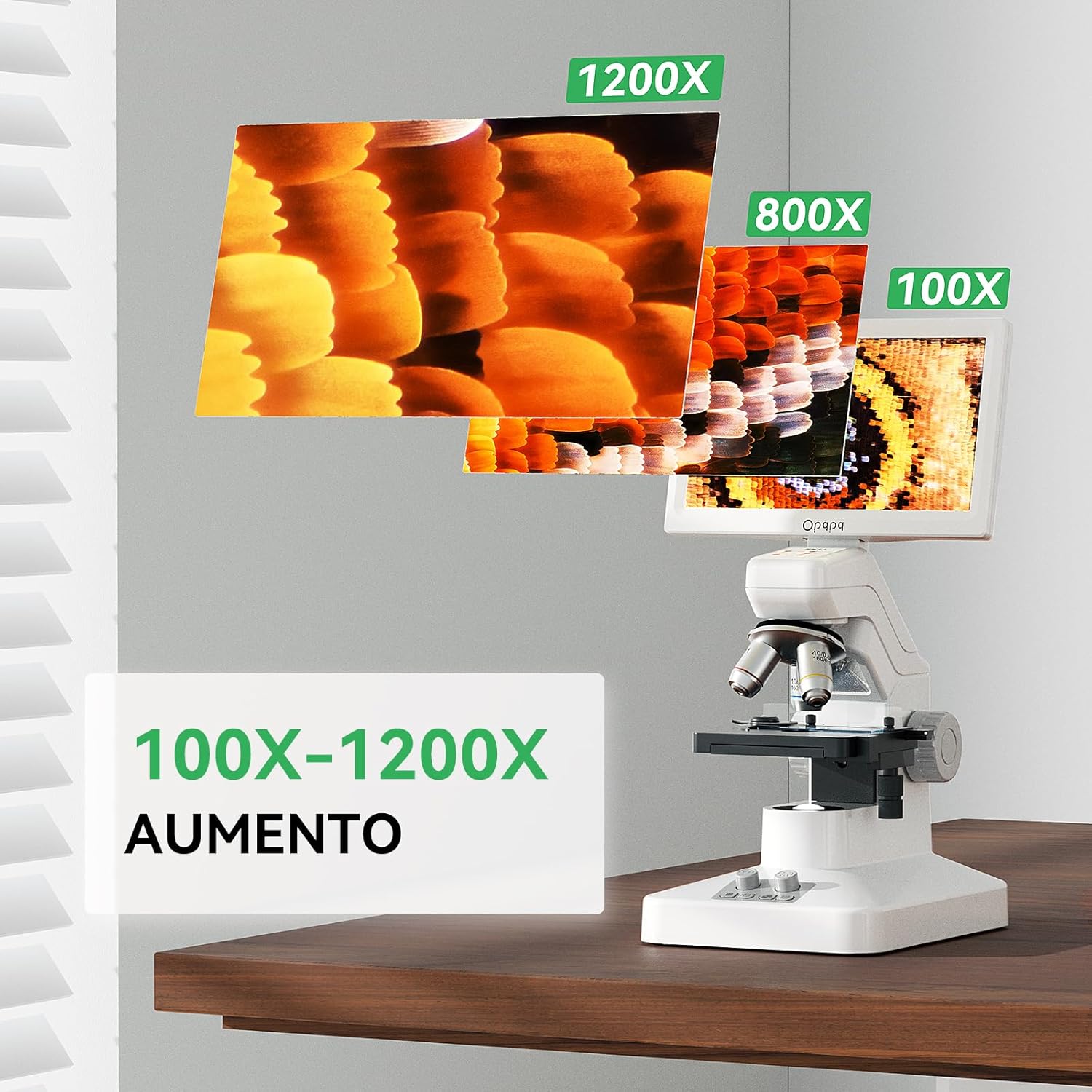
Figure 5: Different magnification levels from 100X to 1200X.
4.3 Mechanical Stage Operation
The precision double-layer mechanical stage allows for accurate X and Y axis movement of your slides. Use the stage control knobs to move the sample horizontally and vertically, ensuring precise positioning for observation.

Figure 6: The mechanical stage allows for precise X-Y movement.
4.4 Illumination System
The microscope is equipped with dual LED lights:
- Top LED Light: Illuminates opaque objects for surface observation.
- Bottom LED Light: Illuminates transparent samples (slides) from below.
Both lights have adjustable brightness. Use the illumination control knob to achieve optimal lighting for your sample.
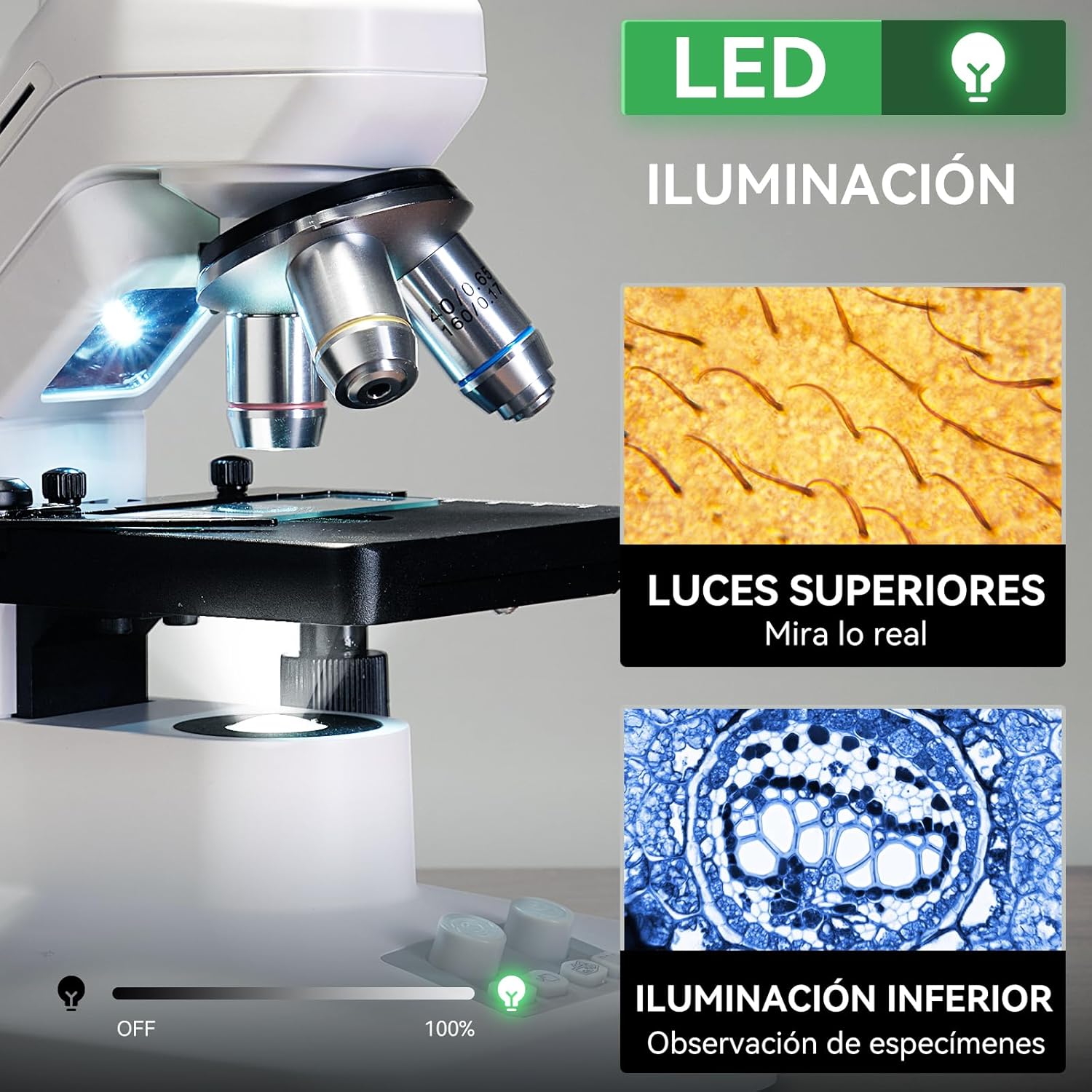
Figure 7: Dual LED illumination system for various samples.
4.5 WiFi and App Management
Connect your microscope wirelessly to Android or iOS devices using the dedicated app. This allows for real-time viewing, zooming, and capturing photos and videos directly on your smartphone or tablet. Files are saved on both your device and the microscope's SD card for easy sharing.

Figure 8: Seamless WiFi connectivity and app management.

Figure 9: The microscope is compatible with both iOS and Android devices.

Figure 10: Wireless connection range of up to 5 meters (16 feet).
4.6 USB and HDMI Output
For a larger viewing experience or sharing with a group, connect the microscope to external displays:
- USB Output: Connect to a PC or laptop (Windows and Mac OS compatible) for real-time viewing. No additional software is required (plug and play).
- HDMI Output: Connect to a projector or TV for large-scale observation and presentations.

Figure 11: Connecting the microscope to external displays via USB or HDMI.

Figure 12: USB and HDMI outputs for wider viewing options.
4.7 Capturing Photos and Videos
The microscope allows you to capture 8MP photos and 1080P videos of your observations. Use the dedicated buttons on the device or the connected app to record your discoveries. All captured media is saved to the inserted 32GB Micro SD card.

Figure 13: Capture high-resolution photos and videos.

Figure 14: Dedicated functions for camera and video recording.
4.8 Measurement Scale
The microscope includes a detailed measurement scale for precise measurements with each lens. This feature enhances educational value by allowing young scientists to accurately size samples.

Figure 15: Practical measurement scale for accurate analysis.
4.9 Sample Observation Videos
Observe various microscopic samples with your Opqpq ODM301 MAX microscope:
Video 1: Paramecium under the microscope.
Video 2: Blood cells as seen through the microscope.
Video 3: Semen sample under magnification.
5. Maintenance
5.1 Cleaning
- Lenses: Use a soft, lint-free cloth specifically designed for optical lenses. For stubborn smudges, use a small amount of lens cleaning solution. Avoid touching the lens surfaces with your fingers.
- Screen: Wipe the 7-inch IPS screen with a soft, dry cloth. For fingerprints or smudges, use a screen cleaner suitable for electronic displays.
- Body: Clean the microscope body with a soft, damp cloth. Avoid using harsh chemicals or abrasive cleaners.
5.2 Battery Care
The microscope is equipped with a 2000 mAh rechargeable battery, providing up to 3 hours of continuous use. To prolong battery life:
- Charge the battery fully before first use.
- Avoid completely draining the battery regularly.
- Store the microscope in a cool, dry place when not in use for extended periods.

Figure 16: The microscope features a rechargeable battery for portability.
6. Troubleshooting
If you encounter any issues with your Opqpq ODM301 MAX microscope, please refer to the following common solutions:
- No Power: Ensure the power adapter is securely connected and the power outlet is functional. Check if the battery is charged.
- No Image on Screen: Verify that the objective lens is correctly rotated into position and the illumination is turned on and adjusted. Check focus.
- Unclear Image: Adjust the focus knob carefully. Ensure the sample is properly prepared and positioned. Clean the objective lens and eyepiece if necessary.
- WiFi Connectivity Issues: Ensure the microscope's WiFi is enabled and your device is within the 5-meter range. Restart both the microscope and your smart device. Check app permissions.
- USB/HDMI Output Not Working: Ensure cables are securely connected. Try a different port or cable if available. No additional software is needed for basic plug-and-play functionality.
- SD Card Error: Ensure the SD card is inserted correctly. Try reformatting the card (this will erase all data) or use a different compatible 32GB Micro SD card.
If the problem persists, please contact Opqpq customer support for further assistance.
7. Specifications
| Feature | Specification |
|---|---|
| Model Name | ODM301 Max |
| Brand | Opqpq |
| Screen Type | 7-inch IPS Display |
| Maximum Magnification | 1200X |
| Illumination Type | Dual LED (Top & Bottom) |
| Connectivity | WiFi, USB, HDMI |
| Photo Resolution | 8MP |
| Video Resolution | 1080P |
| Battery | 2000 mAh Lithium Ion (up to 3 hours use) |
| Material | 7'' IPS Screen + ABS Stand |
| Product Dimensions | 26 x 23 x 30 cm (10.2 x 9.1 x 11.8 inches) |
| Product Weight | 2.2 kg (4.85 lbs) |
| Viewing Angle | 178 Degrees |
8. Warranty and Support
Opqpq products are designed for quality and reliability. For warranty information or technical support, please refer to the contact details provided with your purchase or visit the official Opqpq website. Our customer service team is available to assist you with any questions or concerns.