
zakotu Y66
zakotu Y66 Smart Watch User Manual
Model: Y66
Introduction
This manual provides comprehensive instructions for the setup, operation, maintenance, and troubleshooting of your zakotu Y66 Smart Watch. Please read this manual carefully before using the device to ensure proper functionality and to maximize your user experience.
What's in the Box
Upon opening the package, please verify that all listed components are present and in good condition.
- 1 x zakotu Y66 Smart Watch
- 1 x USB Magnetic Charging Cable
- 1 x English User Manual

Image: The packaging contents of the zakotu Y66 Smart Watch, showing the watch, its strap, the magnetic USB charging cable, and the user manual.
Setup
1. Charging the Device
Before initial use, fully charge your zakotu Y66 Smart Watch. Connect the magnetic charging cable to the charging points on the back of the watch and plug the USB end into a compatible power source (e.g., computer USB port, USB wall adapter). A full charge typically takes approximately 2 hours.
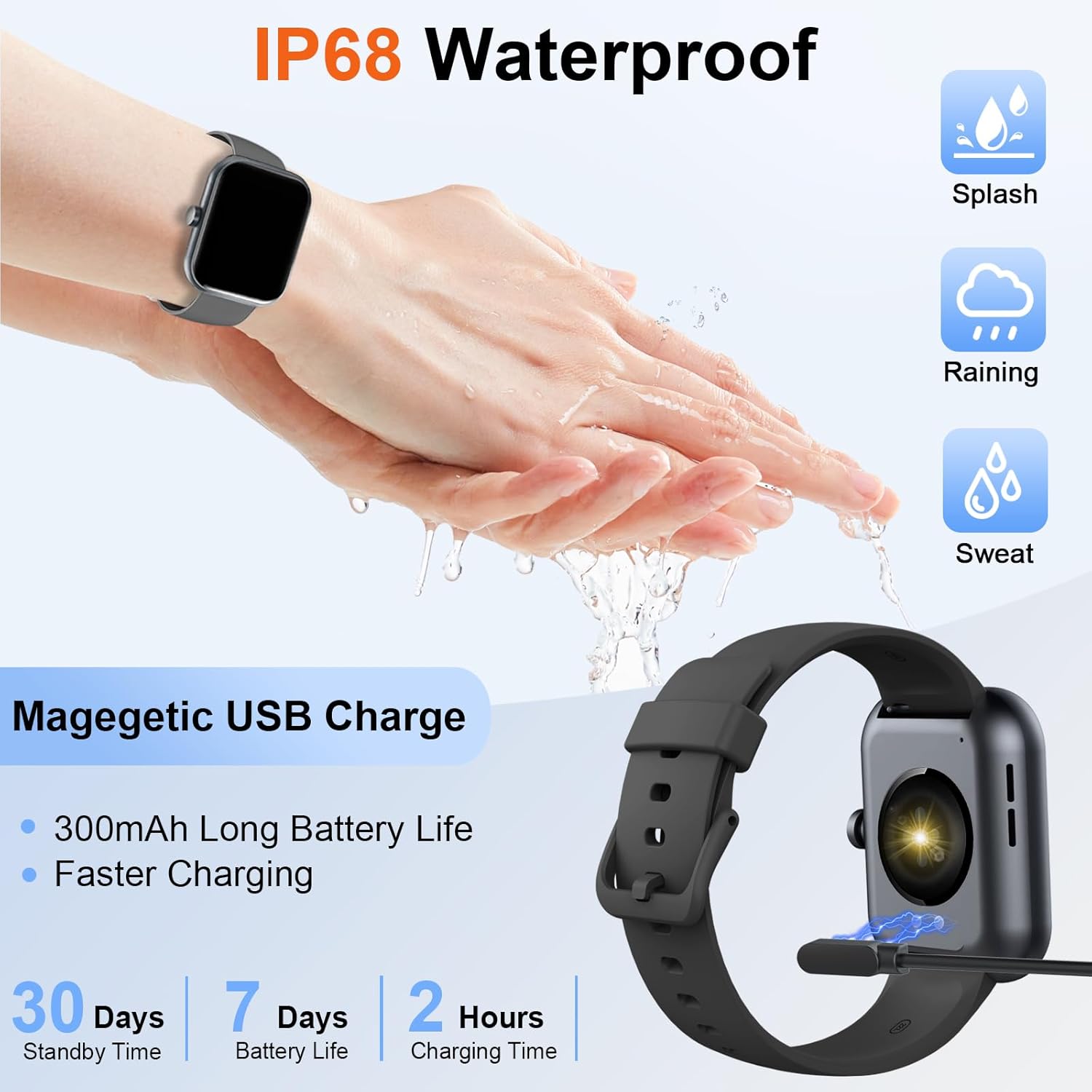
Image: The zakotu Y66 Smart Watch being charged via its magnetic USB cable, illustrating the connection points.

Image: An infographic detailing the battery life of the zakotu Y66 Smart Watch, showing up to 7 days of daily use, 30 days standby time, and a 2-hour charging time using the USB magnetic cable.
2. Downloading and Installing the App
To unlock the full features of your smartwatch, download the "GloryFit" application on your smartphone. The app is available on both Google Play Store for Android devices and Apple App Store for iOS devices.
- Open the "Google Play" or "App Store" on your smartphone.
- Search for "GloryFit" APP and download it.

Image: A step-by-step guide showing how to connect the zakotu Y66 Smart Watch to the GloryFit app, including turning on Bluetooth, downloading the app, searching for the device, and binding it.
3. Pairing the Watch via Bluetooth
After installing the GloryFit app, follow these steps to pair your smartwatch with your phone:
- Ensure Bluetooth is enabled on your smartphone.
- Open the GloryFit app and navigate to the device connection section.
- The app will search for available devices. Select "Y66" from the list to connect.
- Confirm the pairing request on both your phone and the smartwatch if prompted.
4. Enabling Bluetooth Call Function
To use the call answering and making features directly from your smartwatch, an additional Bluetooth connection is required after the initial app pairing:
- After successfully connecting the watch to the GloryFit APP, swipe the watch screen to the left.
- Click on the "Call" icon.
- Turn on the Bluetooth call switch on the watch.
- On your phone, go to Bluetooth settings and find "Y66" (or similar identifier for the call function, often different from the app connection). Connect to this second Bluetooth device.
- Once connected, you can use the watch to answer/make calls.
Video: This video demonstrates how to enable and use the Bluetooth call function on the zakotu Y66 Smart Watch, showing the steps to connect the watch for calls and dial a number directly from the watch interface.
Wearing the Device
For optimal performance of health monitoring features and comfort, wear your zakotu Y66 Smart Watch correctly. It should be neither too tight nor too loose, allowing for proper blood circulation and accurate sensor readings.

Image: A visual guide demonstrating the proper fit for the zakotu Y66 Smart Watch on the wrist. It shows that the watch should fit comfortably, not too loosely, to ensure accurate sensor readings.
Operating the Device
Basic Navigation
The zakotu Y66 Smart Watch features a 1.96-inch TFT HD full touch display for intuitive interaction. Swipe across the screen to access different functions and menus. The side button typically serves as a power/wake button or a return-to-home function.

Image: The zakotu Y66 Smart Watch showcasing its vibrant display with various icons for steps, battery, heart rate, calls, and daily activity, alongside a dial pad for making calls.
Bluetooth Call and Message Notifications
Once the Bluetooth call function is enabled (as described in the Setup section), you can make and receive calls directly from your watch. The watch can store up to 100 contacts and allows you to view call history. Additionally, receive real-time notifications for SMS, Facebook, Instagram, Twitter, WhatsApp, and other applications directly on your wrist.

Image: A man answering a call on his zakotu Y66 Smart Watch, with on-screen displays of dial pad, incoming call, call history, and contacts, demonstrating the Bluetooth call feature.

Image: A hand interacting with the zakotu Y66 Smart Watch, which displays various social media application icons (Instagram, Facebook, Twitter, WhatsApp, LinkedIn, Gmail) and a notification pop-up, illustrating the information reminder feature.
Health Monitoring
The smartwatch is equipped with high-performance optical sensors for continuous health tracking. Data is automatically synchronized to the GloryFit app for detailed analysis.
- Heart Rate Monitoring: Provides 24-hour heart rate tracking.
- SpO2 Monitoring: Measures blood oxygen saturation levels.
- Sleep Monitoring: Tracks deep sleep, light sleep, and REM sleep patterns to help you understand and improve your sleep habits.
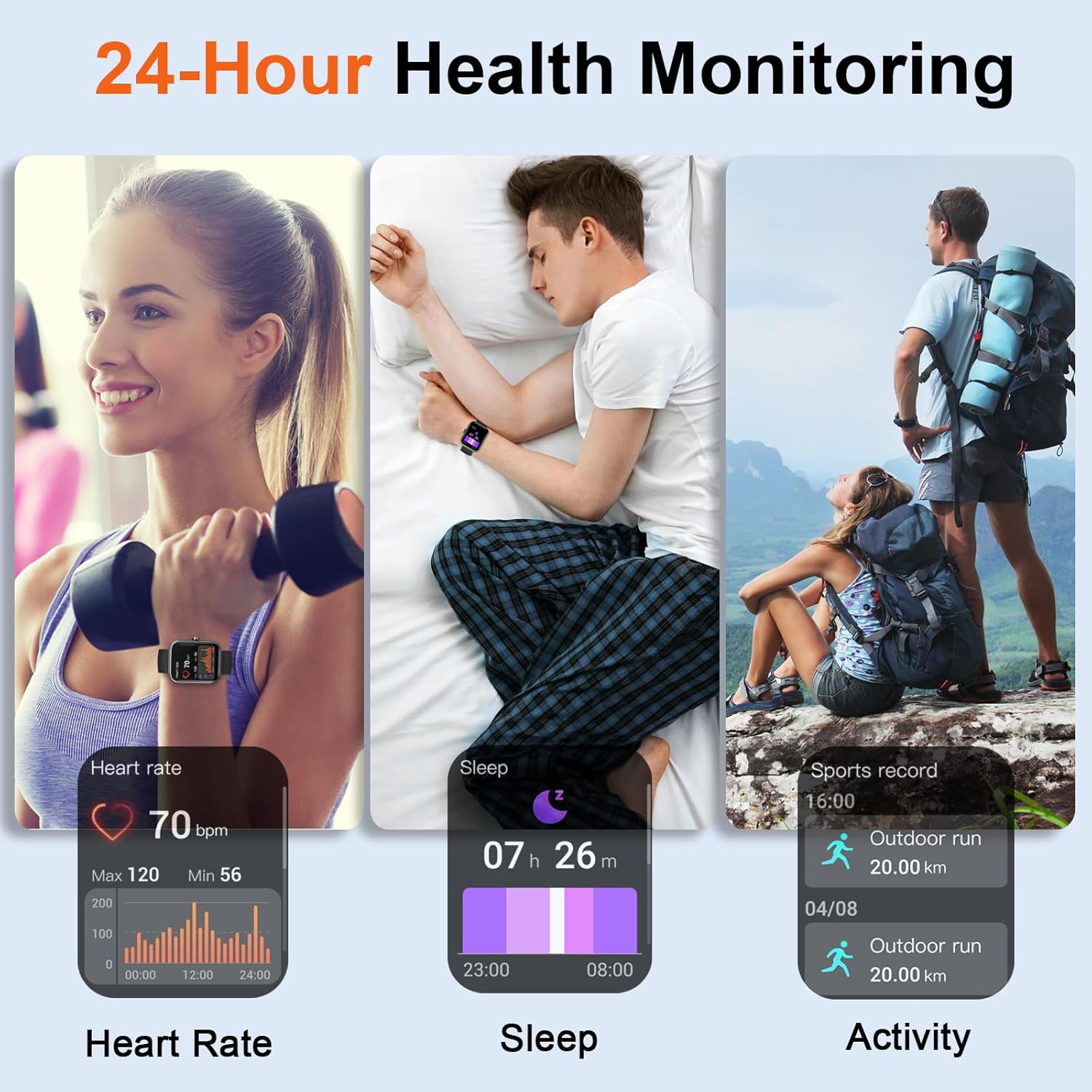
Image: A composite image illustrating the 24-hour health monitoring capabilities of the zakotu Y66 Smart Watch, including heart rate tracking, sleep pattern analysis, and activity recording during outdoor sports.

Image: A visual representation of the Heart Rate Monitor feature, showing the zakotu Y66 Smart Watch displaying real-time heart rate data and a graph of heart rate trends over time.

Image: A depiction of the Sleep Monitor function, showing the zakotu Y66 Smart Watch displaying sleep data including deep sleep, light sleep, and REM sleep durations, along with a sleep report.
Fitness Tracking and Sport Modes
The zakotu Y66 Smart Watch acts as a comprehensive fitness tracker, recording your daily steps, calories burned, and distance traveled. It supports over 100 sport modes, allowing you to track specific exercise data such as time, heart rate, and more.
- Pedometer: Automatically counts your steps throughout the day.
- 100+ Sport Modes: Select the appropriate mode for activities like running, cycling, badminton, and more to get detailed exercise reports.

Image: A man running outdoors while wearing the zakotu Y66 Smart Watch, with an overlay showing activity tracking metrics like steps, distance, and calories, along with a list of various sport modes available on the watch.

Image: An illustration of the Pedometer feature, displaying the zakotu Y66 Smart Watch showing steps, heart rate, calories, and distance, with a map of a tracked route on a smartphone.

Image: A collage showcasing the 100+ sport modes supported by the zakotu Y66 Smart Watch, featuring individuals engaged in cycling, badminton, yoga, basketball, and running.
Customizing Dials
Personalize your smartwatch with over 200 unique dials available through the GloryFit App. You can also upload your favorite photos to create custom watch faces, allowing you to match your style.

Image: The zakotu Y66 Smart Watch showcasing its 1.96-inch HD touch screen with multiple customizable watch faces, including options to use personal photos as backgrounds.

Image: A close-up of the zakotu Y66 Smart Watch's 1.96-inch large screen, highlighting the availability of over 200 built-in dials in the GloryFit APP and the option to DIY your watch dial.
Other Features
The zakotu Y66 Smart Watch offers a variety of additional convenient functions:
- Weather Forecast: Get real-time weather updates directly on your wrist.
- Alarm Clock: Set multiple alarms for reminders.
- Music Control: Control music playback on your smartphone.
- Camera Control: Use your watch as a remote shutter for your phone's camera.
- Stopwatch & Timer: Essential tools for timing activities.
- Find Phone/Watch: Locate your paired device if misplaced.
- Sedentary Reminder: Prompts you to move after periods of inactivity.
- Flashlight: A quick access light function.
- Brightness Adjustment: Adjust screen brightness for optimal viewing.

Image: A visual overview of the multifunction capabilities of the zakotu Y66 Smart Watch, including weather forecasts, alarm clock settings, camera control, timer, flashlight, and find phone features.

Image: A grid displaying various smart features of the zakotu Y66 Smart Watch, such as music control, remote camera, weather forecast, find phone, sedentary reminder, brightness adjustment, alarm, and stopwatch.
Maintenance
IP68 Waterproofing
The zakotu Y66 Smart Watch is IP68 waterproof, meaning it is resistant to dust and can withstand immersion in water up to 1.5 meters for 30 minutes. This makes it suitable for daily use, including hand washing, sweating during exercise, and exposure to rain. However, it is not recommended for use in hot water, saunas, or seawater, as these conditions may compromise the waterproof seal.
Image: A hand wearing the zakotu Y66 Smart Watch under running water, illustrating its IP68 waterproof capability against splashes, rain, and sweat.

Image: A visual representation of the IP68 Waterproof feature, showing the zakotu Y66 Smart Watch submerged in water, indicating its resistance to sweat and rain. A note clarifies that it is not suitable for high-temperature or corrosive environments like spas or seawater.
Cleaning
Regularly clean your smartwatch and strap to prevent skin irritation and maintain device hygiene. Use a soft, damp cloth to wipe the screen and strap. Avoid using harsh chemicals or abrasive materials.
Troubleshooting
| Problem | Possible Solution |
|---|---|
| Watch not turning on | Ensure the watch is fully charged. Connect it to the charger for at least 10 minutes before attempting to power on. |
| Unable to pair with phone |
|
| Bluetooth call function not working |
|
| Inaccurate health data (HR, SpO2) |
|
| Notifications not appearing |
|
| Short battery life |
|
Specifications
| Feature | Detail |
|---|---|
| Model Name | Y66 |
| Brand | zakotu |
| Screen Size | 1.96 Inches TFT HD Full Touch Display |
| Connectivity | Bluetooth |
| Waterproof Rating | IP68 |
| Battery Capacity | High-capacity (300mAh) |
| Battery Life (Typical Use) | Up to 7 days |
| Standby Time | Up to 30 days |
| Charging Time | Approx. 2 hours |
| Health Monitoring | Heart Rate, SpO2, Sleep Monitor |
| Fitness Tracking | Pedometer, Calories, Distance, 100+ Sport Modes |
| Call Function | Bluetooth Call (Answer/Make Calls), Contact Storage (up to 100) |
| Notifications | SMS, APP notifications (Facebook, Instagram, Twitter, WhatsApp, etc.) |
| Other Features | Weather Forecast, Alarm Clock, Music/Camera Control, Stopwatch, Timer, Find Phone/Watch, Sedentary Reminder, Flashlight, Brightness Adjustment |
| App Compatibility | GloryFit (iOS & Android) |
| Item Weight | 3.2 ounces |
| Package Dimensions | 6.73 x 3.23 x 0.75 inches |
Warranty and Support
Your zakotu Y66 Smart Watch comes with a standard manufacturer's warranty. For specific warranty terms, duration, and details on how to claim support, please refer to the warranty card included in your product packaging or visit the official zakotu website. If you encounter any issues not covered in the troubleshooting section, please contact zakotu customer support for assistance.
For further assistance, you may also refer to the zakotu Store on Amazon.
Related Documents - Y66
 |
Coucur Smart Sport Watch MC009 User Manual and Guide Comprehensive user manual for the Coucur Smart Sport Watch MC009, covering appearance, functions, charging, app connection, precautions, and troubleshooting. Features include fitness tracking, notifications, and Bluetooth connectivity. |
 |
Mercedes-Benz 722.6 Transmission Diagnostic Trouble Codes (DTCs) A comprehensive list of diagnostic trouble codes (DTCs) for the Mercedes-Benz 722.6 transmission, covering actual and stored errors for models from 1996 onwards. |
 |
Ohuhu Oahu Series Marker Color Chart A comprehensive list of all 48 pastel colors and the colorless blender available in the Ohuhu Oahu Series marker collection, including color codes and names. |
 |
Ohuhu 200 Marker Color Swatch Guide Explore the comprehensive color palette of the Ohuhu 200 marker collection with this detailed swatch guide. This resource lists all available color names and their corresponding codes, serving as an essential tool for artists, illustrators, and designers seeking precise color selection for their creative endeavors. |
 |
Ohuhu Oahu Series Marker Color Chart - 120 Colors + Blender Explore the full spectrum of the Ohuhu Oahu Series markers with this comprehensive color chart, featuring 120 distinct colors and a colorless blender, each identified by its unique code and name. |
 |
Ohuhu Oahu 48 Pastel Marker Color Swatches Comprehensive list of Ohuhu Oahu 48 Pastel markers, including color codes, names, and old code references for each shade. |
Ask a question about this manual
Ask about setup, troubleshooting, compatibility, parts, safety, or missing instructions. Manuals+ will review the question and use this page’s manual context to help answer it.