
1. Introduction
This manual provides essential instructions for the safe and effective use of your Nildoa TN227 TN-227BK High Yield Black Toner Cartridge. Please read this manual thoroughly before installation and retain it for future reference. Following these guidelines will help ensure optimal print quality and cartridge longevity.
2. Safety Information
- Keep toner cartridges out of reach of children.
- Do not ingest toner powder. If ingested, seek medical attention immediately.
- Avoid direct contact with toner powder. If contact occurs, wash thoroughly with soap and water.
- Store cartridges in a cool, dry place, away from direct sunlight and extreme temperatures.
- Do not open, puncture, or incinerate toner cartridges.
- Dispose of used cartridges according to local regulations.
3. Package Contents
Your Nildoa TN227 TN-227BK High Yield Black Toner Cartridge package should contain the following:
- One (1) Nildoa TN227 TN-227BK High Yield Black Toner Cartridge.

Image: The Nildoa TN227 TN-227BK High Yield Black Toner Cartridge shown in its protective packaging.
4. Compatible Printer Models
This Nildoa TN227 TN-227BK toner cartridge is compatible with the following Brother printer models:
- Brother HL-Series: HL-L3210CW, HL-L3230CDW, HL-L3270CDW, HL-L3290CDW
- Brother MFC-Series: MFC-L3710CW, MFC-L3750CDW, MFC-L3770CDW

Image: A visual representation of the Nildoa TN-227 toner cartridge compatibility with various Brother HL-Series and MFC-Series printers.
5. Setup (Installation)
Follow these steps to install the toner cartridge into your compatible Brother printer. Refer to your printer's user manual for specific instructions on accessing the toner compartment and drum unit.
- Power Off Printer: Ensure your printer is turned off before beginning the installation process.
- Open Front Cover: Open the front cover of your Brother printer.
- Remove Drum Unit Assembly: Carefully pull out the drum unit assembly from the printer.
- Remove Old Toner Cartridge: Press down the lock lever and remove the used toner cartridge from the drum unit.
- Unpack New Cartridge: Remove the new Nildoa TN227 TN-227BK toner cartridge from its packaging. Gently shake it horizontally 5-6 times to distribute the toner evenly.
- Remove Protective Cover: Remove any protective covers or sealing tape from the new toner cartridge. Do not touch the green drum unit surface.
- Insert New Toner: Insert the new toner cartridge firmly into the drum unit until it locks into place. You should hear a click.
- Clean Corona Wire: Gently slide the green tab on the drum unit back and forth several times to clean the corona wire. Return the tab to its home position.
- Reinstall Drum Unit: Slide the drum unit assembly back into the printer until it stops.
- Close Front Cover: Close the front cover of the printer.
- Power On Printer: Turn on your printer. It should now recognize the new toner cartridge.
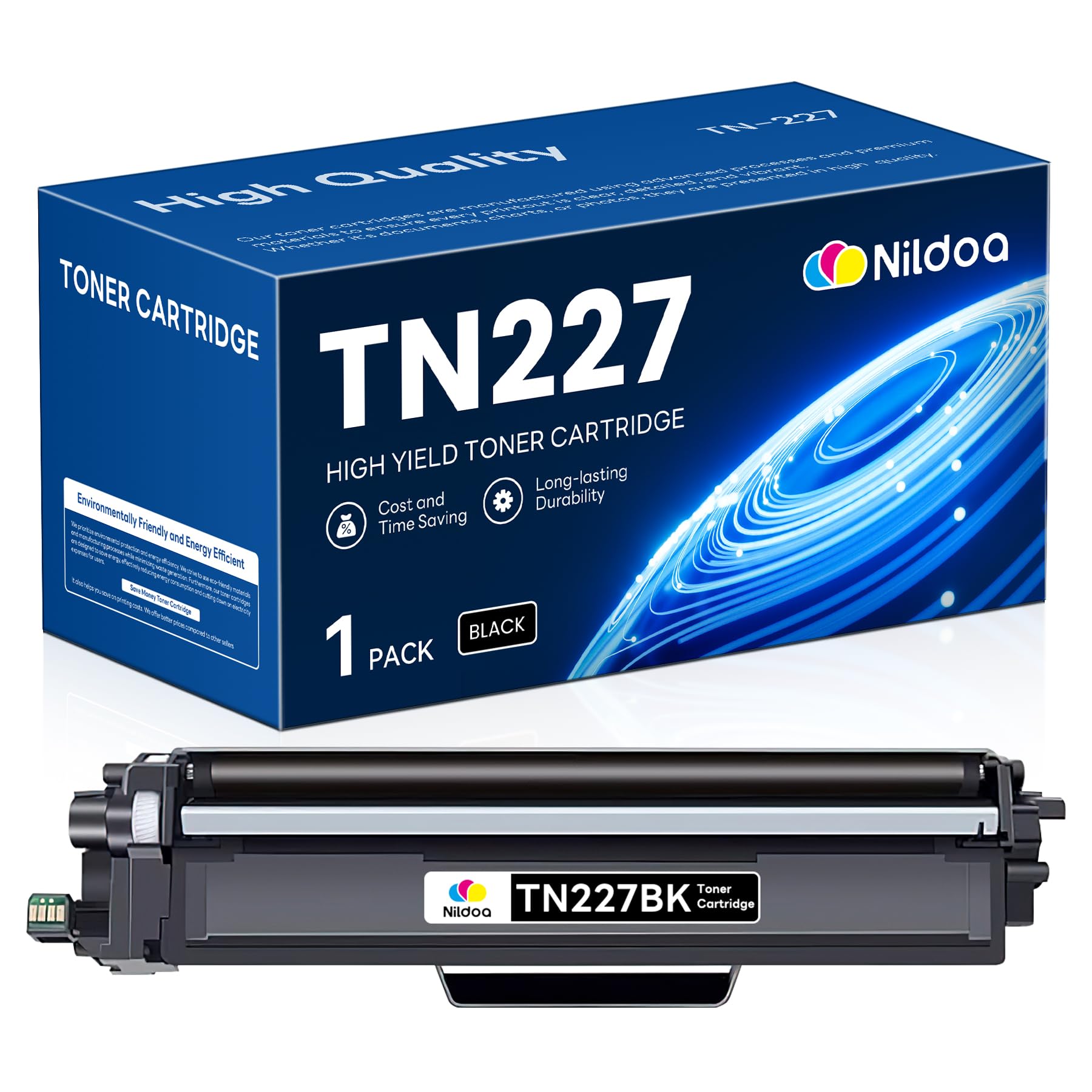
Image: The Nildoa TN227 TN-227BK High Yield Black Toner Cartridge, ready for installation.
6. Operating (Printing)
Once the Nildoa TN227 TN-227BK toner cartridge is correctly installed, your printer is ready for operation. This high-yield cartridge is designed to provide approximately 3300 pages at 5% coverage (Letter/A4), ensuring efficient printing for various needs.
- Print Quality: The refined toner powder is formulated to deliver sharp, clear text and high-quality images consistently.
- Page Yield: Expect up to 3300 pages per black cartridge based on industry-standard 5% coverage. Actual yield may vary significantly based on content of printed pages and other factors.

Image: An illustration highlighting the estimated page yield of 3,300 pages for the Nildoa TN227 TN-227BK black toner cartridge.
7. Maintenance
Proper maintenance and storage can extend the life of your toner cartridge and ensure consistent print quality.
- Storage: Store unused toner cartridges in their original sealed packaging in a cool, dry environment, away from direct sunlight and extreme temperature fluctuations.
- Handling: Always handle the toner cartridge carefully. Avoid touching the drum unit's surface or the toner opening to prevent damage or contamination.
- Cleaning: If print quality degrades, gently slide the green tab on the drum unit (after removing the toner cartridge) to clean the corona wire. Refer to your printer's manual for detailed cleaning instructions for other components.
8. Troubleshooting
If you encounter issues with your Nildoa TN227 TN-227BK toner cartridge, consider the following common problems and solutions:
| Problem | Possible Cause | Solution |
|---|---|---|
| Printer does not recognize cartridge | Cartridge not installed correctly; protective tape not removed; chip issue. | Reinstall the cartridge, ensuring it clicks into place. Check if all protective tapes are removed. Power cycle the printer. |
| Poor print quality (faded, streaks, spots) | Low toner; dirty corona wire; damaged drum unit; toner not distributed. | Gently shake the toner cartridge. Clean the corona wire on the drum unit. If issues persist, the drum unit may need replacement (separate from toner). |
| "Low Toner" or "Replace Toner" message appears prematurely | Printer sensor misreading; cartridge not fully seated. | Remove and reinstall the toner cartridge. Some printers may require a manual reset of the toner counter (refer to your printer's manual). |

Image: An illustration emphasizing the refined toner powder's contribution to high-quality prints, relevant for troubleshooting print quality issues.
9. Specifications
| Specification | Detail |
|---|---|
| Brand | Nildoa |
| Model Number | TN227 TN-227BK |
| Color | Black |
| Page Yield | Up to 3300 pages (at 5% coverage) |
| Special Feature | High Yield |
| Compatible Devices | Printer |
| Included Components | Toner Cartridge |
| UPC | 767950269252 |
| Product Dimensions | 33.48 x 6.48 x 10.49 cm |
10. Warranty Information
Specific warranty details for this Nildoa product may vary. Please refer to the product packaging or contact the seller directly for information regarding warranty coverage and terms.
11. Support
For technical assistance, troubleshooting beyond this manual, or any other inquiries, please contact the Nildoa customer support or the retailer from whom you purchased the product. Have your product model number (TN227 TN-227BK) and purchase details ready when contacting support.