
1. Important Safety Information
Read all safety warnings and instructions before using this product. Failure to follow these instructions may result in electric shock, fire, and/or serious injury.
- Do not short circuit: Avoid connecting the red and black clamps together.
- Keep away from children: This device is not a toy.
- Do not disassemble: Unauthorized disassembly may cause hazards and voids the warranty.
- Use in well-ventilated areas: Ensure proper ventilation during use and charging.
- Battery Level: Ensure the jump starter's battery power is above 50% before attempting to jump start a vehicle.
- Post-Jump Start: After the vehicle starts, immediately unplug the jumper cable from the jump starter, then remove the clamps from the vehicle battery.
- Integrated Protections: The NUSICAN N20 features 10 integrated protections against reverse polarity, reverse connection, overcurrent, overvoltage, overload, overcharge, over discharge, short circuit, over temperature, and low temperature. The smart jumper clamp's LCD screen will notify you of any improper operation.

Image: The NUSICAN N20 Jump Starter highlighting its 10 smart cable protections, including reverse polarity, short circuit, and over-temperature protection, with notifications displayed on the cable's LCD screen.
2. Package Contents
Verify that all items are present in your package:
- 1 x Portable Lithium-ion Car Battery Jumper Starter Pack (NUSICAN N20)
- 1 x Intelligent Jumper Clamp
- 1 x USB Type-C Cable
- 1 x Storage Bag
- 1 x User Manual

Image: All components included in the NUSICAN N20 Jump Starter package: the jump starter unit, intelligent jumper clamps, USB Type-C cable, storage bag, and user manual.
3. Product Overview
3.1 Components and Features
The NUSICAN N20 is a compact and powerful portable car jump starter designed for 12V vehicles. It features a large LCD display, multiple USB outputs, and an integrated LED light.

Image: A detailed diagram of the NUSICAN N20 Jump Starter, indicating the power button, smart LED display, LED torch light (Flashlight/Strobe/SOS), input port, output ports (Output 1 and Output 2), and the smart jump clamps port.
- Power Button: Used to turn the device on/off and cycle through LED light modes.
- Smart LED Display: Shows battery percentage, input/output power status, and alarm prompts.
- LED Torch Light: Provides illumination with Flashlight, SOS, and Strobe modes.
- Input Port (USB-C): For charging the jump starter (5V/2A, 9V/2A, 12V/1.5A).
- Output 1 (USB QC3.0): For fast charging external devices (5V/3A, 9V/2A, 12V/1.5A).
- Output 2 (USB): For charging external devices (5V/2.1A).
- Smart Jump Clamps Port: Connects to the intelligent jumper clamps for vehicle jump starting.
4. Setup
4.1 Charging the Jump Starter
Before first use, fully charge the NUSICAN N20. It comes with a universal Type-C input port. Use the provided USB Type-C cable and your own wall charger (not included) to charge the device.
- Connect the USB Type-C cable to the Input port on the jump starter.
- Connect the other end of the USB Type-C cable to a compatible USB wall charger (5V/2A, 9V/2A, or 12V/1.5A output recommended).
- The LCD display will show the charging status and battery percentage. Charge until the display indicates 100%.

Image: A visual guide demonstrating how to charge the NUSICAN N20 Jump Starter using the provided USB Type-C cable and a wall charger (not included).
Maintenance Charging: For optimal battery health, if the device is not used for an extended period, it is recommended to charge the jump starter every 2-3 months. The device has an ultra-low standby power consumption, allowing for up to 24 months of standby time when fully charged.
5. Operating Instructions
5.1 Jump Starting a Vehicle
The NUSICAN N20 can jump start 12V vehicles with up to 7.5L gas or 5.5L diesel engines. Ensure the jump starter is at least 50% charged before use.
- Connect Jumper Cable: Press the power button on the jump starter. Insert the intelligent jumper cable into the jump starter's smart jump clamps port.
- Connect Clamps to Battery: Connect the red (+) clamp to the positive terminal of the vehicle's battery and the black (-) clamp to the negative terminal. The smart jumper clamp's LCD screen will display connection status and alert you to any improper connections.
- Start Vehicle: Once the connection is secure and the smart clamp indicates readiness, start your car engine.
- Remove Clamps: After the car successfully starts, immediately unplug the jumper cable from the jump starter, then remove the clamps from the vehicle battery.

Image: A three-step visual guide illustrating how to jump start a 12V vehicle: 1. Insert the jumper cable into the jump starter. 2. Connect the clamps to the car battery (red to positive, black to negative). 3. Start the car engine.
5.2 Using as a Portable Power Bank
The NUSICAN N20 doubles as a portable power bank with two USB outputs to charge your electronic devices.
- Output 1 (QC3.0): Connect your device's USB charging cable to the QC3.0 output port for fast charging (5V/3A, 9V/2A, 12V/1.5A).
- Output 2: Connect your device's USB charging cable to the standard USB output port (5V/2.1A).
- The power bank is compatible with cell phones, tablets, e-readers, digital cameras, and other USB-powered devices.
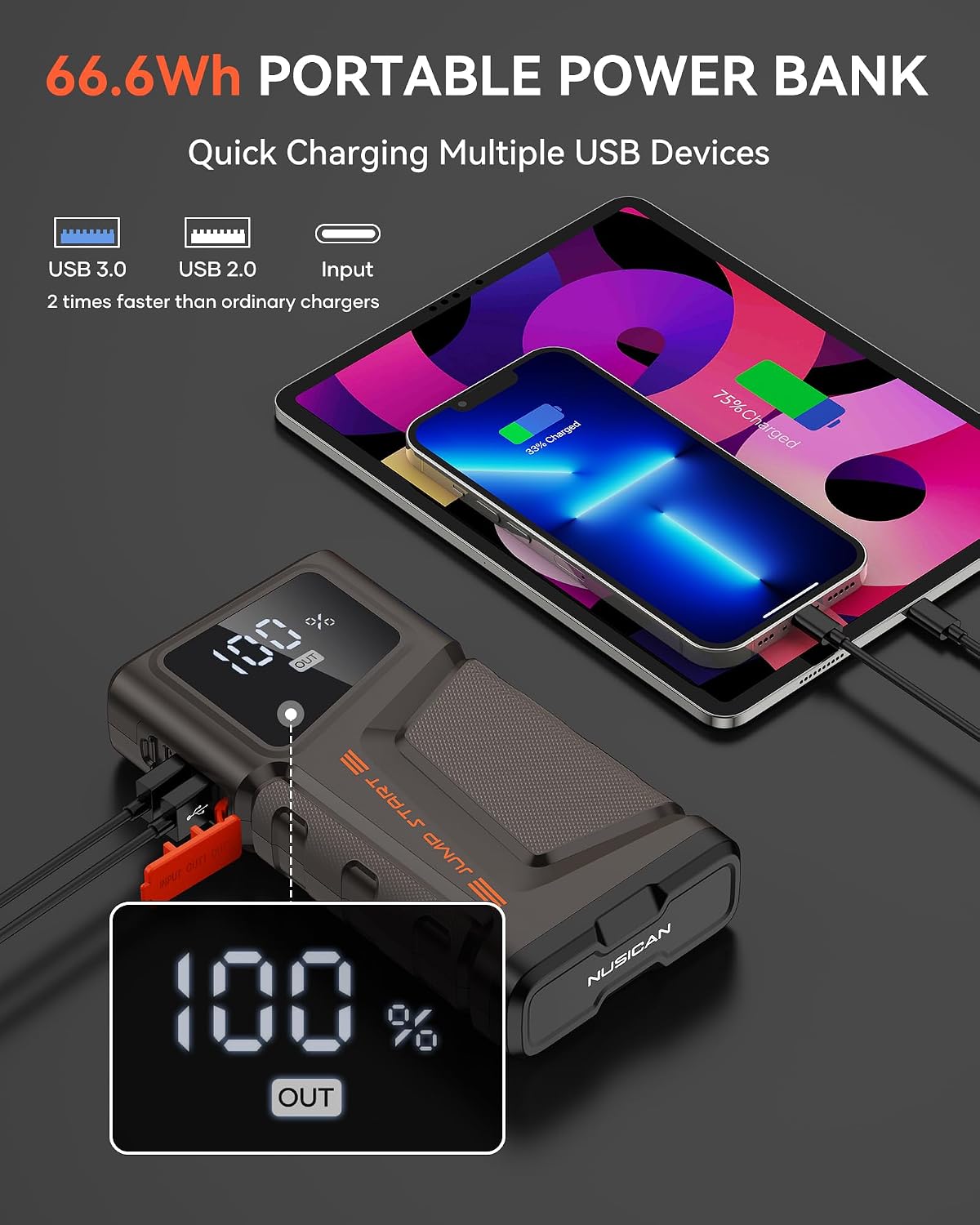
Image: The NUSICAN N20 Jump Starter connected via USB cables to a smartphone and a tablet, demonstrating its function as a 66.6Wh portable power bank with quick charging capabilities.
5.3 LED Light Modes
The integrated LED light offers three modes for various situations:
- Flashlight Mode: Long press the power button to activate the flashlight.
- SOS Mode: Short press the power button again to switch to SOS mode (flashing Morse code for distress).
- Strobe Mode: Short press the power button a third time to activate strobe mode (rapid flashing).
- Short press again to turn off the light.

Image: The NUSICAN N20 Jump Starter's LED light in action, illustrating its three modes: Flashlight, SOS Mode, and Emergency Strobe, useful for various situations like camping or emergencies.
6. Maintenance
- Regular Charging: If the jump starter is not used for a long time, charge it every 2-3 months to maintain battery health.
- Storage: Store the device in a cool, dry place, away from direct sunlight and extreme temperatures.
- Cleaning: Wipe the unit with a dry, soft cloth. Do not use harsh chemicals or abrasive materials.
- Temperature Range: The device is designed to operate in extreme temperatures (-4°F to 140°F / -20°C to 60°C), but prolonged exposure to extreme conditions should be avoided when not in use.

Image: The NUSICAN N20 Jump Starter shown in both hot (140°F/60°C) and cold (-4°F/-20°C) weather environments, highlighting its ability to function in extreme conditions and its 24-month standby capability.
7. Troubleshooting
- Device Not Responding: If the unit does not turn on or respond, ensure it is adequately charged. Try turning the device off and on again.
- Vehicle Not Starting:
- Check that the jump starter has at least 50% battery charge.
- Verify that the jumper clamps are correctly connected to the vehicle battery terminals (red to positive, black to negative). The smart clamp's LCD will provide error notifications for improper connections.
- Ensure the jumper cable is fully inserted into the jump starter's port.
- Slow Charging of External Devices: Ensure you are using the correct USB output port (QC3.0 for faster charging) and a compatible charging cable for your device.
8. Specifications
| Feature | Specification |
|---|---|
| Brand | Nusican |
| Model | N20 |
| Peak Output Current | 2000 Amps |
| Engine Compatibility | Up to 7.5L Gas / 5.5L Diesel |
| Product Dimensions | 1.7"D x 3.7"W x 1.7"H |
| Item Weight | 0.95 Pounds (15.2 ounces) |
| Input (USB-C) | 5V/2A, 9V/2A, 12V/1.5A |
| Output 1 (USB QC3.0) | 5V/3A, 9V/2A, 12V/1.5A |
| Output 2 (USB) | 5V/2.1A |
| Battery Type | Lithium Ion |
| Operating Temperature | -4°F to 140°F (-20°C to 60°C) |
| Safety Certifications | UL (Specification Met) |
9. Warranty and Support
All NUSICAN Car Jump Starters come with a hassle-free 2-Year warranty from the date of purchase.
NUSICAN provides lifetime technical support and 24/7 customer service.
For any questions or assistance, please contact us through the 'Get product Support' option on Amazon or via our After-Sales Email. Refer to the contact information provided in your product packaging or on the official NUSICAN website.