
1. Introduction
Thank you for purchasing the JISULIFE Handheld Fan F8X. This compact and versatile device combines a powerful personal fan with a 4500 mAh power bank and a built-in flashlight, designed for convenience and comfort on the go. Please read this manual thoroughly before use to ensure proper operation and maintenance.
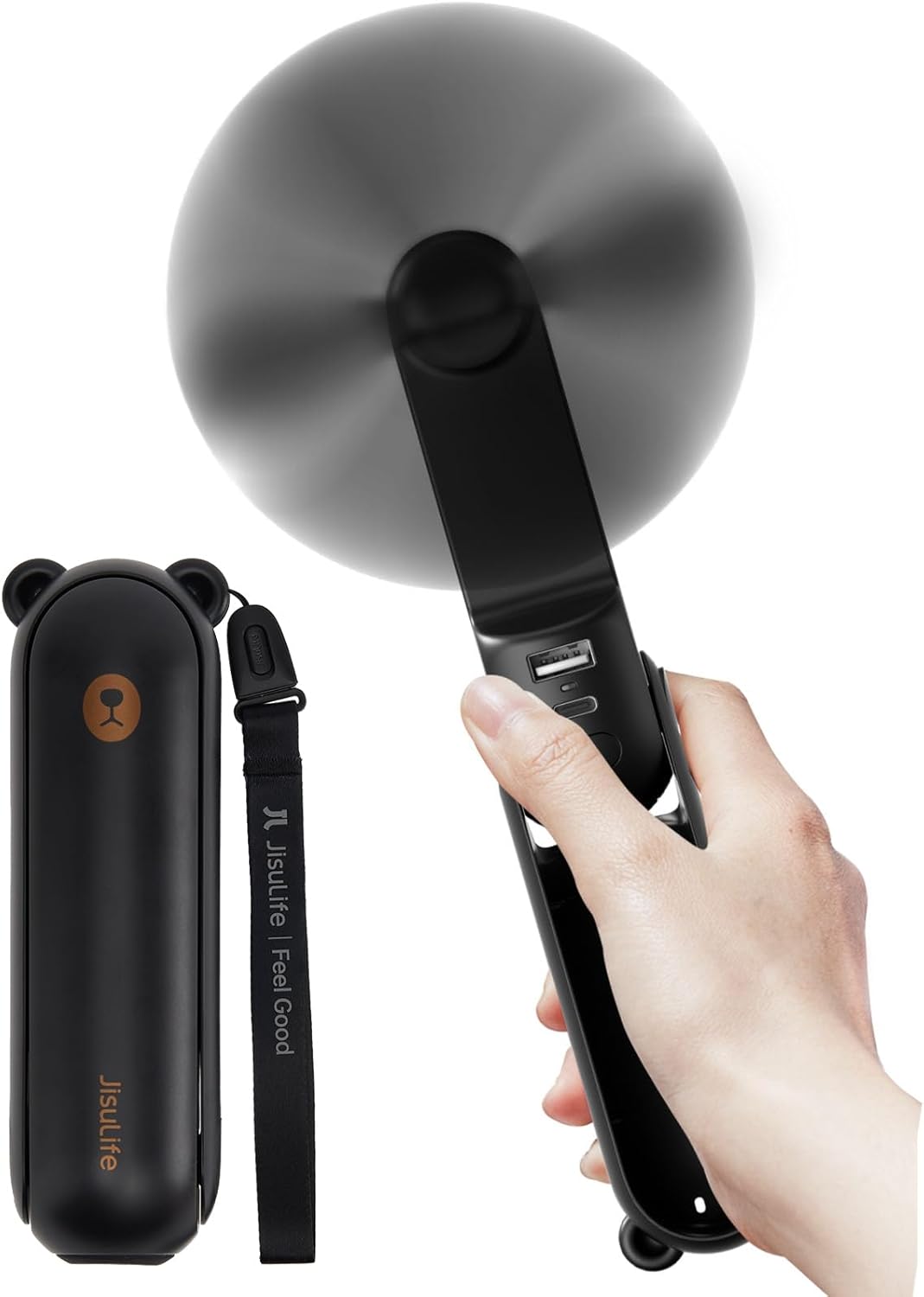
Figure 1.1: JISULIFE Handheld Fan F8X - Folded and Extended Views.
2. Product Features
- Super Long Endurance: Up to 37 hours runtime on Speed 1, 33 hours on Speed 2, and 20 hours on Speed 3.
- Updated Strong Airflow: Enlarged blades provide 30% increased wind compared to previous versions, with a maximum rotating speed of 3000 RPM.
- Foldable Design & Mini Size: Compact capsule shape for easy portability and storage.
- Power Bank Function: Integrated 4500mAh power bank with 5V/1A USB output for emergency charging of mobile devices.
- Quiet Operation: Designed to operate at a low noise level of 50 dB, minimizing disturbance.
- Flashlight Function: Built-in bright flashlight for use in dark environments.
- Included Wrist String: For secure carrying and preventing accidental drops.
- Safety Features: Touchable blades, surge protection, and short circuit protection ensure user safety.

Figure 2.1: Multi-functional capabilities of the F8X fan.
3. Setup
3.1 Unboxing and Initial Charge
- Carefully remove the fan and all accessories from the packaging.
- Inspect the device for any visible damage.
- Before first use, fully charge the fan. Connect the provided USB charging cable to the USB-C input port on the fan and plug the other end into a compatible USB power adapter (not included) or a computer USB port.
- The charging indicator light will illuminate during charging and turn off when fully charged (approximately 3-4 hours).
3.2 Attaching the Wrist String
Thread the included wrist string through the designated loop at the base of the fan for added security during use or transport.
4. Operating Instructions
4.1 Fan Operation
- To unfold the fan, gently pull the top section away from the main body until the fan blades are exposed and the handle is extended. The fan can be adjusted from 0° to 270° to suit various uses (handheld or desktop).
- Press the power button once to turn on the fan at Speed 1 (low).
- Press the power button a second time for Speed 2 (medium).
- Press the power button a third time for Speed 3 (high).
- Press the power button a fourth time to turn off the fan.

Figure 4.1: Fan Speed and Battery Life Overview.
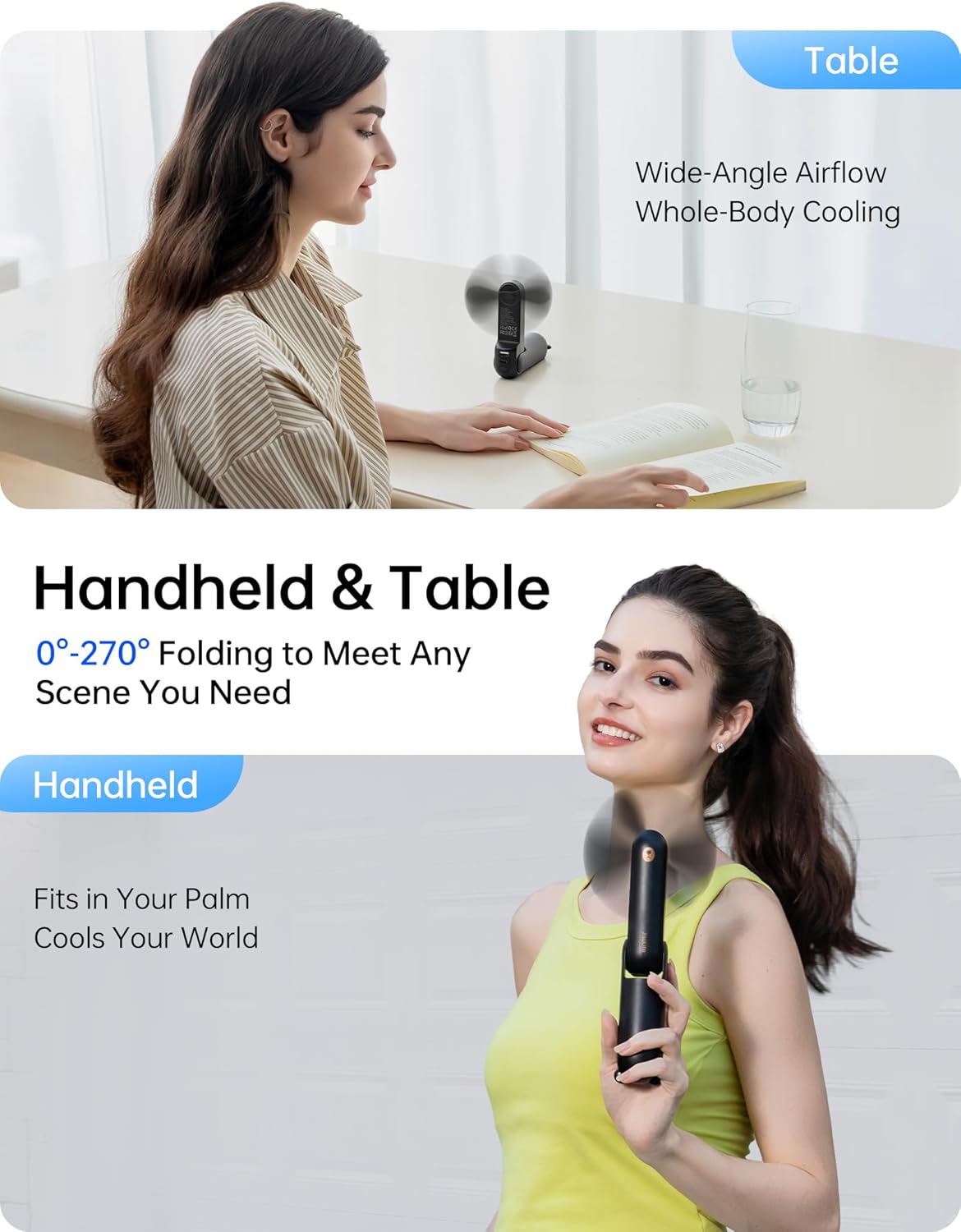
Figure 4.2: Versatile Usage as Handheld or Desktop Fan.
4.2 Flashlight Operation
To activate the flashlight, long press the power button. Long press again to turn off the flashlight. The flashlight can be used independently of the fan function.
4.3 Power Bank Function
To use the fan as a power bank, connect your mobile device's charging cable to the USB-A output port on the fan. The fan will automatically begin charging your device. Ensure the fan has sufficient charge for this function.

Figure 4.3: Fan used for quick drying applications.
5. Maintenance
- Cleaning: Use a soft, dry cloth to wipe the fan's exterior. Do not use harsh chemicals or abrasive materials. Ensure the fan is off before cleaning.
- Storage: When not in use for extended periods, fully charge the fan and store it in a cool, dry place, away from direct sunlight and extreme temperatures.
- Battery Care: To prolong battery life, avoid completely draining the battery frequently. Recharge when the battery level is low.

Figure 5.1: Soft fan blades for safe handling.
6. Troubleshooting
| Problem | Possible Cause | Solution |
|---|---|---|
| Fan does not turn on. | Low battery. | Charge the fan fully. |
| Fan stops unexpectedly. | Battery depleted. | Recharge the fan. |
| Flashlight does not turn on. | Incorrect button press. | Ensure you are long-pressing the power button. |
| Device not charging from power bank. | Fan battery low or incorrect cable/port. | Charge the fan. Use the correct USB-A output port and a functional charging cable for your device. |
7. Specifications
| Feature | Detail |
|---|---|
| Model Name | F8X |
| Brand | JISULIFE |
| Battery Capacity | 4500 mAh |
| Runtime (Speed 1/2/3) | 37 hrs / 33 hrs / 20 hrs |
| Charging Time | Approx. 3-4 hours |
| Max Fan Speed | 3000 RPM |
| Noise Level | 50 dB |
| Product Dimensions (folded) | 2.4"D x 1.96"W x 5.47"H |
| Product Weight | 6.24 ounces |
| Power Source | Battery Powered (Rechargeable) |
| Voltage | 220 Volts |
| Included Components | Cord (USB charging cable) |
8. Warranty and Support
JISULIFE provides a 12-month worry-free warranty for this product. This warranty covers material and workmanship defects for one year from the original purchase date. Please retain your proof of purchase for warranty claims.
For technical support, warranty claims, or any inquiries, please contact JISULIFE customer service through the retailer's platform or visit the official JISULIFE website for contact information.
Patent: US D886,982 S


