
Introduction
Thank you for choosing the Xmenha Invisible Bluetooth Earbuds. These earbuds are designed for discreet and comfortable listening, featuring advanced Bluetooth 5.3 technology for stable connections and high-fidelity audio. Their compact, ergonomic design ensures a snug fit, making them ideal for various activities, including sleep and work. This manual provides essential information on setting up, operating, and maintaining your new earbuds.
Package Contents
- 1 Pair of Xmenha Invisible Earbuds
- 1 Charging Case
- 1 TYPE-C Charging Cable
- 1 User Manual (this document)
- 1 Exquisite Packaging Box

This image shows the compact size of the Xmenha Invisible Earbuds. A single black earbud is held between two fingers, appearing very small. Next to it, the open black charging case displays two earbuds inside, along with a digital battery percentage indicator showing '100%' and 'L' and 'R' for left and right earbuds.
Setup Guide
1. Charging the Earbuds and Case
Before first use, ensure both the earbuds and the charging case are fully charged. Place the earbuds into the charging case. Connect the provided TYPE-C cable to the charging port on the case and the other end to a USB power source. The digital display on the case will indicate the charging status and battery percentage. A full charge provides up to 4-5 hours of listening time for each earbud, with the charging case extending total listening time to up to 30 hours.

This image highlights the extended battery life of the earbuds. The charging case with earbuds inside displays a '100%' charge, and text indicates 'Each Earbud Has Up To 4-5 Hours Of Listening Time, Up To 30 Hours Combined With Charging Case'.
2. Initial Pairing
The Xmenha Invisible Earbuds feature one-step automatic pairing. Simply open the charging case, and the earbuds will automatically power on and enter pairing mode. On your device (smartphone, tablet, laptop), enable Bluetooth and select "mmini13tta" from the list of available devices. Once connected, the earbuds will automatically reconnect to the last paired device when taken out of the case.

This image illustrates the simple one-step pairing process. The earbuds in their open charging case are shown next to a smartphone screen, indicating 'Power on, connected', highlighting the ease of connection.
This video provides a product overview, demonstrating the earbuds and their charging case, including how they are taken out and placed back, which is indicative of the pairing and charging process.
3. Wearing the Earbuds
The earbuds are designed with an ergonomic curvature to fit snugly and comfortably within the ear canal. Gently insert each earbud into the corresponding ear (L for left, R for right) and rotate slightly until it feels secure and comfortable. The discreet design ensures they are barely noticeable, making them suitable for extended wear, even during sleep.
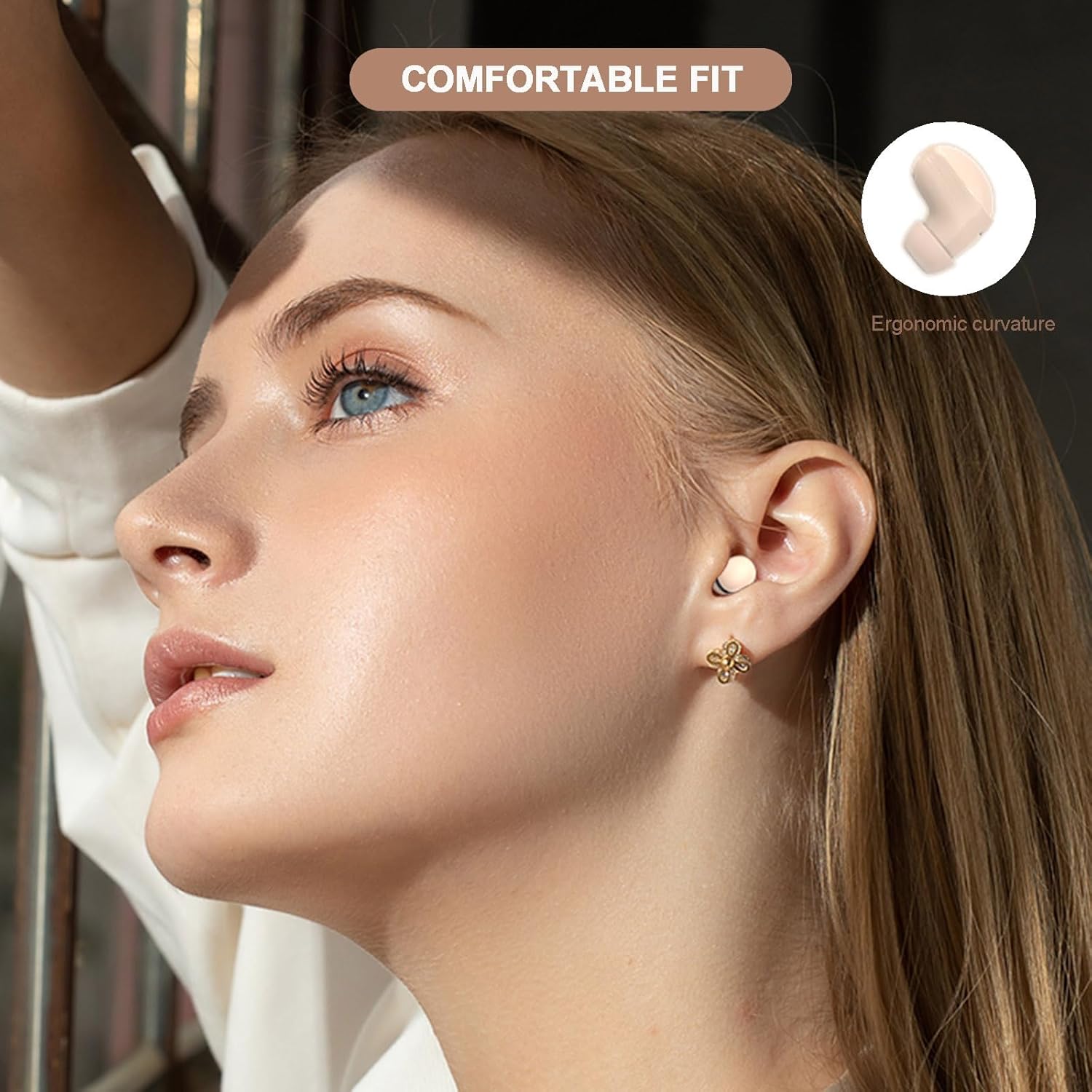
This image focuses on the comfortable fit of the earbuds. A woman is shown wearing an earbud, which appears to sit snugly in her ear. An inset graphic illustrates the 'Ergonomic curvature' of the earbud, designed for a secure and comfortable experience.
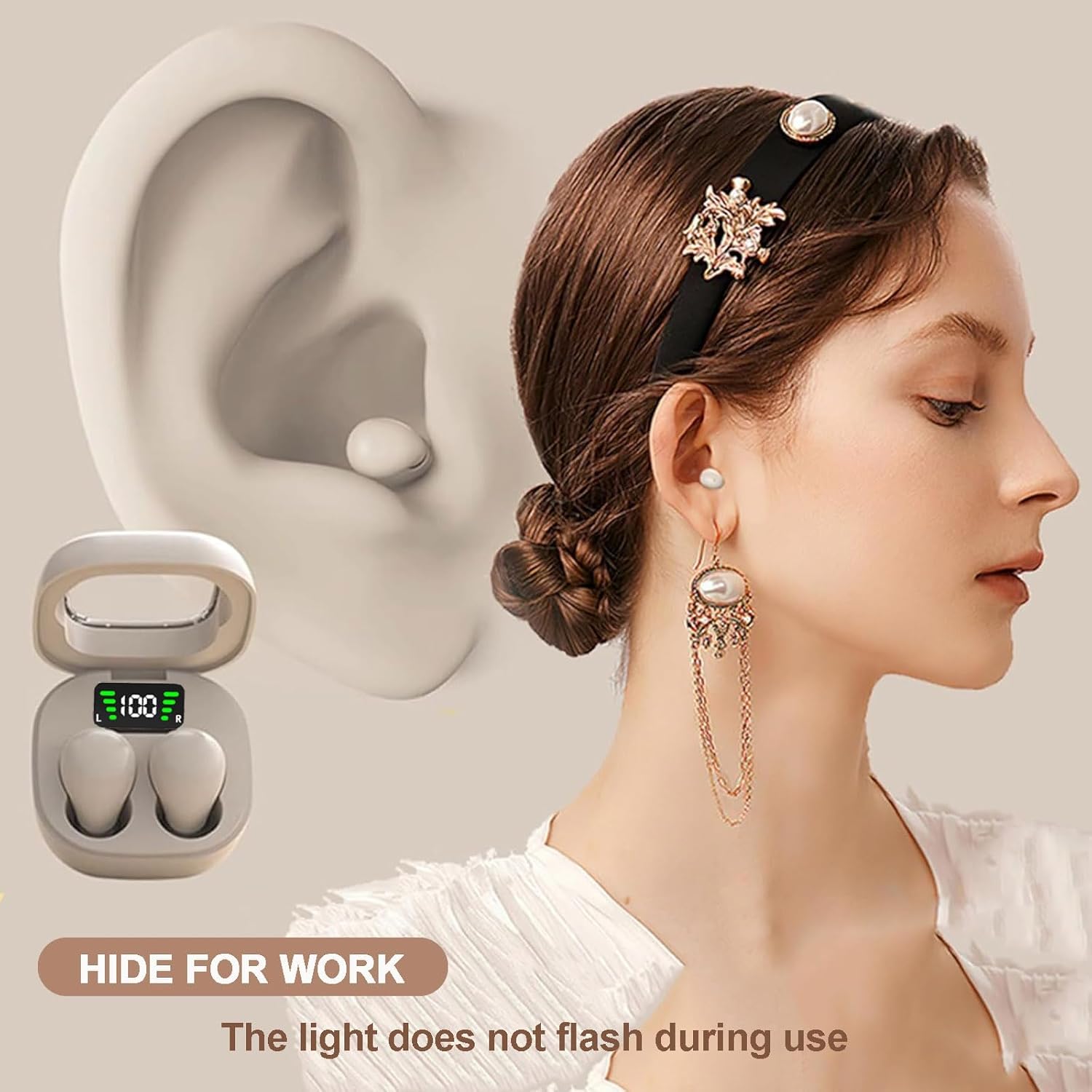
This image demonstrates how discreetly the earbud fits in the ear. A woman is shown wearing one earbud, which is barely visible. An accompanying illustration of an ear highlights the earbud's placement, and text indicates 'HIDE FOR WORK' and 'The light does not flash during use'.
Operating Your Earbuds
The Xmenha Invisible Earbuds are controlled via smart touch sensors on each earbud. Familiarize yourself with the touch functions for seamless control of your audio and calls.
Smart Touch Control Functions
- Play/Pause: Single tap on either earbud.
- Next Track: Double tap on the right earbud.
- Previous Track: Double tap on the left earbud.
- Volume Up: Triple tap on the right earbud.
- Volume Down: Triple tap on the left earbud.
- Answer/End Call: Single tap on either earbud during an incoming call.
- Reject Call: Press and hold either earbud for 2 seconds during an incoming call.
- Activate Voice Assistant: Press and hold either earbud for 3 seconds.
Care and Maintenance
To ensure the longevity and optimal performance of your Xmenha Invisible Earbuds, follow these care instructions:
- Cleaning: Regularly clean the earbuds and charging case with a soft, dry, lint-free cloth. Do not use harsh chemicals or abrasive materials.
- Storage: When not in use, store the earbuds in their charging case to protect them from dust and damage. Keep them in a cool, dry place away from extreme temperatures.
- Water Resistance: The earbuds are IPX5 waterproof, meaning they are resistant to sweat and light splashes. Do not submerge them in water or expose them to heavy rain.

This image emphasizes the miniature design of the earbuds, stating 'Mini! INVISIBLE EARBUDS' and 'Wireless 5.3 | transparent cover design'. It also highlights their light weight, 'ONLY 0.07oz', with a hand holding one earbud and two others floating around a charging case.
Troubleshooting Common Issues
If you encounter any issues with your earbuds, please refer to the following solutions:
- Earbuds not pairing: Ensure both earbuds are charged. Place them back in the case, close the lid, wait a few seconds, then open it again. On your device, forget the previous Bluetooth connection and try pairing again.
- Only one earbud working: Place both earbuds back in the charging case. Ensure they are charging correctly. Take them out simultaneously to allow them to re-sync with each other before connecting to your device.
- No sound or low volume: Check the volume level on both your device and the earbuds. Ensure the earbuds are properly seated in your ears. Clean any debris from the earbud speakers.
- Charging issues: Ensure the charging cable is securely connected to both the case and the power source. Try a different USB port or power adapter. Clean the charging contacts on both the earbuds and the case.
- Intermittent connection: Ensure your device is within the Bluetooth range (typically 10 meters/33 feet) and there are no significant obstacles between the earbuds and your device. Avoid strong electromagnetic interference.
Product Specifications
| Feature | Specification |
|---|---|
| Model Name | mmini13tta |
| Connectivity Technology | Wireless (Bluetooth) |
| Bluetooth Version | 5.3 |
| Ear Placement | In Ear |
| Control Type | Touch Control, Noise Control (Sound Isolation) |
| Water Resistance Level | Waterproof (IPX5) |
| Battery Life (Earbuds) | 4-5 Hours (single charge) |
| Total Battery Life (with case) | Up to 30 Hours |
| Charging Port | TYPE-C |
| Frequency Range | 20 Hz - 20,000 Hz |
| Item Weight | 3.2 ounces |
| Product Dimensions | 0.3 x 0.2 x 0.5 inches |
| Material | Plastic |
Warranty and Customer Support
Xmenha products are manufactured with high standards of quality and craftsmanship. For information regarding warranty coverage, returns, or technical support, please refer to the contact details provided with your purchase or visit the official Xmenha store on Amazon. We are committed to providing excellent customer service and support for your product.
Online Support: Visit the Xmenha Store on Amazon