
Xmenha mmini13tta
User Manual for Xmenha Invisible Bluetooth Earbuds
Model: mmini13tta
Introduction
The Xmenha Invisible Bluetooth Earbuds are designed for discreet and comfortable audio experiences. Featuring a low-profile, micro design, these earbuds fit snugly within the ear canal, making them ideal for extended wear, including during sleep. They offer high-fidelity stereo sound and advanced noise suppression for clear communication in various environments. Equipped with the latest Bluetooth 5.3 chip, they ensure a fast and stable wireless connection.

Image: The Xmenha Invisible Bluetooth Earbuds shown with their compact charging case, highlighting their small size.
What's in the Box
- 1 Pair of Xmenha Invisible Earbuds
- 1 TYPE-C Charging Cable
- 1 User Manual (this document)
- 1 Exquisite Packaging Box
Setup and First Use
Charging the Earbuds and Case
Before first use, ensure both the earbuds and the charging case are fully charged. Connect the provided TYPE-C cable to the charging case and a compatible USB power source. The digital display on the case will indicate the charging status. A full charge provides up to 4-5 hours of listening time for the earbuds, with the charging case extending total listening time up to 30 hours.

Image: The charging case displaying battery life, indicating the extended usage time provided by the case.
Pairing with Your Device (One-Step Auto Pairing)
- Ensure Bluetooth is enabled on your smartphone, computer, or laptop.
- Open the charging case. The earbuds will automatically power on and enter pairing mode.
- On your device, search for Bluetooth devices and select "Xmenha Earbuds" (or similar name) from the list.
- Once connected, the earbuds will indicate successful pairing. For subsequent uses, simply open the case, and the earbuds will automatically connect to the last paired device.

Image: An illustration showing the earbuds and charging case next to a smartphone, depicting the one-step pairing process.
Video: A product overview demonstrating the features and usage of the Xmenha Invisible Earbuds, including pairing and fit.
Operating Instructions
Wearing the Earbuds
The earbuds are designed for a comfortable and secure fit within the ear canal. Gently insert each earbud into the corresponding ear (Left for L, Right for R) and adjust until it feels snug. The ergonomic curvature ensures comfort even during prolonged use, and the discreet design means the indicator light does not flash during use, making them ideal for work or situations requiring subtlety.

Image: A person wearing the Xmenha earbuds, demonstrating their comfortable and discreet fit within the ear.

Image: An illustration highlighting the discreet nature of the earbuds, indicating they are suitable for use in professional or quiet environments.
Smart Touch Controls
The Xmenha Invisible Earbuds feature smart touch controls on each earbud, allowing you to manage audio playback and calls without needing to access your connected device.
| Action | Touch Command |
|---|---|
| Play/Pause Music | Single tap on either earbud |
| Next Track | Double tap on the Right earbud |
| Previous Track | Double tap on the Left earbud |
| Answer/End Call | Single tap on either earbud |
| Reject Call | Long press on either earbud |
| Activate Voice Assistant | Triple tap on either earbud |
| Volume Up | Long press on the Right earbud (during music playback) |
| Volume Down | Long press on the Left earbud (during music playback) |
Maintenance and Care
Cleaning
Regularly clean your earbuds and charging case with a soft, dry, lint-free cloth. Avoid using abrasive materials or harsh chemicals. For the eartips, you may gently wipe them with a slightly damp cloth and allow them to air dry completely before reattaching to the earbuds.
Water Resistance
The Xmenha Invisible Earbuds are IPX5 water-resistant, meaning they can withstand splashes of water and sweat. They are suitable for sports and light rain. However, they are not designed for submersion in water. Do not wear them while swimming or showering.
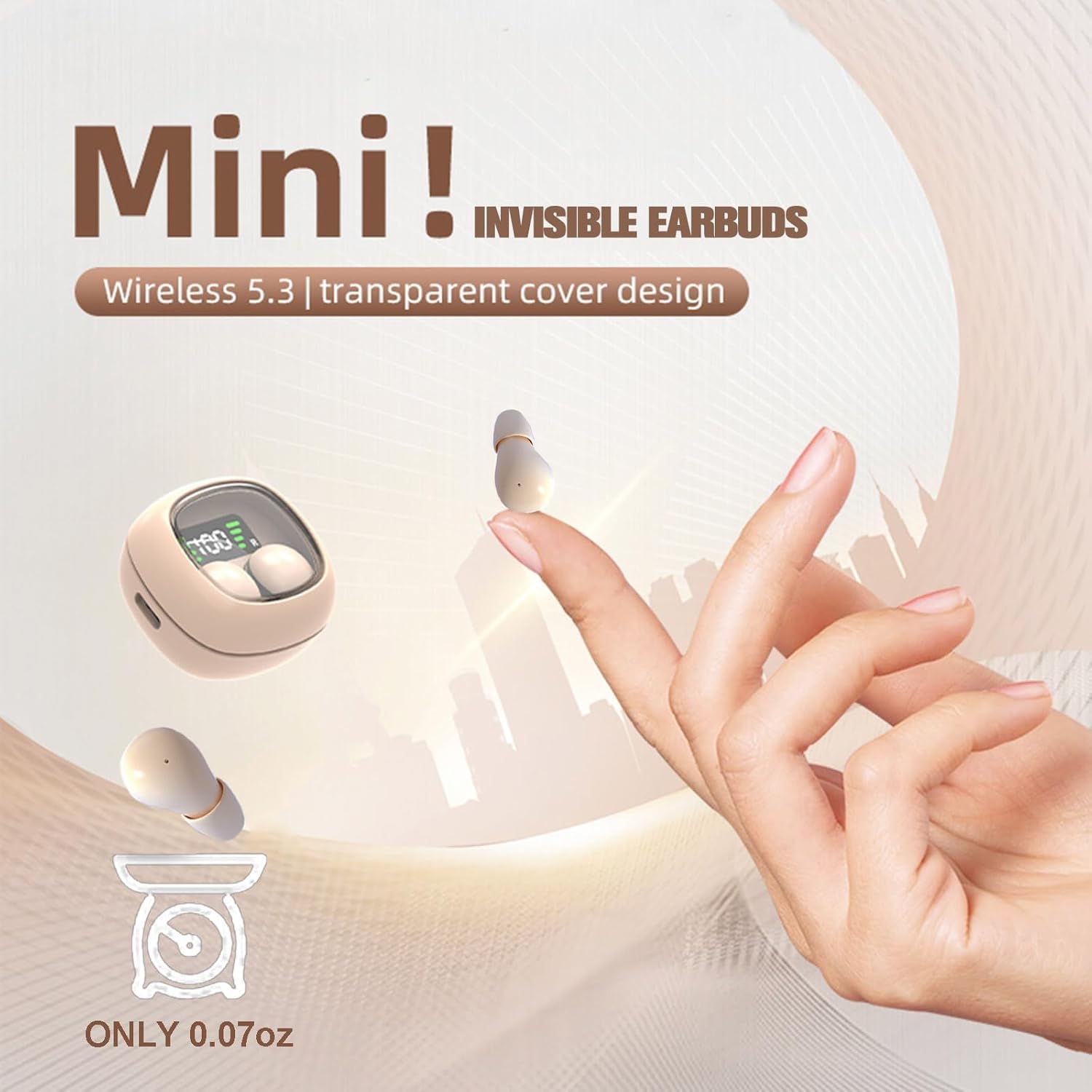
Image: The earbuds highlighted for their mini size and water resistance, suitable for active use.
Troubleshooting
- Earbuds not pairing: Ensure both earbuds are charged. Place them back in the charging case, close the lid, wait a few seconds, then open the lid again. Check your device's Bluetooth settings and try re-pairing.
- No sound from one earbud: Place both earbuds back in the charging case. Ensure they are properly seated and charging. Take them out again to re-establish the connection. If the issue persists, try resetting the earbuds (refer to manufacturer's website for specific reset instructions if not in this manual).
- Low volume or poor sound quality: Ensure the earbuds are properly seated in your ears. Clean any debris from the eartips and speaker mesh. Adjust the volume on both your device and via the earbud touch controls.
- Earbuds frequently disconnecting: Ensure your device is within the Bluetooth range (typically 10 meters/33 feet) and there are no significant obstructions. Avoid strong electromagnetic interference.
- Charging issues: Ensure the TYPE-C cable is securely connected to both the case and the power source. Try a different charging cable or power adapter. Clean the charging contacts on both the earbuds and the case.
Specifications
| Feature | Detail |
|---|---|
| Model Name | mmini13tta |
| Connectivity Technology | Wireless (Bluetooth) |
| Bluetooth Version | 5.3 |
| Ear Placement | In Ear |
| Form Factor | In Ear |
| Noise Control | Sound Isolation |
| Control Method | Touch |
| Water Resistance Level | Waterproof (IPX5) |
| Frequency Range | 20Hz - 20,000Hz |
| Item Weight | 2.08 ounces |
| Product Dimensions | 0.3 x 0.2 x 0.5 inches |
| Battery Life (Earbuds) | Up to 4-5 hours |
| Total Battery Life (with Case) | Up to 30 hours |
Warranty and Support
For warranty information and customer support, please refer to the contact details provided on the product packaging or visit the official Xmenha store page on Amazon. If you receive a defective product or have any questions during use, please feel free to contact us directly for assistance.
Official Xmenha Store: Visit Store
Ask a question about this manual
Ask about setup, troubleshooting, compatibility, parts, safety, or missing instructions. Manuals+ will review the question and use this page’s manual context to help answer it.