
Introduction
Thank you for choosing the LAIFUCAM 4K WiFi Hidden Camera. This compact and versatile device is designed for discreet indoor home security, offering high-definition video recording, motion detection, and night vision capabilities. This manual provides detailed instructions to help you set up, operate, and maintain your camera for optimal performance.
Product Overview
Package Contents
- LAIFUCAM 4K WiFi Hidden Camera
- Mounting Bracket
- Card Reader
- Instruction Manual
- Charging Cable
Camera Components
Familiarize yourself with the camera's physical components:

Front view of the camera, highlighting the 4K HD lens, PIR motion sensor, light sensor, and vents.

Side view of the camera, indicating the Micro SD Card Port, Charging Port, Reset button, Indicator Lights, Mode Switch, and Power button.
Key Features
- 4K FHD Video: Captures clear images and videos in 4K resolution with a 160° wide-angle fish-eye lens.
- Extended Battery Life: Equipped with a 2400mAh rechargeable battery, offering up to 10 hours of continuous recording or up to 100 days standby in Power Saving mode.
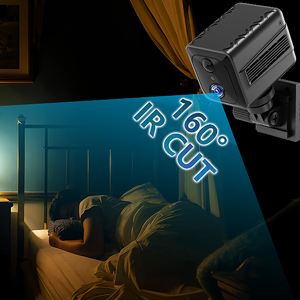
- Advanced Night Vision: Features IR Cut night vision sensor and 8 non-luminous 940nm infrared LEDs for clear surveillance in low-light conditions. Indicator lights can be turned off via the app.
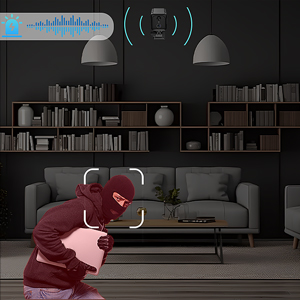
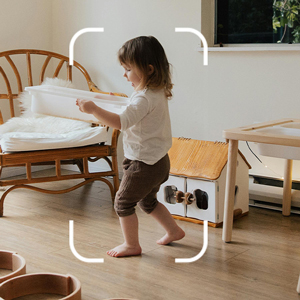
- Smart PIR Motion Detection: Sends instant APP notifications with video clips upon motion detection, accurately identifying humans. Includes an APP siren alarm.
- Seamless Wi-Fi Connectivity: Supports 2.4G WiFi for remote monitoring and real-time access via the dedicated app.
- Flexible Storage Options: Offers 3-day Cloud Storage (in-app) and supports Micro SD cards up to 256GB (not included) for local storage and playback.
- Versatile Placement: Suitable for various indoor environments including homes, offices, retail stores, warehouses, and vehicles.
Setup Guide
1. Initial Charging
Before first use, fully charge the camera using the provided charging cable. Connect the cable to the camera's charging port and a standard USB power adapter. The indicator light will show charging status and turn off when fully charged.
2. Insert Micro SD Card (Optional)
If you plan to use local storage, insert a Micro SD card (up to 256GB, not included) into the Micro SD Card Port. Ensure the card is inserted correctly with the gold contacts facing down.

Insert a Micro SD card for local video storage.
3. Download and Install the App
Search for the dedicated LAIFUCAM app on your smartphone's app store (compatible with Android and iOS). Install the app and create an account if prompted.
4. Connect to Wi-Fi
- Power on the camera using the Power button.
- Open the LAIFUCAM app on your smartphone.
- Follow the in-app instructions to add a new device. This typically involves scanning a QR code displayed by the app with the camera's lens, or connecting to the camera's temporary Wi-Fi hotspot and then configuring it to connect to your home 2.4G WiFi network.
- Ensure your smartphone is connected to a 2.4G WiFi network during the setup process.
- Once connected, the camera's indicator light will change, and you will see the live view in the app.

The app interface for remote monitoring via Wi-Fi.
5. Mounting the Camera
The camera comes with a mounting bracket for flexible placement. You can mount it on walls, ceilings, shelves, or other flat surfaces. Ensure the camera has a clear line of sight to the area you wish to monitor.
Examples of camera placement: on walls, ceilings, or shelves.
Operating Instructions
Live View and Remote Access
Once connected to Wi-Fi, open the LAIFUCAM app to access the live video feed from your camera. You can view the feed from anywhere with an internet connection.
This video demonstrates the LAIFUCAM S6 4K WiFi Hidden Camera, showcasing its features and real-time viewing capabilities through the mobile application. It highlights the camera's compact design, various mounting options, wide-angle lens, long standby battery life, instant notifications for motion detection, siren alarms, and cloud/local storage playback.
Motion Detection and Alerts
The camera features a smart PIR motion detection sensor. When motion is detected, the camera will:
- Send instant notifications to your phone via the app.
- Record video clips of the event.
- Allow you to activate a siren alarm remotely through the app to deter intruders.

The app displays instant notifications for detected motion, allowing for quick response.
Night Vision
The camera automatically switches to night vision mode in low-light conditions, utilizing its 8 non-luminous 940nm infrared LEDs to capture clear black-and-white footage. You can disable the indicator lights in the app for covert operation.

Visual representation of the camera's clear night vision capabilities.
Video Recording and Storage
The camera supports both cloud storage and local Micro SD card storage:
- Cloud Storage: The app provides 3 days of free cloud storage for event-triggered recordings.
- Local Storage: If a Micro SD card is inserted, recordings will be saved directly to the card. The camera supports cards up to 256GB.
You can access, view, download, and share recorded videos and images directly through the app. The app provides a detailed timeline for easy navigation of recordings.
The camera supports Micro SD card storage, and the app allows for easy playback and management of recordings.
Maintenance
- Cleaning: Use a soft, dry cloth to clean the camera lens and body. Avoid using harsh chemicals or abrasive materials.
- Battery Care: For optimal battery life, avoid extreme temperatures. If storing the camera for an extended period, charge it to about 50% before storage and recharge every few months.
- Firmware Updates: Periodically check the app for available firmware updates to ensure your camera has the latest features and security enhancements.
- SD Card Management: Regularly back up important footage from your Micro SD card. Format the SD card periodically through the app to maintain optimal recording performance.
Troubleshooting
| Problem | Possible Solution |
|---|---|
| Camera won't power on. | Ensure the battery is fully charged. Connect the camera to a power source and try again. |
| Unable to connect to Wi-Fi. |
|
| Poor video quality. |
|
| Motion detection alerts are not received. |
|
| SD card not recording or recognized. |
|
Specifications
| Feature | Detail |
|---|---|
| Model | FLFSEDW66 |
| Video Capture Resolution | 4K, 1080p |
| Viewing Angle | 160 Degrees |
| Connectivity Protocol | Wi-Fi (2.4Ghz) |
| Power Source | Battery Powered, Corded Electric |
| Battery Capacity | 2400mAh (approx. 10 hours continuous recording, 100 days standby) |
| Night Vision Range | 8 Meters |
| Flash Memory Type | Micro SD (up to 256GB) |
| Controller Type | Android, iOS App |
| Item Dimensions (L x W x H) | 2.08 x 1.54 x 1.54 inches |
| Item Weight | 2.4 ounces |
| Material | Plastic |
| Included Components | Camera, Mount, Card Reader, Manual |
Warranty and Support
For any product inquiries, technical support, or warranty claims, please contact LAIFUCAM customer service. Refer to the contact information provided on the product packaging or the official LAIFUCAM website.
This product may be eligible for extended protection plans. Please check with your retailer for available options.