
1. Introduction
This manual provides essential instructions for the safe and efficient operation of the Generic YLE-3000 YLE-3108 Temperature Driver. Please read this manual thoroughly before installation and use, and retain it for future reference. This device is designed for precise temperature control in various industrial and scientific applications.
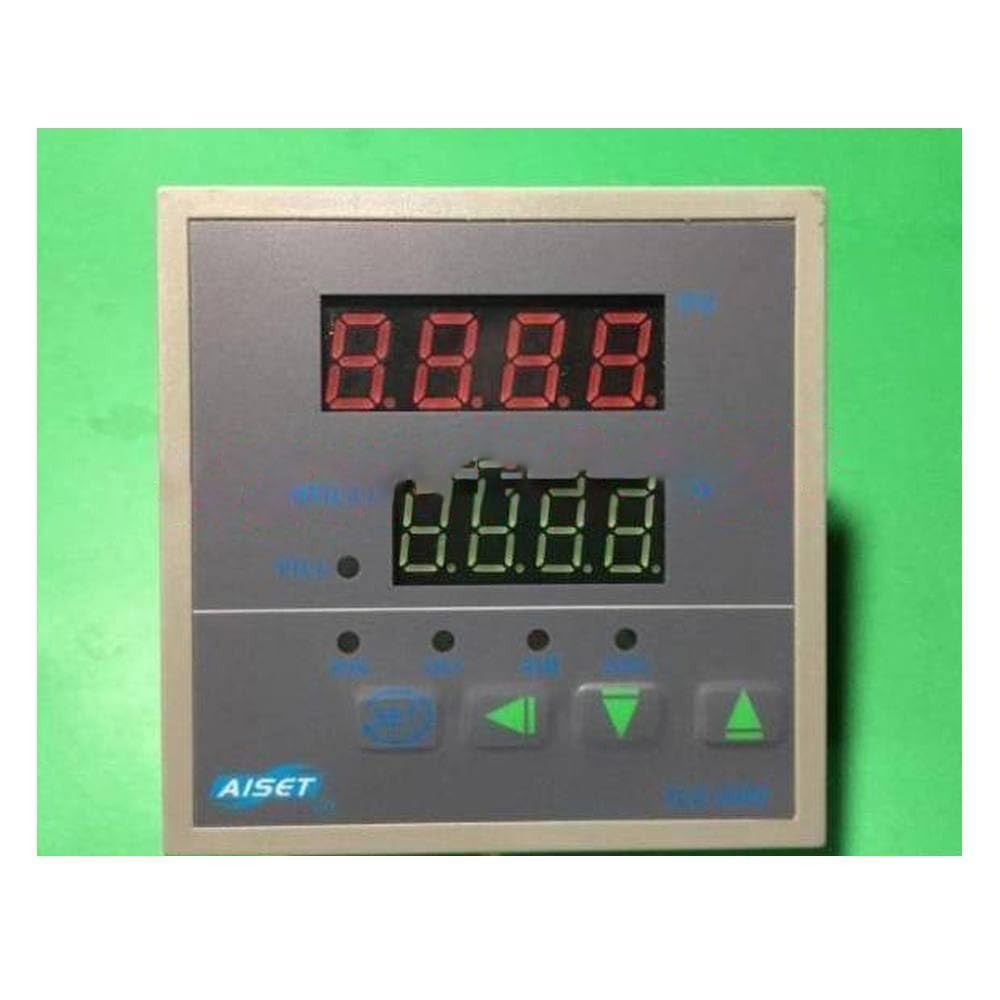
Image 1: The Generic YLE-3000 YLE-3108 Temperature Driver unit, showing its compact form factor.
2. Safety Information
WARNING: Failure to follow these safety instructions may result in electric shock, fire, or serious injury.
- Ensure all electrical connections are made by a qualified electrician in accordance with local and national electrical codes.
- Disconnect power before performing any installation, wiring, or maintenance.
- Do not operate the device if it appears damaged.
- Keep the device away from water, moisture, and extreme temperatures.
- This device is intended for professional use.
- Do not attempt to modify or repair the device yourself. Refer all servicing to qualified personnel.
3. Product Features
The YLE-3000 YLE-3108 Temperature Driver offers robust performance and reliability for temperature regulation. Key features include:
- Precise temperature control capabilities.
- Stable and reliable performance for industrial applications.
- Compact design for easy integration.
- Durable construction for long-term use.
4. Package Contents
Upon opening the package, verify that all items are present and undamaged. The standard package includes:
- 1 x Generic YLE-3000 YLE-3108 Temperature Driver Unit
- 1 x Instruction Manual (this document)
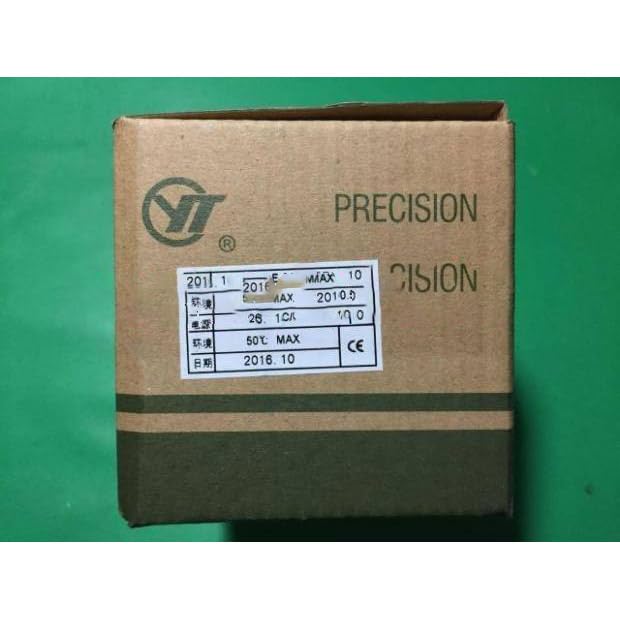
Image 2: The packaging box for the YLE-3000 YLE-3108 Temperature Driver. The box is brown cardboard with product information and branding printed on it.
5. Setup and Installation
Installation of the YLE-3000 YLE-3108 Temperature Driver requires careful attention to electrical connections. It is highly recommended that installation be performed by a qualified professional.
- Mounting: Select a suitable location for mounting the driver, ensuring adequate ventilation and protection from environmental factors.
- Wiring:
- Identify the input power terminals.
- Connect the power supply according to the voltage and current requirements specified in the 'Specifications' section.
- Identify the output terminals for the heating/cooling element.
- Connect the heating/cooling element to the appropriate output terminals.
- Connect the temperature sensor to its designated input terminals. Ensure correct polarity if applicable.
- Initial Power-Up: After all connections are secure, apply power to the unit. Observe for any unusual behavior or error indicators.
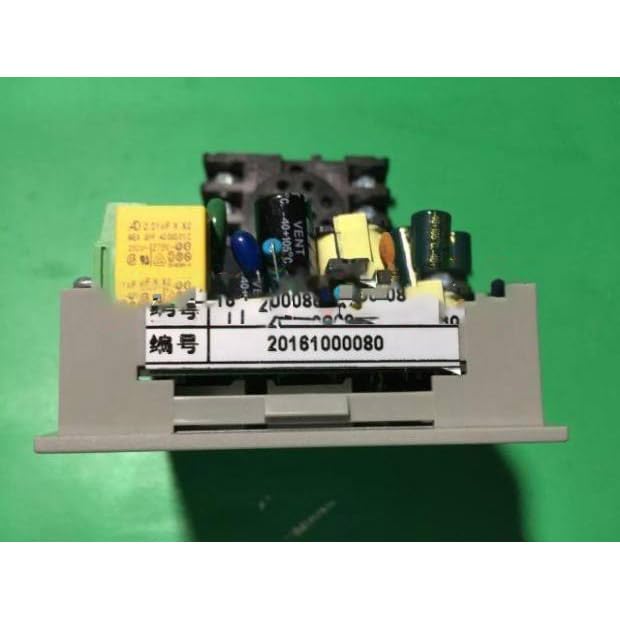
Image 3: A view of the internal components of the YLE-3000 YLE-3108 Temperature Driver, showing various electronic parts mounted on a circuit board.
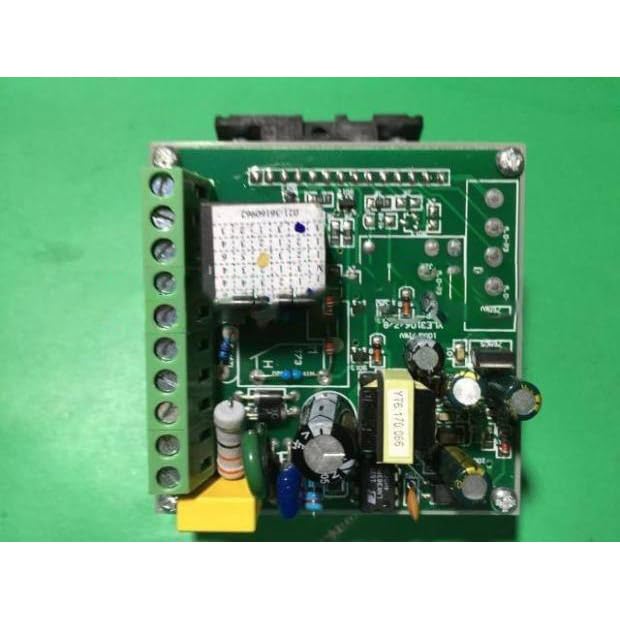
Image 4: A detailed view of the circuit board for the YLE-3000 YLE-3108 Temperature Driver, highlighting the terminal blocks for electrical connections.
6. Operating Instructions
Once installed and powered, the YLE-3000 YLE-3108 Temperature Driver is ready for operation. Specific operational details may vary based on the exact model and configuration. Refer to any accompanying diagrams or labels on the device for precise button functions and display indicators.
- Power On: Ensure the device is properly connected to a power source. The unit should power on automatically or via a designated power switch.
- Setting Temperature: Use the control interface (buttons/dial) to set the desired temperature. The display will typically show the current temperature and the setpoint.
- Mode Selection: If applicable, select the operating mode (e.g., heating, cooling, auto) using the mode selection controls.
- Monitoring: Continuously monitor the temperature readings and the system's response to ensure stable operation.
7. Maintenance
Regular maintenance ensures the longevity and optimal performance of your temperature driver.
- Cleaning: Periodically clean the exterior of the device with a soft, dry cloth. Do not use abrasive cleaners or solvents. Ensure the device is powered off and disconnected before cleaning.
- Inspection: Regularly inspect all wiring and connections for signs of wear, damage, or loose contacts. Address any issues promptly.
- Ventilation: Ensure that ventilation openings are clear and not obstructed to prevent overheating.
8. Troubleshooting
If you encounter issues with your YLE-3000 YLE-3108 Temperature Driver, refer to the following common problems and solutions:
| Problem | Possible Cause | Solution |
|---|---|---|
| Device does not power on. | No power supply; loose connection; faulty power source. | Check power cable and connections. Verify power outlet functionality. |
| Incorrect temperature reading. | Faulty sensor; incorrect sensor connection; sensor placed improperly. | Check sensor wiring and placement. Replace sensor if necessary. |
| Temperature not regulating. | Heating/cooling element issue; incorrect setpoint; wiring problem. | Verify setpoint. Check connections to heating/cooling element. Test element functionality. |
If the problem persists after attempting these solutions, contact qualified service personnel.
9. Specifications
The following specifications apply to the Generic YLE-3000 YLE-3108 Temperature Driver:
- Model: YLE-3000 YLE-3108
- Brand: Generic
- Type: Temperature Driver / Controller
- Input Voltage: (Typical range, e.g., 100-240V AC, 50/60Hz - Specific voltage not provided, refer to device label)
- Temperature Range: (Typical range, e.g., -50°C to 150°C - Specific range not provided, refer to device label)
- Output Type: (Typical, e.g., Relay output, SSR output - Specific type not provided, refer to device label)
- ASIN: B0D2LFBSCH
Note: For precise and detailed specifications, always refer to the product label or accompanying documentation provided with your specific unit.
10. Warranty and Support
This product is sold by a third-party seller. For warranty information, technical support, or service inquiries, please contact the seller directly or refer to any warranty card included with your purchase. Generic brand products typically carry a standard manufacturer's warranty against defects in materials and workmanship.
Keep your purchase receipt as proof of purchase for any warranty claims.


