
Introduction
This manual provides detailed instructions for the safe and effective use of your Iverens 18x12W RGBW 4-in-1 IP65 Waterproof LED Par Light. Designed for versatile stage and event lighting, this fixture offers a wide range of color options and control modes suitable for various indoor and outdoor applications.

Safety Information
Please read and understand all safety warnings and operating instructions before installing or using this product. Failure to do so may result in serious injury or property damage.
- Electrical Safety: Always ensure the power supply matches the voltage requirements of the fixture. Disconnect power before any installation, maintenance, or cleaning.
- Waterproof Rating: This fixture is IP65 rated for daily waterproof use. Do not immerse in water for extended periods. Ensure all connections are properly sealed when used outdoors.
- Mounting: Securely mount the fixture using appropriate hardware. Ensure the mounting surface can support the weight of the fixture.
- Heat Dissipation: Ensure adequate ventilation around the fixture to prevent overheating. Do not block cooling vents.
- Eye Protection: Do not stare directly into the light source when the fixture is operating, as it can cause eye strain or damage.
Product Overview
Key Features
- Waterproof Design: IP65 rated, suitable for various indoor and outdoor environments.
- RGBW 4-in-1 LEDs: Features 18 x 12W LEDs, offering Red, Green, Blue, and White colors, with the ability to mix for a wide spectrum of hues.
- Versatile Lighting Effects: Supports color changing, strobe, gradient, and other dynamic effects.
- Multiple Control Modes: DMX512, Auto Run, Sound Action, Stand Alone, and Master/Slave modes.
- Professional DMX Channels: 6/10 DMX Channels for precise control.
- Smooth Electronic Dimming: 0% to 100% dimming capability.
Components and Accessories
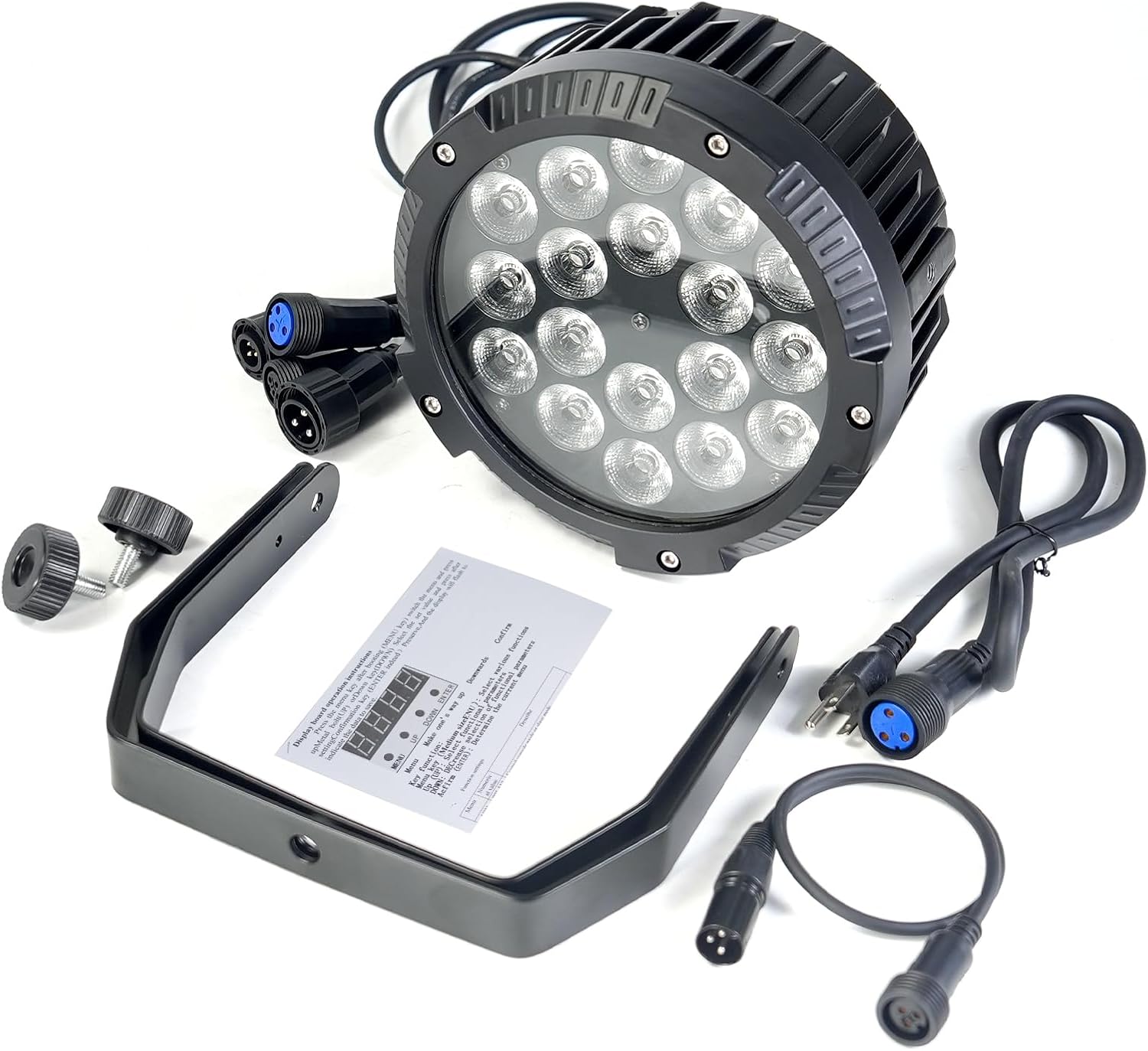
The product package includes the following items:
- 1 x Iverens LED Par Light Fixture
- 1 x Power Cable
- 1 x DMX Cable
- 1 x Mounting Bracket
- User Manual (this document)
Specifications
| Specification | Value |
|---|---|
| Color | Red (RGBW 4-in-1) |
| Shape | Round |
| Material | Aluminum, Polycarbonate (PC) |
| Finish Type | Brushed |
| Light Source Type | Light Emitting Diode (LED) |
| Power Source | Corded Electric |
| Voltage | 12 Volts (DC) |
| Brightness | 100 percent |
| Maximum Compatible Light Source Wattage | 216 Watts |
| Mounting Type | Ceiling Mount (with bracket) |
| Number of Light Sources | 18 |
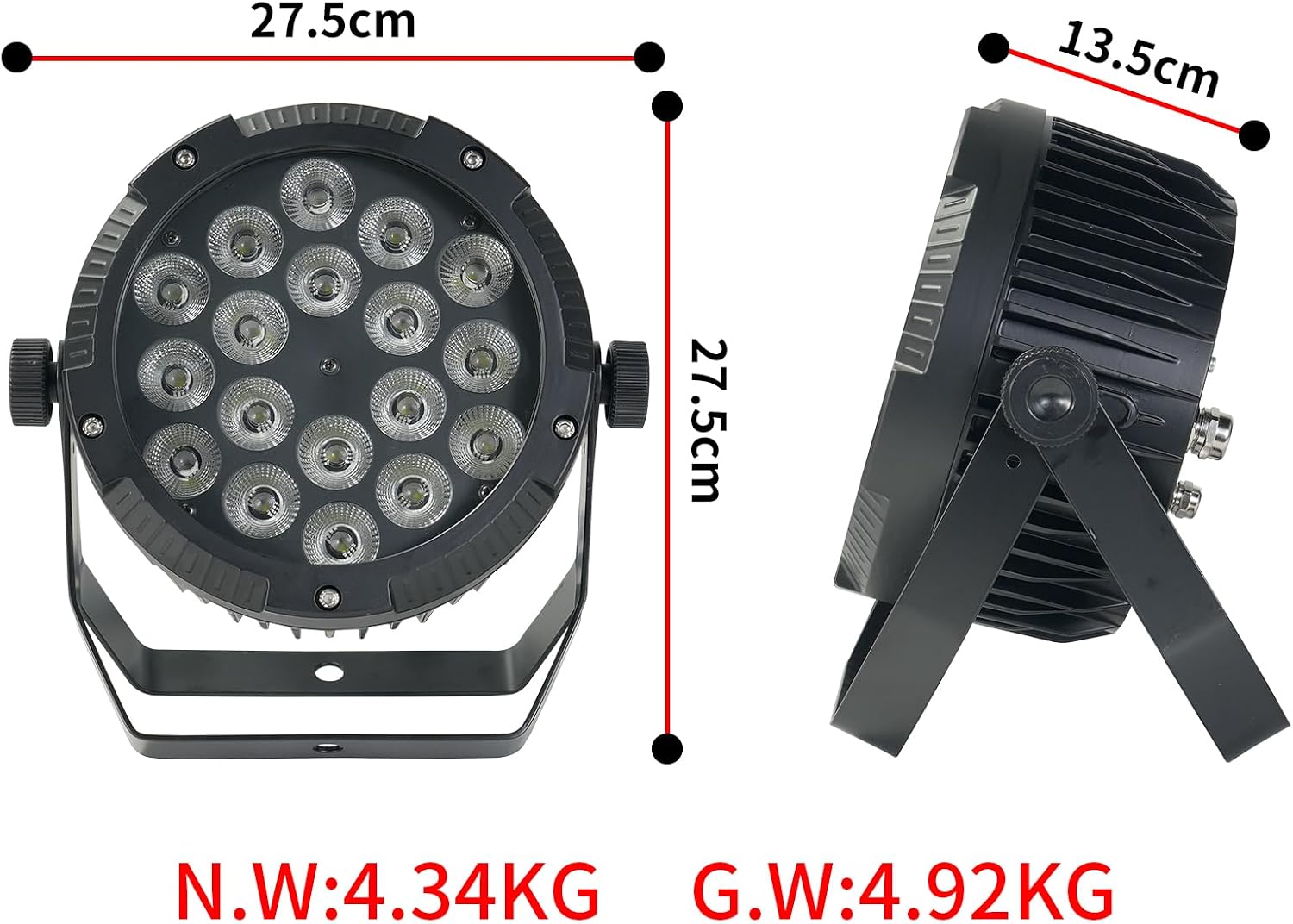
| Product Dimensions | 10"L x 10"W x 14.4"H |
| Item Weight | 10.93 pounds |
| Country of Origin | China |
| Item Model Number | 1 |
| UPC | 763039941682 |
Setup
Physical Installation
The Iverens LED Par Light comes with a sturdy mounting bracket, allowing for flexible positioning. It can be placed on a flat surface, mounted to a truss, or installed on a ceiling.
- Attach the mounting bracket to the fixture using the provided screws.
- Secure the fixture to your desired location using appropriate clamps or screws (not included). Ensure the mounting point is stable and can safely support the fixture's weight.
- Adjust the angle of the light using the side knobs on the bracket to direct the beam as needed. The fixture offers 180-degree angle adjustment.

Connecting Power and DMX
Connect the provided power cable to the "POWER IN" port on the back of the fixture and then to a suitable power outlet. For DMX control, connect a DMX cable from your DMX controller to the "DMX IN" port. If chaining multiple fixtures, connect from "DMX OUT" of the first fixture to "DMX IN" of the next.

Operating Modes
The Iverens LED Par Light offers several operating modes, which can be selected via the digital display and buttons on the rear panel or through DMX control.
DMX512 Control
This mode allows for professional control over various parameters such as color, dimming, strobe, and effects using a DMX512 controller. The fixture supports 6 or 10 DMX channels. Refer to the DMX channel chart in the included quick guide for specific channel functions.
Video 1: Demonstration of DMX control and color changing capabilities of the Iverens LED Par Light.
Auto Run Mode
In Auto Run mode, the fixture cycles through pre-programmed light shows automatically. This mode is ideal for quick setup without external control.
Sound Activated Mode
The Sound Activated mode allows the light to react to ambient sound or music, creating dynamic effects synchronized with the audio. Adjust sensitivity as needed.
Stand Alone / Master/Slave Mode
For synchronized operation without a DMX controller, set one fixture as 'Master' and others as 'Slave'. The slave units will mimic the master's settings and effects.
Color Mixing and Dimming
The RGBW 4-in-1 LEDs allow for a vast array of color combinations. Each color (Red, Green, Blue, White) can be individually controlled for intensity, enabling precise color mixing. The fixture also supports smooth electronic dimming from 0% to 100% across all colors.


Maintenance
Regular maintenance ensures the longevity and optimal performance of your LED Par Light.
- Cleaning: Periodically clean the lens and exterior casing with a soft, lint-free cloth. For stubborn dirt, use a mild, non-abrasive cleaner. Ensure the fixture is powered off and cool before cleaning.
- Waterproof Care: While IP65 rated, avoid direct high-pressure water jets. Ensure all cable connections are securely tightened to maintain the waterproof seal, especially for outdoor use.
- Inspection: Regularly inspect power and DMX cables for any signs of damage. Check mounting hardware for tightness.


Troubleshooting
If you encounter issues with your Iverens LED Par Light, refer to the following common troubleshooting steps:
- No Power:
- Check if the power cable is securely connected to both the fixture and the power outlet.
- Verify the power outlet is functional.
- No Light Output:
- Ensure the fixture is receiving power.
- Check the selected operating mode. If in DMX mode, ensure the DMX signal is present and the address is correctly set.
- Verify dimming levels are not set to 0%.
- Incorrect Color/Effect:
- If using DMX, check DMX address and channel assignments on your controller.
- If in Auto Run or Sound Activated mode, try resetting the fixture or cycling through modes.
- Fixture Overheating:
- Ensure adequate ventilation around the fixture.
- Check for any obstructions blocking the cooling fins or fan (if applicable).
For issues not resolved by these steps, please contact Iverens customer support.
Warranty and Support
Iverens products are manufactured to high quality standards. For warranty information and customer support, please refer to the contact details provided on the product packaging or the official Iverens website. Please retain your proof of purchase for warranty claims.