
Introduction
The Lutranstra PR5000-WF is a high-performance trail camera designed for capturing wildlife and for security monitoring. It features a 4-million-pixel color CMOS sensor, capable of recording stunning 4K videos and high-resolution 60MP photos. Equipped with advanced motion detection, IP66 waterproofing, and a 2.0-inch color display, this camera is built for reliability in various outdoor conditions. Its integrated WiFi and Bluetooth connectivity allow for convenient remote monitoring and control via a mobile app.

Image: The Lutranstra PR5000-WF Wildcamera, showcasing its key features including 4K video, 60MP photos, WiFi connectivity, and included 32GB memory card and USB reader.
What's in the Box
Upon unboxing your Lutranstra PR5000-WF Wildcamera, please verify that all the following components are included:
- 1 x Lutranstra PR5000-WF Trail Camera
- 1 x Mounting Strap
- 1 x 32GB Memory Card
- 1 x Card Reader
- 1 x User Manual
- 1 x Data Cable
- 1 x Power Cord
Note: This product requires 8 AA 1.5V batteries, which are not included and must be purchased separately.
Setup Guide
1. Battery Installation
Open the camera's battery compartment. Insert 8 AA 1.5V batteries, ensuring correct polarity (+/-). Close the compartment securely to maintain the IP66 waterproof rating.
2. Memory Card Insertion
Locate the SD card slot. Insert the provided 32GB memory card until it clicks into place. Ensure the card is inserted correctly to avoid damage.
3. Mounting the Camera
Use the included mounting strap to secure the camera to a tree or pole. Position the camera to cover the desired monitoring area. Ensure it is stable and not easily dislodged by wind or animals.

Image: The trail camera securely mounted on a tree, demonstrating its use in a natural environment, with a smartphone showing the remote viewing capabilities via the app.
4. Initial Power On and Settings
Switch the camera to 'ON' mode. The internal display will activate. Navigate through the menu using the control buttons to set the date, time, and preferred recording mode (photo, video, or hybrid).
5. App Connection (WiFi & Bluetooth)
Download the "TrailCam Go" app from your mobile device's app store. Enable Bluetooth on your phone and open the app to connect to the camera. Once connected via Bluetooth, you can manually activate the camera's integrated WiFi through the app. This allows for real-time remote monitoring, parameter adjustments, and saving photos/videos directly to your phone. Note that the WiFi connection has a range limit of approximately 65 feet in open areas.
Operating Instructions
Recording Modes
The PR5000-WF offers multiple recording modes:
- Photo Mode: Captures still images at up to 60MP resolution.
- Video Mode: Records video clips at 4K resolution and 30 frames per second.
- Photo + Video Mode: Captures a still image followed by a video clip upon detection.
Adjust these settings via the camera's internal menu or through the "TrailCam Go" app.
Motion Detection and Trigger Speed
The camera features a sensitive motion sensor that activates recording within 0.1 to 0.3 seconds of detecting movement, ensuring minimal delay in capturing wildlife activity.
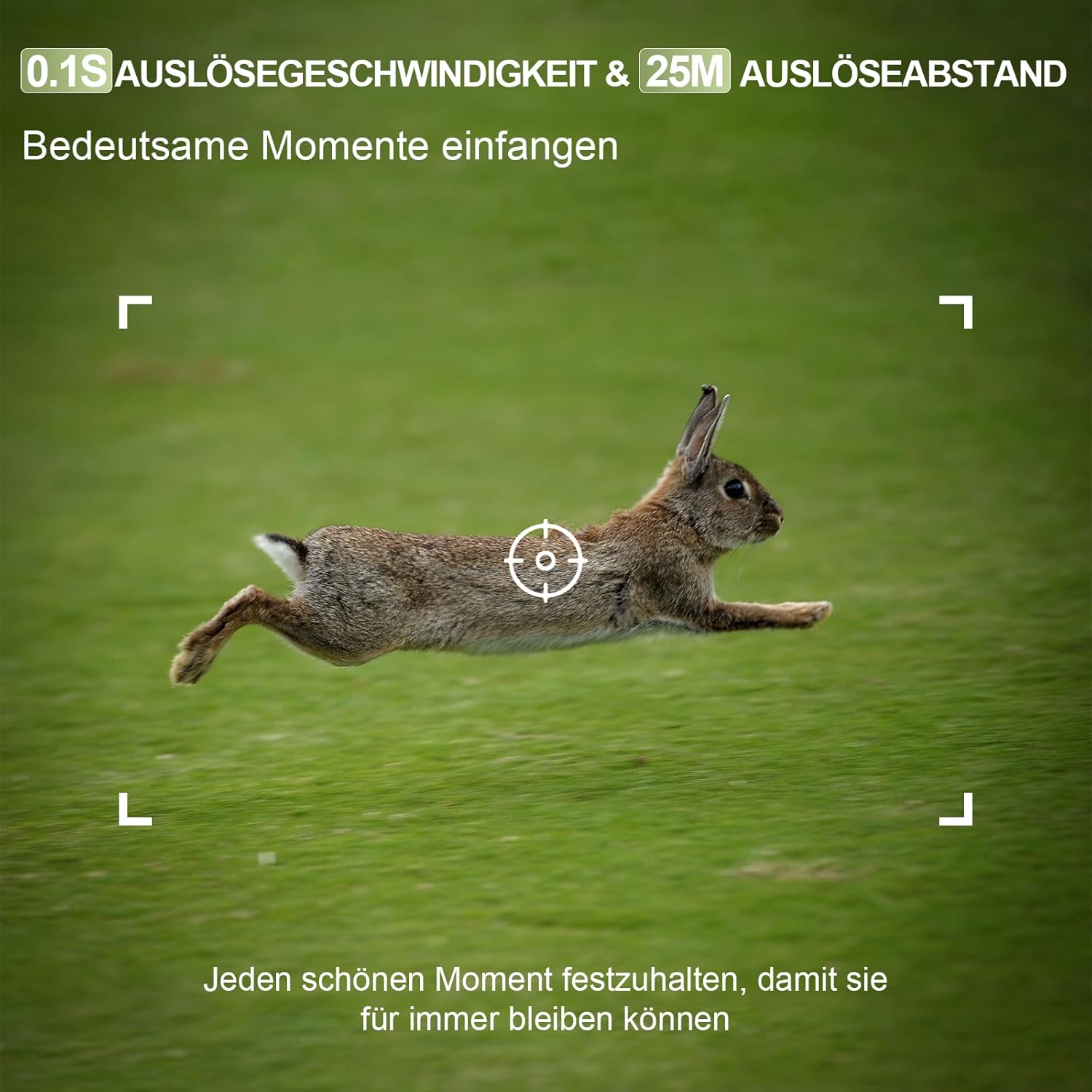
Image: A fast-moving rabbit captured by the camera, demonstrating the rapid 0.1-second trigger speed.
Night Vision Operation
The camera is equipped with 46 pieces of 940 NM infrared LEDs, providing a clear night vision range of up to 25 meters. These non-emitting LEDs ensure discreet operation, capturing detailed black-and-white images and videos in low-light conditions without disturbing wildlife.

Image: A side-by-side comparison showing a deer in daylight (color) and the same deer at night (black and white infrared), illustrating the camera's effective night vision capabilities.
Viewing and Managing Files
Files can be viewed directly on the camera's 2.0-inch display, transferred to your mobile device via the "TrailCam Go" app, or accessed by removing the SD card and using the provided card reader on a computer.
Maintenance
Cleaning
Regularly clean the camera lens and infrared sensors with a soft, dry cloth to ensure optimal image quality. Avoid using abrasive cleaners or solvents.
Battery Replacement
Replace all 8 AA batteries when the low battery indicator appears on the display or app. Always use fresh, high-quality batteries for best performance.
SD Card Management
Periodically format the SD card using the camera's menu function to maintain optimal performance and prevent data corruption. Back up important files before formatting.
Waterproofing
The camera is IP66 waterproof, protecting it from rain, snow, and dust. Ensure all latches and the battery compartment are securely closed to maintain this protection. Avoid submerging the camera in water.

Image: The trail camera operating reliably in a rainy environment, emphasizing its IP66 waterproof design against ice, snow, frost damage, and dust.
Troubleshooting
Camera Not Powering On
- Check if batteries are inserted correctly with proper polarity.
- Ensure batteries are fully charged or replace them with new ones.
- Verify the power switch is in the 'ON' position.
Poor Image/Video Quality
- Clean the camera lens and infrared sensors.
- Ensure the camera is positioned correctly and not too far from the subject.
- Check settings in the menu or app to ensure desired resolution (4K/60MP) is selected.

Image: A visual comparison demonstrating the enhanced clarity of a 60MP image versus a 48MP image, emphasizing the camera's high-resolution capabilities.
WiFi/Bluetooth Connection Issues
- Ensure your mobile device's Bluetooth and WiFi are enabled.
- Make sure you are within the effective range (approx. 65 ft for WiFi).
- Restart both the camera and your mobile device.
- If issues persist, contact customer support for potential firmware updates.
Camera Not Triggering
- Check the motion sensor sensitivity settings in the menu or app.
- Ensure there are no obstructions in front of the sensor.
- Verify that the camera is in an active recording mode.
Specifications
| Feature | Specification |
|---|---|
| Model Number | PR5000-WF |
| Video Recording Resolution | 4K |
| Photo Resolution | 60 Megapixels |
| CMOS Sensor | 4 Million Pixels Color CMOS |
| Wireless Communication | Bluetooth, Wi-Fi |
| Trigger Time | 0.1 - 0.3 seconds |
| Night Vision Range | 25 Meters (46x 940 NM IR LEDs) |
| Viewing Angle | 120 Degrees |
| Water Resistance Level | IP66 (Waterproof) |
| Operating Temperature | -22 °F to 158 °F (-30 °C to 70 °C) |
| Power Source | 8 x 1.5V AA Batteries (not included) |
| Included Memory Card | 32GB |
| Product Dimensions (L x W x H) | 12 x 8 x 10 cm |
| Weight | 580 g |
| Material | Plastic |
Warranty and Support
Lutranstra is committed to providing high-quality products. While specific warranty details are not provided in this manual, please retain your proof of purchase. For any technical assistance, troubleshooting not covered in this manual, or warranty inquiries, please contact Lutranstra customer support through the retailer where the product was purchased or visit the official Lutranstra website for contact information.
We continuously strive to improve our products and services. Your feedback is valuable.


