1. Introduction
The Hiseeu WTDK05 Solar Camera Outdoor is a 4MP wireless battery-powered security camera designed for outdoor surveillance. It features PTZ (Pan-Tilt-Zoom) capabilities for 360° viewing, PIR motion detection, color night vision, IP66 weather resistance, and two-way audio. The camera operates on 2.4G WiFi and offers local recording without monthly fees, powered by an integrated solar panel for continuous operation.
2. Package Contents
Verify that all items are present in your package:
- Camera x 1
- Solar Panel x 1
- User Manual x 1
3. Product Overview

Figure 1: Hiseeu WTDK05 Solar Camera and Solar Panel. The image shows the main camera unit with two antennas and a separate solar panel.
The Hiseeu WTDK05 camera system includes a main camera unit and a solar panel. The camera is designed for outdoor use, featuring a durable, weather-resistant casing and integrated antennas for wireless connectivity.
4. Setup and Installation
4.1 Charging the Camera
Before initial use, ensure the camera's internal battery is fully charged. The solar panel will continuously charge the camera, but a full initial charge is recommended for optimal performance. The camera is designed to operate for approximately 30 days on a full charge without solar input.
4.2 App Download and Account Creation
Download the "Eseecloud" application from your smartphone's app store (iOS or Android). Follow the in-app instructions to create an account and log in.
4.3 Adding the Camera to the App
- Power on the camera.
- Open the Eseecloud app and select "Add Device".
- Follow the on-screen prompts to connect the camera to your 2.4G WiFi network. Ensure your smartphone is connected to the same 2.4G WiFi network during setup.
- Once connected, give your camera a name for easy identification.

Figure 2: Steps for easy installation, adding the device to the app, and viewing the live feed.
4.4 Mounting the Camera and Solar Panel
The camera and solar panel are designed for wall mounting. Select a location that provides optimal solar exposure for the panel and a clear view for the camera.
- Attach the mounting base to a wall or column using the provided screws.
- Slide the camera onto the mounting base and secure it.
- Position the solar panel to receive maximum direct sunlight throughout the day.
- Connect the solar panel cable to the camera.
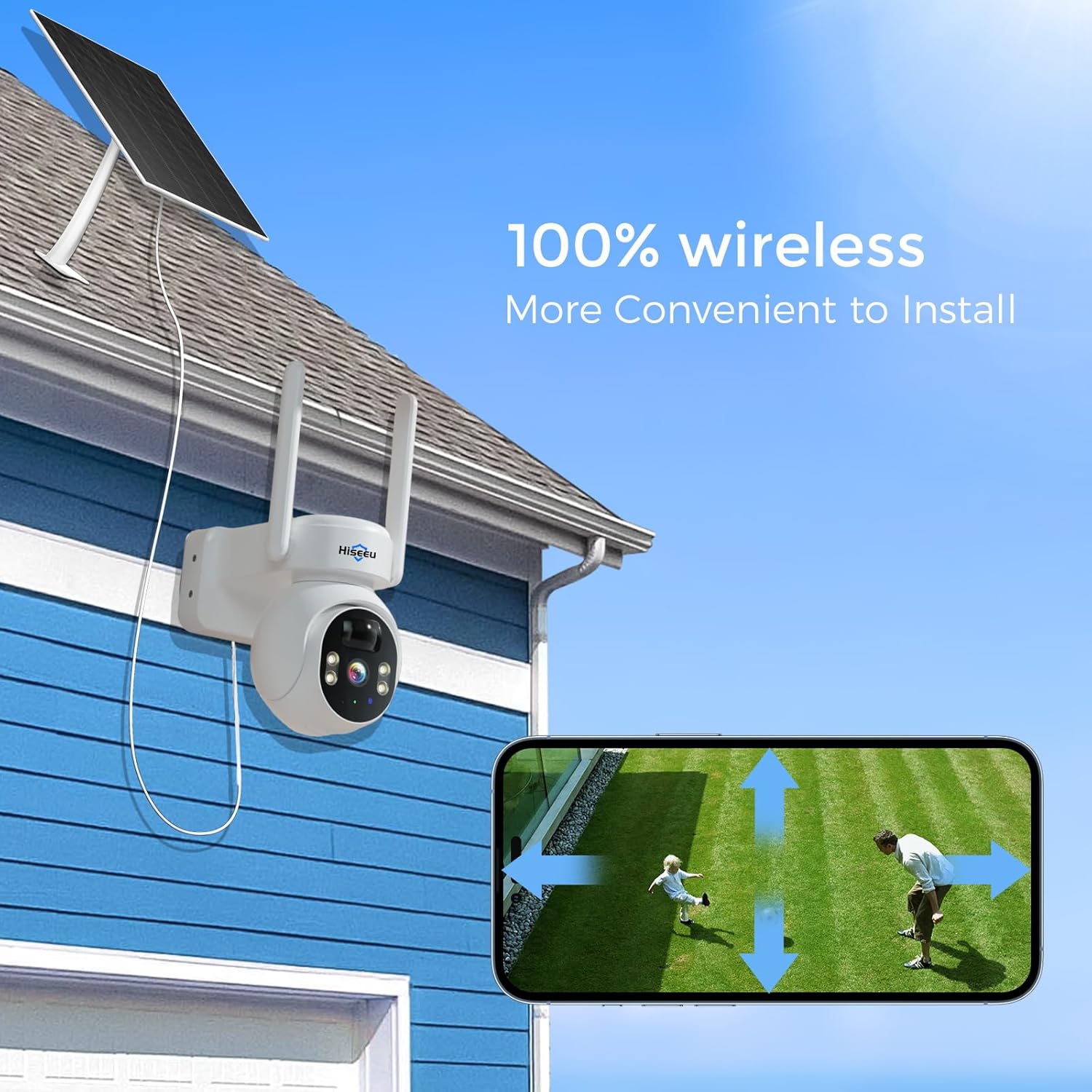
Figure 3: Example of the Hiseeu Solar Camera and solar panel mounted on the exterior of a house, demonstrating wireless installation.

Figure 4: The camera and solar panel installed on a building, highlighting its 100% wireless operation and 4MP resolution.
5. Operation
5.1 Live View and PTZ Control
Access the live video feed through the Eseecloud app. The camera supports 355° horizontal rotation and 90° vertical tilt, allowing for comprehensive area coverage. Use the app's controls to adjust the camera's viewing angle remotely.

Figure 5: Illustrates the camera's 355° pan and 90° tilt capabilities, providing a wide viewing angle.
5.2 PIR Motion Detection
The camera utilizes Passive Infrared (PIR) technology for human motion detection. When human movement is detected, the camera will send an alarm notification to your Eseecloud app.

Figure 6: The camera detecting a person in the yard, with a corresponding notification displayed on a smartphone.

Figure 7: A comparison illustrating the clarity of 4MP resolution compared to 2K, showing a person and a dog.
5.3 Two-Way Audio
The integrated microphone and speaker allow for two-way communication. You can speak through the camera using the Eseecloud app and hear audio from the camera's location.

Figure 8: A smartphone screen showing the two-way audio function of the camera, with chat bubbles indicating communication.
5.4 Night Vision
The camera offers both full-color night vision and infrared night vision. You can select the desired mode via the Eseecloud app. The camera provides clear details within 65 feet at night.

Figure 9: A split image demonstrating the difference between color night vision and infrared night vision, showing a person walking a dog.

Figure 10: An illustration of the camera's infrared and color night vision capabilities within a garage environment.
5.5 Siren and Spotlight Alarm
In response to detected motion, the camera can activate a siren and/or spotlight alarm to deter unwelcome individuals. These features can be configured within the Eseecloud app.
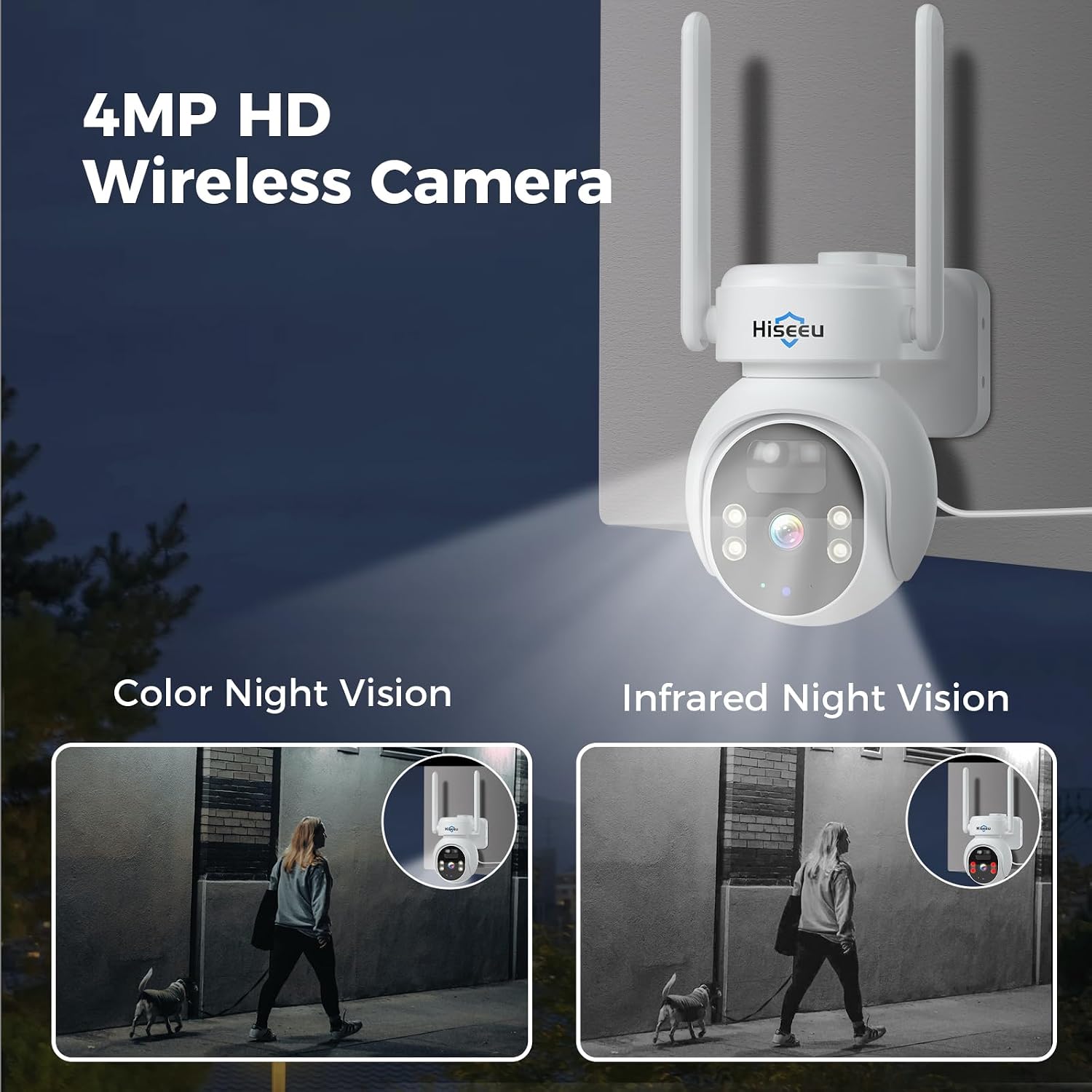
Figure 11: The camera's siren and spotlight alarm activating in response to a person near a door at night.

Figure 12: Icons representing the siren alarm and light alarm features of the camera.
5.6 Recording and Storage
The camera supports local recording to an SD card (up to 128GB, not included). This allows for approximately 30 days of stored footage without any monthly fees. Cloud storage options are also available, which may incur additional costs.

Figure 13: The camera's SD card slot for local storage and a smartphone displaying cloud storage options.

Figure 14: The Eseecloud app interface demonstrating smart playback and the benefits of SD card storage for up to 30 days of recordings.
5.7 Remote Viewing and Sharing
The Eseecloud app allows for remote real-time viewing from anywhere with an internet connection. You can also share camera access with family members through the app. All images are encrypted to ensure privacy.

Figure 15: Depicts multiple family members viewing the camera's live feed on their smartphones and a laptop.
6. Maintenance
6.1 Solar Panel Care
Regularly clean the surface of the solar panel to ensure optimal charging efficiency. Dust, dirt, or debris can reduce its ability to convert sunlight into power.
6.2 Weather Resistance
The camera has an IP66 rating, indicating it is protected against dust ingress and powerful water jets. While designed for outdoor use in various weather conditions, extreme weather may affect performance. Ensure all connections are secure to maintain water resistance.

Figure 16: The camera shown operating effectively under both sunny and rainy conditions, highlighting its IP66 weather resistance.

Figure 17: The camera demonstrating its durability in various weather conditions, including rain and snow.
7. Troubleshooting
- Camera not connecting to WiFi: Ensure your WiFi network is 2.4Ghz. Verify the WiFi password is correct. Move the camera closer to the router during setup.
- No motion detection alerts: Check PIR sensitivity settings in the app. Ensure the camera's view is not obstructed. Verify app notifications are enabled on your smartphone.
- Poor night vision: Ensure the camera lens is clean. Check if the night vision mode is correctly selected in the app (color or infrared).
- Battery not charging: Ensure the solar panel is clean and receiving direct sunlight. Check the connection between the solar panel and the camera.
- Recording issues: Verify an SD card is inserted and formatted correctly (if using local storage). Check the remaining storage space on the SD card.
- Too many alerts: Adjust the PIR sensitivity settings in the app. You can also set specific monitoring areas to reduce unnecessary alerts.

Figure 18: The Eseecloud app interface showing how to define specific monitoring areas to minimize false alerts.
8. Specifications
| Feature | Detail |
|---|---|
| Model | WTDK05 (US-WTDK05) |
| Video Capture Resolution | 4MP |
| Indoor/Outdoor Usage | Outdoor |
| Power Source | Solar Powered |
| Connectivity Protocol | Wi-Fi (2.4G) |
| Controller Type | Eseecloud App |
| Mounting Type | Wall Mount (Screw In) |
| PTZ View | 355° Rotation, 90° Tilt |
| Viewing Angle | 120 Degrees |
| Night Vision | Color Night Vision & Infrared Night Vision (up to 65 feet) |
| Motion Detection | PIR Humanoid Detection |
| Audio | 2-Way Audio |
| Storage | SD Card (up to 128GB, not included), Cloud Storage (optional, paid) |
| Water Resistance Level | IP66 |
| Item Dimensions (L x W x H) | 7.5 x 5.5 x 9.5 inches |
| Item Weight | 3.3 pounds |
9. Warranty and Support
Hiseeu offers lifetime support for its products. For assistance, please refer to the contact information provided in the user manual included in your package or visit the official Hiseeu website.
- High-quality response: Expect prompt and effective solutions to your inquiries.
- Considerate service: Dedicated support team available via email, phone call, or online chat.

Figure 19: A customer support representative, symbolizing the available lifetime support.


