
Peosaard VC1010
ANENG VC1010 Electrical Tester Pen User Manual
Brand: Peosaard
1. Introduction
This manual provides essential information for the safe and effective use of the ANENG VC1010 Electrical Tester Pen. Please read this manual thoroughly before operating the device and retain it for future reference. This non-contact voltage detector is designed for detecting AC/DC voltage in various electrical applications.

Figure 1: ANENG VC1010 Electrical Tester Pen. This image shows the compact, pen-shaped design of the electrical tester, featuring a black body with red accents, an LCD screen, and a clear tip for voltage detection.
2. Setup
Before first use, ensure the device is properly prepared.
2.1 Battery Installation
- Locate the battery compartment cover, typically at the rear or top of the pen.
- Open the cover. The ANENG VC1010 requires two (2) AAA batteries (not included).
- Insert the batteries, ensuring correct polarity (+/-) as indicated inside the compartment.
- Close the battery compartment cover securely.
2.2 Initial Power On
Press and hold the power button (usually marked with a power symbol) until the LCD screen illuminates, indicating the device is ready for use.
3. Operating Instructions
The ANENG VC1010 offers non-contact detection for AC/DC voltage and other useful functions.
3.1 Non-Contact AC Voltage Detection
This feature allows for quick and safe detection of AC voltage without direct contact.
- Ensure the device is powered on.
- Bring the tip of the tester pen close to the wire, socket, circuit breaker, or other electrical component you wish to test.
- If AC voltage is detected, the pen will emit a sound alarm, the LED indicator will flash, and the LCD screen will display an analog bar graph indicating the strength of the detected voltage.
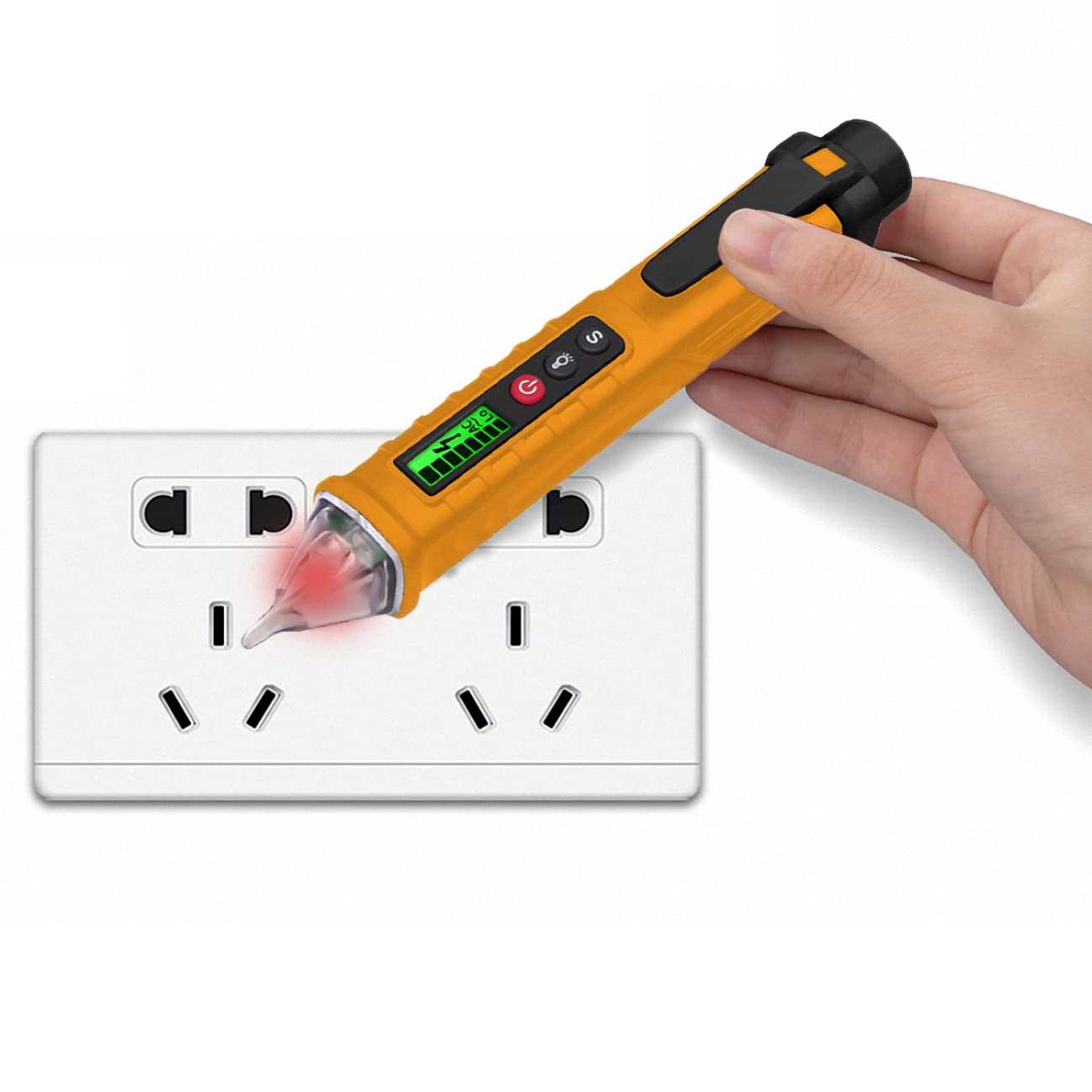
Figure 2: Using the Electrical Tester Pen for voltage detection. This image illustrates the tester pen's tip glowing red as it detects voltage from a wall outlet, demonstrating its non-contact functionality.
3.2 Sensitivity Adjustment
The non-contact sensitivity can be adjusted for different testing environments.
- Press the 'S' button (Sensitivity) to cycle through sensitivity levels (e.g., high, low).
- Use high sensitivity for detecting voltage from a distance or through insulation, and low sensitivity for precise localization of live wires.
3.3 Live Wire and Zero Line Identification
The tester can differentiate between live and neutral (zero) lines.
- When testing a live wire, the device will provide a strong sound/light/LCD analog display indication.
- When testing a zero line, the indication will be minimal or absent.
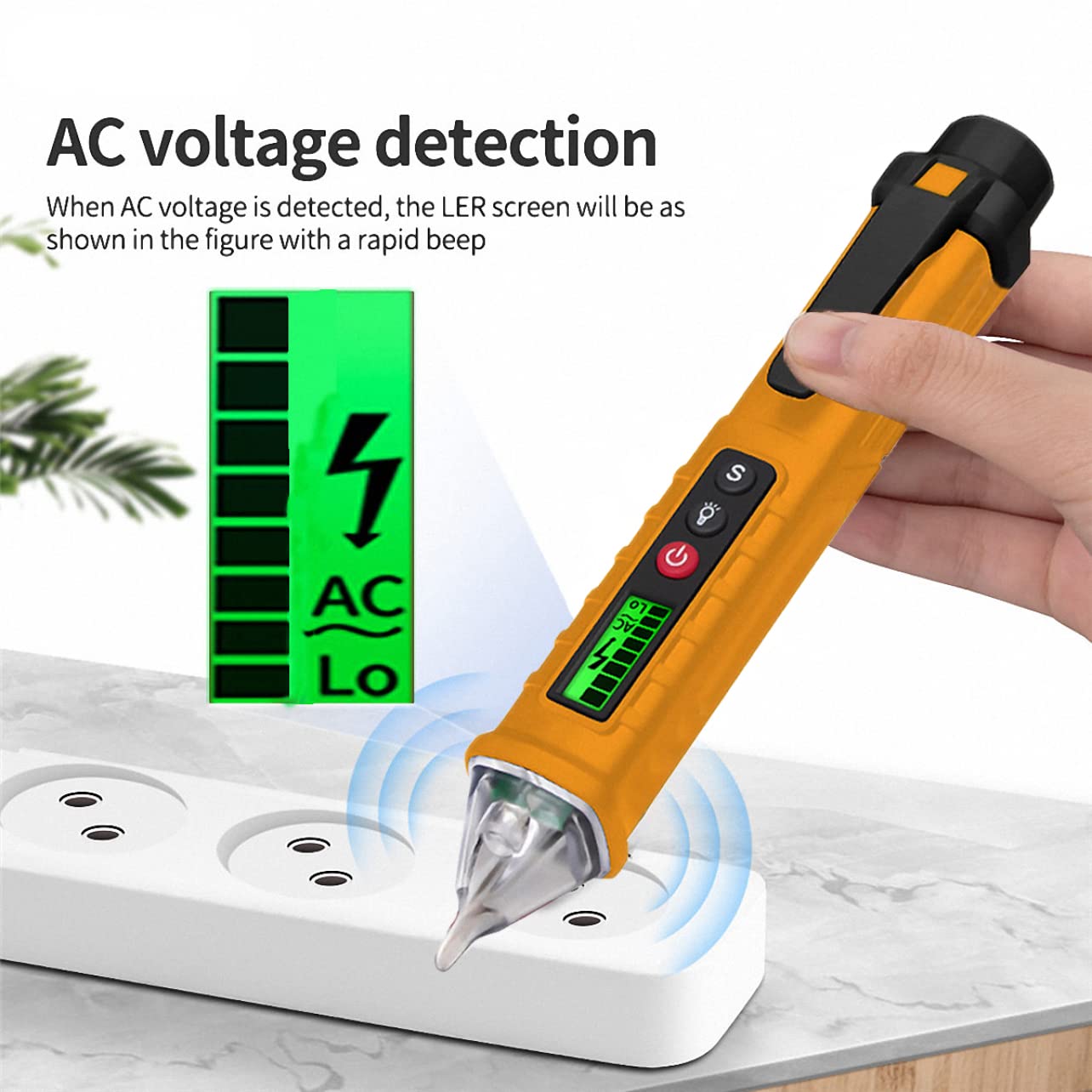
Figure 3: AC Voltage Detection Display. This image highlights the LCD screen of the tester pen, showing a clear visual indication (bar graph and 'AC' symbol) when AC voltage is detected, accompanied by a rapid beep.
3.4 Breakpoint Testing
To identify breaks in a cable, trace along the cable from the power source. The indicator will cease to be lit at the point of the break.
3.5 Flashlight Function
Press the flashlight button (usually marked with a light bulb icon) to activate the built-in LED flashlight for illumination in dimly lit areas.
4. Maintenance
Proper maintenance ensures the longevity and accuracy of your electrical tester pen.
4.1 Cleaning
- Wipe the device with a dry, clean cloth. Do not use abrasive cleaners or solvents.
- Ensure no moisture enters the device.
4.2 Battery Replacement
When the low battery indicator appears on the LCD screen, replace the batteries promptly to ensure accurate readings and proper operation. Refer to Section 2.1 for battery installation instructions.
4.3 Storage
Store the device in a cool, dry place, away from direct sunlight and extreme temperatures. If storing for extended periods, remove the batteries to prevent leakage.
5. Troubleshooting
If you encounter issues with your ANENG VC1010, refer to the following common problems and solutions.
| Problem | Possible Cause | Solution |
|---|---|---|
| Device does not power on. | Dead or incorrectly installed batteries. | Replace batteries, ensuring correct polarity. |
| Inaccurate or inconsistent readings. | Low battery; interference from strong electromagnetic fields; incorrect sensitivity setting. | Replace batteries; move away from strong interference sources; adjust sensitivity. |
| No detection when near a known live source. | Device not powered on; sensitivity too low; faulty unit. | Ensure power is on; increase sensitivity; if problem persists, contact support. |
| Device automatically shuts off. | Auto power-off feature activated. | This is normal behavior if no induction is detected for 3 minutes. Power on again if needed. |
6. Specifications
| Feature | Specification |
|---|---|
| Model | VC1010 |
| AC Voltage Range | 12V - 1000V |
| Frequency | 50Hz/60Hz |
| Alarm Mode | Sound / Light / Analog |
| Display | LCD Display Screen |
| Flashlight | Yes |
| Probe Shape | Flat |
| Low Battery Indicator | Yes |
| Live Wire / Zero Line Detection | Sound / Light / LCD Analog Display |
| Non-Contact Sensitivity | Adjustable |
| Auto Power-Off | Automatically shuts down after 3 minutes of no induction |
| Power Source | 2 x AAA Batteries (Not Included) |
| Product Dimensions | 20 x 6 x 6 cm (7.87 x 2.36 x 2.36 inches) |
| Weight | Approx. 2.05 ounces (without batteries) |

Figure 4: ANENG VC1010 Product Dimensions. This image provides a visual representation of the tester pen's length and width, indicating its compact size for portability and ease of use.
7. Warranty and Support
No specific warranty information is provided with this product. For technical support, inquiries, or assistance with your ANENG VC1010 Electrical Tester Pen, please contact the manufacturer, Peosaard, through their official channels or the retailer from whom the product was purchased. Please retain your purchase receipt as proof of purchase.
Related Documents - VC1010
 |
ANENG VC1010 Non-Contact Voltage Detector User Manual & Specifications Comprehensive user manual for the ANENG VC1010 Non-Contact Voltage Detector. Learn about safety notices, panel description, operation instructions, and technical specifications for AC voltage testing. |
 |
ANENG VC1010 Smart Induction Pen: AC Voltage Detector Discover the ANENG VC1010 Smart Induction Pen, a contactless AC voltage detector offering high and low sensitivity switching, zero line recognition, non-contact measurement, flashlight lighting, and sound/light alarms. Learn about its features, specifications, and battery installation. |
 |
ANENG VC1010 Non-Contact Voltage Tester - Operation Instructions and Technical Specifications Detailed operation instructions and technical specifications for the ANENG VC1010 non-contact voltage tester, including power on/off, torch function, AC voltage detection, auto power off, battery replacement, and detailed technical parameters. |
 |
ANENG VC1010 Smart Induction Pen: Non-Contact AC Voltage Detector User Manual Discover the ANENG VC1010 Smart Induction Pen, a non-contact AC voltage detector offering safe and efficient electrical testing. Features include zero/live wire identification, adjustable sensitivity, built-in flashlight, and audible/visual alarms for voltage detection. |
 |
ANENG VC1010 Smart Induction Pen AC Voltage Detector - Features & Specifications Discover the ANENG VC1010 Smart Induction Pen, a non-contact AC voltage detector with high/low sensitivity, flashlight, and zero line recognition. Ideal for home and industrial electrical testing. |
Ask a question about this manual
Ask about setup, troubleshooting, compatibility, parts, safety, or missing instructions. Manuals+ will review the question and use this page’s manual context to help answer it.