
Anern AN-SCI-EVO-6200
Anern 6200W Hybrid Solar Inverter User Manual
Model: AN-SCI-EVO-6200
1. Introduction
The Anern 6200W Hybrid Solar Inverter is an advanced all-in-one solution designed for efficient solar energy storage, charging, and AC sine wave output. It integrates a 120A MPPT solar charge controller, utilizing optimized MPPT technology for up to 98% efficiency. This inverter is compatible with both 48V lead-acid and lithium batteries, making it suitable for various household and office loads.
2. Key Features
- All-in-One Hybrid Design: Integrates solar energy storage, charging, and AC sine wave output.
- High-Efficiency MPPT Controller: Features a 120A MPPT solar charge controller with up to 98% efficiency.
- Robust Specifications: 6200W hybrid solar inverter, 48V DC to 220V/230V AC. Max PV array open circuit voltage: 450Vdc; Max PV array power: 6500W; Max PV no-load voltage: 500Vdc; Maximum PV charging current: 120Amp; Rated output current: 44.3Amp.
- Remote Monitoring & LCD Display: Equipped with an LCD screen and 4 LED indicators for dynamic system data display. Supports WIFI/GPRS remote monitoring (WiFi module included).
- Multiple Charging & Output Modes: Offers 4 charging modes (solar, solar and utility only, solar priority) and 3 output modes (solar priority, utility priority, SBU mode) to meet diverse application needs.
- Wide Compatibility: Pure sine wave technology compatible with various household and office loads, including refrigerators, lamps, televisions, fans, and air conditioning.
- Dual AC Output Interface: Enhances the efficiency of the entire solar power system.
- Wide PV Input Voltage Range: 60VDC-450VDC for flexible solar energy configuration.
3. What's in the Box
Upon unpacking, please verify that all components are present and undamaged:
- 1 x Anern 6200W Hybrid Solar Inverter
- 1 x WIFI Module
- 1 x WIFI Module Cable (1 meter)
- 1 x User Manual

Image: Contents of the product package, including the inverter, WiFi module, cable, and user manual.
4. Product Components and Interface Diagram
Familiarize yourself with the various components and connection points of your Anern Hybrid Solar Inverter:

Image: Detailed diagram of the inverter's front panel and bottom connections, indicating:
- LCD display
- Status display
- Charging indicator
- Fault display
- Function buttons
- On/off switch
- AC input
- Main output
- Second output
- Battery input
- PV input
- Anti-dust kit
- RS-232 communication connection / WiFi connection
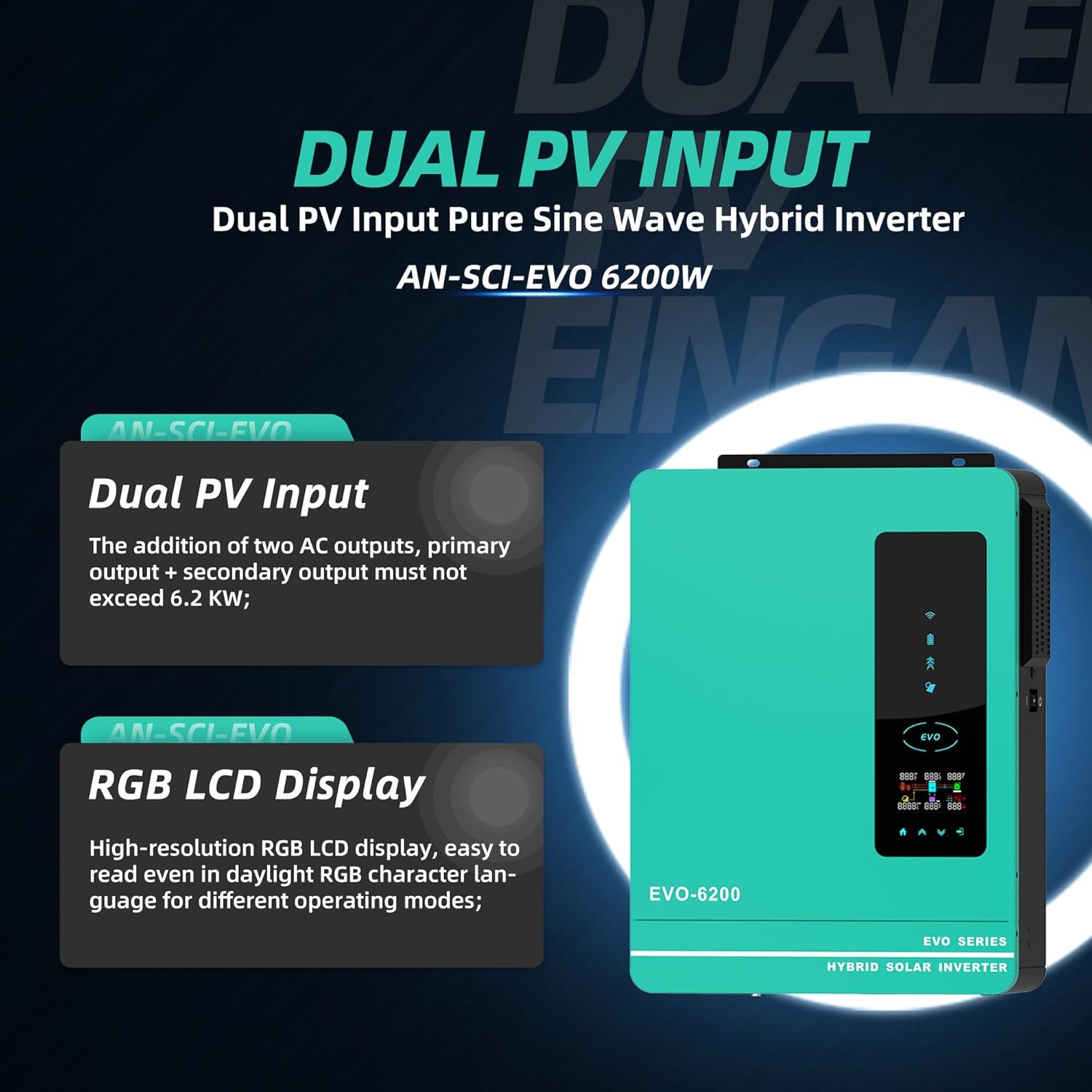
Image: Illustration highlighting the Dual PV Input and High-resolution RGB LCD Display features.
5. Setup and Installation
Proper installation is crucial for the safe and efficient operation of your hybrid solar inverter. It is recommended that installation be performed by a qualified professional.
5.1 Site Selection
- Install the inverter in a well-ventilated area, away from direct sunlight, heat sources, and flammable materials.
- Ensure the mounting surface is sturdy enough to support the inverter's weight (approximately 24.6 pounds).
- Maintain adequate clearance around the inverter for proper airflow and cooling.
5.2 Electrical Connections
Refer to the detailed wiring diagrams in the included user manual for specific connection instructions. Key connections include:
- PV Input: Connect your solar panel array to the PV input terminals. Ensure the PV array open circuit voltage does not exceed 450Vdc.
- Battery Connection: Connect the 48V battery bank (lead-acid or lithium) to the battery terminals. Observe correct polarity.
- AC Input: Connect the utility grid or generator power to the AC input.
- AC Output: Connect your household or office loads to the main and second AC output terminals.

Image: A typical home setup showing the inverter connected to solar panels, a battery, and powering household loads.
5.3 WiFi Module Installation
The included WiFi module allows for remote monitoring of your inverter. Follow the instructions in the separate WiFi module guide for installation and setup of the monitoring application.
6. Operating Instructions
6.1 Initial Power-Up
- Ensure all electrical connections are secure and correct.
- Turn on the battery breaker (if applicable).
- Turn on the PV array breaker (if applicable).
- Switch the inverter's ON/OFF switch to the 'ON' position.
- The LCD display will illuminate, and the inverter will begin its startup sequence.
6.2 LCD Display and Indicators
The LCD display provides real-time system data. The 4 LED indicator lights show the operating status:
- Power Indicator: Indicates the inverter is powered on.
- Charging Indicator: Shows battery charging status.
- Fault Indicator: Illuminates if an error or fault occurs.
- AC Output Indicator: Confirms AC power output.

Image: Overview of the inverter's key power specifications.
6.3 Setting Operating Modes
Use the function buttons on the front panel to navigate the menu and configure settings such as:
- Charging Modes: Select from Solar, Solar and Utility Only, or Solar Priority.
- Output Modes: Choose between Solar Priority, Utility Priority, or SBU (Solar-Battery-Utility) mode.
- Battery Type: Configure for Lead Acid or Lithium batteries to optimize performance.
6.4 Remote Monitoring (WiFi)
Once the WiFi module is set up, you can monitor the inverter's performance, view real-time data, and adjust certain settings remotely via your smartphone or computer.
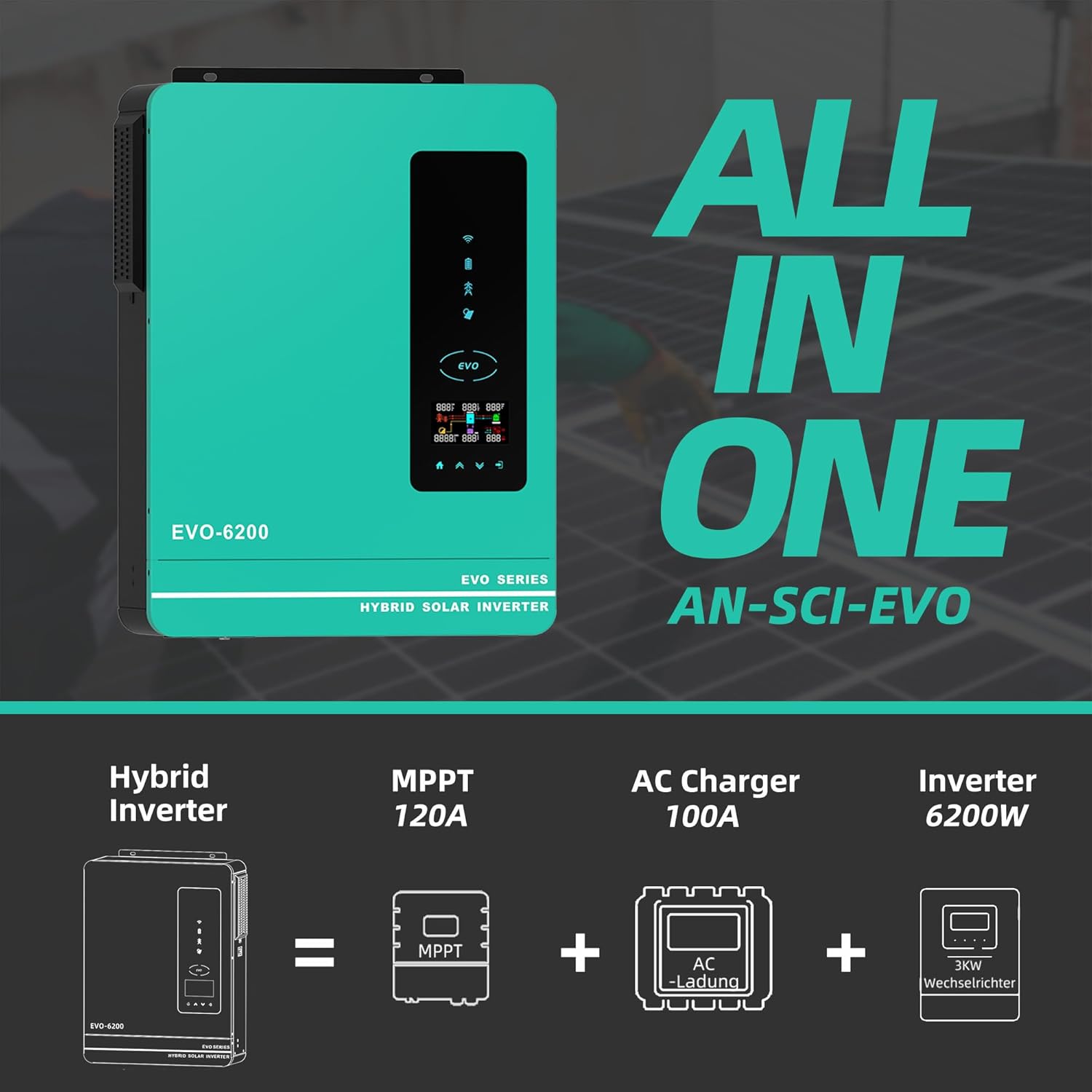
Image: The inverter's WiFi monitoring feature, allowing control via a mobile phone.
6.5 Official Product Video
Video: An official product video from Anern demonstrating the features and functionality of the Hybrid Solar Inverter. This video highlights the compact design, dual AC output interface, and various electrical parameters, including maximum PV power and MPPT solar controller capabilities.
7. Maintenance
Regular maintenance ensures the longevity and optimal performance of your inverter.
- Cleaning: Periodically clean the exterior of the inverter and ensure ventilation openings are free from dust and debris. Use a dry, soft cloth. Do not use liquid cleaners.
- Connections Check: Annually inspect all electrical connections for tightness and signs of corrosion.
- Environmental Check: Ensure the installation environment remains within specified temperature and humidity ranges.
- Firmware Updates: Check the manufacturer's website or app for any available firmware updates to ensure your inverter has the latest features and bug fixes.
8. Troubleshooting
This section provides guidance for common issues. For complex problems, contact customer support.
| Problem | Possible Cause | Solution |
|---|---|---|
| Inverter not powering on | No battery power; DC breaker off; Inverter switch off | Check battery connections and charge; Ensure DC breaker is on; Turn inverter switch to ON. |
| No AC output | Overload; Short circuit; Output breaker tripped | Reduce load; Check for short circuits; Reset output breaker. |
| Low PV input power | Shaded panels; Dirty panels; Incorrect PV wiring | Clear shading; Clean panels; Verify PV connections and voltage. |
| Fault indicator lit | Internal error; Over-temperature; Battery voltage out of range | Refer to the user manual's fault code section; Ensure proper ventilation; Check battery voltage. |

Image: Overview of the inverter's comprehensive protection mechanisms.
9. Technical Specifications
| Specification | Value |
|---|---|
| Model Number | AN-SCI-EVO-6200 |
| Wattage | 6200 watts |
| Battery Voltage | 48V DC |
| AC Output Voltage | 220-230VAC |
| Max. PV Array Open Circuit Voltage | 450Vdc |
| Max. PV Array Power | 6500W |
| Max PV No-Load Voltage | 500Vdc |
| Maximum PV Charging Current | 120Amp |
| Rated Output Current | 44.3Amp |
| Product Dimensions | 16.9 x 8.26 x 21.65 inches |
| Item Weight | 24.6 pounds |
| Recommended Uses | Home |
| Power Source | Solar Powered |
| Battery Capacity (Controller) | 120 Amp Hours |
10. Warranty and Support
Anern is committed to providing high-quality and reliable solar inverter solutions. We offer comprehensive after-sales support to ensure your satisfaction.
10.1 Warranty Information
Our inverters come with a one-year maintenance service. If there is a problem with the components of the inverter, we will replace them for you.
10.2 Customer Support
If you encounter any issues with your inverter, please provide pictures or videos of the malfunction to our professional after-sales team. Our technicians will then diagnose the cause of the malfunction and guide you through the resolution process.
For further assistance, please visit the official Anern Store on Amazon or contact their customer service directly.
Related documentsAN-SCI-EVO-6200


Ask a question about this manual
Ask about setup, troubleshooting, compatibility, parts, safety, or missing instructions. Manuals+ will review the question and use this page’s manual context to help answer it.