1. Overview
This manual provides detailed instructions for the FOGARI Keyboard Case designed for the Samsung Galaxy Tab A9 Plus/A9+ 5G 11 Inch 2023 Model (SM-X210/X216/X218). This product combines a protective case with a magnetically detachable wireless Bluetooth keyboard, enhancing your tablet's functionality and portability.
2. Package Contents
- 1 x Slim Case
- 1 x Bluetooth Keyboard
- 1 x USB Cable
- 1 x User Manual
3. Compatibility
This keyboard case is specifically designed for the Samsung Galaxy Tab A9 Plus 11-inch 2023 Model. It is compatible with models SM-X210, SM-X216, and SM-X218. Please verify your tablet's model number before use.

Image showing the Samsung Galaxy Tab A9 Plus 11-inch tablet with an arrow indicating its 11.0-inch screen size, confirming compatibility with models SM-X210, SM-X216, SM-X218.
4. Features
- S Pen Holder: A dedicated slot is integrated into the case for convenient storage and access to your S Pen, preventing loss. (S Pen not included)
- Magnetic Detachable Bluetooth Keyboard: The wireless keyboard attaches magnetically to the case, allowing for easy removal when not needed. This enables seamless switching between a laptop-like setup and a standalone tablet.
- Adjustable Multiple Viewing Angles: The case features three non-slip grooves, supporting viewing angles of 120°, 125°, and 130°. The keyboard can be adjusted forward or backward for optimal comfort.
- Auto Sleep/Wake Function: The case automatically puts your tablet to sleep or wakes it up when opened or closed, conserving battery life and protecting your device.
- Precise Cutouts: Designed with accurate cutouts for all ports, sensors, speakers, microphone, and cameras, ensuring full access to all tablet functions without removing the case.
- Full Body Protection: Constructed from soft PU leather and a flexible TPU inner shell, providing drop-proof and scratch-resistant protection. The material offers a secure grip.
- Long Battery Life: The keyboard is equipped with a large-capacity battery, offering up to 75 hours of continuous use on a single 4-hour charge (with backlight off).
- Supports 3 Systems: The keyboard is compatible with iOS, Android, and Windows operating systems. Easily switch between systems using the Fn key combined with the corresponding system key (QWE).

Image illustrating the keyboard case with the tablet propped up at three adjustable viewing angles (120°, 125°, 130°). Details show a speaker cutout, raised edges for protection, an S Pen holder, and a charging port.

Image demonstrating the 360° protection offered by the case, highlighting the wear-resistant PU leather cover, scratch-resistant microfibre lining, and impact-resistant TPU back case. The tablet is shown in the case with the keyboard.
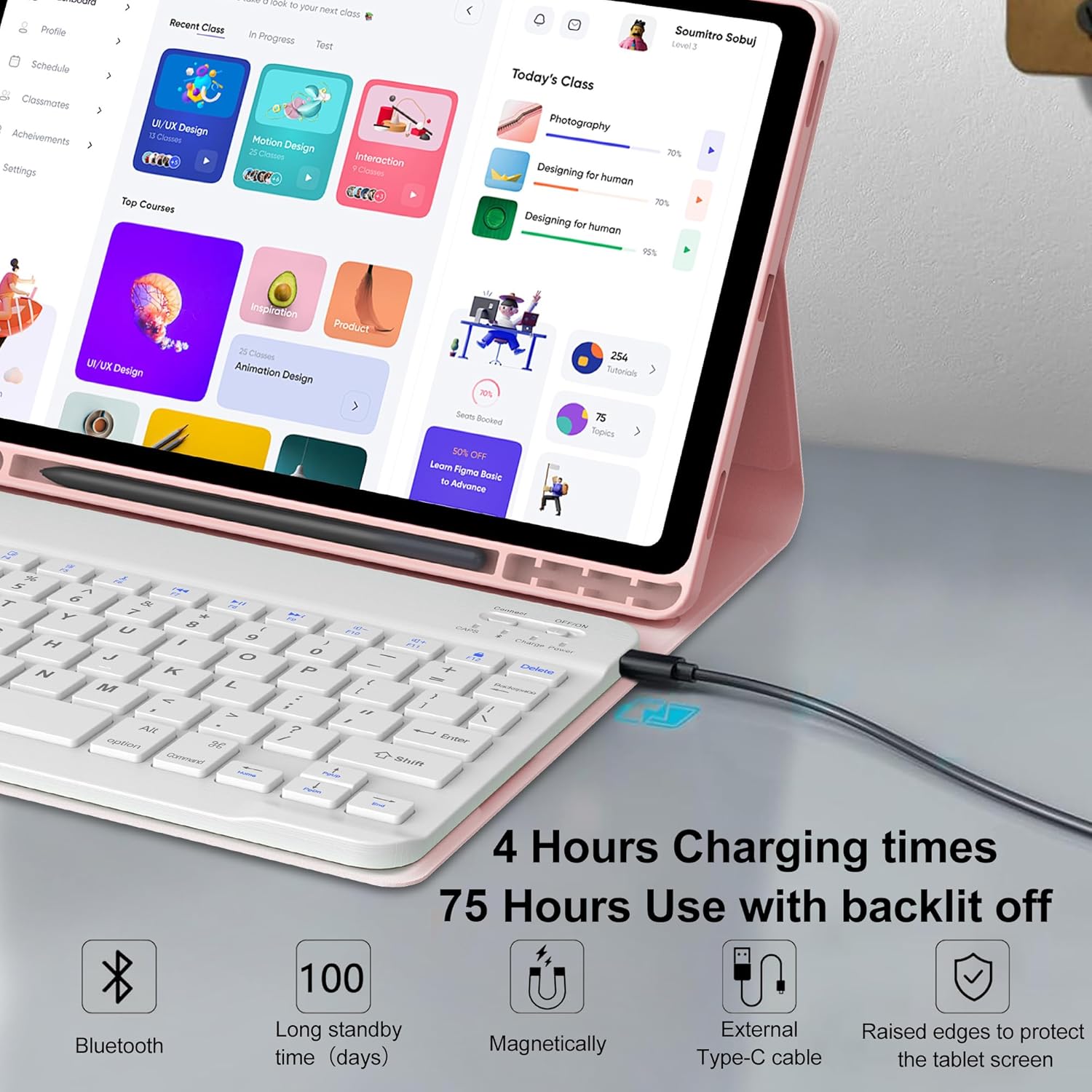
Image showing the keyboard connected to the tablet via a USB-C cable, with text indicating 4 hours charging time and 75 hours use with backlight off. Icons represent Bluetooth, long standby time, magnetic attachment, and external Type-C cable.
5. Setup
5.1 Charging the Keyboard
Before initial use, fully charge the Bluetooth keyboard. Connect the provided USB-C cable to the keyboard's charging port and a suitable USB power source. The charging indicator light will show the charging status.
5.2 Installing the Tablet
- Align your Samsung Galaxy Tab A9 Plus with the TPU inner shell of the case.
- Gently press the tablet into the case, ensuring all edges are securely fitted and all cutouts align with the tablet's ports and buttons.
5.3 Pairing the Bluetooth Keyboard
- Ensure the keyboard is charged. Locate the ON/OFF switch on the keyboard and slide it to the "ON" position.
- Press the "Connect" button on the keyboard for 3 seconds. The Bluetooth indicator light will start blinking, indicating it's in pairing mode.
- On your Samsung Galaxy Tab A9 Plus, go to "Settings" > "Connected devices" > "Bluetooth".
- Turn on Bluetooth and search for available devices. Select "Bluetooth keyboard" from the list to pair.
- Once paired, the Bluetooth indicator light on the keyboard will stop blinking.
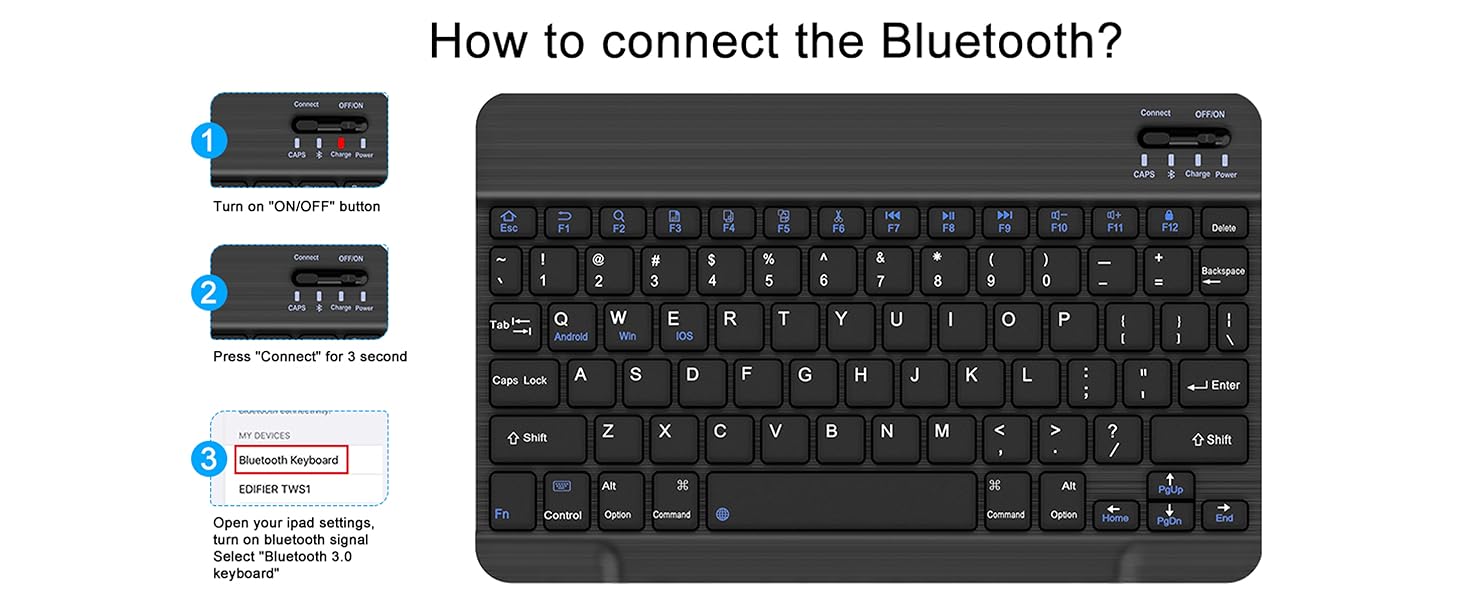
Diagram illustrating the three steps to connect the Bluetooth keyboard: 1. Turn on the ON/OFF button. 2. Press 'Connect' for 3 seconds. 3. Select 'Bluetooth keyboard' in tablet settings.
6. Operating Instructions
6.1 Adjusting Viewing Angles
Position your tablet within the case's non-slip grooves to achieve your desired viewing angle (120°, 125°, or 130°). The magnetic keyboard can be repositioned along the case cover to optimize your setup.
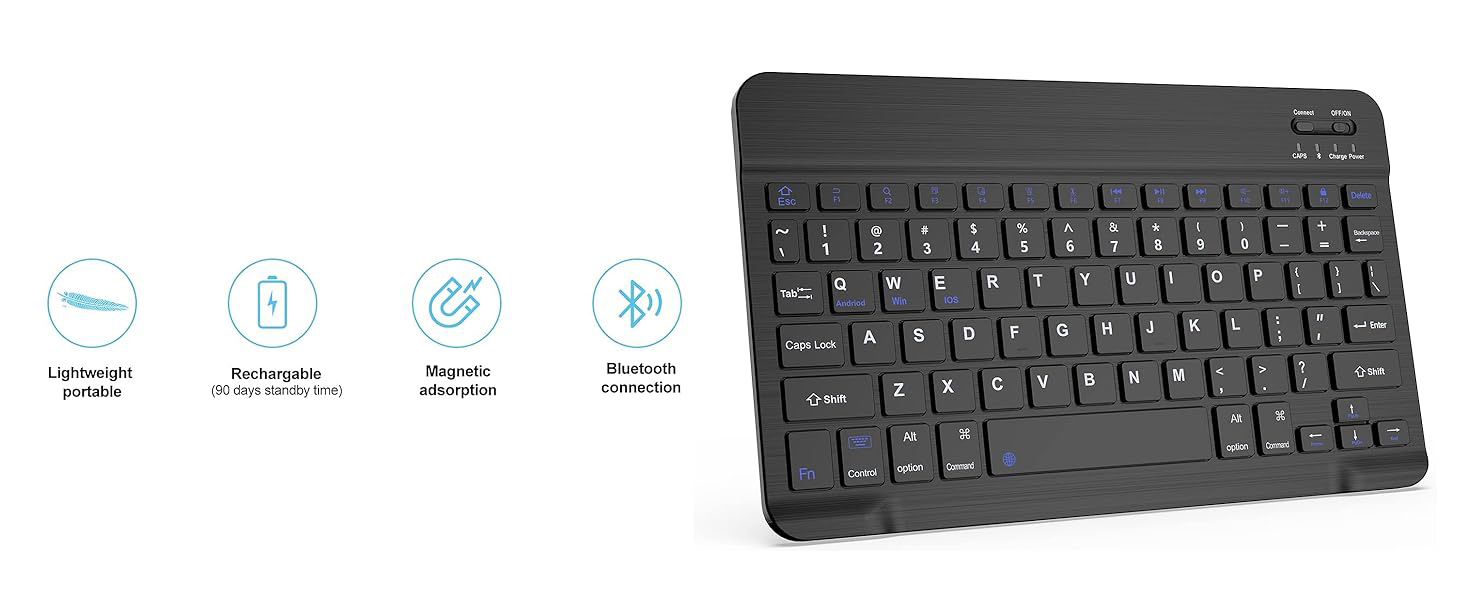
Image showing the keyboard case with a tablet set up at an adjustable viewing angle, emphasizing the 3 stand angles feature.
6.2 Using the S Pen Holder
Insert your S Pen into the designated holder on the case for secure storage and easy access.
6.3 Switching Keyboard Systems
To switch the keyboard's operating system mode, press the Fn key simultaneously with one of the following keys:
- Fn + Q for iOS
- Fn + W for Android
- Fn + E for Windows
6.4 Auto Sleep/Wake Function
The case is designed to automatically turn your tablet's screen off when closed and on when opened, helping to preserve battery life. Ensure the tablet is properly seated in the case for this function to work.
6.5 Backlit Keyboard (if applicable)
If your keyboard model includes backlighting, you can typically adjust brightness and color (if multi-color) using dedicated keys, often found near the function row or combined with the Fn key. Refer to the keyboard's specific key legends for details.
Video demonstrating the backlit keyboard feature, showcasing various color options and the overall aesthetic of the keyboard.
7. Maintenance
- Cleaning the Case: Wipe the PU leather and TPU surfaces with a soft, damp cloth. Avoid harsh chemicals or abrasive cleaners.
- Cleaning the Keyboard: Use a soft, dry cloth to clean the keyboard. For dust between keys, use compressed air. Do not immerse the keyboard in water.
- Battery Care: To prolong battery life, avoid fully discharging the keyboard frequently. Charge it regularly, even if not completely depleted. Store in a cool, dry place when not in use for extended periods.
8. Troubleshooting
- Keyboard not pairing:
- Ensure the keyboard is fully charged and turned ON.
- Make sure Bluetooth is enabled on your tablet.
- Press the "Connect" button on the keyboard to enter pairing mode.
- Forget the device in your tablet's Bluetooth settings and try pairing again.
- Keys not responding:
- Check if the keyboard battery is low; recharge if necessary.
- Ensure the keyboard is properly connected via Bluetooth.
- Restart both the tablet and the keyboard.
- Auto Sleep/Wake not working:
- Ensure your tablet is correctly seated in the case.
- Check your tablet's settings for any power-saving or smart cover options that might interfere.
9. Specifications
| Brand | FOGARI |
| Compatible Devices | Samsung Galaxy Tab A9 Plus 11 inch (SM-X210/X216/X218) |
| Connectivity Technology | Bluetooth, USB-C |
| Keyboard Description | Multi Functional / Detachable / Bluetooth / Rechargeable / Shortcut Keys / Slim / Lightweight |
| Special Feature | Foldable & Adjustable Viewing Angles, Lightweight, Portable, S Pen Holder, Water Resistant |
| Color | Pink (Non-backlit Keyboard) |
| Product Dimensions | 9.88"L x 7.87"W x 0.59"H |
| Material | Leather Case |
| Number of Keys | 78 |
| Language | English |
| Power Source | Battery Powered |
| Keyboard Layout | QWERTY |
| Water Resistance Level | Water Resistant |
| Model Number | SM-X210/X216/X218 |
| Item Weight | 1.68 Pounds |
10. Warranty & Support
This FOGARI Keyboard Case comes with a one-year warranty. For any questions, issues, or warranty claims, please contact FOGARI customer service. Returns are typically accepted within 30 days for refund or replacement, subject to the retailer's policy.
Customer satisfaction is a top priority. We aim to respond to inquiries within 24 hours and provide satisfactory solutions.