
CF 107220
CF Wireless Pool Robot 400 cl User Manual
Model: 107220 | Brand: CF
Introduction
This manual provides comprehensive instructions for the safe and efficient operation, maintenance, and troubleshooting of your CF Wireless Pool Robot 400 cl. Please read this manual thoroughly before using the product to ensure optimal performance and longevity.
Safety Information
Always adhere to the following safety precautions to prevent injury or damage to the robot:
- Ensure the robot is fully charged before use.
- Do not operate the robot if the pool water temperature is outside the recommended range (typically 10°C - 35°C).
- Keep hands, hair, and loose clothing away from moving parts.
- Disconnect the robot from the power source before performing any maintenance or cleaning.
- Do not allow children to operate the robot without adult supervision.
- Store the robot in a cool, dry place when not in use.
Product Overview
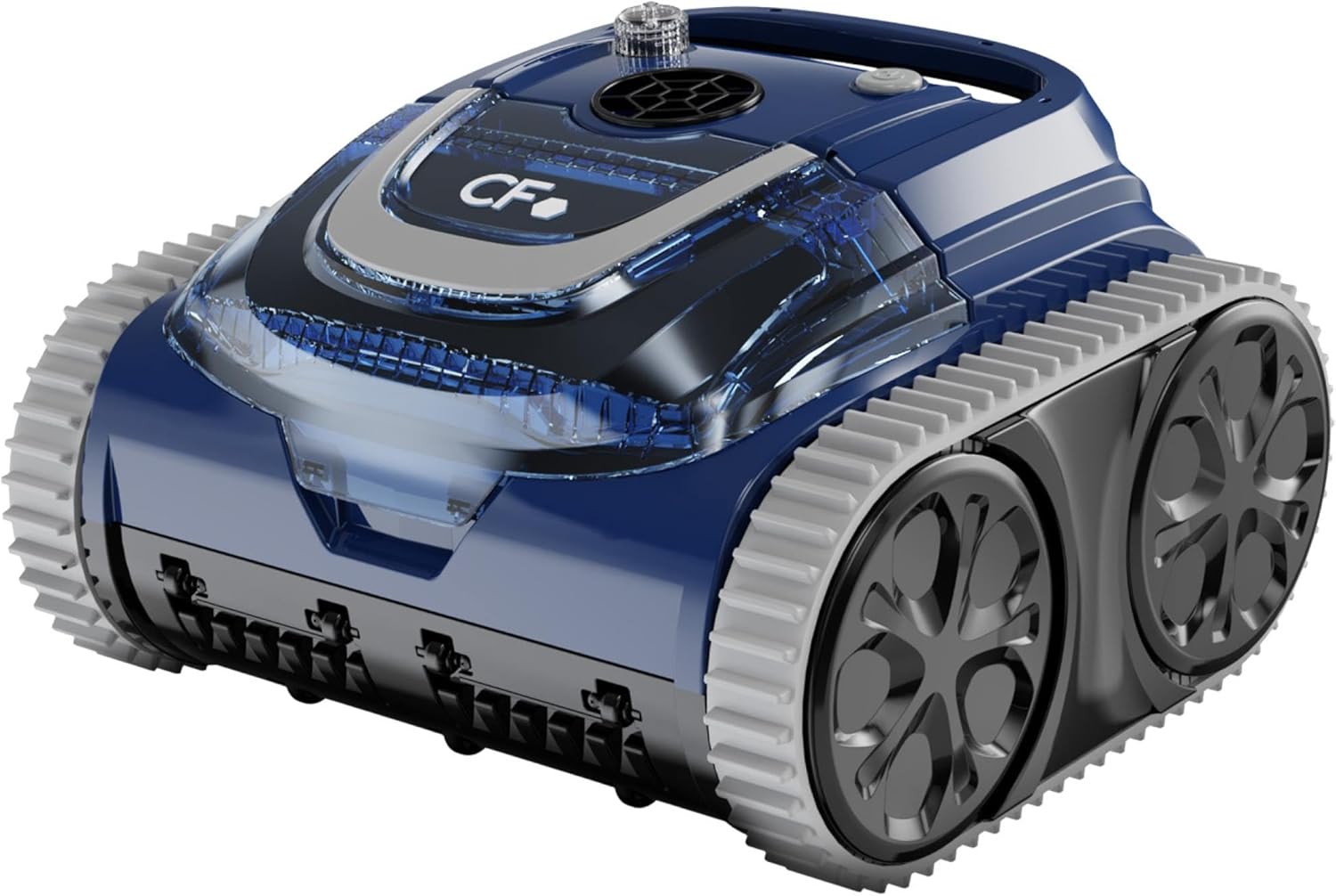
The CF Wireless Pool Robot 400 cl is designed for efficient cleaning of pool floors and walls in pools up to 120 m². It features a powerful motor, durable tracks, and an integrated filter system.


Setup
- Unpacking: Carefully remove the robot and all accessories from the packaging. Retain packaging for future storage or transport.
- Initial Charge: Before first use, fully charge the robot's battery. Connect the charging cable to the robot and a suitable power outlet. The charging indicator will show the charging status.
- Filter Installation: Ensure the filter basket is correctly installed and secured within the robot's housing. Refer to Figure 4 for proper placement.
- Pre-Submersion Check: Verify that all covers and latches are securely closed before placing the robot into the pool.
Operating Instructions
- Placing the Robot: Gently lower the robot into the pool. Ensure it sinks completely and no air bubbles are trapped underneath.
- Starting a Cleaning Cycle: Press the power button located on the top of the robot. The robot will begin its cleaning cycle, which typically lasts for 3 hours.

Figure 5: Close-up of the power button on the robot's top surface, used to initiate cleaning cycles. - Cleaning Coverage: The robot is designed to clean both the floor and walls of pools up to 120 m². Its intelligent navigation system ensures thorough coverage.

Figure 6: The CF Wireless Pool Robot being gently lowered into the pool, ready to begin its cleaning operation. - Retrieving the Robot: Once the cleaning cycle is complete, the robot will typically stop near the edge of the pool. Use the handle to carefully lift the robot out of the water. Allow excess water to drain before removing it completely.

Figure 7: The pool robot being lifted from the water using its integrated handle, allowing water to drain.
Maintenance
Regular maintenance ensures the longevity and efficiency of your pool robot.
- Cleaning the Filter Basket: After each cleaning cycle, remove the filter basket and empty any collected debris. Rinse the filter thoroughly with a hose until clean.
The filter basket has a fineness of 180 µ, designed to capture fine particles.
- Cleaning the Robot Exterior: Wipe down the exterior of the robot with a soft cloth and fresh water. Do not use harsh chemicals or abrasive cleaners.
- Inspecting Tracks and Brushes: Periodically check the tracks and brushes for any trapped debris, wear, or damage. Clean or replace as necessary.
- Battery Care: For optimal battery life, store the robot with a partial charge (around 50%) if it will not be used for an extended period. Recharge fully before next use.
Troubleshooting
| Problem | Possible Cause | Solution |
|---|---|---|
| Robot does not start. | Low battery; Power button not pressed correctly. | Charge the robot fully; Press the power button firmly until indicator light appears. |
| Robot moves slowly or erratically. | Clogged filter basket; Debris in tracks/brushes; Low battery. | Clean the filter basket; Remove debris from tracks/brushes; Recharge the robot. |
| Poor cleaning performance. | Filter basket full or dirty; Worn brushes/tracks. | Clean the filter basket thoroughly; Inspect and replace worn components. |
| Robot does not climb walls. | Air trapped inside; Water chemistry imbalance (e.g., high calcium); Worn brushes. | Shake robot gently underwater to release air; Check pool water chemistry; Inspect and replace brushes. |
Specifications
| Feature | Detail |
|---|---|
| Model Number | 107220 |
| Dimensions (L x W x H) | 25 x 38 x 36 cm |
| Cleaning Surfaces | Floor, Walls |
| Maximum Pool Size | 120 m² |
| Cleaning Cycle Duration | 3 hours |
| Filter Fineness | 180 µ |
| Material | Polyvinyl Chloride |
Warranty and Support
For warranty information or technical support, please refer to the documentation included with your purchase or contact CF customer service. Keep your proof of purchase for any warranty claims.
Contact information for support is typically available on the manufacturer's official website or through your retailer.
Related documents107220


Ask a question about this manual
Ask about setup, troubleshooting, compatibility, parts, safety, or missing instructions. Manuals+ will review the question and use this page’s manual context to help answer it.