1. Introduction
The Muloo Carpenter Combination Square Tool is a versatile measuring instrument designed for precision tasks in carpentry, architecture, engineering, and general DIY projects. This tool is suitable for professionals, students, and enthusiasts requiring accurate measurements, angle marking, and line drawing. It is available in 30cm (12-inch) and 40cm (15.7-inch) models, both crafted from durable aluminum alloy.

Figure 1: Overview of the Muloo Combination Square Tool, highlighting its metric and imperial scales, and integrated angle markings for various measurements.
2. Setup
The Muloo Combination Square Tool requires minimal setup before use. Upon receiving the tool, please follow these steps:
- Unpacking: Carefully remove the combination square from its packaging.
- Inspection: Examine the tool for any signs of damage that may have occurred during shipping. Ensure all components, including the ruler blade and the square head, are intact and securely fastened.
- Cleaning: Wipe the tool with a soft, dry cloth to remove any dust or manufacturing residues. Avoid using abrasive cleaners that could damage the markings or finish.
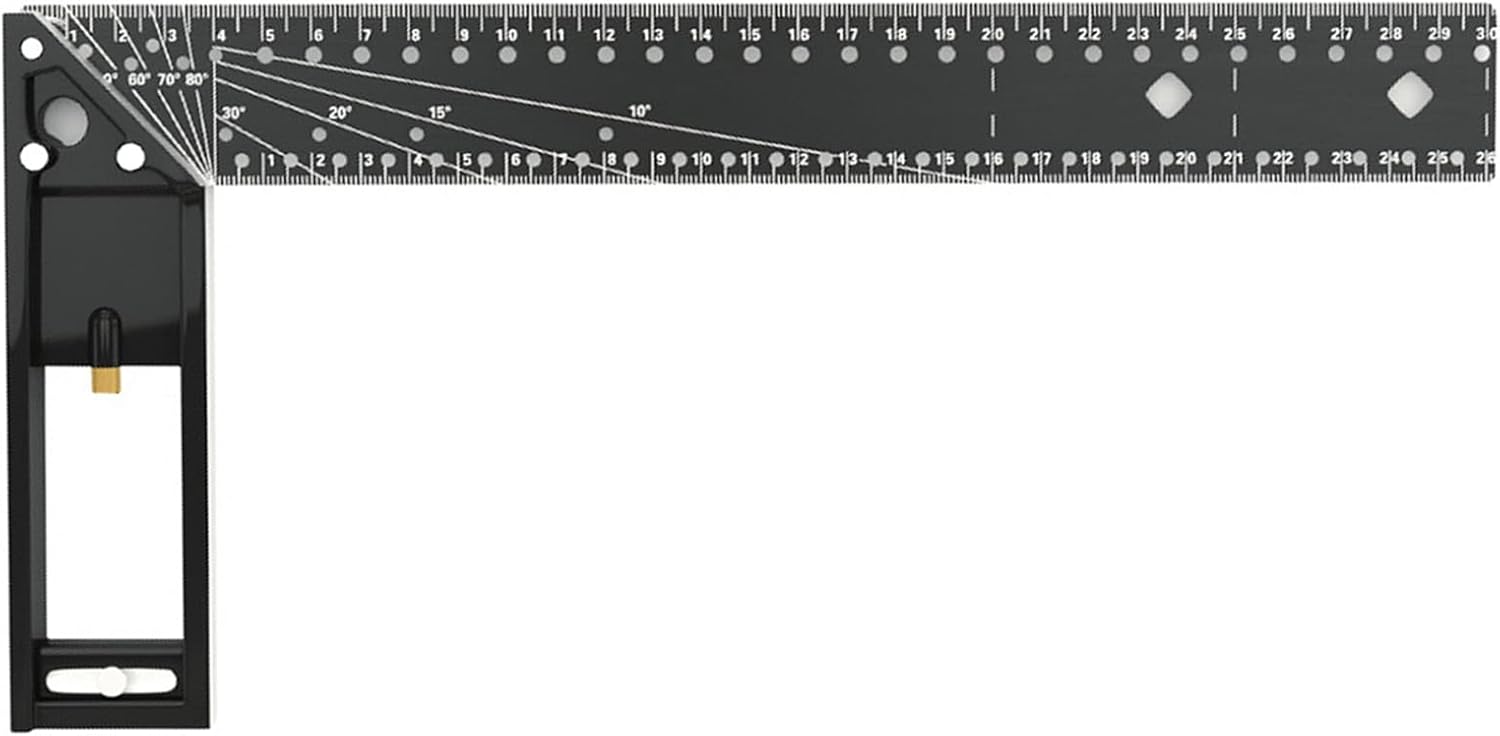
Figure 2: The Muloo Combination Square Tool in its L-shape configuration, ready for use after initial inspection.
3. Operating Instructions
The Muloo Combination Square Tool offers multiple functionalities for precise measurement and marking. Familiarize yourself with its features to maximize its utility.
3.1. General Measurement and Straight Edge Use
- Linear Measurement: Use the engraved metric (centimeters/millimeters) and imperial (inches) scales along the ruler blade for direct length measurements.
- Straight Edge: The long edge of the ruler blade can be used as a straight edge for drawing lines or checking flatness.
3.2. Angle Measurement and Marking
The square head features integrated angle markings for common angles.
- Using the Protractor Scale: The square head includes a protractor scale (e.g., 10°, 15°, 20°, 30°, 60°, 70°, 80°) to quickly set and mark specific angles. Align the desired angle mark with the edge of your workpiece.
- Marking Angles: Hold the square firmly against the workpiece and use a pencil or marking tool along the ruler blade to transfer the angle.
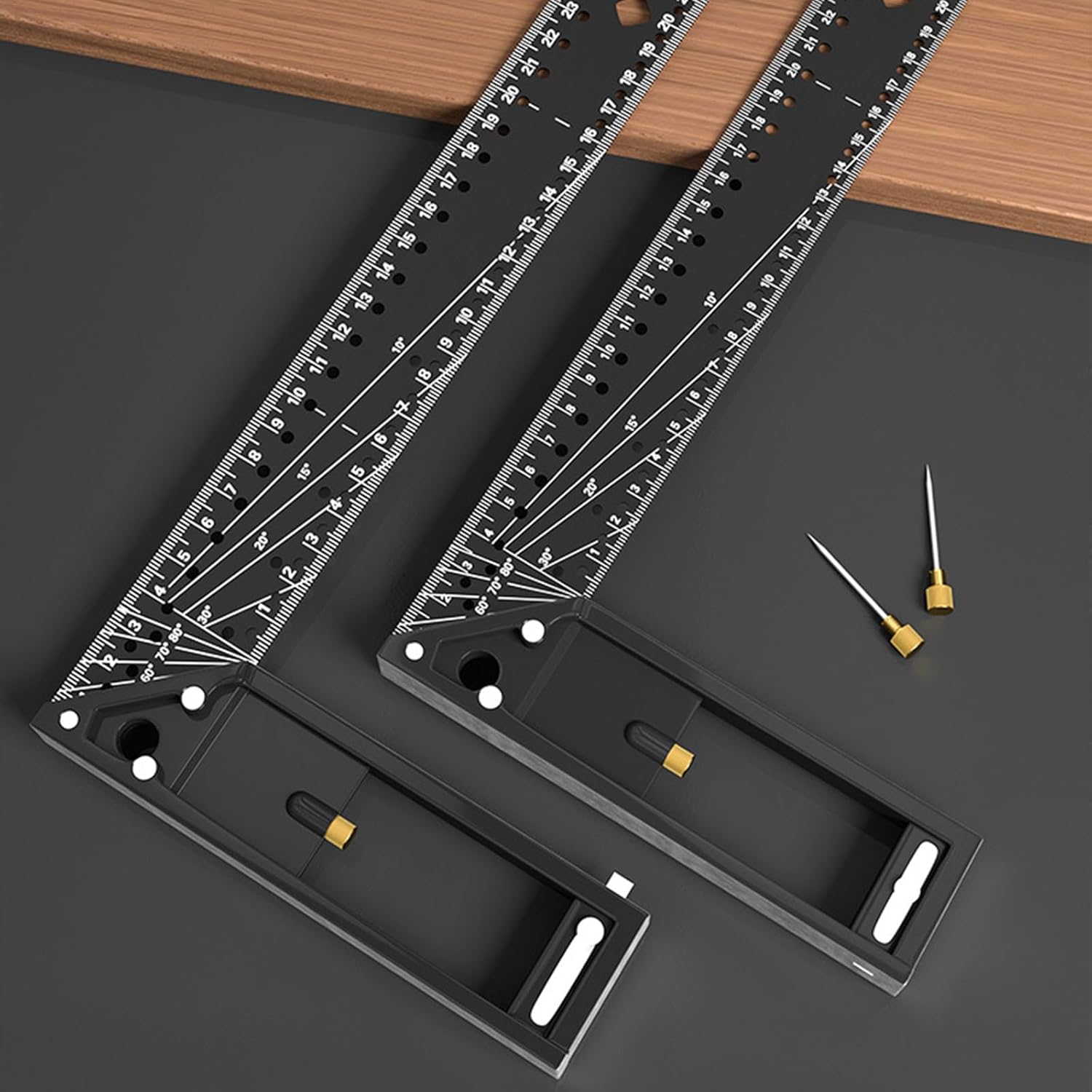
Figure 3: Demonstrating the use of the combination square to accurately mark an angle on a workpiece.
3.3. Marking Hole Design for Precision Lines
The ruler blade is equipped with small marking holes at precise intervals, allowing for accurate parallel line marking.
- Positioning: Place the square tool on your workpiece.
- Marking: Insert a pencil tip into the desired marking hole. Slide the square along the edge of the workpiece while keeping the pencil tip in the hole to draw a precise parallel line.

Figure 4: Detail of the marking hole design, illustrating how a pencil can be used for precise line drawing.

Figure 5: Practical application of the marking holes for drawing accurate parallel lines on a wooden surface.
3.4. L-Shape Square Functionality
The L-shape configuration of the tool allows for checking and marking 90-degree angles (right angles).
- Checking Squareness: Place the inner or outer corner of the L-shape against the corner of a workpiece to verify its squareness.
- Marking 90-degree Lines: Align one edge of the square with the workpiece and draw a line along the perpendicular edge to create a right angle.
4. Maintenance
Proper maintenance ensures the longevity and accuracy of your Muloo Combination Square Tool.
- Cleaning: After each use, wipe the tool clean with a soft, dry cloth to remove dust, pencil marks, or debris. For stubborn marks, a slightly damp cloth can be used, followed by immediate drying.
- Storage: Store the tool in a dry environment to prevent corrosion. Avoid storing it with other tools that could scratch its surface or damage the markings.
- Avoid Harsh Chemicals: Do not use strong solvents or abrasive cleaners, as these can degrade the aluminum alloy finish and erase the engraved markings.
5. Troubleshooting
The Muloo Combination Square Tool is a simple, robust instrument. Most issues relate to user technique or environmental factors.
- Inaccurate Measurements:
- Ensure the tool is clean and free of debris that might interfere with accurate placement.
- Verify that the workpiece edge is straight and clean.
- Hold the tool firmly against the workpiece to prevent movement during marking or measurement.
- Check for any physical damage to the ruler blade or square head that could affect its straightness or angles.
- Difficulty Reading Markings:
- Ensure adequate lighting in your workspace.
- Clean the surface of the tool to remove any smudges or dirt obscuring the markings.
6. Specifications
| Feature | Description |
|---|---|
| Material | High-quality Aluminum Alloy |
| Available Lengths | 30cm (11.81 inches) and 40cm (15.75 inches) |
| Measurement Scales | Metric (cm/mm) and Imperial (inches) |
| Angle Markings | Integrated protractor scale (e.g., 10°, 15°, 20°, 30°, 60°, 70°, 80°) |
| Special Features | Marking hole design for precise line drawing, L-shape square for 90-degree checks |
| Corrosion Resistance | High |
| Weight | Lightweight for ease of use |

Figure 6: Comparison of the 30cm and 40cm models of the Muloo Combination Square Tool, illustrating their relative sizes.

Figure 7: Detail of the durable aluminum alloy construction, highlighting its corrosion resistance and stable design.
7. Warranty and Support
Specific warranty information for the Muloo Carpenter Combination Square Tool is not provided in this manual. For details regarding warranty coverage, product support, or to report any issues, please contact the manufacturer or your point of purchase directly.
Please retain your purchase receipt as proof of purchase for any warranty claims.