1. Introduction
This manual provides detailed instructions for the safe and effective operation and maintenance of your Dodoore RC Tank Model JC013. Please read this manual thoroughly before use and retain it for future reference.
The Dodoore RC Tank is a versatile remote-controlled vehicle featuring water bullet shooting, 360-degree rotation, spray effects, lights, and music. It offers dual control options: a traditional handle remote and a gesture-sensing watch.
2. Package Contents
Verify that all items listed below are included in your package:
- 1 x RC Tank
- 2 x 3.7V 1200mAh Batteries
- 1 x Handle Remote Control
- 1 x Watch Remote Control
- 1 x Pack of Water Bombs (gel beads)
- 1 x Kettle (for water bullet preparation)
- 1 x USB Charging Cable
- 1 x Screwdriver
- 1 x Instruction Manual

Image: Contents of the Dodoore RC Tank package.
3. Product Overview
The Dodoore RC Tank is engineered for dynamic play with multiple features:
- Water Bomb Launch Port: For firing water bullets.
- Water Injection Port: For the spray effect.
- Cool Lighting: Integrated LED lights for visual effects.
- Dynamic Sound Effects: Enhances the play experience.
- Stunt Wheels: Enable multi-directional movement and 360-degree rotations.
- Modular Battery Design: Easy battery installation and removal.

Image: Overview of the Dodoore RC Tank and its control accessories.

Image: Labeled diagram of the RC Tank's features.
4. Setup
4.1. Battery Installation
- RC Tank Battery:
Locate the battery compartment on the underside of the tank. Insert one of the provided 3.7V 1200mAh batteries into the compartment. Ensure it clicks securely into place. The modular design allows for easy loading and unloading. - Remote Control Batteries:
The handle remote control requires 2 AAA batteries (included). Open the battery cover on the back of the remote and insert the batteries, observing polarity. The watch remote control has a built-in rechargeable battery.

Video: Demonstrates the easy battery loading and unloading design of the RC Tank.
4.2. Water Bullet Preparation and Loading
- Pour the dry water bombs (gel beads) into the provided kettle or a suitable container.
- Add water to fully submerge the gel beads. Allow them to soak for approximately 3-4 hours until they expand to their full size (about 7-8mm).
- Once expanded, drain any excess water.
- Open the lid on the top of the tank's turret (water bomb injection port).
- Carefully pour the soaked water bullets into the tank's water bomb storage compartment.

Image: Instructions for filling the water bullet compartment.
5. Operating Instructions
5.1. Power On/Off and Pairing
- Turn on the power switch on the RC Tank.
- Turn on the power switch on your chosen remote control (handle or watch).
- The tank and remote will automatically pair. Indicators on both devices will confirm successful pairing.
5.2. Handle Remote Control Functions

Image: Handle Remote Control Layout.
- Left Joystick: Forward/Reverse movement.
- Right Joystick: Turn Left/Right.
- Launch Water Bombs Button: Fires water bullets from the turret.
- Front Wheel Up/Down Buttons: Adjusts the front wheel position for different stunts.
- Lighting Button: Short press to cycle through light modes, long press to turn off.
- Music Button: Short press to cycle through music, long press for spray function.
- Automatic Presentation Button: Initiates a pre-programmed demonstration sequence.
5.3. Watch Remote Control (Gesture Sensing) Functions

Image: Watch Remote Control Layout.
- Switch/Pause Button: Powers on/off or pauses tank movement.
- Short Press Sound Button: Toggles sound effects.
- Long Press Spray Button: Activates/deactivates the spray function.
- Click to Switch Horizontal Mode: Changes driving mode.
- Long Press Automatic Presentation: Initiates a pre-programmed demonstration sequence.
- Gesture Control: Move your hand to control forward/backward, lateral movement, 45-degree drift, and 45-degree climbing.

Image: Gesture Sensing Control Guide.
5.4. Driving and Stunt Features
- Multi-Directional Driving: The unique stunt wheels allow for forward, backward, left, right, and diagonal movement.
- 360-Degree Rotation: Perform full rotations in place.
- Lateral Drift: Execute sideways drifts for dynamic maneuvers.
- Terrain Adaptability: The tank can adjust its form to navigate various surfaces such as sand, grass, soil, and rocks.

Image: RC Tank demonstrating powerful four-wheel drive on various terrains.

Image: 360-degree rotation and multi-directional driving capabilities.
5.5. Water Bullet Shooting
Press the designated button on the handle remote to launch water bullets. Ensure the water bomb compartment is filled with prepared gel beads.
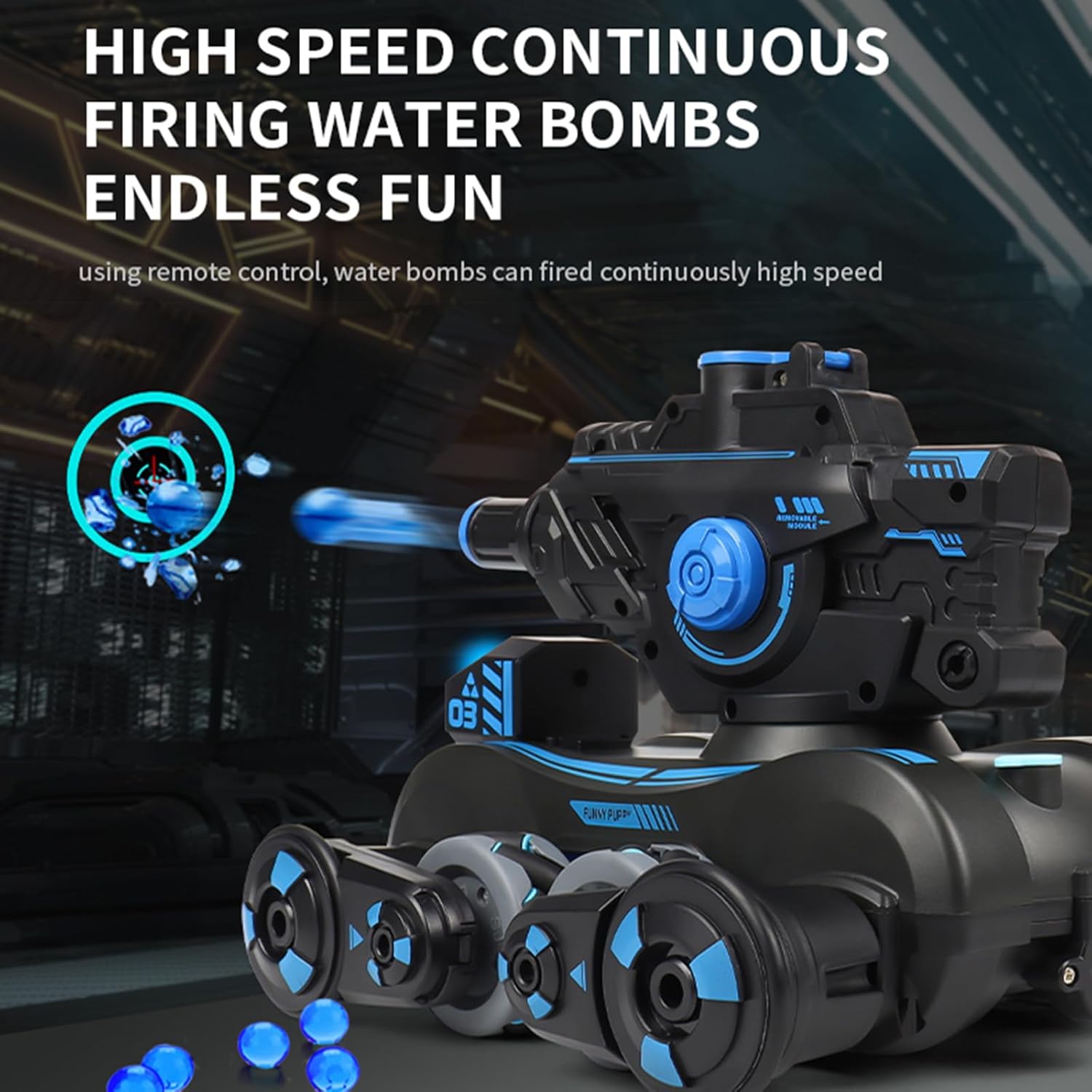
Image: High-speed continuous firing of water bombs.
5.6. Spray, Light, and Music Functions
Activate the spray function by long-pressing the music button on the handle remote or the dedicated spray button on the watch remote. The tank features cool lighting effects and built-in melodic music, which can be controlled via the remotes.

Image: Simulated spray, cool lighting, and dynamic sound effects.
6. Maintenance
- Cleaning: Use a soft, dry cloth to wipe down the tank after use. Avoid using water or harsh chemicals, especially near electronic components.
- Battery Care: Always remove batteries from the tank and remote controls when not in use for extended periods. Recharge the tank's batteries using the provided USB cable. Do not overcharge.
- Water Bullet Storage: Store unused dry water bombs in a cool, dry place. Dispose of used or broken water bullets responsibly.
- General Care: Avoid operating the tank in wet conditions or extreme temperatures. Do not expose to direct sunlight for prolonged periods.
7. Troubleshooting
| Problem | Possible Cause | Solution |
|---|---|---|
| Tank does not respond to remote. | Low battery in tank or remote; Not paired; Out of range. | Charge/replace batteries. Ensure both devices are powered on and within range (2.4GHz). Re-pair if necessary. |
| Water bullets do not fire. | No water bullets loaded; Water bullets not fully expanded; Jammed mechanism. | Load prepared water bullets. Ensure gel beads are fully soaked. Check for obstructions in the launch port. |
| Spray function not working. | No water in injection port; Button not pressed correctly. | Fill the water injection port. Long press the music button (handle remote) or spray button (watch remote). |
| Tank movement is erratic. | Interference; Damaged wheels. | Move to an area with less interference. Inspect wheels for damage. |
8. Specifications
- Model Number: JC013
- Product Dimensions: 11.02 x 8.66 x 7.09 inches
- Item Weight: 0.085 ounces
- Control Frequency: 2.4GHz
- Tank Battery: 3.7V 1200mAh (rechargeable, 2 included)
- Handle Remote Battery: 2 x AAA batteries (included)
- Watch Remote Battery: Built-in rechargeable
- Recommended Age: 16 years and up
- Manufacturer: Dodoore
9. Warranty and Support
For warranty information or technical support, please refer to the contact details provided with your purchase or visit the official Dodoore website. Keep your purchase receipt as proof of purchase.