1. Introduction and Overview
The Y&H 1000W Solar Hybrid Inverter is an all-in-one solution designed for off-grid solar power systems. It integrates a pure sine wave inverter, a 40A MPPT solar charger, and a battery charger into a single unit. This inverter is compatible with 12V Lead-Acid (Seal, AGM, Gel, Flooded) and Lithium batteries, providing a reliable AC 220/230/240V output for various household and office loads.

Figure 1: Front view of the Y&H 1000W Solar Hybrid Inverter, showing the LCD display and control buttons.
Key features include a maximum PV input power of 600W with a voltage range of 20-150Vdc, a 40A maximum charge current, and a 1000W output power with a 2000W surge capacity. It supports multiple charging modes (Only Solar, Mains First, Solar First, Mains & Solar hybrid) and output modes (Solar First, SBU Priority) to ensure uninterrupted power supply.
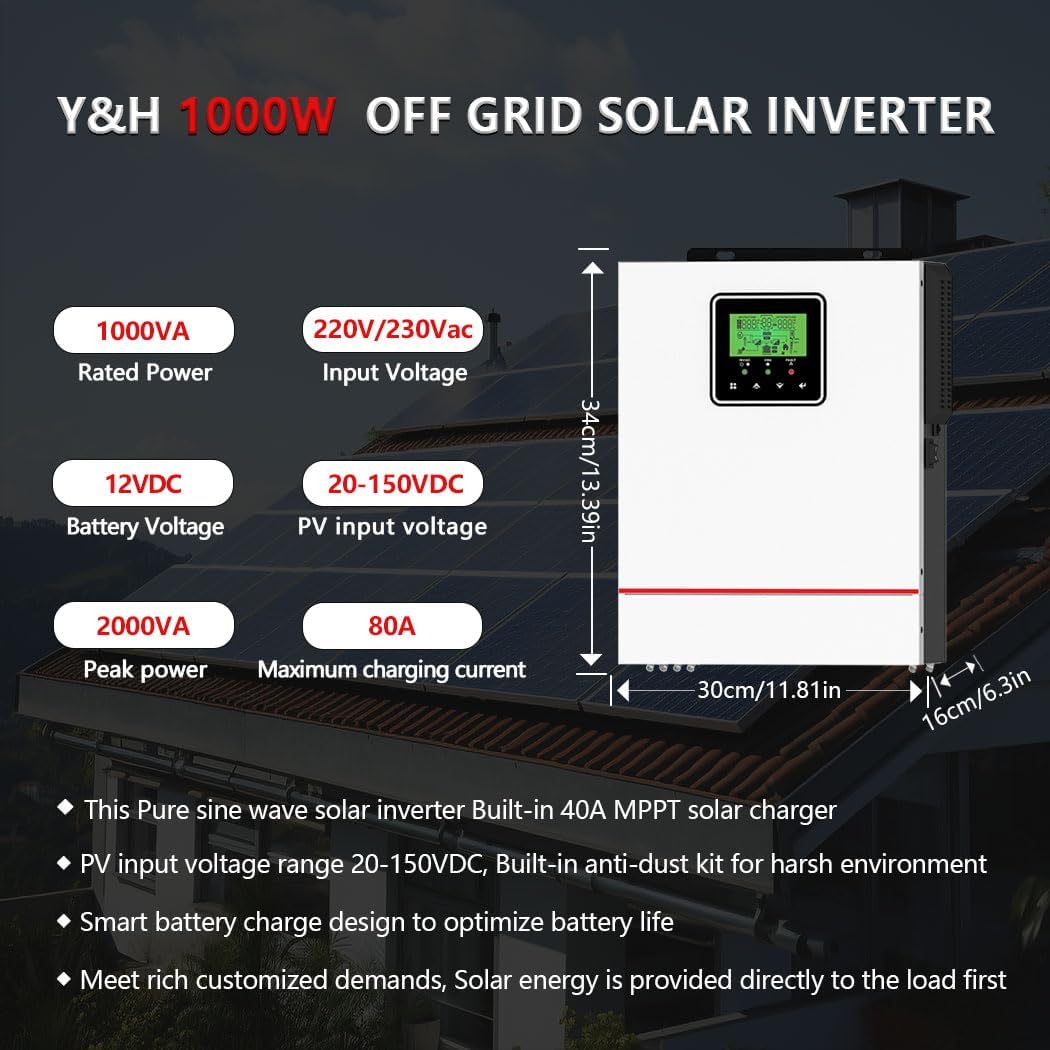
Figure 2: Overview of the Y&H 1000W Off Grid Solar Inverter, highlighting its rated power (1000VA), input voltage (220V/230Vac), battery voltage (12VDC), PV input voltage (20-150VDC), peak power (2000VA), and maximum charging current (80A).
2. Setup and Installation
Proper installation is crucial for the safe and efficient operation of your Y&H Solar Hybrid Inverter. Ensure all connections are secure and follow local electrical codes.
2.1 Wiring and Connections
The inverter requires connections for AC input (mains or generator), AC output (to loads), battery input, and PV input (from solar panels). Refer to the wiring diagram below for correct connections.

Figure 3: Detailed wiring diagram showing connections for generator/mains power, AC load, 12V battery, and solar panels. Includes suggested cable sizes and breaker recommendations.
- AC Input: Connect to a stable AC power source (mains or generator). Max AC Input Voltage: 300V.
- AC Output: Connect your household or office loads. Output Power: 1000VAC, Output Voltage: 230V.
- Battery Input: Connect to a 12V battery bank. Recommended cable size: 6AWG.
- PV Input: Connect solar panels. Max PV Input Power: 600W, Voltage range: 20-150Vdc, Max. PV Open Circuit Voltage: 150V DC. Recommended PV cable size: 12AWG.
2.2 Port Introduction
Familiarize yourself with the various ports and indicators on the inverter for proper setup and monitoring.

Figure 4: Diagram illustrating the various ports and indicators on the inverter, including LCD display, status indicator, charging indicator, fault indicator, function buttons, AC input, AC output, battery input, and PV input.
2.3 Battery Compatibility
The inverter is designed to work with a variety of 12V battery types.

Figure 5: Visual representation of battery types compatible with the Y&H inverter, including FLD (Flooded), LI (Lithium), SLD (Sealed Lead-Acid), AGM, GEL, and USER-defined settings.
3. Operating Instructions
The inverter offers flexible operating modes to optimize energy usage and reduce electricity bills.
3.1 Charging Modes
Select the appropriate charging mode via the LCD settings to suit your energy needs:
- Only Solar (CSO): Prioritizes solar power for charging.
- Mains First (Utility First): Prioritizes utility power for charging.
- Solar First (SNU Solar and Utility): Solar power is used first, then utility power.
- Mains & Solar Hybrid (OSO Only Solar): Combines solar and utility power for charging.
3.2 Output Modes (Discharge Modes)
The inverter supports various output priorities for supplying power to your loads:
- Solar First (SUB Solar First): Prioritizes solar power for loads.
- SBU Priority: Solar, then Battery, then Utility.
- MKS Priority: A specific mode for certain configurations.

Figure 6: Diagram illustrating the four charging modes (CSO, Utility First, SNU, OSO) and three discharge modes (SUB, USB Utility First, SBU Priority, MKS Priority) to maximize energy use and reduce electricity bills.
3.3 LCD Display and LED Indicators
The LCD display and three LED indicators provide dynamic system data and operating status. You can configure battery charging current, AC/Solar Charger priority, and Load Supply Priority via the LCD settings.
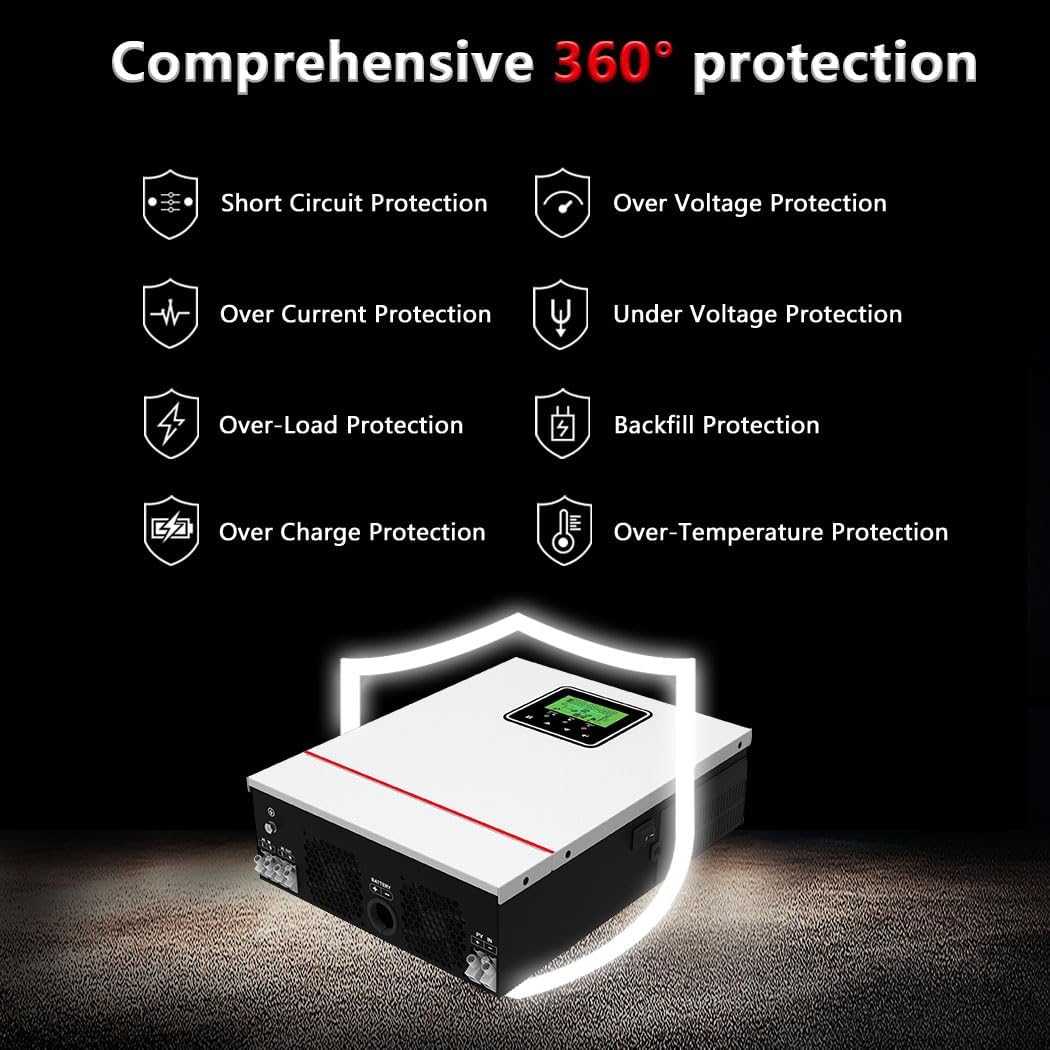
Figure 7: Close-up of the inverter's LCD screen and LED indicators, showing how system data and operating status are dynamically displayed.
4. Technical Specifications
| Feature | Specification |
|---|---|
| Model Name | NMS-1000-12 (1000W-12V-M40A) |
| Rated Power | 1000W (1000VA) |
| Surge Capacity | 2000W (2000VA) |
| Output Voltage | AC 220/230/240V (Single phase/A Hot Leg 230V Output) |
| Nominal Input Frequency | 50/60Hz |
| Battery Voltage | 12V DC |
| Max. PV Input Power | 600W |
| PV Input Voltage Range | 20-150Vdc |
| Max. PV Input VOC | 150V DC |
| Starting Voltage | >30V |
| Max. Charge Current | 40A (MPPT) |
| Recommended PV Cable Size | 12AWG |
| Recommended Battery Cable Size | 6AWG |
| Dimensions (Package) | 13.46 x 11.93 x 6.1 inches |
| Item Weight | 8.2 pounds |
| Manufacturer | Y&H |
5. Maintenance
Regular maintenance ensures the longevity and optimal performance of your inverter.
- Cleaning: Keep the inverter clean and free from dust. Use a soft, dry cloth for cleaning. Ensure ventilation openings are not blocked.
- Ventilation: The inverter features intelligent temperature control to maintain a cool working temperature. Ensure adequate airflow around the unit. Avoid installing in confined spaces.
- Connection Checks: Periodically check all electrical connections (AC input/output, battery, PV) for tightness and signs of corrosion.
- Battery Health: Monitor your battery's health and charge levels regularly, especially if using lead-acid batteries, to ensure they are within optimal operating parameters.
6. Troubleshooting
The Y&H Solar Hybrid Inverter is equipped with comprehensive 360° protection features to ensure safe operation. If you encounter issues, refer to the following common points.

Figure 8: Overview of the inverter's comprehensive protection features, including Short Circuit Protection, Over Voltage Protection, Over Current Protection, Under Voltage Protection, Over-Load Protection, Backfill Protection, Over Charge Protection, and Over-Temperature Protection.
Common Issues and Solutions:
- No Power Output: Check AC input connection, battery voltage, and PV input. Ensure all breakers are ON. Verify the inverter is powered on.
- Fan Noise: The inverter's fan will operate to cool the unit, especially under load. This is normal. If the noise is excessive or unusual, ensure proper ventilation and that the fan is not obstructed. Avoid installing near bedrooms if noise is a concern (expected 50-70 dB).
- Error Codes on LCD: Refer to the inverter's specific error code manual (not provided in this general guide) for detailed explanations and troubleshooting steps for any displayed error codes.
- Battery Not Charging: Check PV input voltage and current. Ensure solar panels are clean and correctly connected. Verify battery type settings on the LCD.
- Overload Protection: If the inverter shuts down due to overload, reduce the connected load. The inverter has a 2000W surge capacity but continuous loads should not exceed 1000W.
7. Warranty and Support
Y&H is committed to providing reliable products and excellent customer service. While specific warranty details are not provided in this manual, your satisfaction is our top priority.
For any questions, technical assistance, or support inquiries regarding your Y&H 1000W Solar Hybrid Inverter, please feel free to reach out to the seller or Y&H customer service. Contact information can typically be found on your purchase receipt or the official Y&H brand store.
Y&H has over 9 years of experience in inverter production and sales, backed by a professional technical team. We are dedicated to helping you build reliable and efficient solar energy solutions.