
1. Safety Information
- Age Recommendation: This product is recommended for users 14 years and up. Adult supervision is advised for younger users.
- Flight Environment: Operate the RC airplane in wide-open areas, away from people, buildings, trees, and power lines. Avoid flying in strong winds or adverse weather conditions.
- Battery Safety: Use only the provided batteries and charging equipment. Do not overcharge or short-circuit batteries. Disconnect the battery from the airplane when not in use.
- Propeller Safety: Keep hands and face clear of the propeller when the battery is connected. The propeller can cause injury.
- Low Battery Alert: The remote control will emit a "beep beep" alert when the airplane or remote control battery is low. Land the aircraft immediately upon receiving this alert.
- Out-of-Control Protection: If the RC plane flies beyond the control range, it will automatically hover in circles to prevent loss.
2. Package Contents
Verify that all items are present in the package:
- WLtoys XK A280 P51 Mustang RC Airplane
- Remote Control (requires 6*AA batteries, not included)
- 2x 7.4V 600mAh LiPo Batteries
- Charging Cable
- Spare Propellers
- Screwdriver and other small tools
- Product Manual

Image: All components included in the CKYSCHN WLtoys XK A280 P51 Mustang RC Airplane package.
3. Components Overview
The WLtoys XK A280 P51 Mustang RC Airplane features a durable EPP foam construction and a powerful 1806 brushless motor. It includes integrated LED lights for enhanced visibility.
3.1. Airplane Features
- Brushless Motor: 1806 brushless motor for powerful and responsive flight.
- LED Lights: Bright LED lights with controllable on/off switch, enhancing visibility for night flights.
- Stabilization: Built-in 6-Axis Gyro for stable flight, suitable for beginners.
- Aerobatics: 3D Aerobatics mode for advanced maneuvers.
- Simulated Details: Features a simulated instrument panel and 3D pilot figure.

Image: The P51 Mustang RC plane with its LED lights activated, highlighting its design for night flying.
3.2. Remote Control Overview
The 2.4GHz remote control provides a stable connection and features various controls for precise flight.

Image: Detailed view of the remote control with labels for each function.
- Power Indicator: Shows remote control power status.
- Switch: Power on/off for the remote.
- Throttle/Direction Joystick: Controls motor speed and rudder.
- Lift/Aileron Stick: Controls elevator (pitch) and ailerons (roll).
- Trim Buttons: For fine-tuning throttle, elevator, and direction.
- Rudder Conversion: Switches rudder control.
- Light Switch: Controls the airplane's LED lights.
- 6G/3D Conversion: Switches between stabilized (6G) and aerobatic (3D) flight modes.
4. Setup and Assembly
Follow these steps to assemble your WLtoys XK A280 P51 Mustang RC Airplane.
4.1. Assembly Video Guide
Video: An official assembly tutorial for the CKYSCHN WLtoys A280 4CH RC plane, demonstrating step-by-step installation of components.
4.2. Step-by-Step Assembly
- Connect Wing Wires: Carefully connect the servo wires (set of three) and wing light wires (four sets of two) from the wings to the corresponding ports in the fuselage. Ensure wires are neatly arranged to avoid pinching.
- Attach Wings: Align the wings with the fuselage and gently push them together. Secure the wings using the provided screws.
- Install Tail: Insert the tail section from the left side into the fuselage slot until fully secured. Use the provided screws to fasten it.
- Install Decorative Parts: Attach the decorative parts (e.g., drop tanks) to the underside of the wings. Ensure the larger side faces forward. Do not reverse left and right sides. Secure with screws.
- Propeller Installation: Remove the large nut from the propeller shaft. Install the propeller with the red lightning logo facing outward. Secure it with the large nut and tighten. Install the protective cover over the propeller assembly and secure with screws.
- Connect Flight Battery: Open the cabin cover on the top of the fuselage. Connect the flight battery to the RC plane's power connector. The plane's lights will illuminate.
- Install Remote Control Batteries: Insert 6 AA batteries into the remote control battery compartment.
4.3. Frequency Pairing and Pre-Flight Check
- Power On Remote: Turn on the remote control. The indicator lights on both the remote and the plane will light up and stop flashing, indicating successful frequency pairing.
- Install Pull Rod: After power-on, place the plane horizontally. Install the pull rod into the middle hole of the swing arm on the tail.
- Motor Unlock: After successful frequency matching, do not push the accelerator immediately. First, check if the wing steering gear function is normal. Then, push the throttle joystick up and down once to unlock and start the motor.
- Final Check: After checking and confirming everything is correct, the plane is ready for take-off.
5. Operating Instructions
5.1. Flight Modes
- 6G Mode (Stabilized): Recommended for beginners. This mode provides automatic stabilization, making the plane easier to control.
- 3D Aerobatics Mode: For experienced pilots. This mode allows for advanced maneuvers and greater control freedom.
Switch between modes using the 6G/3D conversion button on the remote control. It is recommended to select 6G mode when you first fly.
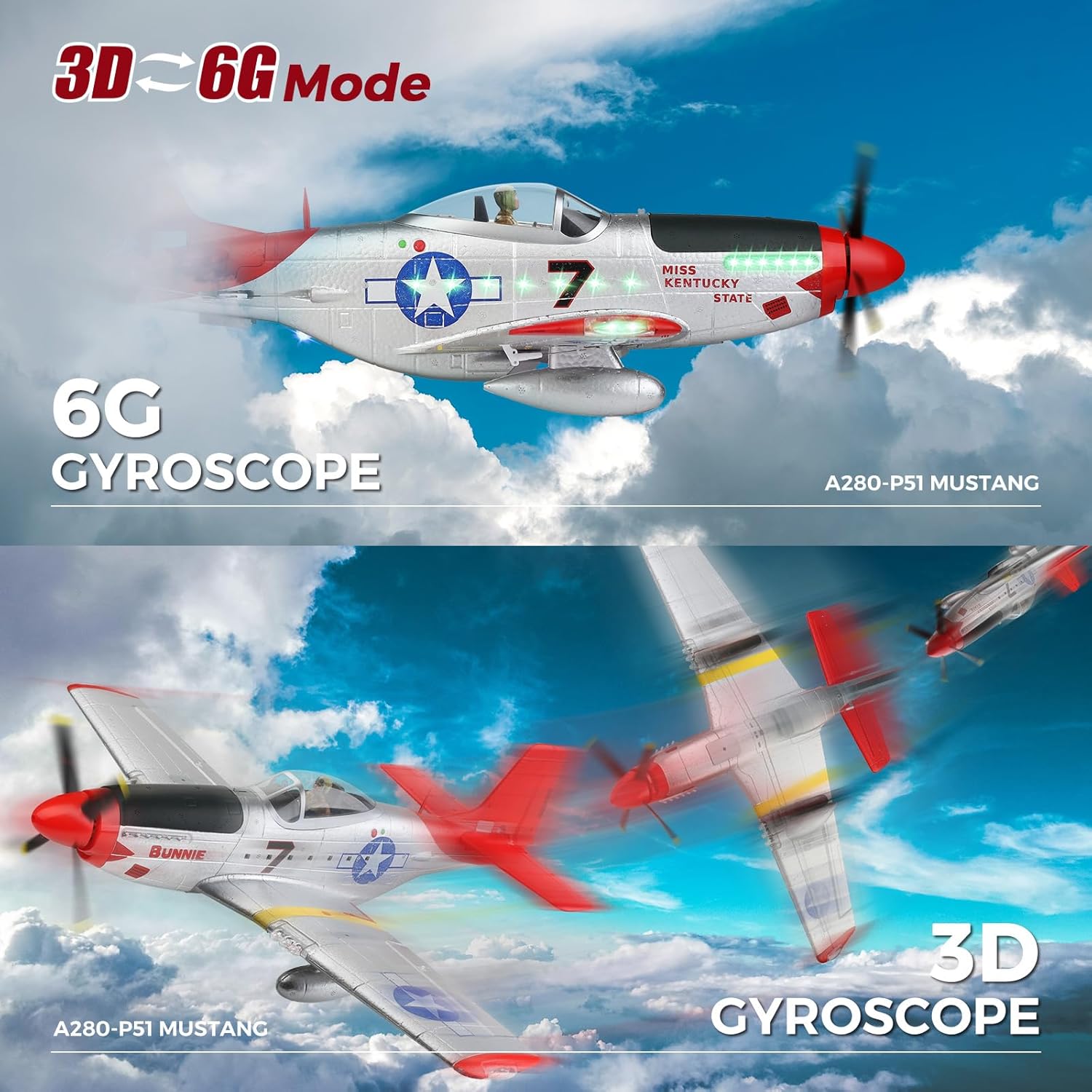
Image: Visual representation of the 6G stabilization and 3D aerobatics flight modes.
5.2. Take-off Procedures
- Ground Take-off: Place the airplane on a smooth, flat surface. Gradually increase throttle and steer with the rudder until it gains sufficient speed for lift-off.
- Hand Throw Take-off: Hold the airplane firmly and launch it into the wind at approximately a 30-degree angle while simultaneously applying full throttle.

Image: Depiction of ground and hand-throw take-off techniques.
5.3. Flight Demonstration
Video: An official flight demonstration of the CKYSCHN WLtoys A280 4Ch P51 Mustang RC Airplane, showcasing its performance and features.
6. Maintenance
- Battery Disconnection: Always disconnect the flight battery from the airplane when not in use to prevent discharge and potential damage.
- Propeller Inspection: Regularly check the propeller for any damage (cracks, bends). Replace damaged propellers with spares to ensure safe and efficient flight.
- Cleaning: Keep the airplane clean from dirt, dust, and debris. Use a soft, dry cloth to wipe surfaces.
- Storage: Store the airplane and remote control in a cool, dry place, away from direct sunlight and extreme temperatures.
7. Troubleshooting
- Airplane Not Responding: Ensure the flight battery is fully charged and correctly connected. Verify that the remote control batteries are installed and powered on. Re-perform frequency pairing if necessary.
- Motor Not Starting: After successful pairing, push the throttle joystick fully up and then fully down to unlock the motor. Check for any obstructions around the propeller.
- Unstable Flight: Ensure the airplane is placed horizontally during power-on for proper gyroscope calibration. Check for any damage to wings, tail, or control surfaces. Adjust trim settings on the remote control.
- Lights Not Working: Check the light switch on the remote control. Ensure all wing light wires are securely connected.
- Reduced Range: Ensure the remote control batteries are not low. Avoid flying in areas with high interference.
8. Specifications
| Feature | Specification |
|---|---|
| Model Number | A280 |
| Brand | CKYSCHN / WLtoys |
| Product Dimensions | 22 x 19.6 x 7.8 inches |
| Item Weight | 2.55 pounds |
| Wingspan | 22.1 inches |
| Length | 19.5 inches |
| Motor | 1806 Brushless Motor |
| Channels | 4 Channel |
| Control Frequency | 2.4 GHz |
| Control Range | Approx. 492 feet (150 meters) |
| Flight Modes | 6-Axis Gyro Stabilization (6G) / 3D Aerobatics |
| Batteries | 2x 7.4V 600mAh LiPo (included) |
| Recommended Age | 14 years and up |
| Main Material | EPP Foam |
9. Warranty and Support
For warranty information and customer support, please refer to the documentation included in your product package or contact the manufacturer directly.
Manufacturer: Guangdong Weili Intelligent Development Co., Ltd


