
1. Introduction
This manual provides detailed instructions for the setup, operation, and maintenance of your Xega 4G LTE Indoor PTZ Camera (Model XG-10). Please read this manual thoroughly before using the product to ensure proper function and safety. This camera operates exclusively on a 4G LTE cellular network and does not support Wi-Fi connectivity.
2. Safety Information
- Ensure the camera is placed on a stable surface or securely mounted to prevent falls.
- Do not expose the camera to extreme temperatures, direct sunlight for prolonged periods, or corrosive environments.
- Keep the camera away from water and moisture, despite its IP65 rating, for optimal indoor performance.
- Use only the provided power adapter and charging cable.
- Do not attempt to disassemble or repair the camera yourself. Contact customer support for assistance.
- Keep out of reach of children.
3. Package Contents
Verify that all items listed below are included in your package:
- 1x Xega 4G LTE Indoor PTZ Camera (XG-10)
- 1x Pre-installed Nano SIM Card (with 300MB data)
- 1x Charging Cable (1m)
- 1x Mounting Bracket
- 1x Set of Screws
- 1x User Manual

Image: All components included in the Xega XG-10 package.
4. Product Overview
The Xega XG-10 is a compact and versatile indoor PTZ camera designed for remote monitoring via 4G LTE. It features a 2K resolution, color night vision, PIR motion detection, two-way audio, and a 7800mAh rechargeable battery.
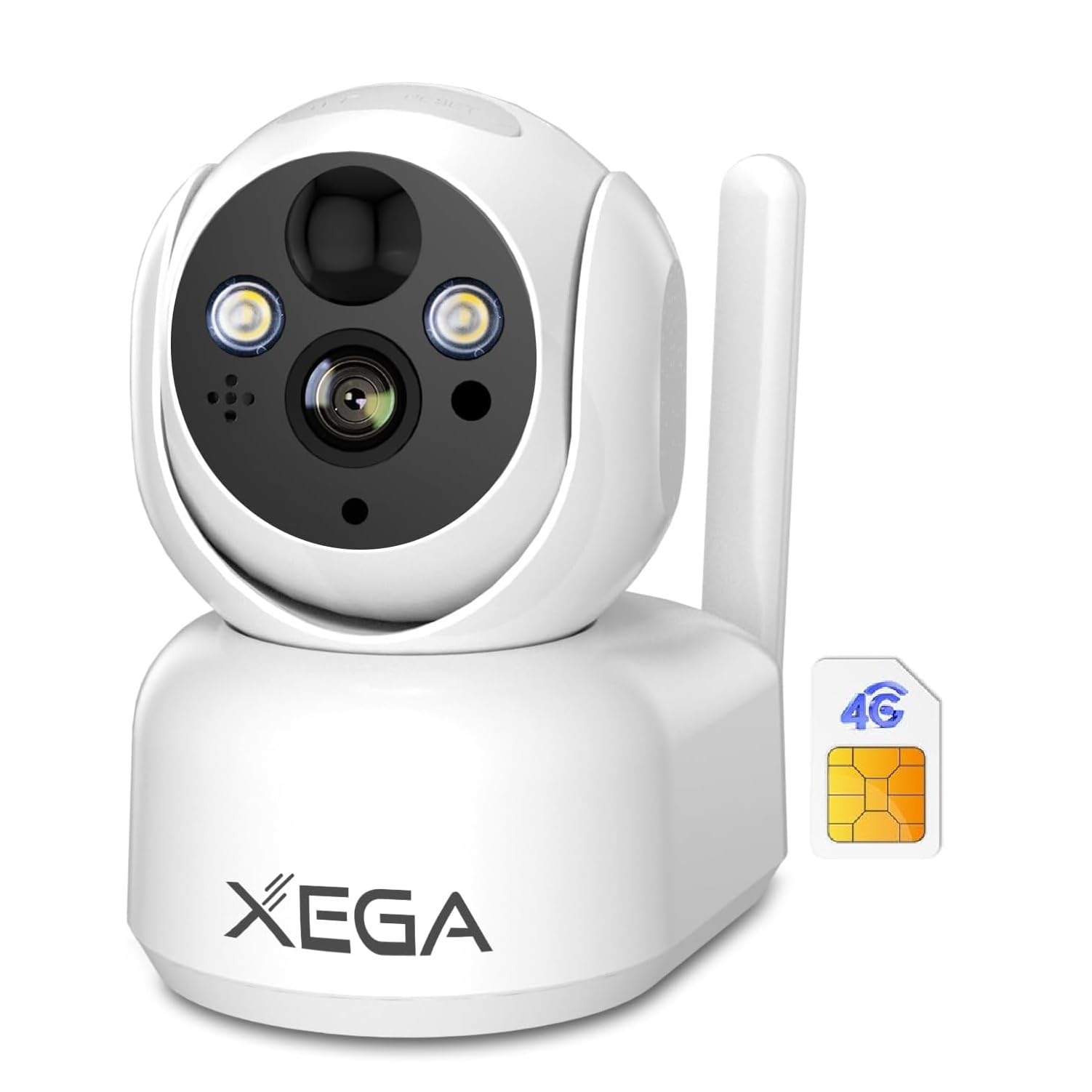
Image: Front view of the Xega XG-10 camera.
Key Features:
- 4G LTE Connectivity: Operates independently without Wi-Fi.
- 7800mAh Rechargeable Battery: Provides long-lasting power.
- 2K Resolution: Delivers clear and detailed video.
- 360° PTZ (Pan/Tilt/Zoom): Offers a wide viewing angle (355° horizontal, 100° vertical) for comprehensive coverage.
- Color Night Vision: Clear visibility up to 20 meters in low-light conditions.
- PIR Motion Detection: Reduces false alarms and triggers instant alerts.
- Two-Way Audio: Allows for real-time communication.
- Local & Cloud Storage: Supports TF card (up to 128GB, not included) and cloud storage (30-day trial).
- IP65 Water Resistance: Suitable for indoor use and protected against dust and splashes.
5. Setup
5.1. Inserting the SIM Card
The camera comes with a pre-installed Nano SIM card. If you need to replace it or insert your own SIM card:
- Locate the SIM card slot on the side of the camera.
- Gently open the protective cover.
- Insert the Nano SIM card into the slot with the gold contacts facing down and the notched corner aligned. Ensure it clicks into place.
- Close the protective cover firmly to maintain IP65 rating.
Video: Instructions on how to install the SIM card and connect the power cable.
5.2. Charging the Battery
Before first use, fully charge the camera battery.
- Connect the provided charging cable to the camera's charging port (USB-C).
- Plug the other end of the cable into a compatible USB power adapter (not included).
- The indicator light will show red during charging and turn solid green when fully charged.
5.3. App Installation and Pairing
The Xega XG-10 camera uses the Ubox app for remote control and monitoring.
- Scan the QR code in the manual or search for "Ubox" in your device's app store (Google Play Store for Android or Apple App Store for iOS) to download and install the app.
- Open the Ubox app and create an account or log in.
- Click on "Add a Device" or the '+' icon.
- Select "Setup 4G Device".
- Power on the camera using the ON/OFF switch. Wait for the blue LED light to become solid (this may take up to 1 minute).
- Confirm that the blue light is solid in the app and proceed.
- Scan the QR code located on the back of your camera using the app.
- Follow the on-screen prompts to complete the pairing process.
Video: Guide on how to configure the 4G camera within the Ubox App.
5.4. Mounting the Camera
The XG-10 camera is designed for tabletop use but can also be mounted using the included bracket.
- Choose a suitable location for mounting, ensuring a clear view and good 4G signal reception.
- Use the provided mounting sticker as a template to mark the drill holes on the wall.
- Drill holes and insert the wall plugs if necessary.
- Attach the mounting bracket to the wall using the screws.
- Slide the camera onto the bracket and secure it.
Video: Instructions on how to install a 4G camera, including mounting steps.

Image: Diagram illustrating the wall mounting process for the camera.
6. Operating Instructions
6.1. Power ON/OFF
To power on the camera, slide the ON/OFF switch to the 'ON' position. To power off, slide it to 'OFF'.
6.2. Live View and PTZ Control
Once connected, open the Ubox app and select your camera to view the live feed. You can manually rotate the camera lens by swiping up, down, left, and right on the app interface to achieve a 355° horizontal and 100° vertical view.

Image: The camera offers a 360° visual angle and 4X digital zoom.
6.3. Night Vision
The camera supports 2K color night vision up to 20 meters. This feature automatically activates in low-light conditions, providing clear and vivid images.

Image: The camera's 2K night vision capability, showing the difference between spotlights on and off.
6.4. PIR Motion Detection
The camera features PIR motion detection. When motion is detected, the camera will activate an alarm, record, and send an instant alert message to your Ubox app. You can adjust the detection sensitivity in the app to reduce false positives.

Image: PIR motion detection in action, showing an alert on a smartphone.
6.5. Two-Way Audio
Use the two-way audio feature to communicate with people near the camera. Tap the microphone icon in the app to speak, and listen through the camera's built-in speaker.
6.6. Storage Options
The camera offers two storage methods for recorded events:
- TF Card Storage: Supports up to 128GB (not included). Insert the TF card into the designated slot.
- Cloud Storage: A 30-day free trial is available. Subscribe through the Ubox app for continuous cloud recording.

Image: The camera supports both TF card and cloud storage options.
7. Maintenance
7.1. Battery Care
The 7800mAh battery provides extended usage. Battery life varies based on activity and settings. Recharge the battery when the app indicates low power.
7.2. Cleaning
Wipe the camera lens and body with a soft, dry cloth. Do not use harsh chemicals or abrasive cleaners.
7.3. Water Resistance
The camera has an IP65 rating, meaning it is protected against dust and low-pressure water jets. While suitable for indoor use, ensure all port covers are securely closed to maintain water resistance.

Image: The camera's IP65 rating ensures protection against weather elements.
8. Troubleshooting
- Camera not connecting to 4G: Ensure the SIM card is correctly inserted and activated. Check for sufficient cellular signal in the camera's location. If the SIM card has a PIN, use your phone to unlock it first.
- Blue light not solid: If the blue LED light is not solid after powering on, try resetting the camera. Locate the reset button (usually a small pinhole) and press it for 5 seconds until you hear a prompt.
- False motion alerts: Adjust the PIR motion detection sensitivity in the Ubox app settings.
- Poor video quality: Ensure the camera lens is clean. Check the 4G signal strength; a weak signal can affect streaming quality.
- Battery draining quickly: Frequent motion detection events, continuous live viewing, or poor cellular signal can increase battery consumption. Reduce detection sensitivity or frequency of live viewing.
Video: Guide on how to add a Ctronics camera to the Ctronics Pro app, which may offer similar troubleshooting steps for app connectivity.
9. Specifications
| Feature | Specification |
|---|---|
| Model Number | XG-10 |
| Connectivity | 4G LTE (No Wi-Fi support) |
| Battery Capacity | 7800mAh |
| Video Resolution | 2K (1296p) |
| Pan Angle | 355 Degrees |
| Tilt Angle | 100 Degrees |
| Night Vision Range | 20 Meters (Color Night Vision) |
| Motion Detection | PIR Sensor |
| Audio | Two-Way Audio |
| Storage | TF Card (up to 128GB), Cloud Storage |
| Water Resistance | IP65 |
| Dimensions (LxWxH) | 12 x 12 x 15 cm |
| Weight | 760 g |
10. Warranty and Support
Your Xega XG-10 camera comes with a 2-year limited warranty. For any technical assistance, troubleshooting, or warranty claims, please contact Xega customer support. Online support is available 24/7.
For further assistance, please refer to the contact information provided in your product packaging or visit the official Xega website.