1. Introduction
This manual provides detailed instructions for the proper setup, operation, and maintenance of your 24HOCL BD-613 61-Key Lighted Digital Piano Keyboard. Please read this manual thoroughly before use to ensure optimal performance and longevity of your instrument.
2. What's in the Box
Verify that all items listed below are included in your package:
- 61 Keys Piano Keyboard
- Microphone
- DC5V UL Adapter
- Audio Cable
- 2M USB Power Cord
- Music Sheet Stand
- Instructions Manual (this document)
- Keyboard Sticker
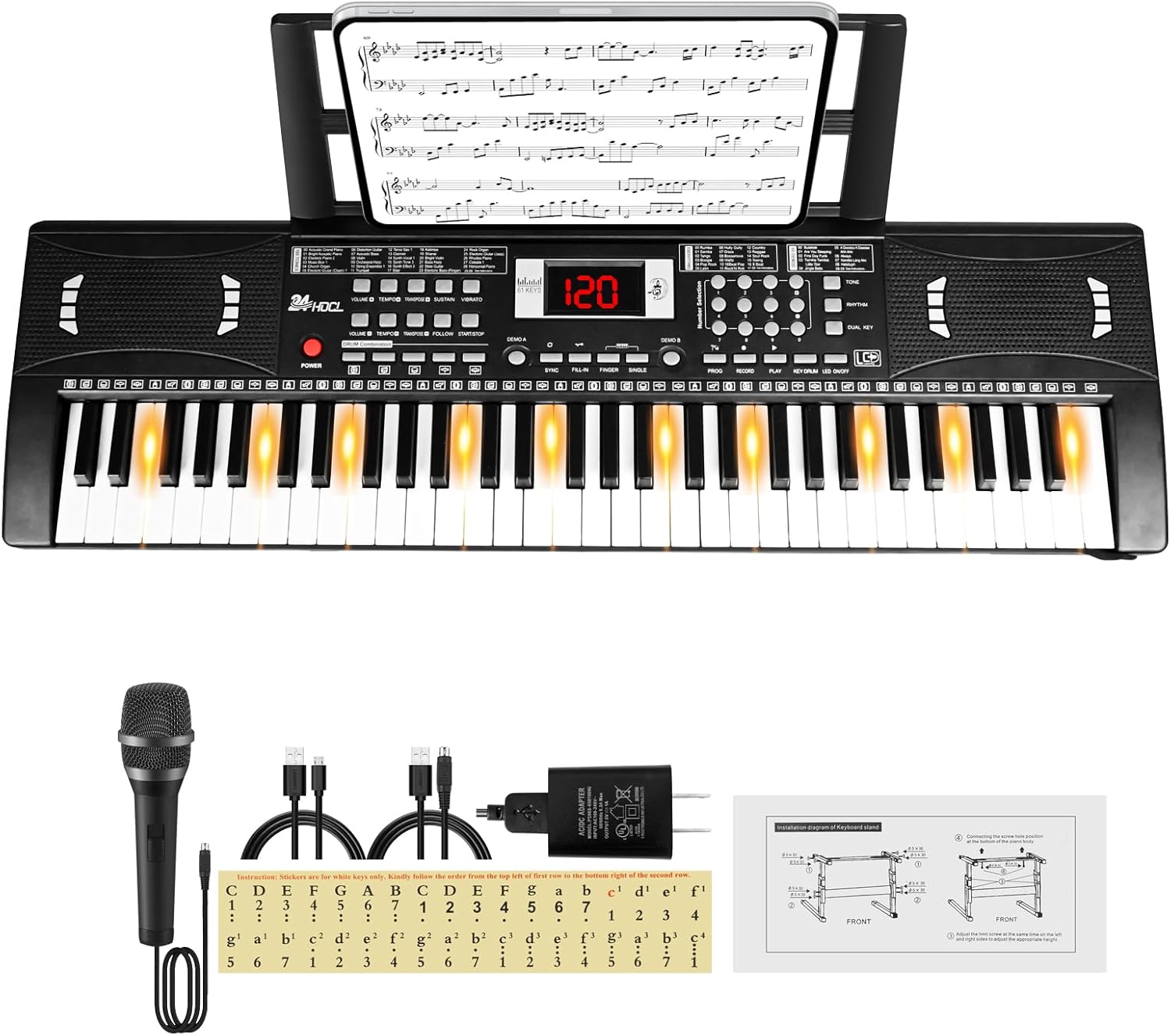
Figure 2.1: Included components: 61-key keyboard, microphone, power adapter, USB cable, audio cable, music stand, and key stickers.
3. Setup
3.1 Power Supply
The keyboard can be powered by two methods:
- AC Adapter: Connect the provided DC5V UL adapter to the "Power Supply" port on the back of the keyboard and plug it into a standard wall outlet.
- Batteries: For portable use, insert 4 AA batteries (not included) into the battery compartment located on the underside of the keyboard. Ensure correct polarity.

Figure 3.1: Power supply options, including the battery compartment and the DC 5V power input port.
3.2 Connecting Peripherals
- Microphone: Plug the microphone into the "MIC" input jack.
- Headphones: For private practice, connect headphones to the "PHONE" output jack.
- External Audio: Use the "AUDIO IN" jack to connect an external audio source (e.g., smartphone, tablet) to play along with music.

Figure 3.2: Rear panel connections for microphone, audio input, headphones, and power.
3.3 Music Sheet Stand Installation
Insert the provided music sheet stand into the designated slot at the top rear of the keyboard.
3.4 Keyboard Sticker Application
The included keyboard sticker can be applied to the keys to assist with note identification. Align the sticker carefully with the keys, ensuring each note corresponds correctly.

Figure 3.3: The 61 lighted keys, which illuminate during teaching modes.
4. Operating Instructions
4.1 Basic Functions
- Power: Press the POWER button to turn the keyboard on or off.
- Volume: Adjust the master volume using the VOLUME controls.
- LCD Screen: The integrated LCD screen displays current settings such as tempo, tone, rhythm, and demo song numbers.

Figure 4.1: The LCD screen displaying current operational information.
4.2 Tones and Rhythms
The keyboard features 100 different tones (instrument sounds) and 100 rhythms (backing tracks).
- Selecting Tones: Use the TONE buttons and number pad to select a desired instrument sound.
- Selecting Rhythms: Use the RHYTHM buttons and number pad to select a desired rhythm.
- Tempo: Adjust the speed of rhythms and demo songs using the TEMPO controls.

Figure 4.2: Panel displaying lists of 100 tones, 100 rhythms, and 60 demo songs.
4.3 Teaching Modes and Demo Songs
The keyboard includes 3 teaching modes and 60 demo songs to aid in learning.
- Demo Songs: Press the DEMO A or DEMO B buttons to cycle through demo songs.
- Lighted Keys: In teaching modes, the keys will light up to guide you on which notes to play.
- Teaching Modes: Refer to the specific instructions on the keyboard panel for activating and using the "One Key for One Note", "Follow", and "Play" teaching modes.
4.4 Recording and Playback
The record function allows you to capture your performances.
- Press the RECORD button to begin recording.
- Play your desired melody.
- Press the PLAY button to listen to your recorded performance.
4.5 Percussion and Chords
- Percussion: Access 5 panel percussion sounds using the dedicated buttons.
- Chords: Utilize the SINGLE and FINGER chord functions for automatic chord accompaniment.
5. Maintenance
- Cleaning: Wipe the keyboard with a soft, dry cloth. Do not use liquid cleaners or abrasive materials.
- Storage: Store the keyboard in a cool, dry place away from direct sunlight and extreme temperatures.
- Battery Care: If not using the keyboard for an extended period, remove the batteries to prevent leakage.
- Handling: Avoid dropping the keyboard or subjecting it to strong impacts.
6. Troubleshooting
| Problem | Possible Cause | Solution |
|---|---|---|
| No sound |
|
|
| Keys not lighting up |
|
|
| Microphone not working |
|
|
7. Specifications
| Brand | 24HOCL |
| Model Name | BD-613 |
| Number of Keys | 61 |
| Dimensions (L x W x H) | 30" x 14" x 3" (76 x 35.5 x 7.6 cm) |
| Item Weight | 2.2 pounds (1 Kilogram) |
| Power Source | Corded Electric (DC 5V) or 4 AA Batteries (not included) |
| Connectivity Technology | Auxiliary (3.5mm Jack, Micro USB) |
| Tones | 100 |
| Rhythms | 100 |
| Demo Songs | 60 |
| Special Feature | Portable, Lighted Keys, Recording Function |
8. Warranty and Support
For warranty information or technical support, please refer to the contact details provided with your purchase or visit the official 24HOCL website. Specific warranty terms may vary by region and retailer.


