
1. Introduction
Thank you for choosing the FREDEES Tall Corner Cabinet. This manual provides essential information for the safe assembly, operation, and maintenance of your new cabinet. Please read these instructions carefully before beginning assembly and retain them for future reference.
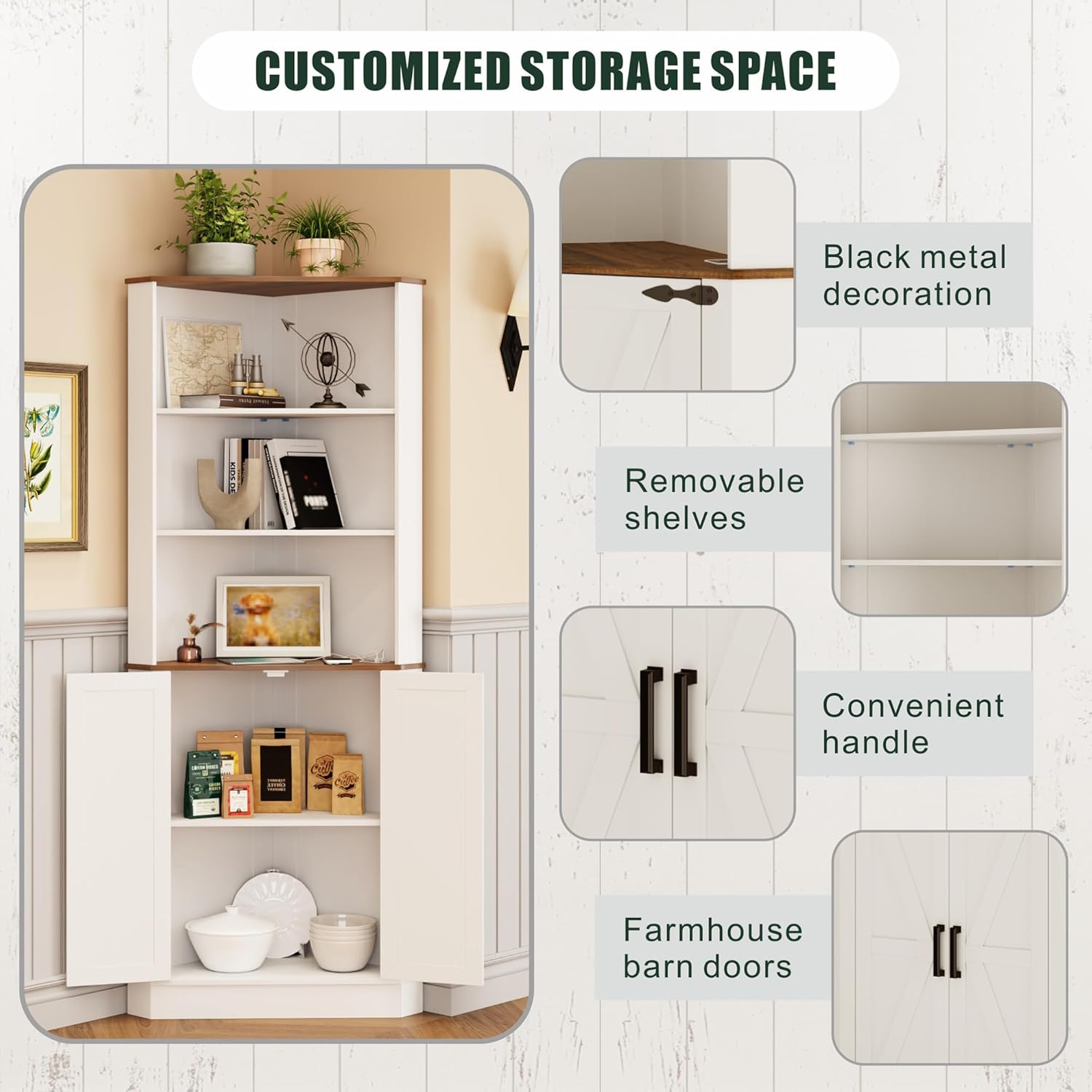
This corner cabinet is designed to maximize storage in various rooms such as bathrooms, living rooms, kitchens, and laundry rooms. It features adjustable shelving, integrated LED lighting with a human sensor, and a convenient charging station.
2. Safety Information
- Anti-Tip Device: For your safety and to prevent accidental tipping, especially in households with children or pets, it is mandatory to install the provided anti-tip device. Securely fix the cabinet to the wall using this device as instructed.
- Weight Capacity: Do not exceed the recommended weight capacity for each shelf. Overloading can lead to structural damage or tipping.
- Assembly: Assemble the cabinet on a soft, clean surface to prevent scratches. Ensure all screws and fasteners are tightened securely before use.
- Electrical Safety: When using the charging station, ensure that the power source is appropriate and avoid overloading the ports. Keep liquids away from electrical components.
- Placement: Place the cabinet on a level surface to ensure stability.

3. Included Components
Verify that all components are present before beginning assembly. If any parts are missing or damaged, please contact customer support.
- Corner Cabinet x 1
- Installation Kit (includes screws, fasteners, anti-tip device)
- User Manual (this document)
4. Setup and Assembly
The FREDEES Tall Corner Cabinet is designed for straightforward assembly. All screws and components are labeled for your convenience. Follow the step-by-step instructions provided in the installation kit.
4.1 Pre-Assembly Checklist
- Clear a spacious area for assembly.
- Lay out all components and hardware.
- Ensure you have the necessary tools (e.g., screwdriver, hammer).
4.2 Assembly Steps
- Refer to the detailed assembly diagrams in the included installation kit.
- Attach the side panels to the base, ensuring proper alignment.
- Insert the fixed shelves and secure them with the designated fasteners.
- Install the removable shelves at your desired height.
- Attach the cabinet doors and handles.
- Finally, install the anti-tip device by securing the cabinet to a wall stud.

5. Operating Instructions
5.1 LED Lighting System
The cabinet is equipped with a three-color LED lighting system and a human sensor for enhanced ambiance and convenience.
- Color Change: Short press the light control button to cycle through the three available colors: yellow, blue, and white.
- Human Sensor: The integrated human sensor will automatically trigger the light when motion is detected within approximately 1 meter, providing illumination when needed and saving energy.

5.2 Charging Station
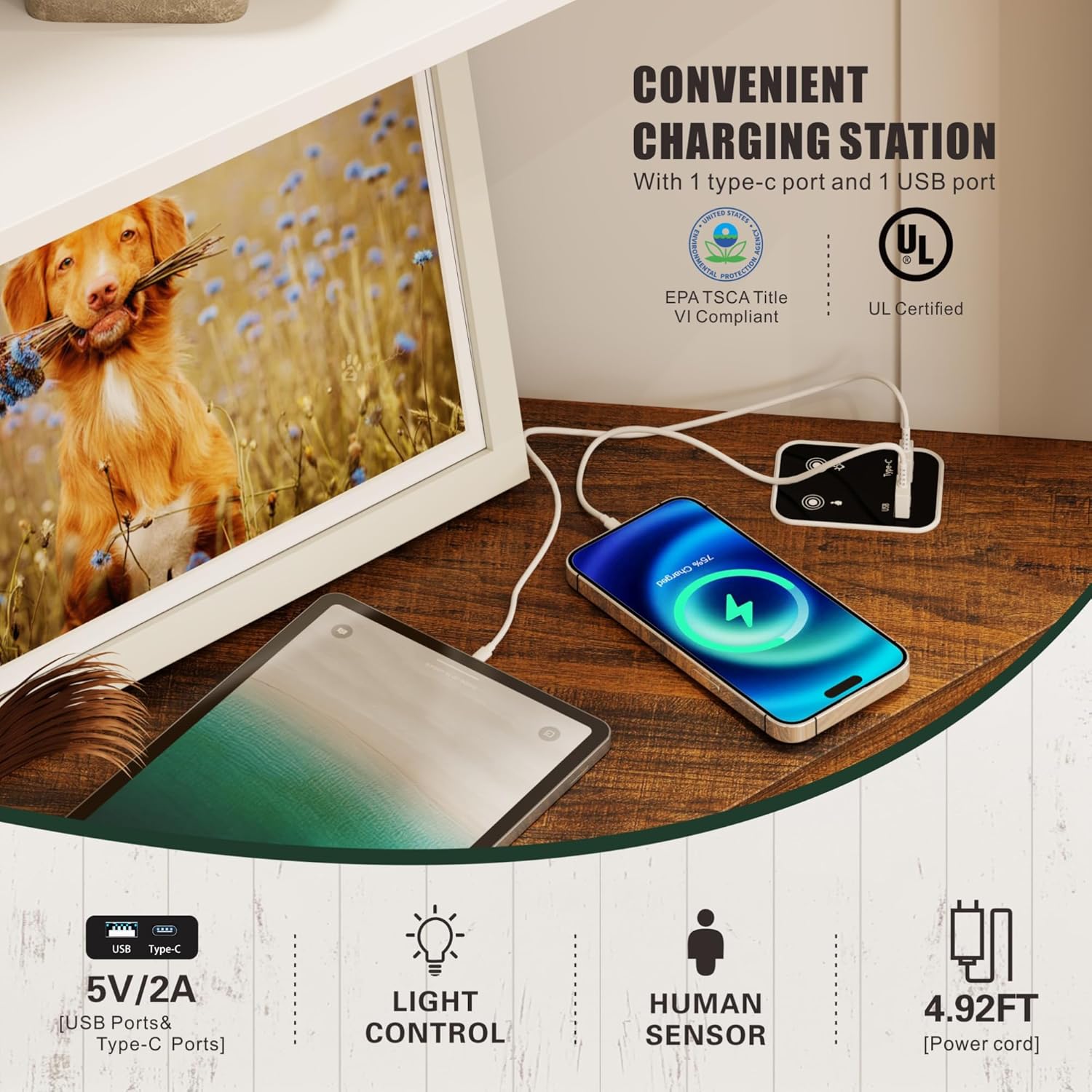
The cabinet includes a convenient charging station with a USB port and a Type-C port.
- Connectivity: Connect your devices to the USB or Type-C port for charging.
- Power Output: The ports provide 5V/2A output.
- Power Cord: The power cord for the charging station is approximately 4.92 feet long.
5.3 Product Video Overview
Watch this video for a visual overview of the FREDEES Tall Corner Cabinet's features and functionality.
6. Maintenance
To ensure the longevity and appearance of your FREDEES Tall Corner Cabinet, follow these simple maintenance guidelines:
- Cleaning: Wipe the cabinet surfaces with a soft, damp cloth. Avoid using harsh chemicals or abrasive cleaners, which can damage the finish.
- Spills: Promptly wipe up any spills to prevent staining or water damage to the wood material.
- Hardware: Periodically check all screws and fasteners to ensure they remain tight. Retighten if necessary.
- LED Lights: The LED lights are designed for long-term use. If issues arise, refer to the troubleshooting section.
7. Troubleshooting
If you encounter any issues with your FREDEES Tall Corner Cabinet, refer to the following common problems and solutions:
| Problem | Possible Cause | Solution |
|---|---|---|
| Cabinet is wobbly or unstable. | Uneven floor; loose fasteners; anti-tip device not installed. | Ensure cabinet is on a level surface. Check and tighten all assembly fasteners. Install the anti-tip device securely to the wall. |
| LED lights are not turning on. | Power cable not connected; sensor obstructed; light control button malfunction. | Verify the power cable for the LED system is properly connected. Ensure the human sensor is not blocked. Try pressing the light control button multiple times. |
| Charging ports (USB/Type-C) are not working. | Power cable not connected; device incompatibility; port damage. | Check if the charging station's power cable is securely plugged in. Test with a different device and cable. If the issue persists, contact customer support. |
| Doors do not close properly. | Hinges misaligned; obstruction. | Adjust the hinges as per the assembly instructions. Check for any items obstructing the door closure. |
8. Specifications
| Feature | Detail |
|---|---|
| Brand | FREDEES |
| Model Number | BL-97026-25/29 |
| Product Dimensions (D x W x H) | 19.68" x 19.68" x 66.92" (50cm x 50cm x 170cm) |
| Material | Wood |
| Color | White |
| Number of Doors | 2 |
| Number of Shelves | 5 (3 open, 2 enclosed) |
| Additional Features | 3-color LED Lighting (Yellow/Blue/White), Human Sensor Function, USB Port, Type-C Port |
| Charging Port Output | 5V/2A |
| Mounting Type | Floor Mount (with anti-tip device for wall attachment) |
| Item Weight | 48.39 Pounds |
| UPC | 756940844913 |
9. Warranty and Support
For warranty information, please refer to the documentation included with your purchase or contact the retailer where the product was acquired. FREDEES is committed to customer satisfaction.
If you require further assistance, have questions about assembly, or need to report missing/damaged parts, please contact FREDEES customer support through the retailer's platform or the official FREDEES website.