
1. Introduction
The FTVOGUE ZMAI-90 is a smart WiFi energy meter designed for monitoring and controlling electrical current. It integrates remote control capabilities via a mobile application, along with timing and delay functions for enhanced convenience in managing electrical appliances. This manual provides essential information for the safe installation, operation, and maintenance of your ZMAI-90 energy meter.
2. Safety Information
- Installation and maintenance should only be performed by qualified personnel.
- Ensure the power supply is disconnected before any installation or wiring procedures.
- Do not operate the device in wet or damp conditions.
- Verify correct wiring connections to prevent damage to the device or electrical hazards.
- Adhere to all local electrical codes and regulations.
3. Package Contents
Upon opening the package, please verify that all items are present and undamaged:
- 1 x FTVOGUE ZMAI-90 Energy Meter
- 1 x User Manual (this document)
- 1 x Accessories Kit (may include terminal covers or mounting clips)
4. Product Overview
The FTVOGUE ZMAI-90 energy meter features a compact design for DIN rail mounting, an integrated display, and connection terminals for input and output. It also includes a pairing button for WiFi connectivity.
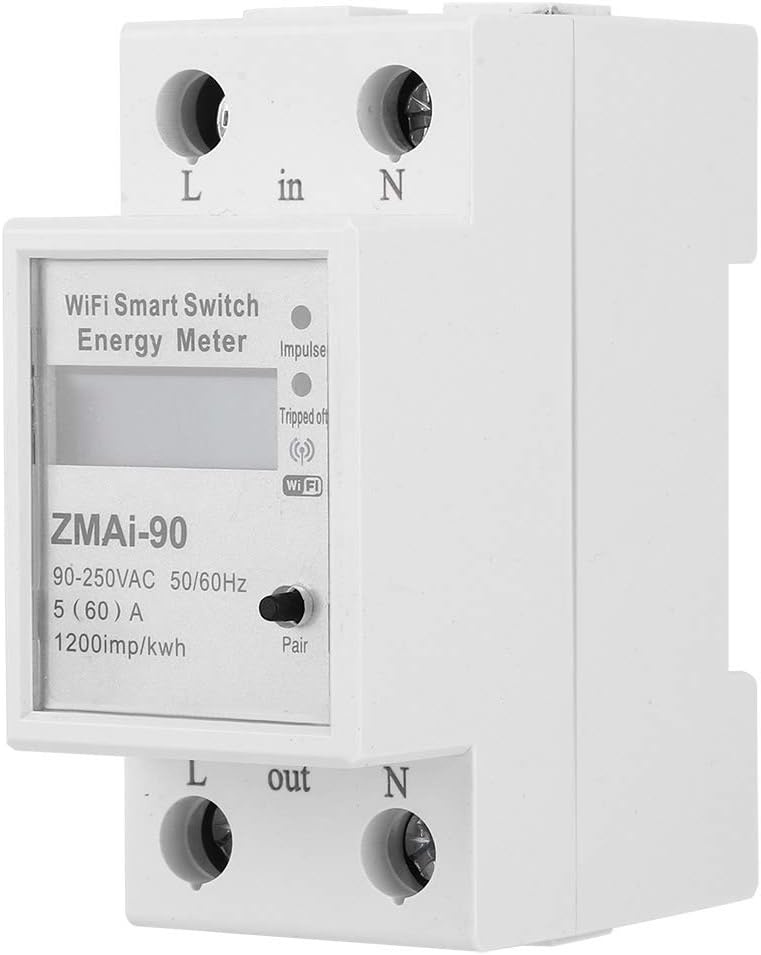
Figure 4.1: Front view of the ZMAI-90 Energy Meter, showing the display, 'Impulse' indicator, 'Tripped off' indicator, WiFi icon, and 'Pair' button. Input and output terminals are labeled 'L in', 'N in', 'L out', 'N out'.

Figure 4.2: Angled view of the ZMAI-90 Energy Meter, highlighting its compact form factor and DIN rail compatibility. The side profile shows the mounting mechanism.
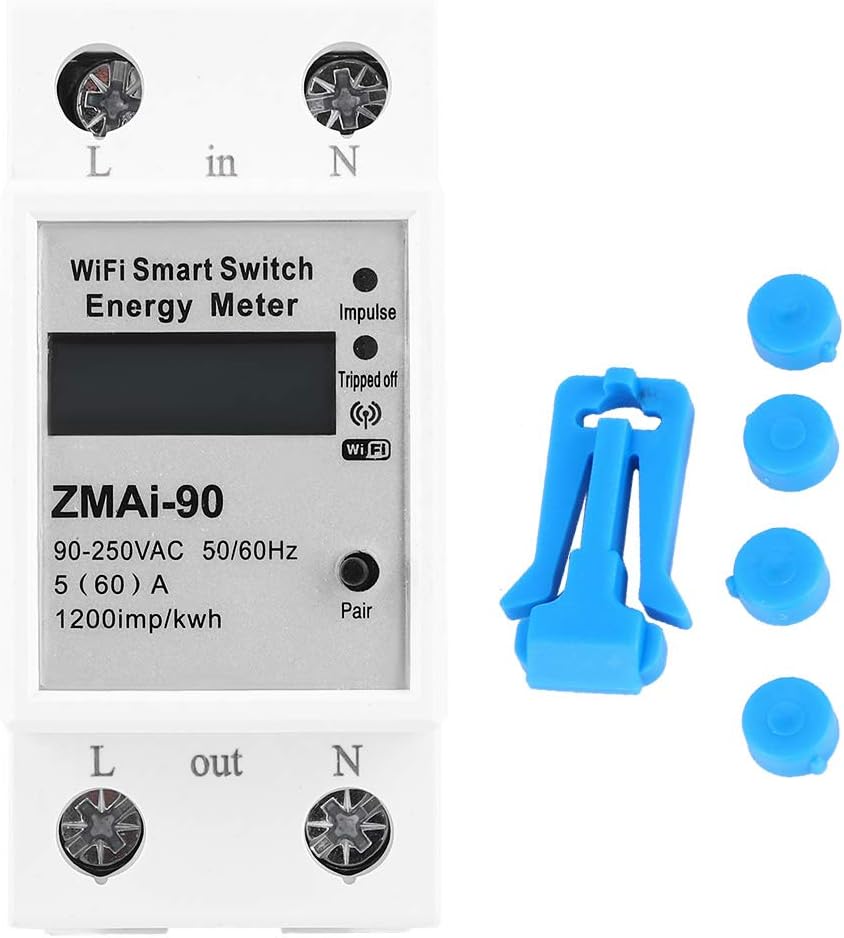
Figure 4.3: Front view of the ZMAI-90 Energy Meter alongside its included accessories, which typically consist of terminal covers or a mounting clip for secure installation.

Figure 4.4: Side and angled view of the ZMAI-90 Energy Meter, providing a clearer perspective of the 'L in', 'N in', 'L out', and 'N out' screw terminals for electrical connections.
5. Specifications
| Feature | Specification |
|---|---|
| Model | ZMAI-90 |
| Accuracy Level | Level 1 |
| Rated Current | 60A, 80A (optional) |
| Voltage | AC 90V-250V |
| Ambient Temperature | -45℃ to 75℃ (-49°F to 167°F) |
| Pulse Frequency | 1200imp / kWh |
| Installation | 35mm DIN Rail |
| Power Consumption | 1W / 6VA |
| Product Size (Approx.) | 8 x 6.6 x 3.6 cm (3.1 x 2.6 x 1.4 in) |
| Weight (Approx.) | 172g (6.1oz) |
6. Setup and Installation
The ZMAI-90 energy meter is designed for 35mm DIN rail installation. Follow these steps for proper setup:
- Power Disconnection: Before starting, ensure the main power supply to the installation area is completely disconnected at the circuit breaker.
- Mounting: Clip the ZMAI-90 meter onto a standard 35mm DIN rail in your electrical panel. Ensure it is securely fastened.
- Wiring:
- Connect the incoming live wire to the 'L in' terminal.
- Connect the incoming neutral wire to the 'N in' terminal.
- Connect the outgoing live wire (to the load) to the 'L out' terminal.
- Connect the outgoing neutral wire (to the load) to the 'N out' terminal.
- Ensure all connections are tight and secure to prevent loose contacts and overheating.
- Power Restoration: Once all wiring is complete and verified, restore power to the circuit. The meter's display should illuminate.
- WiFi Pairing: Press and hold the 'Pair' button on the meter until the WiFi indicator blinks rapidly. Follow the instructions in your mobile application to connect the device to your WiFi network.
7. Operating Instructions
The FTVOGUE ZMAI-90 offers several smart functions accessible via its dedicated mobile application:
7.1. Current Metering
The device provides real-time current metering, allowing you to monitor the electrical consumption of connected appliances. This data is displayed on the meter's screen and can be accessed in detail through the mobile application.
7.2. Remote Control
Utilize the mobile application to remotely turn the connected load on or off from anywhere with an internet connection. This feature allows for convenient management of your electrical devices.
7.3. Timing Function
Set schedules for the meter to automatically turn the connected load on or off at specific times. This is useful for automating daily routines, such as turning on a water heater before you arrive home or switching off lights at bedtime.
7.4. Delay Function
Configure a delay timer to automatically switch off the connected load after a set period. For example, you can set a delay for a light to turn off after you leave a room, or for a fan to run for a specific duration.
8. Maintenance
- Keep the device clean and free from dust. Use a soft, dry cloth for cleaning.
- Do not use abrasive cleaners or solvents.
- Periodically check wiring connections for tightness, especially after initial installation.
- Ensure the operating environment remains within the specified ambient temperature range.
9. Troubleshooting
- Device not powering on: Check the main power supply and ensure all wiring connections are correct and secure.
- WiFi connection issues: Ensure your router is working correctly and the meter is within range. Try resetting the meter's WiFi by holding the 'Pair' button and re-pairing via the app.
- Inaccurate readings: Verify that the load is correctly connected and that the meter's specifications match your electrical system requirements.
- Remote control not working: Check your internet connection and ensure the mobile application is updated to the latest version.
10. Warranty and Support
FTVOGUE is committed to providing quality products and considerate service. For any technical assistance, troubleshooting beyond this manual, or warranty inquiries, please contact FTVOGUE customer support through the official channels provided at the point of purchase or on the FTVOGUE brand website. Please have your product model (ZMAI-90) and purchase details ready when contacting support.


