
1. Introduction
Thank you for choosing the Bingxue P350 Portable AM/FM Bluetooth Radio. This manual provides detailed instructions for the safe and efficient operation of your new device. Please read this manual thoroughly before use and retain it for future reference.
2. Important Safety Information
- Do not expose the unit to rain or moisture to prevent fire or electric shock hazards.
- Avoid placing the unit near heat sources such as radiators, heat registers, stoves, or other apparatus (including amplifiers) that produce heat.
- Use only attachments/accessories specified by the manufacturer.
- Unplug this unit during lightning storms or when unused for long periods.
- Refer all servicing to qualified service personnel. Servicing is required when the apparatus has been damaged in any way.
3. Package Contents
Ensure all items are present upon unpacking:
- 1 x Bingxue P350 Portable AM/FM Bluetooth Radio
- 1 x Charge Cable (USB to 5mm Jack)
- 1 x Owner's Manual
- 1 x Gift Box (packaging)
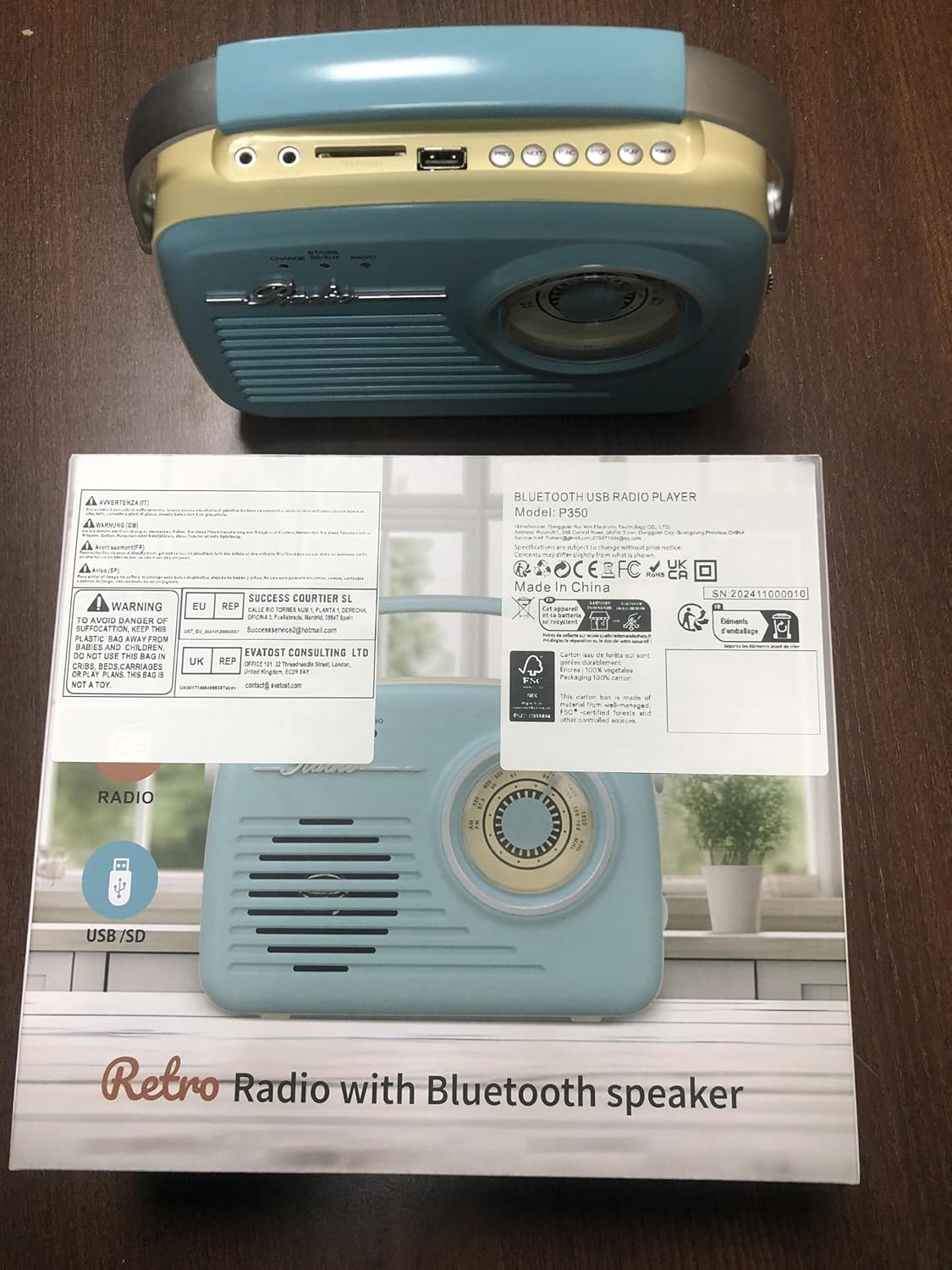
Figure 3.1: Bingxue P350 Radio and its packaging contents.
4. Product Overview
The Bingxue P350 is a versatile portable radio featuring AM/FM tuning, Bluetooth 5.0 connectivity, and playback options via USB and SD card. It is designed for ease of use with a large tuning dial and multiple power options.

Figure 4.1: Front view of the Bingxue P350 Portable Radio, showing the large tuning dial and speaker grille.
4.1 Controls and Ports
- Front Panel: Large AM/FM tuning dial, speaker grille, power/mode indicator lights.
- Top Panel: SD card slot, USB port, 3.5mm AUX input, 3.5mm headphone jack, FM antenna, control buttons (Previous, Next, Function, Stop, Play, Power).
- Side Panel: Tuning wheel, Volume control.
- Rear Panel: Battery compartment, DC 5V input for charging.
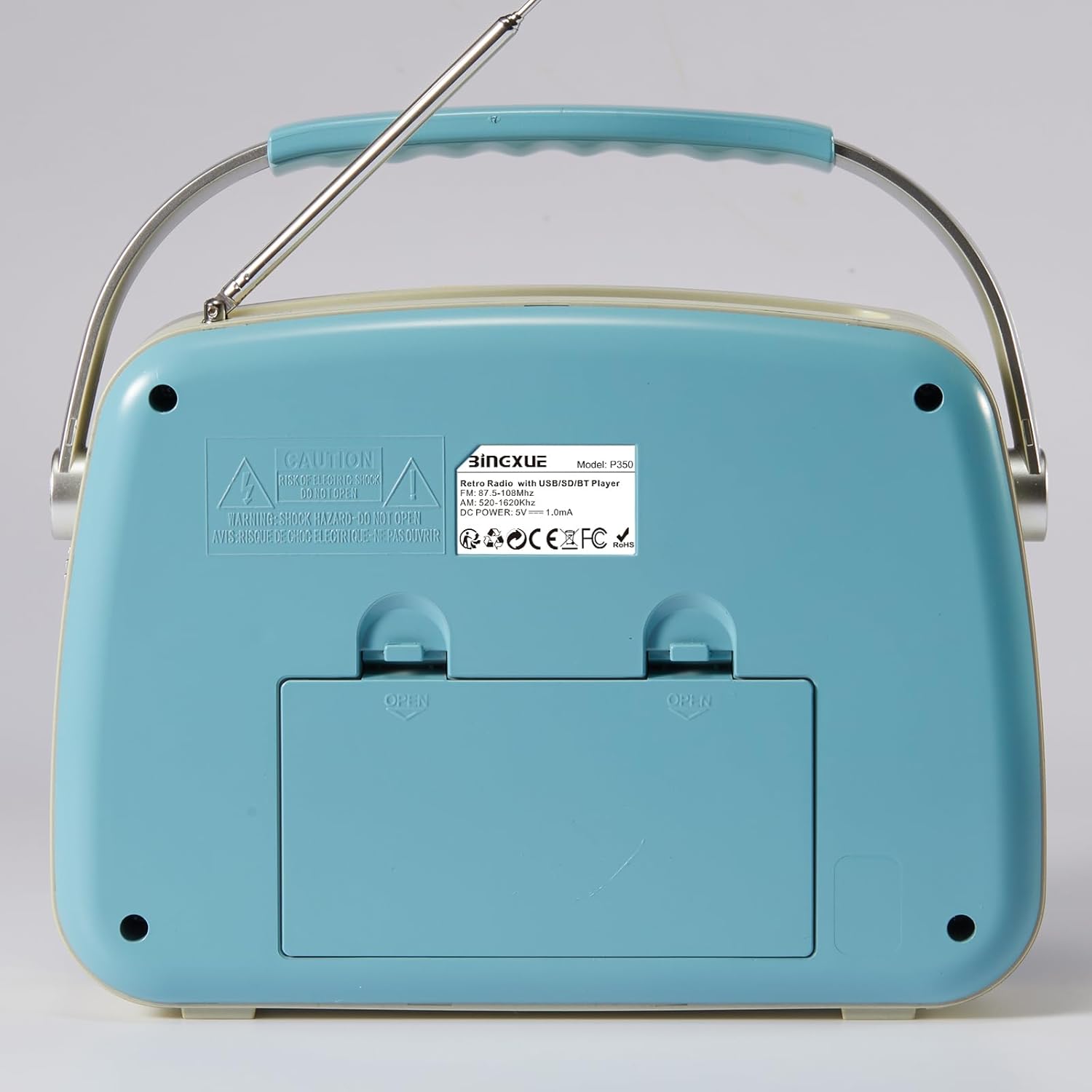
Figure 4.2: Top view of the radio, highlighting the SD card slot, USB port, AUX input, headphone jack, and control buttons.
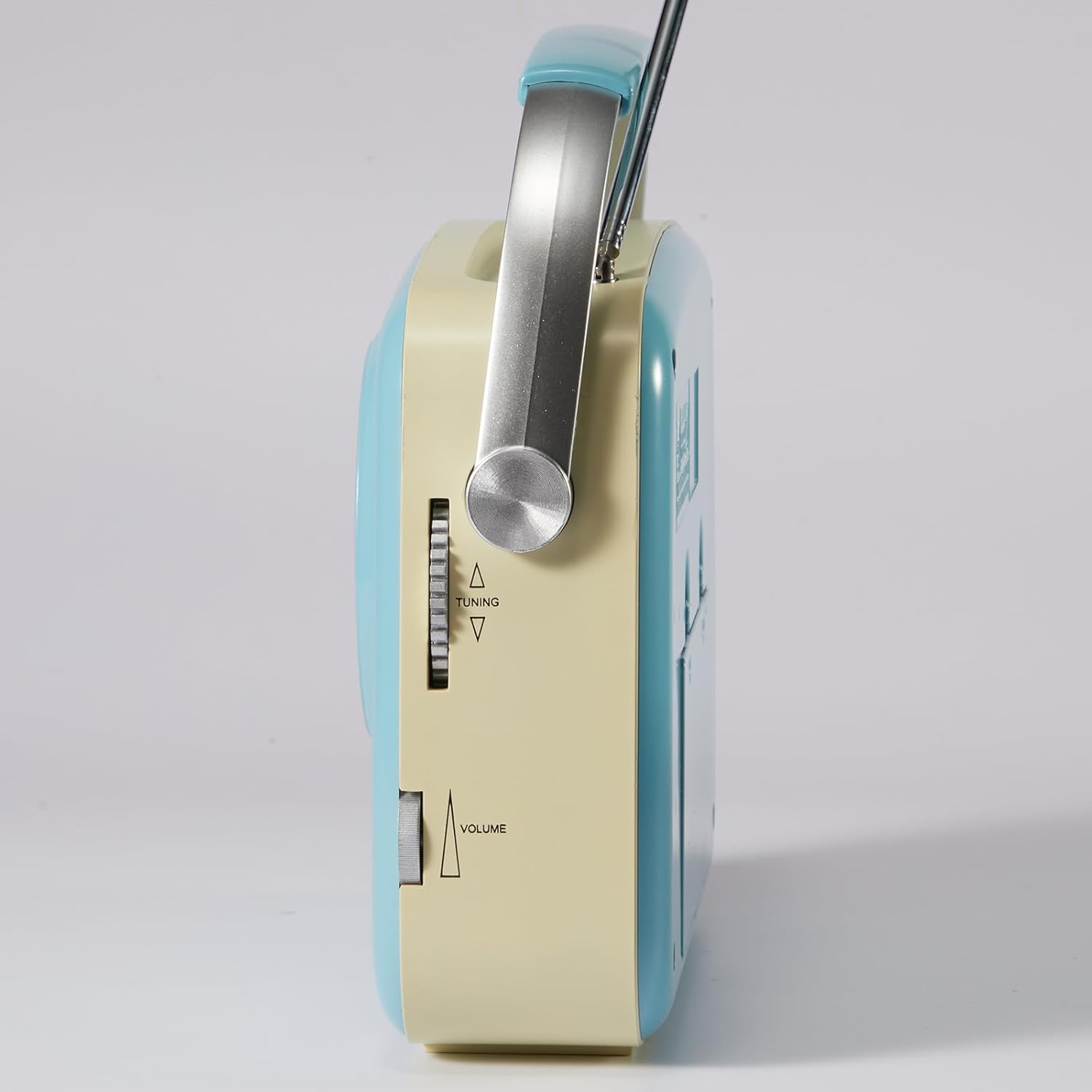
Figure 4.3: Side view of the radio, illustrating the tuning wheel and volume control.
5. Setup
5.1 Power Supply Options
The Bingxue P350 offers two power supply methods:
- AC Power (Plug-in): Connect the provided charge cable to the DC 5V input port on the rear of the radio and plug the other end into a standard AC 110V wall outlet (adapter not included). The radio can operate while charging.
- Battery Operated: For portable use, insert 4 'C' cell batteries (not included) into the battery compartment on the rear of the radio. Ensure correct polarity.

Figure 5.1: Illustration of the battery compartment for 'C' cell batteries and the DC 5V input for AC power.
5.2 Antenna Setup
For optimal FM reception, extend the telescopic FM antenna located on the top of the radio. For AM reception, the radio uses an internal antenna; adjust the radio's position for best signal.
6. Operating Instructions
6.1 Power On/Off
Press the POWER button on the top panel to turn the radio on or off.
6.2 Adjusting Volume
Rotate the VOLUME knob on the side panel to increase or decrease the sound level.
6.3 Radio Mode (AM/FM)
- Press the FUNC (Function) button repeatedly until the "RADIO" indicator light is illuminated.
- Extend the FM antenna for FM reception.
- Rotate the large tuning dial on the front or use the TUNING wheel on the side to select your desired AM or FM station.

Figure 6.1: A user adjusting the large tuning dial to find a radio station.
6.4 Bluetooth Mode
- Press the FUNC button repeatedly until the "BT/USB" indicator light flashes blue, indicating Bluetooth pairing mode.
- On your mobile device, enable Bluetooth and search for "P350". Select it to pair.
- Once paired, the "BT/USB" light will turn solid blue. You can now stream audio from your device to the radio.
- Use the PREV, NEXT, PLAY, and STOP buttons on the top panel to control playback.
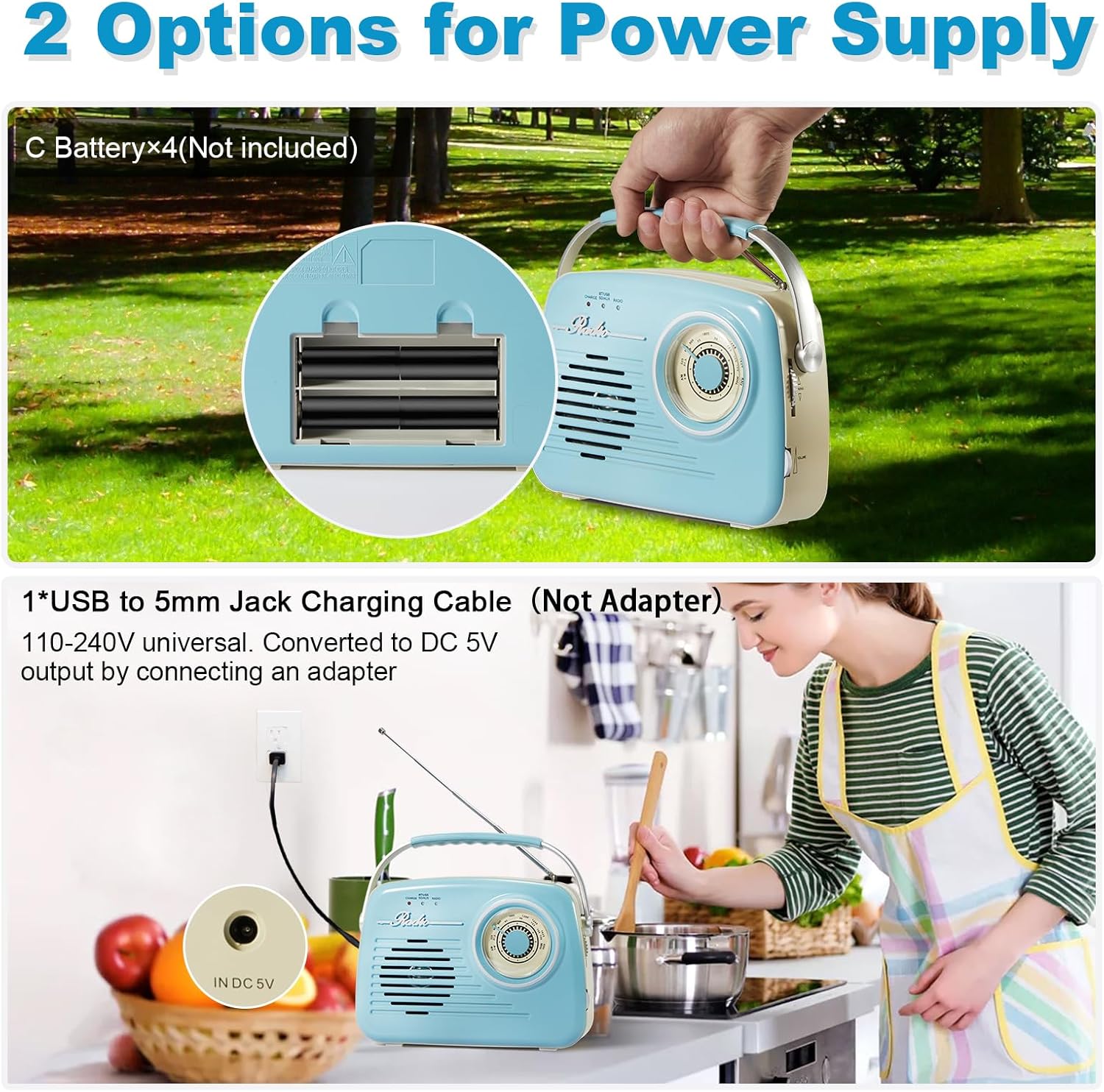
Figure 6.2: A person demonstrating Bluetooth connectivity with a smartphone.
6.5 USB/SD Card Playback
- Insert a USB flash drive or an SD card (with audio files) into the respective slot on the top panel.
- Press the FUNC button repeatedly until the "BT/USB" indicator light is solid blue (if not already in this mode). The radio will automatically detect and begin playing audio files.
- Use the PREV, NEXT, PLAY, and STOP buttons to control playback.
6.6 AUX Input
Connect an external audio device (e.g., MP3 player) to the 3.5mm AUX input jack on the top panel using an AUX cable (not included). The radio will automatically switch to AUX mode. Control playback from your external device.
6.7 Headphone Use
Plug 3.5mm headphones into the headphone jack on the top panel for private listening. The speaker output will be muted automatically.
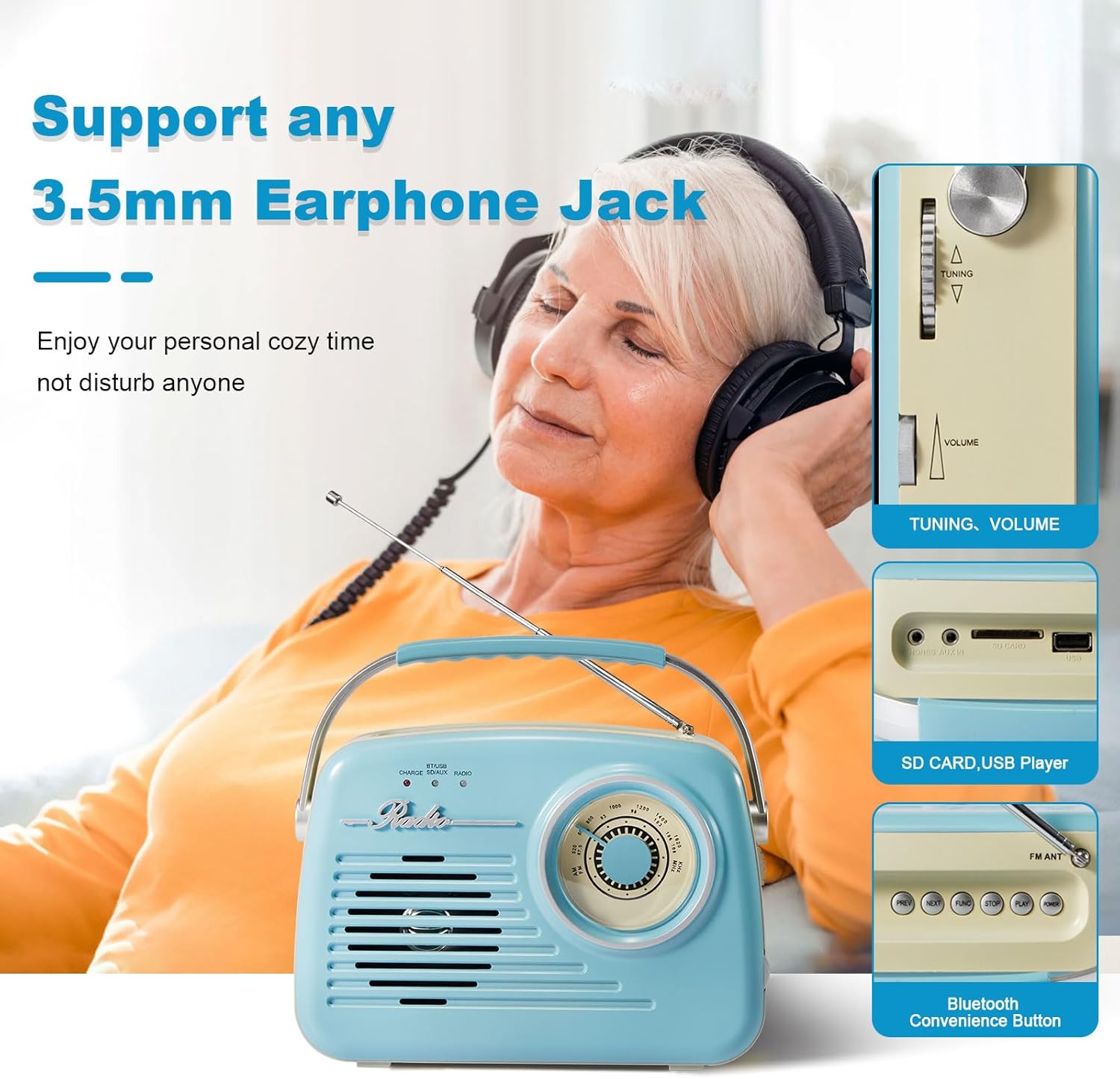
Figure 6.3: A person enjoying music privately using headphones connected to the radio.
Video 6.1: Demonstrating the various functions of the Bingxue Portable Radio, including radio tuning, Bluetooth, and media playback options.
7. Maintenance
- Cleaning: Use a soft, dry cloth to clean the exterior of the radio. Do not use liquid cleaners or aerosol sprays.
- Battery Care: If using batteries, remove them if the radio will not be used for an extended period to prevent leakage.
- Storage: Store the radio in a cool, dry place away from direct sunlight and extreme temperatures.
8. Troubleshooting
| Problem | Possible Cause | Solution |
|---|---|---|
| No power | Batteries are dead or incorrectly inserted; AC cable not connected properly. | Replace batteries or ensure AC cable is securely connected to a working outlet. |
| Poor radio reception | Weak signal; FM antenna not extended; interference. | Extend FM antenna fully. Reposition the radio for better signal. Move away from electronic devices causing interference. |
| Bluetooth not pairing | Radio not in pairing mode; device too far; previously paired device connected. | Ensure radio is in Bluetooth pairing mode (flashing blue light). Move device closer. Disconnect from other Bluetooth devices. |
| No sound from USB/SD | Incorrect file format; card/drive not inserted correctly; radio not in correct mode. | Ensure audio files are in a compatible format. Reinsert USB/SD card. Press FUNC button to cycle modes. |
9. Specifications
- Model: P350
- Brand: Bingxue
- Product Dimensions: 8.3"L x 2.1"W x 5.9"H (21.08 cm x 5.33 cm x 14.99 cm)
- Item Weight: 1.5 pounds (0.68 kg)
- Tuner Technology: AM/FM
- Frequency Range: FM 87.5-108MHz, AM 520-1620KHz
- Connectivity: Bluetooth 5.0, 3.5mm Headphone Jack, 3.5mm Auxiliary Input, SD Card Slot, USB Port
- Power Source: Corded Electric (DC 5V), Battery Powered (4 x C Cell batteries, not included)
- Special Features: Built-In AM FM Antenna, Lightweight, Portable, Rechargeable (internal battery charged via DC 5V input)

Figure 9.1: Front view of the radio with approximate dimensions for reference.
10. Warranty and Support
For warranty information or technical support, please refer to the contact details provided with your purchase or visit the official Bingxue website. Keep your purchase receipt as proof of purchase for warranty claims.