1. Introduction
Thank you for choosing the Powelephant 50000mAh Portable Charger, Model CPB50. This high-capacity power bank is designed to provide reliable and fast charging for your electronic devices on the go. Featuring multiple output ports, integrated charging cables, and a built-in flashlight, it offers convenience and versatility. Please read this manual carefully to ensure proper use, maintenance, and optimal performance of your device.
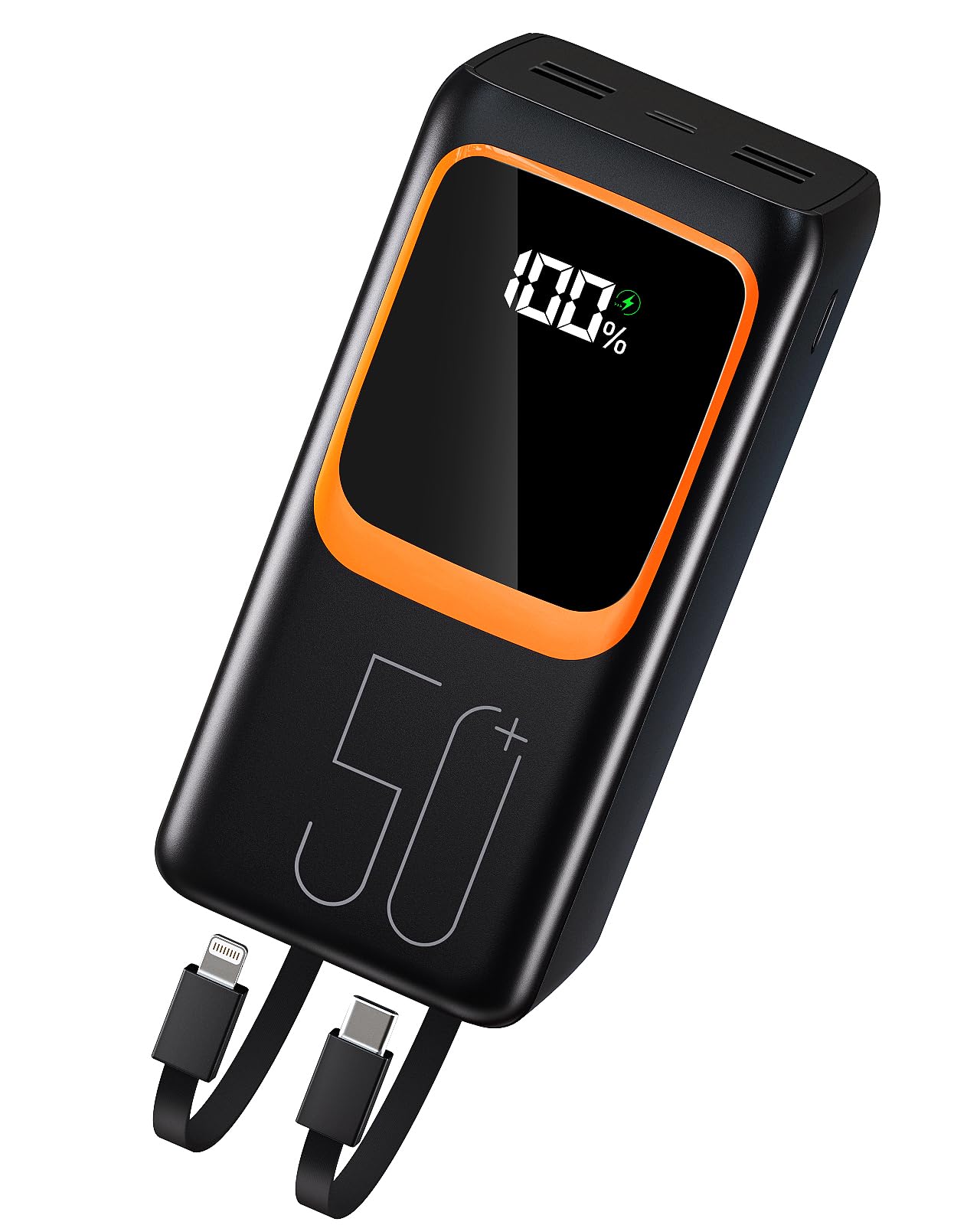
This image shows the Powelephant 50000mAh Power Bank from the front, highlighting its compact design and digital display.
2. Product Overview
Familiarize yourself with the various components and ports of your Powelephant CPB50 Power Bank.

A detailed diagram illustrating the various input and output ports, integrated cables, and flashlight on the Powelephant power bank, with numbered labels for easy identification.
- Type-C Input/Output (Max 20W): Used for charging the power bank or charging compatible devices.
- USB Output 1: Standard USB-A output port for charging devices.
- USB Output 2/3/4: Additional USB-A output ports for charging multiple devices simultaneously.
- Integrated Type-C Cable (20W): Built-in cable for convenient charging of Type-C devices.
- Integrated Lightning Cable (10W): Built-in cable for convenient charging of Apple Lightning devices.
- Type-C Input (Max 20W): Dedicated input port for recharging the power bank.
- Lightning Input: Dedicated input port for recharging the power bank using a Lightning cable.
- Flashlight: Integrated LED light for illumination.
- Rope: For easy carrying and portability.
3. Setup
3.1 Initial Charging of the Power Bank
Before first use, it is recommended to fully charge your Powelephant CPB50 Power Bank. This ensures optimal battery performance and longevity.
- Connect a compatible USB wall adapter (not included) to either the Type-C Input (6) or Lightning Input (7) port on the power bank.
- Plug the wall adapter into a power outlet.
- The digital display on the power bank will show the charging progress, indicating the battery percentage.
- Charging typically takes approximately 12-13 hours for a full charge from empty.

A clear view of the power bank's front panel, featuring the digital display that indicates battery percentage.
4. Operating Instructions
4.1 Charging External Devices
The Powelephant CPB50 can charge up to 7 devices simultaneously using its various output options.
- Using Integrated Cables: For devices with Type-C or Lightning ports, simply pull out the corresponding Integrated Type-C Cable (4) or Integrated Lightning Cable (5) and connect it to your device.
- Using USB Ports: For devices that require a standard USB-A connection, use your device's charging cable and plug the USB-A end into any of the USB Output ports (1, 2, 3) on the power bank.
- The power bank will automatically begin charging your device. The digital display will show the remaining battery percentage.

This image demonstrates the power bank's capability to charge several devices at once, including smartphones and tablets, using its multiple output ports and integrated cables.
4.2 Using the Flashlight
The power bank includes a built-in LED flashlight for convenience.
- To turn on the flashlight, locate the power button (usually near the display or ports) and press it twice quickly.
- To turn off the flashlight, press the power button twice quickly again.

The side profile of the power bank, showing its thickness and overall dimensions, which also houses the flashlight.
5. Maintenance
Proper care and maintenance will extend the life of your power bank.
- Cleaning: Use a soft, dry cloth to clean the surface of the power bank. Do not use harsh chemicals or abrasive materials.
- Storage: Store the power bank in a cool, dry place away from direct sunlight and extreme temperatures.
- Battery Care: To maintain battery health, fully charge the power bank at least once every three months, even if not in use. Avoid completely draining the battery frequently.
- Avoid Impacts: Do not drop or subject the power bank to strong impacts, as this can damage internal components.
6. Troubleshooting
- Power Bank Not Charging:
- Ensure the charging cable is securely connected to both the power bank's input port and the wall adapter.
- Verify that the wall adapter is functioning correctly and the power outlet is active.
- Try using a different charging cable or wall adapter.
- Device Not Charging from Power Bank:
- Ensure the power bank has sufficient charge. Check the digital display.
- Verify that the charging cable (integrated or external) is securely connected to both the power bank and your device.
- Try using a different output port or cable.
- Some devices may require a specific charging protocol; ensure compatibility.
- Flashlight Not Working:
- Ensure the power bank has sufficient charge.
- Press the power button twice quickly to activate or deactivate the flashlight.
7. Specifications
| Feature | Specification |
|---|---|
| Model Number | CPB50 |
| Battery Capacity | 50000 Milliamp Hours (mAh) |
| Input (Type-C) | Max 20W |
| Input (Lightning) | Supported |
| Output (Type-C Port) | Max 20W |
| Output (USB-A Ports) | Multiple ports, standard output |
| Integrated Type-C Cable Output | 20W |
| Integrated Lightning Cable Output | 10W |
| Total Number of Ports | 4 (USB-A x3, Type-C x1) + 2 Integrated Cables |
| Special Features | Fast Charging, Flashlight |
| Product Dimensions | 7 x 15 x 7 cm |
| Item Weight | 900 g |
| Voltage | 12 Volts, 5 Volts |
8. Safety Information
Please observe the following safety precautions to prevent damage to the product or injury to yourself.
- Do not expose the power bank to water, moisture, or extreme temperatures (above 45°C or below 0°C).
- Do not disassemble, modify, or attempt to repair the device. This will void the warranty and may cause safety hazards.
- Keep the power bank away from flammable materials and direct sunlight.
- Do not use the power bank if it is damaged, swollen, or leaking.
- Keep out of reach of children.
- Use only certified charging cables and adapters.
- Dispose of the power bank responsibly according to local regulations. Do not dispose of it in household waste.
9. Warranty and Support
Your Powelephant CPB50 Power Bank comes with a standard manufacturer's warranty. For specific warranty terms and conditions, please refer to the documentation provided at the time of purchase or contact your retailer.
If you encounter any issues or have questions regarding your product, please contact Powelephant customer support through the retailer's platform or the official brand website for assistance.