
1. Introduction
Thank you for choosing Rinsmola Wireless Earbuds MD053. This manual provides essential information for setting up, operating, and maintaining your earbuds to ensure optimal performance and longevity. Please read it carefully before use.
Package Contents
Upon unboxing, please verify that all the following components are included:
- 2 x Wireless Earbuds
- 1 x Fast Charging Case
- 1 x Type-C Charging Cable
- 1 x Instruction Manual

2. Setup
2.1 Charging the Earbuds and Case
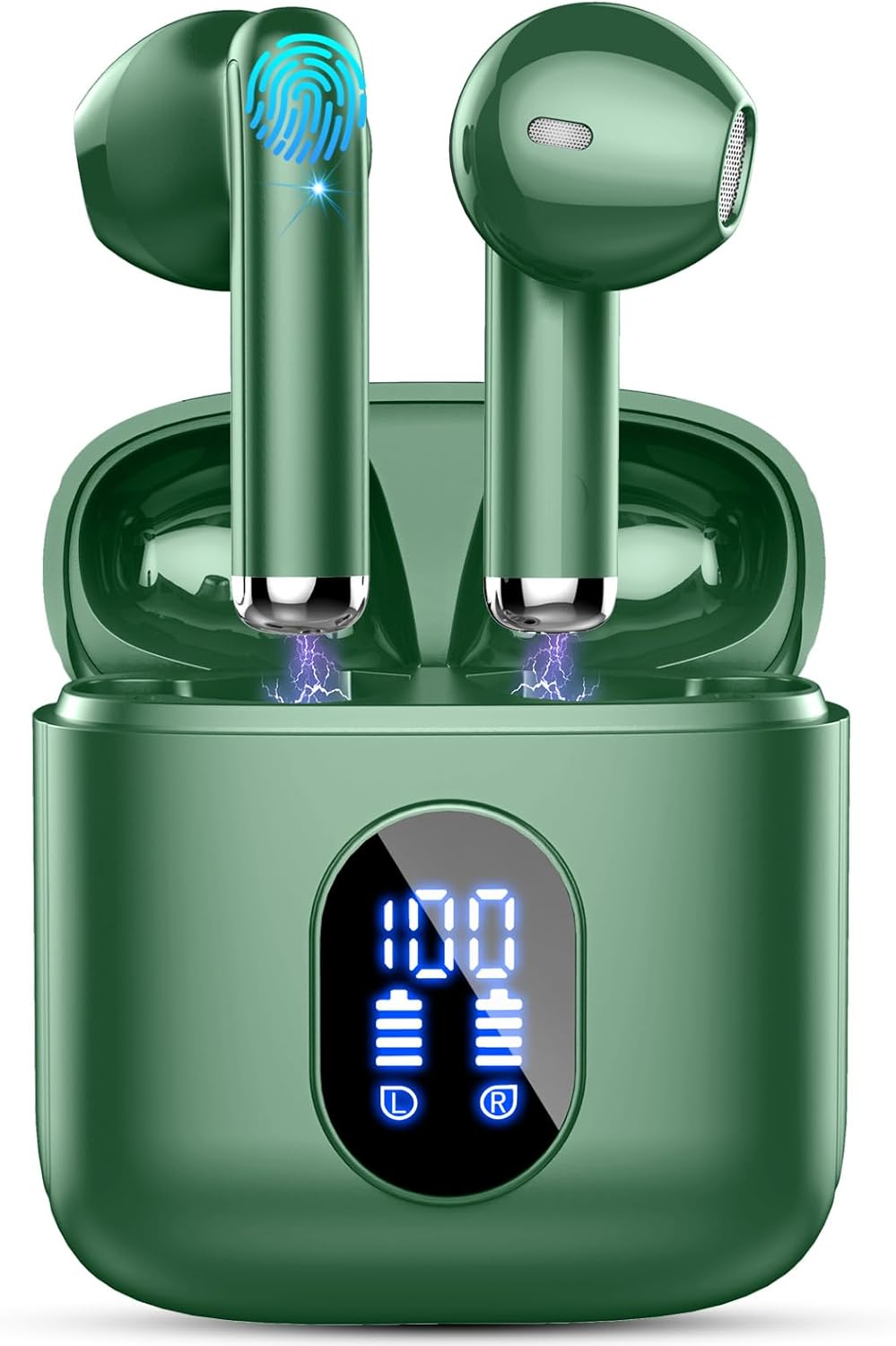
Before first use, fully charge the earbuds and the charging case. The charging case features a dual digital power display to show the remaining battery level.
- Connect the provided Type-C charging cable to the charging port on the case and a USB power source.
- The LED display on the case will indicate charging status.
- A full charge for the case takes approximately 1.5 hours.
- The earbuds provide up to 6 hours of listening time on a single charge, and the charging case extends total playtime to 30 hours.
- A quick 10-minute charge can provide up to 1 hour of playtime.


2.2 Pairing with Your Device
The Rinsmola MD053 earbuds feature Bluetooth 5.4 technology for stable and fast connections.
- Open the charging case. The earbuds will automatically power on and enter pairing mode.
- On your device (smartphone, tablet, computer), enable Bluetooth.
- Search for available Bluetooth devices and select "MD053" from the list.
- Once connected, the earbuds will indicate successful pairing, and the connection will be stable.


3. Operating Instructions
3.1 Wearing the Earbuds
The MD053 earbuds are designed for comfort and stability with an ergonomic, ultra-lightweight design (only 3g per earbud).
- Gently insert each earbud into your ear canal.
- Rotate and adjust the earbud until it fits securely and comfortably.

3.2 Smart Touch Controls
The earbuds feature capacitive touch sensing technology for easy control of various functions:
| Action | Function |
|---|---|
| L/R x2 Tap | Play/Pause Music |
| R x1 Tap | Volume Up |
| L x1 Tap | Volume Down |
| L/R x2 Tap | Answer Call |
| L/R 2S Hold | Hang up/Reject Call |
| R 2S Hold | Next Track |
| L 2S Hold | Previous Track |
| L/R x3 Tap | Activate Voice Assistant (Siri) |
3.3 Call Functions
The earbuds are equipped with 4 ENC (Environmental Noise Cancellation) microphones for clear HD calls, even in noisy environments.
- To answer a call: Tap either earbud twice.
- To hang up/reject a call: Press and hold either earbud for 2 seconds.

3.4 Audio Quality
Experience immersive stereo sound with 14.2mm graphene composite drivers, delivering detailed trebles and well-defined bass.

4. Maintenance
4.1 Cleaning
To maintain optimal performance and hygiene, regularly clean your earbuds and charging case:
- Use a soft, dry, lint-free cloth to wipe the earbuds and charging case.
- Do not use abrasive cleaners, solvents, or aerosols.
- Gently clean the charging contacts on both the earbuds and the case with a dry cotton swab if necessary.
4.2 Storage
When not in use, store the earbuds in their charging case to protect them and keep them charged.
- Store in a cool, dry place away from direct sunlight and extreme temperatures.
- Avoid exposing the earbuds or case to excessive moisture or liquids, despite their water resistance.
4.3 Water Resistance
The Rinsmola MD053 earbuds and charging case are IPX7 waterproof, meaning they can withstand immersion in water up to 1 meter for 30 minutes. They are resistant to sweat, rain, and splashes.
- Do not intentionally submerge the earbuds for extended periods or in depths greater than specified.
- Ensure the charging port is dry before charging to prevent damage.
5. Troubleshooting
If you encounter issues with your Rinsmola MD053 earbuds, please refer to the following common problems and solutions:
5.1 Earbuds Not Pairing/Connecting
- Ensure both earbuds are fully charged.
- Place both earbuds back into the charging case, close the lid, wait a few seconds, then open it again. This often resets the connection.
- Turn off Bluetooth on your device, then turn it back on.
- Forget or delete "MD053" from your device's Bluetooth list and attempt to pair again.
- Ensure your device is within the effective Bluetooth range (typically 10 meters).
5.2 No Sound or Low Volume
- Check the volume level on both your device and the earbuds.
- Ensure the earbuds are properly connected to your device.
- Clean any debris from the earbud speaker mesh.
- Try playing audio from a different application or source.
5.3 Charging Issues
- Ensure the charging cable is securely connected to both the case and the power source.
- Try a different Type-C charging cable and/or power adapter.
- Clean the charging contacts on the earbuds and inside the case.
- Verify the power source is active.
5.4 Microphone Not Working Clearly
- Ensure the microphone is not obstructed.
- Check your device's settings to ensure the earbuds are selected as the audio input device.
- Test the microphone in a quieter environment to rule out excessive background noise.
6. Specifications
Detailed technical specifications for the Rinsmola MD053 Wireless Earbuds:
| Feature | Specification |
|---|---|
| Model Name | MD053 |
| Connectivity Technology | Wireless (Bluetooth 5.4) |
| Ear Placement | In Ear |
| Form Factor | In Ear |
| Noise Control | Passive Noise Cancellation (ENC Mic) |
| Frequency Response | 20 Hz - 20,000 Hz |
| Sensitivity | 105 dB |
| Impedance | 32 Ohm |
| Headphones Jack | USB-C (for charging case) |
| Charging Time | Approx. 1.5 Hours (case) |
| Battery Average Life | 6 Hours (earbuds), 30 Hours (with charging case) |
| Battery Cell Composition | Lithium Polymer |
| Water Resistance Level | IPX7 Water Resistant |
| Item Weight | 3 Grams (per earbud) |
| Material | Plastic |
| Control Type | Voice Control, Volume Control, Media Control, Call Control (Touch) |
| Compatible Devices | Most Bluetooth-enabled devices (iOS/Android) |

7. Warranty and Support
7.1 Warranty Information
Rinsmola products are designed for quality and durability. These earbuds come with a 2-year warranty from the date of purchase, covering manufacturing defects. Please retain your proof of purchase for warranty claims.
7.2 Customer Support
For any questions, technical assistance, or warranty claims, please contact Rinsmola customer support through the retailer's platform or the contact information provided with your purchase. Please have your model number (MD053) and purchase details ready when contacting support.
Important Safety Notice: Do not disassemble, hit, or burn the device. Improper handling may lead to damage or injury.

