1. Introduction
This manual provides essential information for setting up, operating, maintaining, and troubleshooting your Dell Inspiron 16 Plus 7640 Laptop. Please read this manual thoroughly to ensure proper use and to maximize the performance and longevity of your device.

Figure 1: Dell Inspiron 16 Plus 7640 Laptop
2. What's in the Box
Verify that all items are present in the packaging:
- Inspiron 16 Plus 7640 Laptop
- 100 Watt AC Type C Adapter
- Power Cord
- Documentation (including this manual)
3. Setup Guide
3.1 Initial Power-On
- Unpack your laptop and accessories from the box.
- Connect the 100 Watt AC Type C Adapter to the laptop's power port and then to a power outlet.
- Open the laptop lid. The laptop may power on automatically. If not, press the power button located on the keyboard.
- Follow the on-screen instructions to complete the Windows 11 Home setup, including language, region, network connection, and user account creation.
3.2 Dell Migrate Service
Your Dell Inspiron 16 Plus 7640 includes 6 Months Dell Migrate service. This tool assists in transferring your data, personal records, and important files from your previous PC to your new Dell laptop. Refer to the on-screen prompts during initial setup or Dell's support website for detailed instructions on utilizing this service.
4. Operating Your Laptop
4.1 Display Features
- Spacious 16:10 Display: The 16-inch display features a 16:10 aspect ratio, providing more vertical screen space for enhanced productivity and content viewing.
- 2.5K Resolution with 120Hz Refresh Rate: Experience sharp, vibrant visuals and smooth motion, ideal for various tasks.
- Dell ComfortView Plus: This TÜV Rheinland certified hardware solution reduces harmful blue light emissions to maintain eye comfort during extended use, without compromising color accuracy.

Figure 2: Dolby Vision support for enhanced display quality.
4.2 Performance and Storage
Your laptop is equipped with powerful components for efficient multitasking and demanding applications:
- Processor: Intel Core i7-13620H Processor with integrated AI capabilities.
- Memory: 16GB LPDDR5 RAM for smooth operation.
- Storage: 1TB SSD (Solid State Drive) for fast boot times and ample storage capacity.
- Graphics: Integrated Intel UHD Graphics.

Figure 3: Illustration of AI-capable processor architecture.
4.3 Ports and Connectivity
The Dell Inspiron 16 Plus 7640 offers a variety of ports for connecting peripherals and external devices:
- Thunderbolt 4.0 port
- USB 3.2 Gen 1 Type-A ports (x2)
- HDMI 1.4 port
- Power Jack (for AC adapter)
- Universal audio jack
- Micro SD card reader
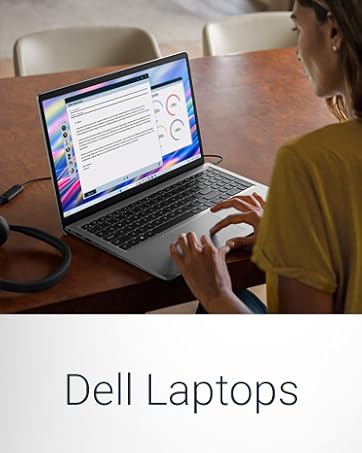
Figure 4: Laptop ports and their functions.
4.4 Battery Life
The laptop is equipped with a high-capacity battery, providing an average battery life of approximately 964 minutes (over 16 hours) under typical usage conditions. Actual battery life may vary based on usage patterns and settings.

Figure 5: Laptop designed for extended use with less charging.
4.5 Enhanced Video Chatting
The laptop features AI-enabled functionalities for video conferencing, including auto-framing to keep you centered and eye-contact correction to maintain engagement even if you glance away.

Figure 6: AI-enhanced video chatting features.
5. Maintenance
5.1 General Care
- Keep your laptop clean by regularly wiping the screen and keyboard with a soft, lint-free cloth.
- Avoid exposing the laptop to extreme temperatures, direct sunlight, or high humidity.
- Ensure proper ventilation by not blocking the air vents.
- Handle the laptop with care to prevent physical damage.
5.2 Software Updates
Regularly update your operating system (Windows 11) and drivers to ensure optimal performance, security, and compatibility. You can check for updates through Windows Update settings or Dell's official support website.
6. Troubleshooting
If you encounter issues with your laptop, consider the following basic troubleshooting steps:
- No Power: Ensure the AC adapter is securely connected to both the laptop and a working power outlet. Check the power indicator light.
- Display Issues: If the screen is blank, try connecting an external monitor to verify if the issue is with the laptop's display. Adjust brightness settings.
- Connectivity Problems: For Wi-Fi or Bluetooth issues, ensure wireless features are enabled and try restarting your router or pairing device.
- Slow Performance: Close unnecessary applications, check for background processes, and ensure sufficient free storage space.
- Dell SupportAssist: Utilize the pre-installed Dell SupportAssist application for automated diagnostics, driver updates, and system optimization. This AI-powered technology helps keep your PC running like new.
For more advanced troubleshooting or persistent issues, refer to the Dell support website or contact Dell technical support.
7. Specifications
Detailed technical specifications for the Dell Inspiron 16 Plus 7640 Laptop:
| Feature | Detail |
|---|---|
| Standing screen display size | 16 Inches |
| Screen Resolution | 2560 x 1600 pixels (2.5K) |
| Max Screen Resolution | 2560x1600 Pixels |
| Processor | 3.6 GHz Intel Core i7-13620H family |
| RAM | 16 GB LPDDR5 |
| Memory Speed | 4800 MHz |
| Hard Drive | 1 TB SSD (Solid State Drive) |
| Graphics Coprocessor | Intel UHD Graphics |
| Chipset Brand | Intel |
| Card Description | UMA Graphics |
| Wireless Type | Bluetooth |
| Number of USB 3.0 Ports | 2 |
| Average Battery Life (in hours) | 964 minutes (approx. 16 hours) |
| Brand | Dell |
| Series | Dell Inspiron 16 7640 Laptop |
| Item model number | i7640-7190BLU-PUS |
| Hardware Platform | PC |
| Operating System | Windows 11 Home |
| Item Weight | 4.76 pounds |
| Product Dimensions | 9.87 x 14.05 x 0.72 inches (LxWxH) |
| Color | Ice Blue |
| Processor Brand | Intel |
| Number of Processors | 10 |
| Computer Memory Type | DDR5 RAM |
| Flash Memory Size | 1 TB |
| Hard Drive Interface | Solid State |
| Optical Drive Type | No Optical Drive |
| Voltage | 240 Volts (AC) |
| Batteries | 1 Lithium Ion battery (included) |
| Special Feature | Anti Glare Coating |
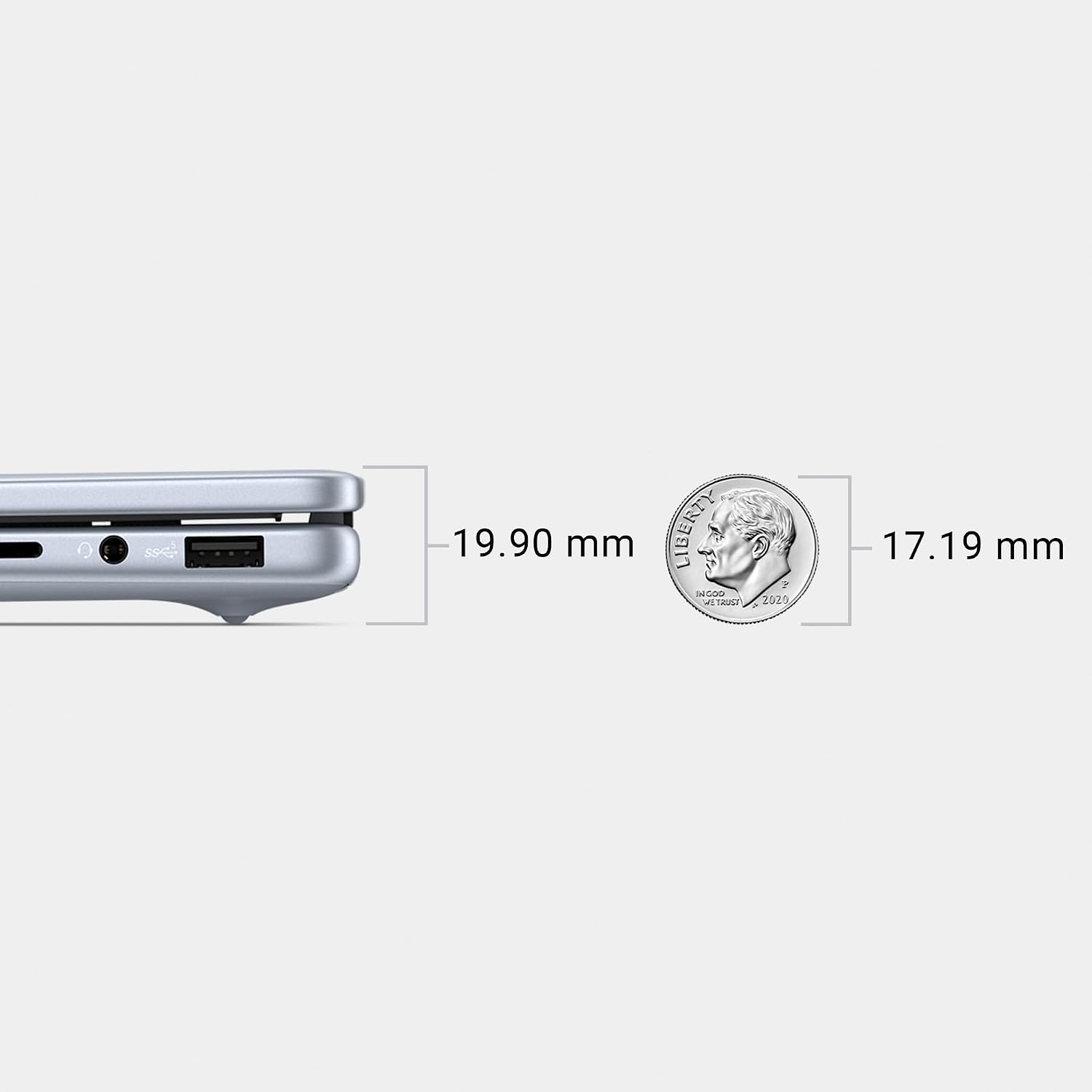
Figure 7: Laptop dimensions.
8. Warranty and Support
8.1 1 Year Onsite Service
Your Dell Inspiron 16 Plus 7640 Laptop includes 1 Year Onsite Service. This service provides support when and where you need it. If an issue covered by the Limited Hardware Warranty cannot be resolved remotely, a Dell technician will come to your home, office, or location of choice for repair.

Figure 8: Dell 1 Year Onsite Service details.

Figure 9: Benefits of Dell's support services.
8.2 Additional Support
For further assistance, product registration, or to access the latest drivers and documentation, please visit the official Dell Support website: www.dell.com/support


