
Sangyn OR-813
Sangyn Senior Corded Landline Telephone Model OR-813 User Manual
Comprehensive instructions for setup, operation, and maintenance.
Introduction
This user manual provides detailed instructions for the Sangyn Senior Corded Landline Telephone Model OR-813. Please read this manual carefully before using the telephone to ensure proper operation and to understand all features. This telephone is designed with features such as large buttons, a backlight display, and hearing aid compatibility to enhance usability.
Product Overview
Package Contents
Upon opening the package, verify that all the following items are included:

Image: Contents of the product package, including the handset with its coiled cord, the main telephone base unit, a telephone line cord, and the user manual.
- Telephone Base Unit
- Handset with Coiled Cord
- Telephone Line Cord
- User Manual
Key Features

Image: An illustration pointing out the main features of the telephone, such as speed dial, large buttons, a large screen display, alarm function, adjustable volume for handset and ringer, and hands-free redial.
- Large Buttons: Designed for easy dialing with clear, large numbers.
- Backlight Display: Provides visibility of time and date. Requires battery for backlight function.
- Hearing Aid Function: Amplifies handset reception by up to 20dB for users with hearing impairments.
- Speed Dial: Three programmable one-touch dialing buttons (SOS, M1, M2) for frequently called numbers.
- Adjustable Ringer Volume: Control the incoming call ringtone volume (Off/Low/High).
- Incoming Call Indicator: A flashing light indicates an incoming call, useful for noisy environments or hearing-impaired users.
- Mute Function: Temporarily mutes the microphone during a call.
- Pause Function: Inserts a pause during dialing.
- Redial Function: Automatically redials the last number called.
- Hands-free Operation: Speakerphone function for hands-free conversations.
Setup Instructions
- Connect the Handset:
Connect one end of the coiled handset cord to the handset and the other end to the handset port located on the left side of the telephone base unit.
Important: Ensure the handset cord is connected to the correct port. Incorrect connection may prevent the phone from functioning.
- Connect the Telephone Line:
Connect one end of the telephone line cord to the LINE port on the top of the telephone base unit and the other end to your wall telephone jack.
Important: The telephone line access port is located at the top of the phone. Incorrect connection may prevent the phone from functioning.
- Install Batteries (Optional for Backlight):
To enable the screen backlight display function, insert appropriate batteries (not included) into the battery compartment located on the back of the telephone. The telephone will still function for basic calls without batteries, but the display backlight will not operate.

Image: A view of the telephone's side, indicating the telephone line jack and the ringer volume switch (OFF/LO/HI).
Operating Instructions
Making a Call
- Lift the handset or press the SPEAKER button for hands-free mode.
- Dial the desired telephone number using the large numeric keypad.
- Wait for the call to connect.
- To end the call, replace the handset or press the SPEAKER button again.

Image: A close-up view of the telephone's keypad, highlighting the large, easy-to-read buttons designed for quick and accurate dialing.
Receiving a Call
- When the telephone rings and the incoming call indicator light flashes, lift the handset or press the SPEAKER button to answer.
- To end the call, replace the handset or press the SPEAKER button again.

Image: The telephone displaying a red flashing light, indicating an incoming call. This feature is particularly helpful for users with hearing impairments or in noisy environments.
Using Speed Dial Buttons (SOS, M1, M2)
The telephone features three one-touch dialing buttons for quick access to important contacts.
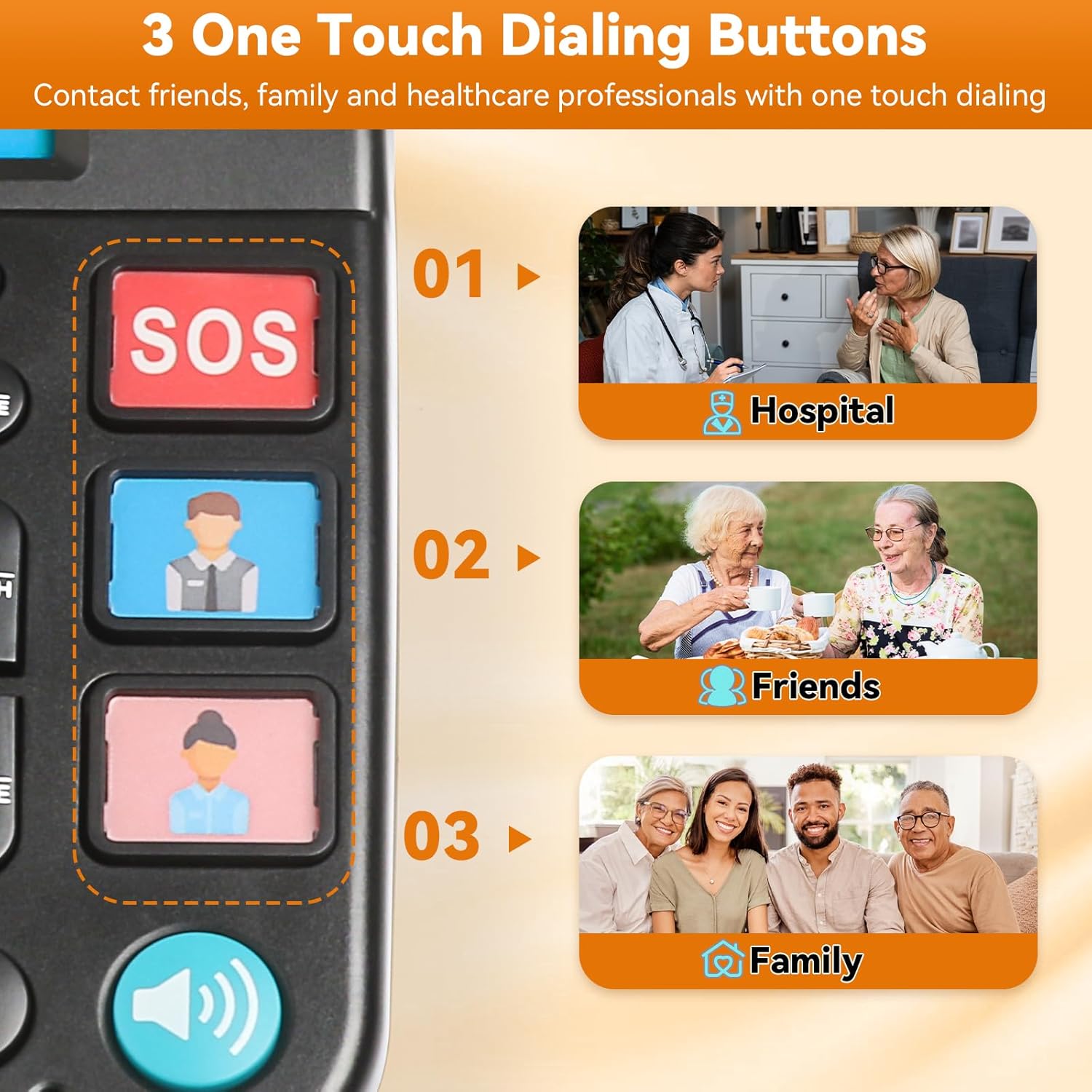
Image: A detailed view of the three one-touch dialing buttons: SOS for emergencies, and two customizable buttons (M1 and M2) for frequently called contacts like friends and family.
- Programming Speed Dial Numbers:
- Lift the handset.
- Press the SET/STORE button.
- Dial the phone number you wish to store.
- Press the SET/STORE button again.
- Press the desired speed dial button (SOS, M1, or M2) to save the number.
- Replace the handset.
- Using Speed Dial:
- Lift the handset.
- Press the desired speed dial button (SOS, M1, or M2). The stored number will be dialed automatically.
Volume Adjustment
- Handset Volume Boost: During a call, if the other party's voice is low, press the BOOST button to increase the handset volume by up to 20dB.

Image: A hand pressing the 'BOOST' button to amplify the handset volume, useful for individuals with hearing difficulties.
- Ringer Volume: Use the Ringer Volume switch (OFF/LO/HI) located on the side of the telephone base to adjust the incoming call ringtone level.
Other Functions
- Redial (RD): With the handset lifted, press the RD button to automatically redial the last number called.
- Mute (MUTE): During a call, press the MUTE button to temporarily silence your microphone. The other party will not hear you, but you can still hear them. Press again to unmute.
- Pause (PAUSE): Press the PAUSE button to insert a pause during dialing, useful for accessing extensions or automated systems.
- Flash (FLASH): Press the FLASH button to disconnect the current call and initiate a new dial tone, typically used for call waiting or transferring calls (if supported by your phone service).
Maintenance
- Cleaning: Wipe the telephone with a soft, damp cloth. Do not use harsh chemicals or abrasive cleaners.
- Storage: Store the telephone in a cool, dry place away from direct sunlight and extreme temperatures.
- Cord Management: Ensure telephone and handset cords are not tangled or stretched excessively to prevent damage.
- Durability: The telephone is constructed from ABS material for durability and impact resistance.

Image: An illustration emphasizing the telephone's construction from durable ABS plastic, designed for longevity and resistance to impact.
Troubleshooting
| Problem | Possible Cause | Solution |
|---|---|---|
| No dial tone. | Telephone line not connected properly. | Ensure the telephone line cord is securely connected to both the phone's LINE port and the wall jack. |
| Cannot hear caller / Caller cannot hear me. | Handset cord incorrectly connected; Mute function active. | Verify the coiled handset cord is securely connected to the handset and the correct port on the phone base. Check if the MUTE button is active (press to deactivate). Use the BOOST button for increased handset volume. |
| Display backlight is off. | No batteries installed or batteries are depleted. | Install fresh batteries in the battery compartment on the back of the phone. |
| Speed dial buttons not working. | Numbers not programmed or programmed incorrectly. | Follow the "Programming Speed Dial Numbers" instructions to store numbers correctly. |
| Handset does not stay on the cradle. | Improper placement or design. | Ensure the handset is placed firmly and correctly into the cradle. If issues persist, contact customer support. |
Specifications

Image: A visual summary of the telephone's specifications, including its name, color, physical dimensions, weight, and material composition.
- Product Name: Big Button Landline Phone
- Model: OR-813
- Brand: Sangyn
- Color: Black
- Material: ABS Plastic
- Telephone Type: Corded
- Dialer Type: Single Keypad
- Answering System Type: Digital (Note: This refers to the phone's internal processing, not an integrated answering machine)
- Compatible Devices: PSTN, ISDN
- Multiline Operation: Single-Line Operation
- Caller Identification: No
- Handset Boost: Up to 20dB amplification
- Dimensions (Approximate): 7.87" L x 7.87" W x 3.14" H (20.0 cm L x 20.0 cm W x 8.0 cm H)
- Item Weight: 1.15 lbs (0.52 kg)
Warranty and Support
For warranty information or technical support, please refer to the contact details provided with your purchase documentation or visit the official Sangyn website. Keep your purchase receipt as proof of purchase.
Manufacturer: Sangyn
Ask a question about this manual
Ask about setup, troubleshooting, compatibility, parts, safety, or missing instructions. Manuals+ will review the question and use this page’s manual context to help answer it.