
1. Introduction
Thank you for choosing the Rock Series RKS-UL1400.1 Monoblock Class D Amplifier. This amplifier is designed to deliver high-performance audio for your vehicle's sound system. Featuring Class D technology, it offers high energy efficiency, reducing heat generation and allowing for a compact design. This manual provides essential information for proper installation, operation, and maintenance to ensure optimal performance and longevity of your amplifier.
2. Safety Information
Please read all instructions carefully before installing and operating your amplifier. Failure to follow these guidelines may result in damage to the amplifier, vehicle, or personal injury.
- Always disconnect the vehicle's battery negative terminal before starting any electrical work.
- Ensure proper grounding. The ground cable should be as short as possible and securely connected to the vehicle's chassis.
- Use appropriate gauge wiring for power and ground connections as specified in this manual.
- Install the amplifier in a dry, well-ventilated location, away from direct sunlight, heat sources, and moisture.
- Protect all wiring from sharp edges and moving parts.
- Do not operate the amplifier if it is damaged or malfunctioning. Seek professional assistance.
- High sound pressure levels can cause permanent hearing loss. Adjust volume responsibly.
3. Product Overview
3.1 Key Features
- Class D Topology for high efficiency and compact design.
- RMS Power: 500 W x 1 @ 4 Ohms, 750 W x 1 @ 2 Ohms, 1400 W x 1 @ 1 Ohm.
- Maximum Power: 3200 Watts.
- Adjustable Low Pass Filter (LPF): 40 Hz - 180 Hz.
- Adjustable Subsonic Filter: 10 Hz - 80 Hz.
- Variable Bass Boost: 30 Hz - 80 Hz, 0-12 dB.
- Input Sensitivity: 7 V.
- THD: <0.2%.
- Includes Bass Remote Controller.
3.2 Specifications
| Specification | Value |
|---|---|
| Model | RKS-UL1400.1 |
| Number of Channels | 1 (Monoblock) |
| RMS Power (4 Ohms) | 500 Watts x 1 |
| RMS Power (2 Ohms) | 750 Watts x 1 |
| RMS Power (1 Ohm) | 1400 Watts x 1 |
| Maximum Power | 3200 Watts |
| Frequency Response | 20 Hz - 180 Hz |
| Low Pass Filter (LPF) | 40 Hz - 180 Hz |
| Subsonic Filter | 10 Hz - 80 Hz |
| Bass Boost Frequency | 30 Hz - 80 Hz |
| THD | <0.2% |
| Input Sensitivity | 7 Volts (DC) |
| Required Wire Gauge (Power/Ground) | 4 Gauge |
| Dimensions (L x W x H) | 10 x 10 x 10 centimeters (approximate) |
| Weight | 1 Kilogram |
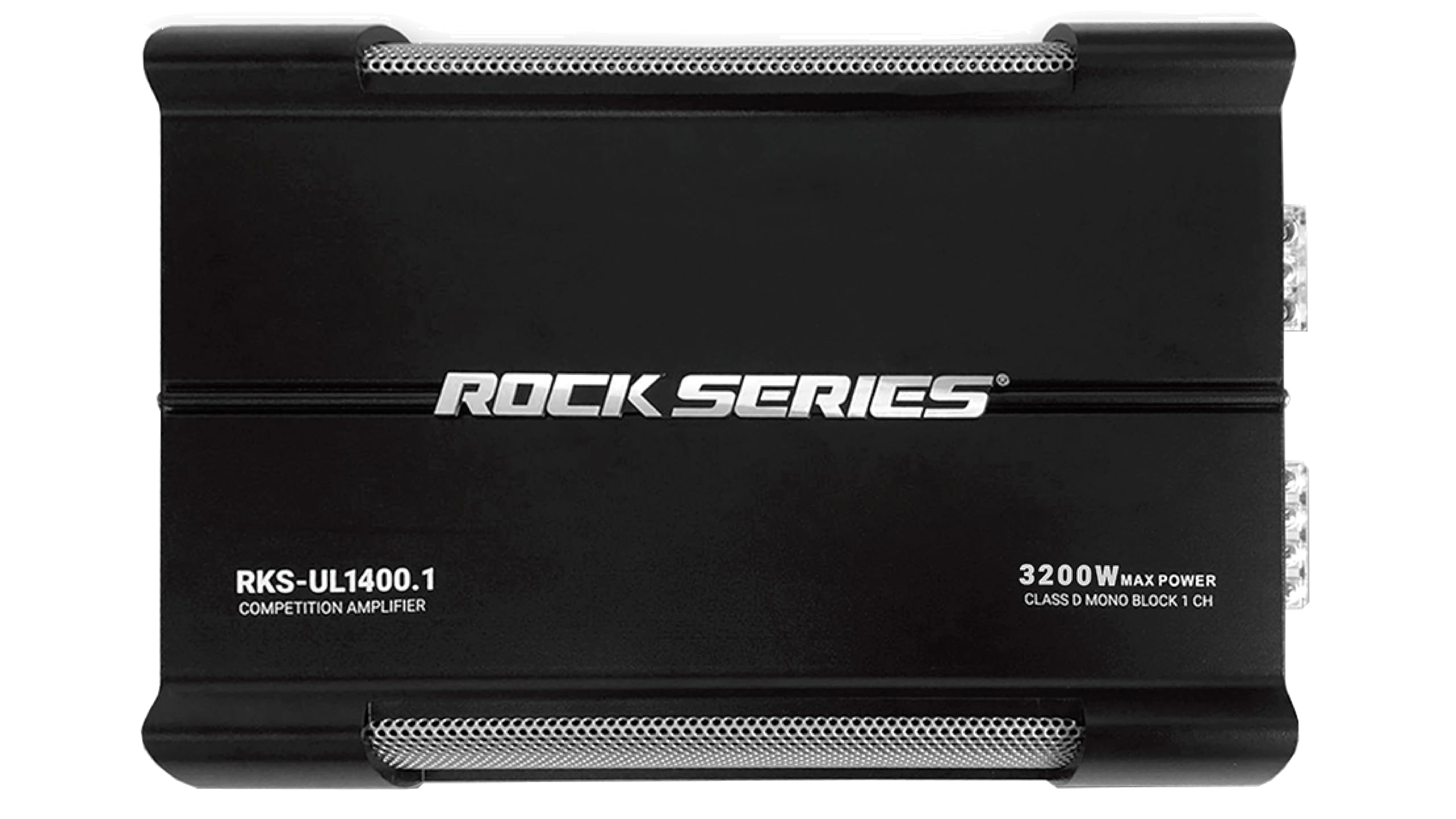 Figure 1: Overall view of the Rock Series RKS-UL1400.1 Monoblock Class D Amplifier.
4. Installation and Setup
Proper installation is crucial for the performance and safety of your amplifier. If you are unsure about any step, consult a professional car audio installer.
4.1 Mounting Location
- Choose a location that is dry, well-ventilated, and protected from direct sunlight, heat, and moisture.
- Ensure sufficient airflow around the amplifier for cooling.
- Mount the amplifier securely to a solid surface to prevent movement during vehicle operation.
4.2 Wiring Connections
Before making any connections, disconnect the vehicle's negative battery terminal.
 Figure 2: Power and Speaker Terminal Connections.
- Power Connection (+12V): Connect a 4-gauge power cable directly from the positive terminal of the vehicle's battery to the "+12V" terminal on the amplifier. Install an appropriate fuse holder (not included) within 18 inches (45 cm) of the battery.
- Ground Connection (GND): Connect a 4-gauge ground cable from the "GND" terminal on the amplifier to a clean, unpainted metal surface of the vehicle's chassis. The ground cable should be as short as possible (less than 3 feet / 1 meter).
- Remote Turn-On (REM): Connect a remote turn-on wire (typically 18-gauge) from your head unit's remote output to the "REM" terminal on the amplifier. This wire turns the amplifier on and off with your head unit.
- Speaker Connections: Connect your subwoofer(s) to the "SPEAKER" terminals. Ensure correct polarity (+ to + and - to -). This is a monoblock amplifier, designed for a single channel output. Refer to your subwoofer's specifications for impedance matching. The amplifier is stable down to 1 Ohm.
 Figure 3: Input and Control Panel.
- RCA Input (INPUT BRIDGE IN): Connect RCA cables from your head unit's subwoofer or full-range output to the "INPUT BRIDGE IN" RCA jacks on the amplifier.
- RCA Output (INPUT BRIDGE OUT): These RCA jacks allow you to pass the audio signal to another amplifier if needed.
- Remote Bass Control: Connect the included remote bass control to the "REMOTE" port for convenient bass level adjustment.
5. Operating Instructions
Once all connections are made and verified, you can power on your system and adjust the amplifier settings.
5.1 Initial Setup and Adjustments
- Gain Control (GAIN): Start with the GAIN control set to minimum (MIN). Play a familiar music track with moderate volume on your head unit. Slowly increase the GAIN control on the amplifier until you hear distortion, then back it off slightly. This matches the amplifier's input sensitivity to your head unit's output.
- Low Pass Filter (LPF): This filter allows only frequencies below the set point to pass through to the subwoofer. Adjust the LPF knob (40Hz-180Hz) to blend the subwoofer's output with your main speakers. A common starting point is 80 Hz.
- Subsonic Filter (SUBSONIC FREQ): This filter removes extremely low frequencies that are below the audible range and can cause your subwoofer to over-excurt without producing useful sound. Adjust the SUBSONIC FREQ knob (10Hz-80Hz) to protect your subwoofer. A common setting is 20-30 Hz, or slightly below your enclosure's tuning frequency.
- Bass Boost (BASS BOOST): This control provides an increase in output at a specific bass frequency. Use sparingly to avoid distortion and potential damage to your subwoofer. The BASS BOOST FREQ knob (30Hz-80Hz) selects the center frequency for the boost, and the BASS BOOST knob (0-12dB) adjusts the level of boost.
- Remote Bass Control: Use the wired remote control to adjust the subwoofer's output level from your listening position.
LED Indicators:
- POWER LED: Illuminates green when the amplifier is powered on and operating normally.
- PROTECT LED: Illuminates red when the amplifier enters protection mode due to overheating, short circuit, or low voltage.
6. Maintenance
The Rock Series RKS-UL1400.1 amplifier requires minimal maintenance.
- Keep the amplifier clean and free of dust and debris. Use a soft, dry cloth for cleaning.
- Ensure that the amplifier's cooling fins are not obstructed to allow for proper heat dissipation.
- Periodically check all wiring connections to ensure they are secure and free from corrosion.
- Avoid exposing the amplifier to extreme temperatures or moisture.
7. Troubleshooting
If you experience problems with your amplifier, refer to the following troubleshooting guide.
| Problem | Possible Cause | Solution |
|---|---|---|
| No Power (POWER LED off) | Blown fuse, poor power/ground connection, no remote signal. | Check inline fuse near battery. Verify +12V, GND, and REM connections. Ensure head unit is on. |
| Amplifier in Protection Mode (PROTECT LED on) | Overheating, short circuit in speaker wiring, impedance too low, low voltage. | Allow amplifier to cool. Check speaker wiring for shorts. Verify speaker impedance. Check vehicle's battery voltage. |
| No Sound Output | RCA cables disconnected, gain too low, speaker wires disconnected/reversed, head unit settings. | Check RCA connections. Adjust GAIN. Verify speaker wiring and polarity. Check head unit's audio output settings. |
| Distorted Sound | Gain set too high, improper crossover settings, poor ground connection, damaged speaker. | Reduce GAIN. Adjust LPF/Subsonic settings. Check ground connection. Inspect speaker for damage. |
| Engine Noise (Whine/Hiss) | Poor ground, RCA cables too close to power cables, faulty RCA cables, ground loop. | Ensure good ground connection. Route RCA cables away from power cables. Try different RCA cables. Install a ground loop isolator if necessary. |
8. Warranty and Support
Rock Series products are designed for reliability and performance. For specific warranty terms and conditions, please refer to the warranty card included with your product or contact your authorized Rock Series dealer.
In case of technical issues or questions not covered in this manual, please contact Rock Series customer support or your authorized installer for assistance.
Return Policy: This product may be eligible for a 30-day free return period from the date of purchase. Please check with your retailer for details.