
1. Introduction
The STEELPRO Pizza-Pro is a professional robotic head LED wash/zoom lighting fixture designed for stage, event, and show applications. It features 36x15W RGBW LEDs, offering versatile color mixing and a powerful light output. The integrated zoom function allows for dynamic beam angle adjustments, making it suitable for various lighting requirements. This manual will guide you through the setup, operation, and maintenance of your device.

Figure 1: Front view of the STEELPRO Pizza-Pro Robotic Head LED Wash/Zoom Light with red LEDs active. This image shows the main lighting array and the control panel at the base.
2. Safety Instructions
- Electrical Safety: Always connect the fixture to a grounded power outlet. Ensure the power supply voltage matches the specifications of the unit. Disconnect power before any service or maintenance.
- Heat Management: Ensure adequate ventilation around the fixture. Do not block ventilation openings. Avoid operating in excessively hot environments.
- Mounting: Securely mount the fixture using appropriate hardware. Ensure the mounting surface can support the weight of the unit.
- Eye Protection: Do not look directly into the light source when the fixture is operating, as it can cause eye damage.
- Water and Moisture: This fixture is designed for indoor use only. Do not expose it to rain, moisture, or liquids.
- Handling: Handle the fixture with care. Avoid dropping or subjecting it to strong impacts.
3. Product Features and Components
3.1 Key Features
- Lighting Source: 36x 15 Watts Full Color RGBW LEDs.
- Movement: Pan Angle: 540°, Tilt Angle: 250°.
- Zoom Function: Adjustable Dispersion Angle from 30° to 105°.
- Control Modes: DMX, Automatic, and Audiorhythmic.
- DMX Channels: 15 Channels.
- Display: LCD Display for easy navigation and settings.
- Connectivity: XLR IN and XLR OUT DMX Ports.
- Material: Durable Aluminum construction.
3.2 What's in the Box
Upon unpacking, ensure all items are present and in good condition:
- 1x STEELPRO Pizza-Pro Robotic Head LED Wash/Zoom Light
- 1x Power Cable
- 1x User Manual (this document)

Figure 2: Side view of the STEELPRO Pizza-Pro fixture, showing its profile and integrated handles for transport.
4. Setup
4.1 Physical Installation
The Pizza-Pro fixture is designed for table mount applications. Ensure the mounting surface is stable and level. If mounting to a truss or other overhead structure, use appropriate clamps and safety cables (not included) to secure the unit. Always ensure the fixture is securely fastened before operation.
4.2 Power Connection
Connect the provided power cable to the power input on the rear of the fixture and then to a suitable grounded electrical outlet. Verify that the local power supply voltage matches the fixture's requirements.
4.3 DMX Connection (Optional)
For DMX control, connect a DMX cable from your DMX controller's output to the XLR IN port on the fixture. If linking multiple fixtures, connect the XLR OUT of the first fixture to the XLR IN of the next, and so on. Terminate the last fixture in the chain with a DMX terminator (not included) to prevent signal reflection.
5. Operating Modes
The Pizza-Pro offers three primary operating modes, selectable via the LCD display and control buttons on the base of the unit.
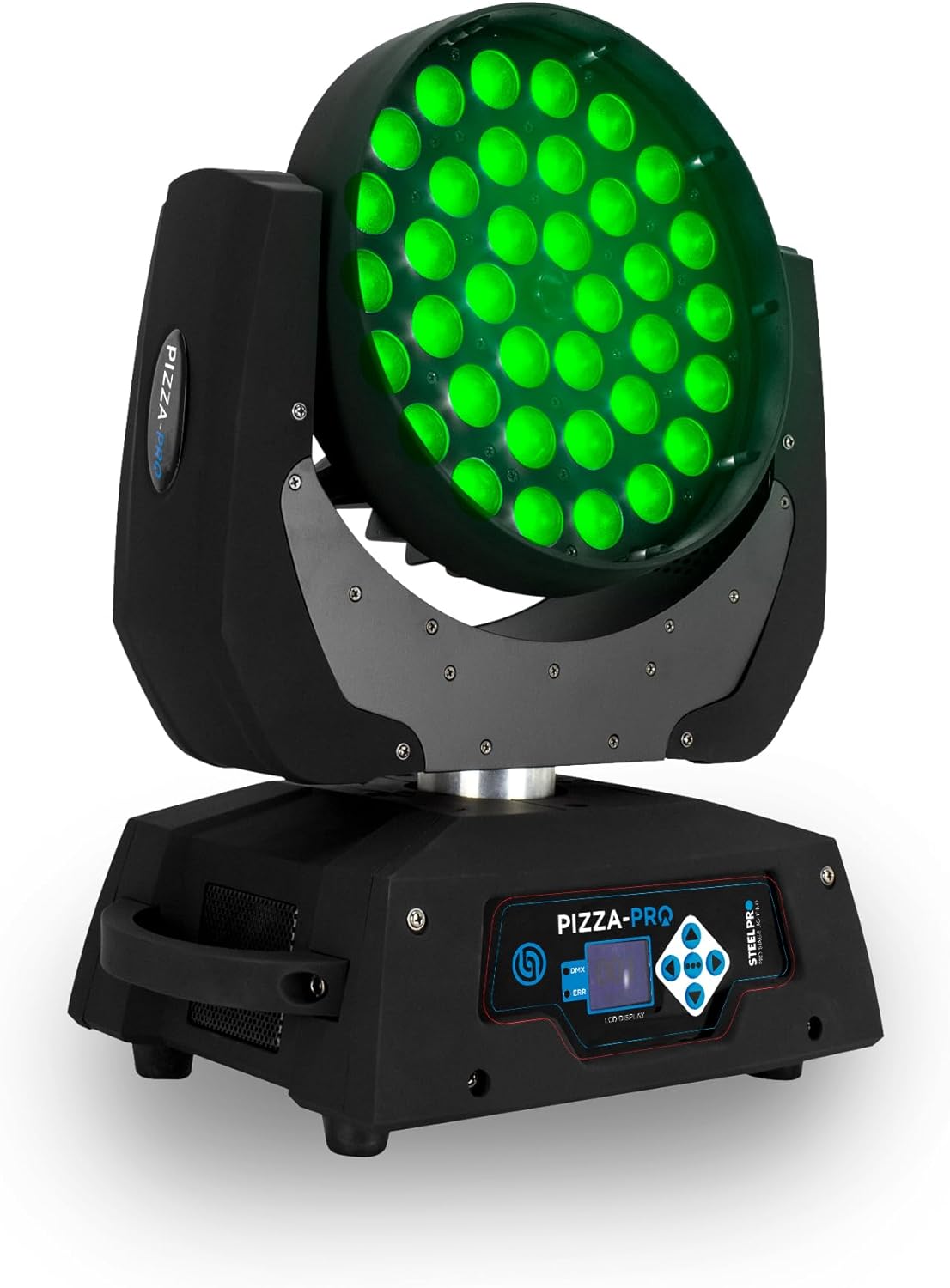
Figure 3: Front view of the STEELPRO Pizza-Pro Robotic Head LED Wash/Zoom Light with green LEDs active, demonstrating color versatility.
5.1 LCD Display and Control Buttons
The LCD display provides access to menus and settings. Use the navigation buttons (Up, Down, Enter, Mode) to browse and select options. Refer to the on-screen prompts for specific parameter adjustments.
5.2 DMX Mode
In DMX mode, the fixture is controlled by an external DMX controller. Set the DMX address using the LCD display. The Pizza-Pro utilizes 15 DMX channels for comprehensive control over pan, tilt, RGBW color mixing, zoom, strobe, and other effects. Consult the DMX channel chart (typically provided in a separate DMX manual or on the manufacturer's website) for detailed channel assignments.
5.3 Automatic Mode
The Automatic mode features pre-programmed light shows and patterns. Select this mode from the LCD menu to cycle through various built-in sequences without external control.
5.4 Audiorhythmic Mode
In Audiorhythmic mode, the fixture's movements and light patterns react to sound. An internal microphone detects ambient sound, synchronizing the light show to the beat of music or other audio inputs. Adjust sensitivity via the LCD menu if available.
5.5 Zoom Function
The zoom function allows adjustment of the light beam's dispersion angle from a narrow 30° spot to a wide 105° wash. This can be controlled via DMX or, in some automatic modes, may be part of the pre-programmed sequences.
6. Maintenance
- Cleaning: Regularly clean the lenses and exterior housing with a soft, lint-free cloth. Do not use abrasive cleaners or solvents.
- Inspection: Periodically inspect all cables, connectors, and mounting hardware for signs of wear or damage. Replace any damaged components immediately.
- Ventilation: Ensure ventilation openings remain clear of dust and debris to prevent overheating.
- Storage: When not in use, store the fixture in a dry, dust-free environment, preferably in its original packaging or a protective case.
7. Troubleshooting
| Problem | Possible Cause | Solution |
|---|---|---|
| Fixture does not power on. | No power supply; faulty cable; internal fuse. | Check power cable connection; verify power outlet; consult qualified technician for fuse replacement. |
| No DMX control. | Incorrect DMX address; faulty DMX cable; missing terminator; DMX controller issue. | Verify DMX address setting; check DMX cable connections; ensure terminator is used; test with another DMX controller. |
| Fixture movement is erratic. | Interference; mechanical obstruction; DMX signal issues. | Ensure clear path for movement; check DMX signal integrity; reset fixture. |
| LEDs not illuminating correctly. | Incorrect mode selection; DMX channel settings; internal fault. | Verify operating mode; check DMX color channel values; contact support if issue persists. |
8. Specifications

Figure 4: Dimensional drawing of the STEELPRO Pizza-Pro fixture, showing approximate length, width, and height.
| Feature | Detail |
|---|---|
| Model | Pizza-Pro |
| Light Source | 36x 15W RGBW LEDs |
| Pan Angle | 540° |
| Tilt Angle | 250° |
| Dispersion Angle (Zoom) | 30° - 105° |
| Control Modes | DMX, Auto, Audiorhythmic |
| DMX Channels | 15 Channels |
| Display | LCD Display |
| DMX Ports | XLR IN and XLR OUT |
| Power Source | Corded Electric |
| Material | Aluminum |
| Mounting Type | Table Mount |
| Product Dimensions | 11.81"L x 8.86"W x 17.91"H (approx. 30cm L x 22.5cm W x 45.5cm H) |
| Color | Black |
9. Warranty and Support
For warranty information and technical support, please refer to the documentation provided with your purchase or visit the official STEELPRO website. Keep your proof of purchase for warranty claims.