
1. Introduction
The Kello K3 Wireless CarPlay & Android Auto Adapter is designed to convert your vehicle's existing wired CarPlay or Android Auto system into a wireless connection. This device allows you to access navigation, music, calls, and other smartphone functions on your car's display without the need for a physical cable connection to your phone. It features low latency and a simple plug-and-play setup for an efficient user experience.
2. Package Contents
Verify that all items are present in your Kello K3 package:
- Kello K3 Wireless CarPlay/Android Auto Adapter
- USB-A to USB-C Cable
- USB-C to USB-C Cable
- User Manual

Image: The Kello K3 adapter, two types of USB cables (USB-A to USB-C and USB-C to USB-C), and the user manual are included in the package.
3. Setup Instructions
Follow these steps for the initial setup of your Kello K3 adapter:
- Connect the Adapter to Your Car: Plug the Kello K3 adapter into your car's USB port (the one typically used for wired CarPlay/Android Auto). Use either the provided USB-A to USB-C cable or the USB-C to USB-C cable, depending on your car's port type.
- Pair with Your Phone via Bluetooth: On your smartphone, enable Bluetooth and search for available devices. Select the Kello K3 adapter (it may appear as 'Smart Box' or similar) from the list to pair. Confirm any pairing prompts on both your phone and car's display.
- Initiate Wireless CarPlay/Android Auto: Once paired, your car's infotainment system should automatically launch Wireless CarPlay or Android Auto.

Image: Visual guide showing the three-step connection process: plugging the adapter into the car's USB port, pairing via Bluetooth on a smartphone, and the resulting Android Auto interface on the car's screen.
After the first successful connection, the adapter is designed to automatically reconnect to your phone when you start your vehicle, typically within a few seconds.

Image: This image illustrates the automatic reconnection feature, where the adapter connects to your phone wirelessly upon starting the car.
4. Operating Instructions
Once connected, the Kello K3 adapter enables full functionality of CarPlay or Android Auto wirelessly. You can control the system using your car's original controls:
- Steering Wheel Controls: Use your car's steering wheel buttons for volume adjustment, track skipping, and play/pause functions.
- OEM Knob Control: Navigate menus and select options using your vehicle's factory-installed control knob.
- Touch Screen Control: Interact directly with the car's display via touch, similar to using your smartphone.
- Voice Assistant: Utilize Siri (for CarPlay) or Google Assistant (for Android Auto) for hands-free commands, navigation, calls, and music playback.

Image: This image demonstrates how the Kello K3 adapter supports the car's original control methods, including steering wheel buttons, OEM knob, and touch screen.
The adapter uses efficient Wi-Fi (2.4GHz-5.8GHz) for stable data transmission, ensuring clear audio and responsive app performance.
5. Compatibility
The Kello K3 adapter is designed for broad compatibility, but specific requirements must be met:
- Vehicle Compatibility: Compatible with most factory-installed wired CarPlay systems in vehicles manufactured from 2015 onwards. Your car must have a built-in wired Apple CarPlay or Android Auto system.
- Smartphone Compatibility:
- For Apple CarPlay: iPhone 6 and above, running iOS 10 and above.
- For Android Auto: Android 11 and above.
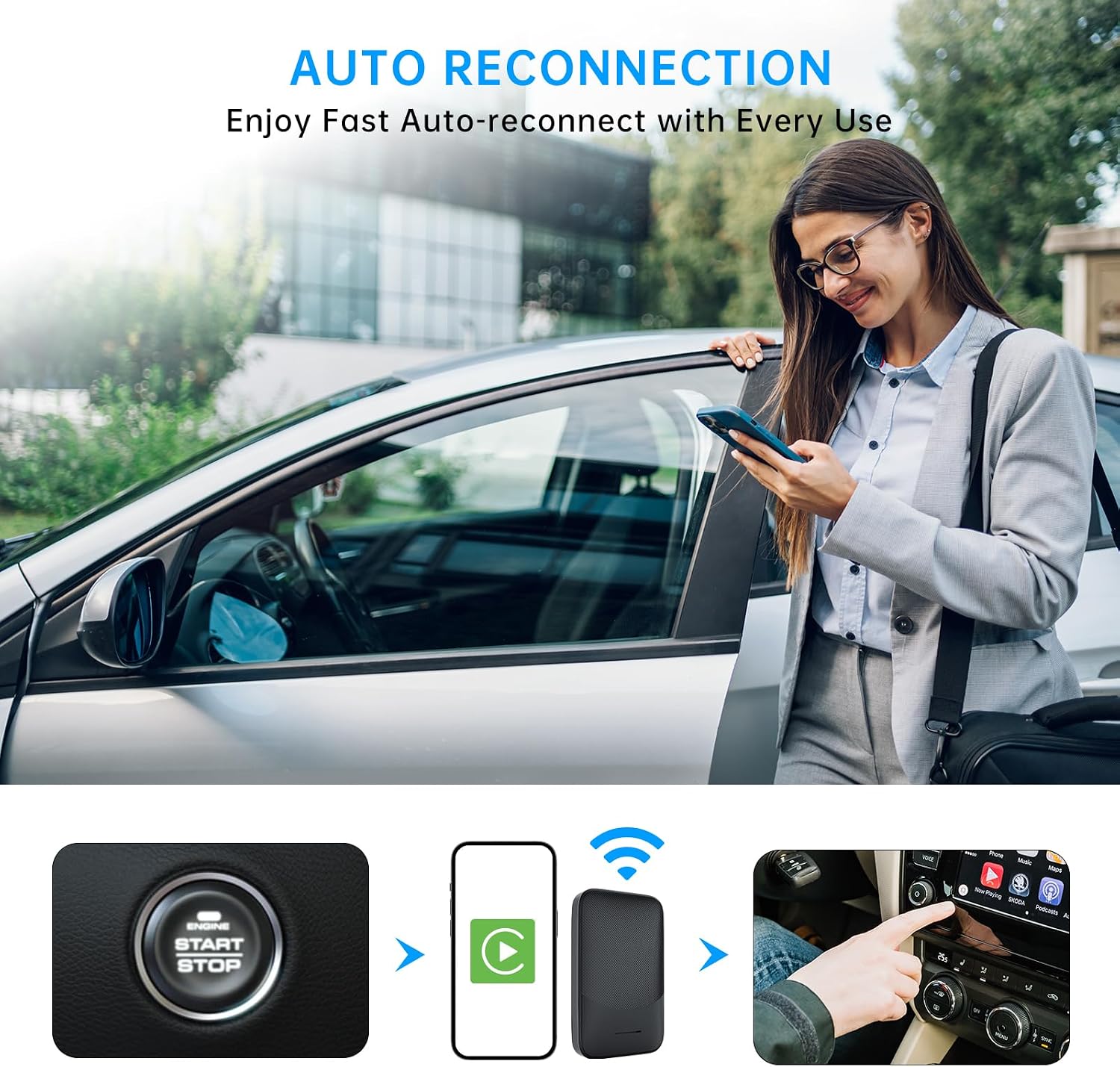
Image: This graphic outlines the compatibility requirements, showing supported car brands and the necessary iPhone iOS version (iOS 10+) for the adapter to function.
6. Troubleshooting
If you encounter issues with your Kello K3 adapter, consider the following solutions:
- Adapter Not Connecting / Stuck Screen: If the device is stuck on a 'BT Device Smart Box' screen or fails to connect:
- Ensure your car's USB port is functioning correctly and provides power.
- On your phone, forget the adapter from your Bluetooth device list and attempt to re-pair.
- Restart your car's infotainment system and your smartphone.
- Try a different USB cable or a different USB port in your car, if available.
- Music Does Not Resume After Calls: If music remains paused after ending a phone call:
- Check your car's infotainment settings for options related to media playback after calls.
- Ensure your phone's media settings allow automatic playback.
- Consider checking for an Over-The-Air (OTA) firmware update for the Kello K3 adapter, as this might resolve software-related issues.
- Occasional Connection Failures: If the adapter occasionally fails to connect, especially with specific car models or head units:
- Ensure your car's infotainment system software is up to date.
- Perform an OTA update on the Kello K3 adapter if available.
- If the issue persists, contact Kello customer support for further assistance.
The Kello K3 adapter supports Over-The-Air (OTA) upgrades, which can provide firmware updates to improve performance and resolve compatibility issues. Refer to the Kello website or contact support for instructions on performing an OTA update.
7. Maintenance
To ensure the longevity and optimal performance of your Kello K3 adapter, follow these maintenance guidelines:
- Cleaning: Wipe the adapter with a soft, dry cloth. Avoid using liquid cleaners or solvents.
- Storage: Store the adapter in a cool, dry place when not in use. Avoid extreme temperatures and direct sunlight.
- Handling: Handle the adapter with care. Avoid dropping it or subjecting it to strong impacts.
- Disposal: This product may emit radio waves. Dispose of the device and any internal batteries in accordance with local recycling regulations. Do not expose the battery to excessive heat or humidity.
8. Specifications
| Feature | Detail |
|---|---|
| Model Name | Kello Car Adapter K3 |
| Connectivity Technology | Bluetooth, Wi-Fi (2.4GHz-5.8GHz) |
| Hardware Interface | USB |
| Connector Type | USB Type C (includes USB-A to USB-C and USB-C to USB-C cables) |
| Power Source | Vehicle USB Port |
| Item Weight | 0.07 Kilograms |
| Outer Material | Acrylonitrile Butadiene Styrene (ABS) |
| Supported Application | Apple CarPlay, Android Auto |
| Compatible Devices | iPhones (iOS 10+), Android Phones (Android 11+) |
| Compatible Vehicle Type | Wired CarPlay-enabled cars (2015+) |
| Control Method | App, Car's built-in controls (Steering Wheel, Knob, Touch Screen) |
| Audio Output Type | Internal (via car's audio system) |
| Supported Media Type | MP3, AAC, WAV |
9. Warranty and Support
Kello provides a 1-year warranty for the Kello K3 Wireless CarPlay & Android Auto Adapter, covering manufacturing defects and malfunctions under normal use.
For any questions, technical assistance, or warranty claims, please contact Kello's professional service team. You can typically find contact information on the Kello official website or through your purchase platform. The team is available to provide timely support and solutions for your driving experience.