
1. Introduction
Thank you for choosing the Aprxuvot TC60 Biometric Home Safe. This safe is designed to provide secure storage for your valuables, documents, and firearms, offering advanced protection against theft and environmental damage. Please read this manual thoroughly before installation and operation to ensure proper use and to maximize the safe's features.
2. Safety Information
- Always keep the emergency keys in a secure location away from the safe and out of reach of children. Do not store them inside the safe.
- Ensure the safe is placed on a stable, level surface. For enhanced security, consider mounting the safe to a floor or wall using the provided hardware.
- Do not attempt to open the safe by force. This may damage the locking mechanism and void the warranty.
- Replace batteries promptly when the low battery indicator appears to avoid being locked out.
- Keep the biometric sensor and keypad clean and dry for optimal performance.
3. Package Contents
Verify that all items are present in the package:
- Aprxuvot TC60 Biometric Home Safe
- Emergency Keys (2)
- Mounting Bolts (4)
- External Battery Box
- User Manual
- Foam Padded Floor Mat

Figure 3.1: Aprxuvot TC60 Biometric Home Safe and Included Accessories.
4. Setup
4.1 Unpacking and Initial Inspection
- Carefully remove the safe from its packaging.
- Inspect the safe for any signs of damage during transit. Contact customer support if damage is found.
4.2 Battery Installation
The safe requires 4 AA batteries (not included) for the electronic lock system.
- Locate the battery compartment on the inside of the safe door.
- Insert 4 AA batteries, ensuring correct polarity (+/-).
- Close the battery compartment cover.
4.3 Initial Opening (Using Emergency Key)
The safe is shipped in a locked state. Use the emergency key for the first opening.
- Locate the emergency keyhole, usually concealed behind a removable cover on the lock panel.
- Insert an emergency key and turn it clockwise.
- While the key is turned, rotate the knob clockwise to open the safe door.
4.4 Setting the Master Password
It is recommended to set a new master password immediately after initial opening.
- With the safe door open, press the internal reset button (usually a small red button on the inside of the door).
- The indicator light on the keypad will flash, indicating it's ready for programming.
- Enter a 3-8 digit password on the keypad, then press '#' to confirm.
- The indicator light will flash again, then turn solid, confirming the new password.
4.5 Registering Fingerprints
The safe can store up to 100 fingerprints.
- With the safe door open, press the internal reset button.
- Place your finger on the biometric sensor. The indicator light will flash.
- Lift and place your finger on the sensor multiple times (typically 3-5 times) from different angles until the indicator light turns solid, confirming successful registration.
- Repeat for additional fingerprints.
4.6 Mounting the Safe
For enhanced security, the safe can be mounted to a floor or wall.
- Choose a suitable location, ensuring there are no electrical wires or pipes behind the drilling area.
- Mark the drilling points through the pre-drilled holes inside the safe.
- Drill pilot holes into the floor or wall.
- Align the safe with the holes and secure it using the provided mounting bolts.
5. Operating Instructions
5.1 Opening the Safe
The Aprxuvot TC60 safe offers multiple access methods:

Figure 5.1: Multiple Access Methods for the Safe.
5.1.1 Using Fingerprint
- Place your registered finger on the biometric sensor.
- If recognized, the indicator light will turn green.
- Within 5 seconds, rotate the knob clockwise to open the door.
5.1.2 Using Password
- Enter your 3-8 digit password on the keypad.
- Press '#' to confirm.
- If correct, the indicator light will turn green.
- Within 5 seconds, rotate the knob clockwise to open the door.
5.1.3 Using Emergency Key
This method bypasses the electronic lock and is for emergencies or initial setup.
- Insert an emergency key into the keyhole.
- Turn the key clockwise and simultaneously rotate the knob clockwise to open the door.
5.2 Using the External Battery Box
If the internal batteries are depleted and you cannot open the safe electronically:
- Insert 4 AA batteries into the external battery box.
- Plug the external battery box into the emergency power port on the safe's lock panel.
- You can now open the safe using your registered fingerprint or password.
- Once open, replace the internal batteries immediately.
5.3 Alarm System and Silent Mode
The safe features an anti-theft alarm system.
- Alarm Trigger: The alarm will activate for 1 minute if an incorrect password is entered 3 consecutive times or an unregistered fingerprint is attempted 5 consecutive times. It also triggers on violent vibrations.
- Silent Mode: To enable or disable silent mode (which mutes keypad beeps), refer to the specific instructions in your safe's quick start guide or contact customer support.

Figure 5.2: Anti-Theft Alarm System Features.
5.4 LED Interior Light
The safe is equipped with an LED light that illuminates the interior when the door is opened, providing visibility in low-light conditions.
5.5 Removable Shelf
The safe includes a removable shelf for organizing contents. To adjust or remove the shelf:
- Open the safe door.
- Carefully lift the shelf from its supports.
- Re-insert into desired position or remove completely to accommodate larger items.

Figure 5.3: Removable Shelf Configuration.
6. Maintenance
6.1 Battery Replacement
When the low battery indicator (if present) illuminates or the keypad becomes unresponsive, replace all 4 AA batteries. Use the external battery box if the safe cannot be opened electronically.
6.2 Cleaning
Wipe the safe's exterior with a soft, damp cloth. Avoid abrasive cleaners or solvents that could damage the finish or electronic components. Keep the biometric sensor and keypad free of dust and debris.
6.3 Regular Checks
Periodically check the locking bolts and door hinges for any signs of wear or obstruction. Ensure mounting bolts (if installed) remain tight.
7. Troubleshooting
- Safe does not open with fingerprint/password:
- Ensure batteries are fresh and correctly installed. Use the external battery box if needed.
- Re-enter password carefully.
- Ensure your finger is clean and dry, and placed correctly on the sensor. Try re-registering your fingerprint.
- Use the emergency key to open the safe.
- Keypad is unresponsive:
- Check battery power. Replace batteries.
- Ensure no debris is obstructing the buttons.
- Alarm sounds unexpectedly:
- Check if the safe has been subjected to violent vibrations or if incorrect codes/fingerprints were entered.
- Open the safe with a correct method to reset the alarm.
- Door does not close properly:
- Ensure no items are obstructing the door or locking bolts.
- Check if the locking bolts are fully retracted before closing.
8. Specifications
| Feature | Specification |
|---|---|
| Model Number | TC60 |
| Capacity | 5.0 Cubic Feet |
| Exterior Dimensions (H x W x D) | 58.42 x 40.64 x 35.56 cm (23.0 x 16.0 x 14.0 inches) |
| Interior Dimensions (H x W x D) | 27.6 x 16.5 x 13.8 inches (approximate) |
| Weight | 23.6 kg (approx. 52 lbs) |
| Material | Alloy Steel |
| Lock Type | Biometric Fingerprint, Digital Keypad, Emergency Key |
| Fingerprint Capacity | Up to 100 fingerprints |
| Password Length | 3-8 digits |
| Special Features | Anti-Theft Alarm, Removable Shelf, Sensor Light, Fireproof, Waterproof |
| Power Source | 4 x AA Batteries (not included) |

Figure 8.1: Robust Locking Bolts and Door Construction.
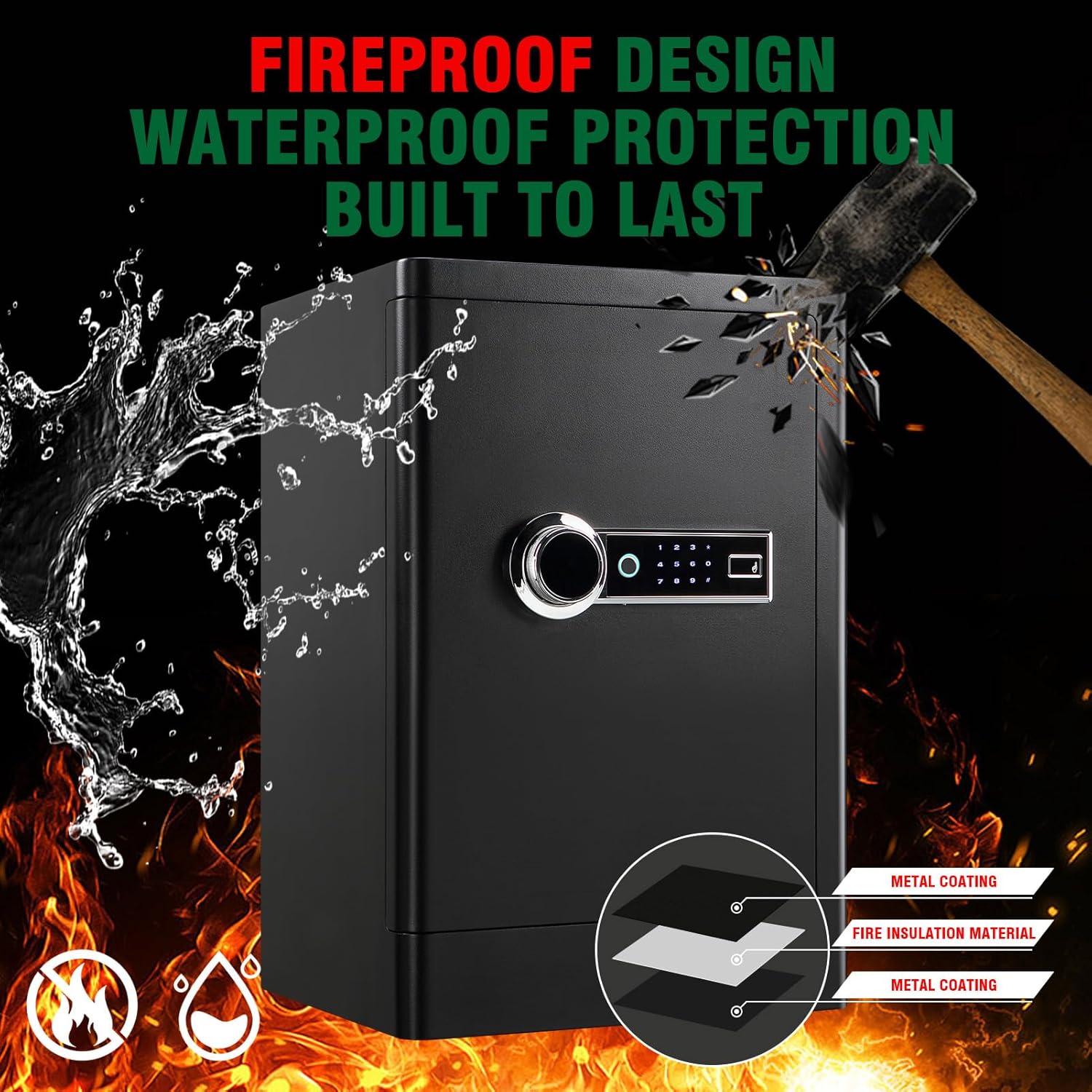
Figure 8.2: Fireproof and Waterproof Construction.
9. Warranty and Support
The Aprxuvot TC60 Biometric Home Safe comes with a lifetime warranty service, as stated in the product description. For warranty claims, technical support, or any questions not covered in this manual, please contact Aprxuvot customer service through your retailer or the official Aprxuvot website.
Please have your model number (TC60) and purchase information ready when contacting support.