
Introduction
This manual provides essential instructions for setting up, operating, and maintaining your HIDAMEL M3E Smart Watch. Please read this manual thoroughly before using the device to ensure proper function and longevity.
Safety Information
- Do not attempt to disassemble or modify the watch.
- Keep the watch away from extreme temperatures and direct sunlight for prolonged periods.
- Avoid exposing the watch to strong magnetic fields.
- Consult a medical professional before starting any new exercise regimen, especially if you have pre-existing health conditions.
- The watch is water-resistant but not suitable for deep-sea diving or high-pressure water activities.
- Use only the provided charging cable and adapter.
Package Contents
Verify that all items are present in the package:
- HIDAMEL M3E Smart Watch
- Charging Station
- User Manual (this document)
- Warranty Card
Product Overview
The HIDAMEL M3E Smart Watch features a durable design with a 1.96-inch AMOLED display. It is equipped with various sensors for health and fitness tracking, GPS, and Bluetooth calling capabilities.
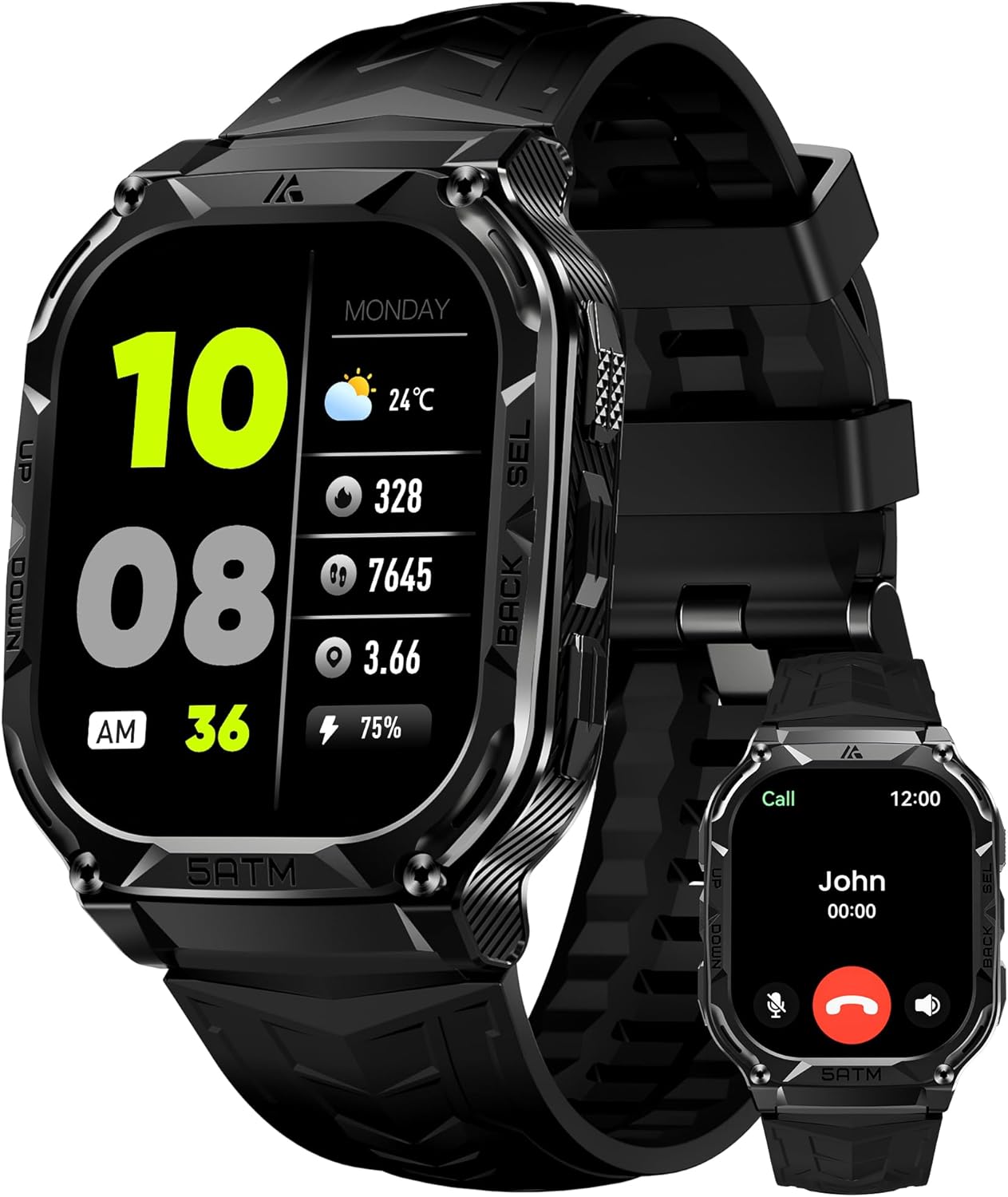
Image: Front view of the HIDAMEL M3E Smart Watch, showcasing its 1.96-inch AMOLED display and rugged design.
The watch body is constructed from metal, designed to withstand various environmental conditions, having successfully passed 15 military tests (MIL-STD-810H).

Image: The HIDAMEL M3E Smart Watch shown in various extreme conditions, illustrating its military-grade durability and resistance to impact, water, and temperature.
Setup
1. Charging the Watch
Before initial use, fully charge your HIDAMEL M3E Smart Watch.
- Connect the charging station to a USB power source.
- Place the watch onto the charging station, ensuring the magnetic contacts align.
- The watch display will indicate charging status. A full charge typically takes approximately 1.5 hours.

Image: The HIDAMEL M3E Smart Watch connected to its magnetic charging station, displaying battery percentage.
2. App Installation and Pairing
To unlock the full features of your smart watch, download the companion app on your smartphone. The watch is compatible with both Android and iOS devices.
- Scan the QR code in the quick start guide or search for the app name (usually mentioned in the quick start guide or on the watch itself during initial setup) in your phone's app store (Google Play Store for Android, Apple App Store for iOS).
- Install the app and create an account if prompted.
- Enable Bluetooth on your smartphone.
- Open the app and follow the on-screen instructions to search for and pair with your HIDAMEL M3E Smart Watch.
- Confirm the pairing request on both your phone and the watch.
Once paired, the watch will synchronize time and data with your smartphone.
Operating Instructions
Basic Navigation
The watch features a touchscreen display and physical buttons for navigation.
- Touchscreen: Swipe up, down, left, or right to access different menus and functions. Tap to select.
- Side Buttons: Typically, one button serves as a power/back button, while others may be customizable shortcuts or for specific functions like sports mode activation. Refer to the on-screen prompts for specific button functions.
Bluetooth Call Function
The HIDAMEL M3E Smart Watch allows you to answer and make calls directly from your wrist when connected to your smartphone via Bluetooth.
- Ensure the watch is successfully paired with your phone and the Bluetooth call feature is enabled in the app settings.
- To answer a call, tap the green phone icon on the watch screen when an incoming call is displayed.
- To make a call, access the dial pad or contact list on the watch.

Image: A user interacting with the HIDAMEL M3E Smart Watch to answer a phone call, demonstrating the Bluetooth call feature.
AI Voice Assistant
Utilize the integrated AI Voice Assistant for hands-free control.
- Activate the voice assistant (refer to watch settings or quick guide for activation method).
- Speak commands such as "What's the weather?", "Play music," or "Set a timer."
GPS and Positioning
The watch features built-in GPS and a 6-satellite positioning system for accurate outdoor activity tracking, allowing for fast positioning within 8-45 seconds.

Image: The HIDAMEL M3E Smart Watch displaying a GPS-tracked route on a map, alongside a smartphone showing detailed activity data.
Compass, Altitude, and Air Pressure
For outdoor enthusiasts, the watch includes an internal compass, altitude pressurization, and altimeter sensors that show your current position, altitude, and air pressure.

Image: Three watch faces on the HIDAMEL M3E Smart Watch, showing real-time data for compass direction, current altitude, and barometric air pressure.
Health Monitoring
The HIDAMEL M3E continuously monitors various health metrics.
- Heart Rate: 24-hour heart rate monitoring.
- Blood Oxygen: Real-time blood oxygen level tracking.
- Sleep Tracking: Monitors sleep patterns and quality.
- Breath Training: Guided breathing exercises.
- Pedometer: Tracks steps and calories burned throughout the day.
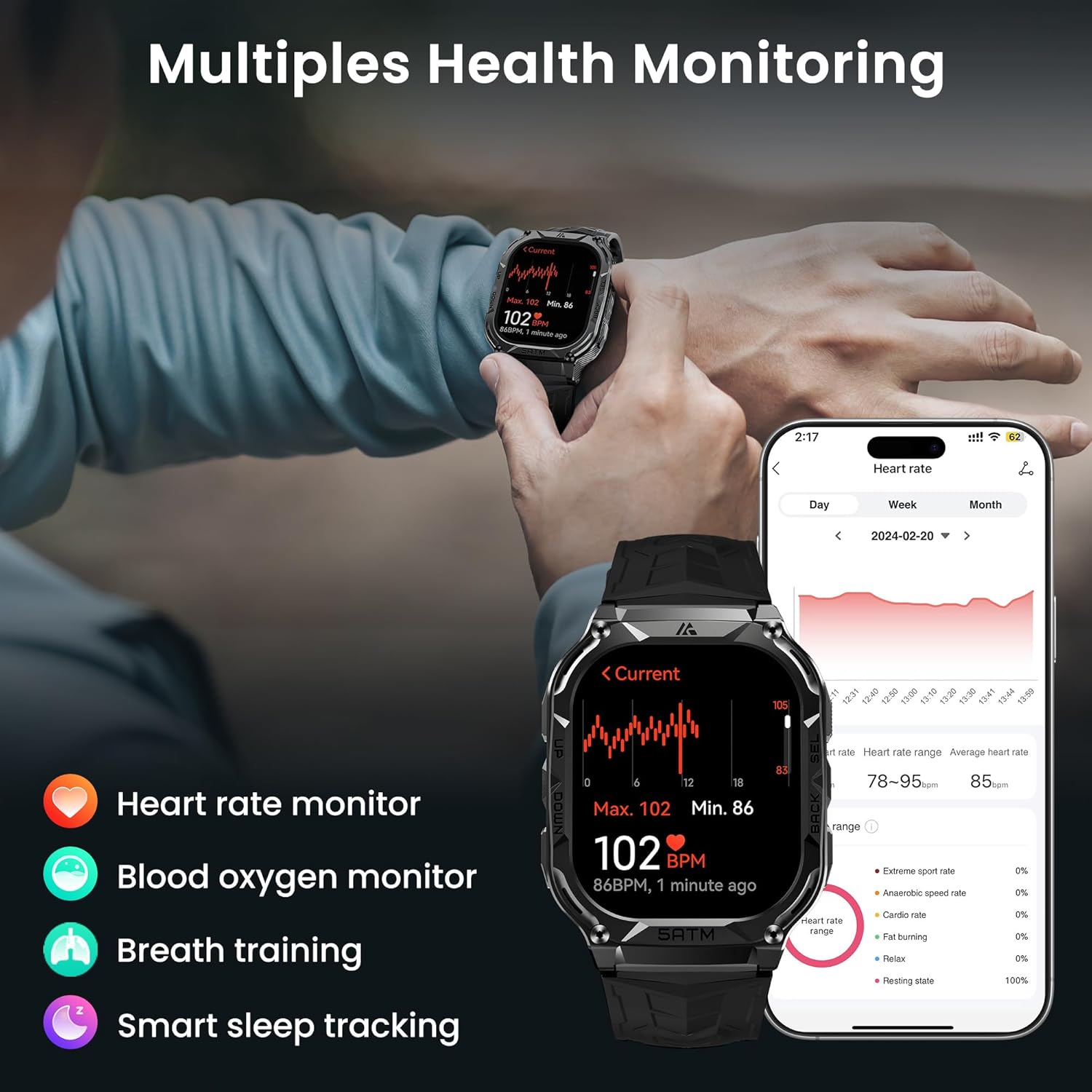
Image: The HIDAMEL M3E Smart Watch displaying various health monitoring features, including heart rate, blood oxygen, breath training, and smart sleep tracking.
Sports Modes
The watch supports over 170 sports modes and features intelligent recognition for 6 common activities, collecting data with precision and accuracy.
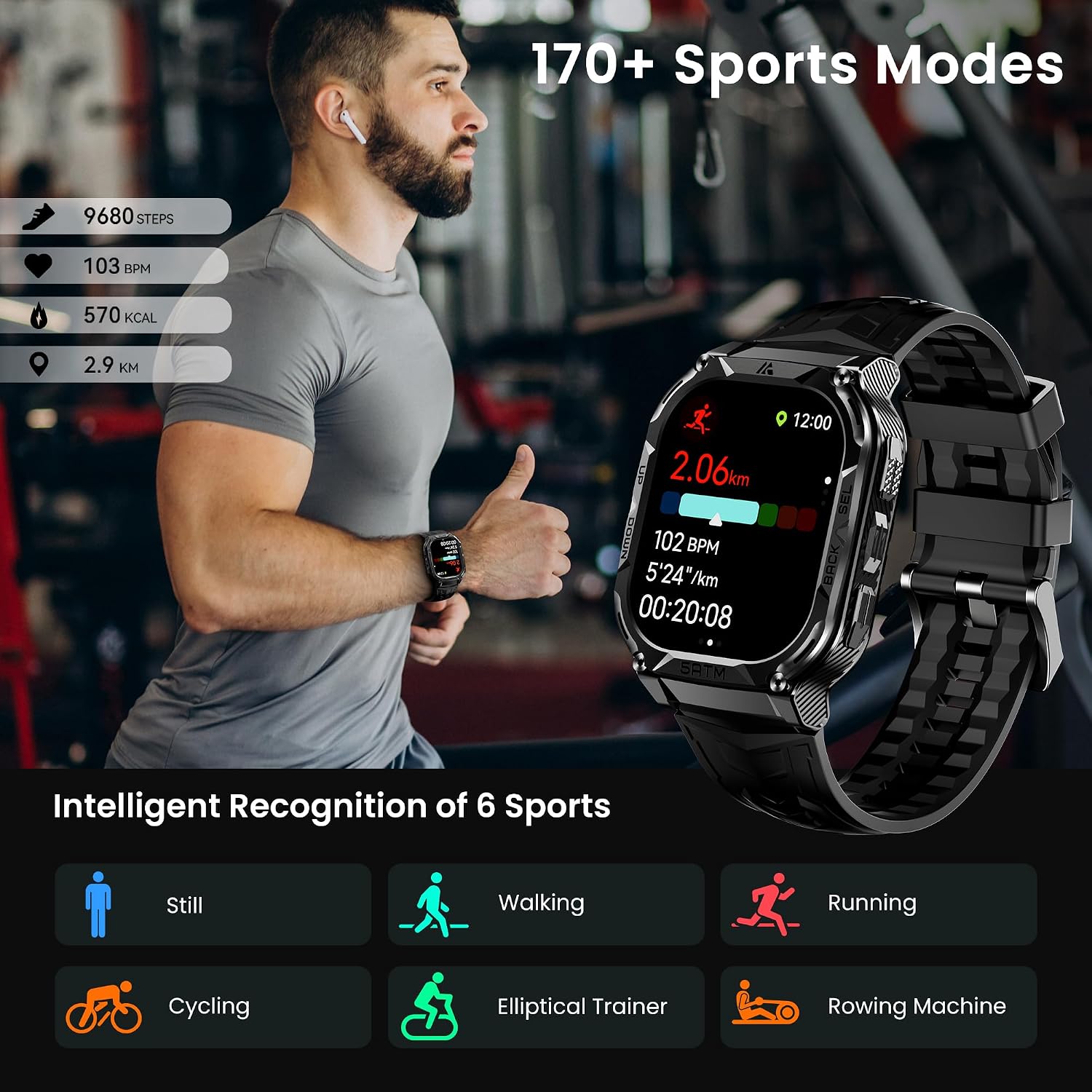
Image: A person exercising with the HIDAMEL M3E Smart Watch, highlighting the 170+ sports modes and intelligent recognition for activities like walking, running, and cycling.
Notifications
Receive notifications from your smartphone directly on your watch. Ensure app permissions are granted for notifications in your phone's settings and the companion app.
Maintenance
Water Resistance
The HIDAMEL M3E Smart Watch has a 5ATM and IP69K water resistance rating, suitable for swimming and exposure to rain. It can be immersed in water up to 50 meters deep.

Image: A person swimming underwater with the HIDAMEL M3E Smart Watch, demonstrating its 5ATM and IP69K water resistance.
Cleaning
Regularly clean your watch and strap with a soft, damp cloth. Avoid using harsh chemicals or abrasive materials.
Battery Care
The watch is equipped with a 480mAh pure cobalt battery, optimized for power efficiency.
- For typical usage, the battery can last 12-15 days.
- In power-saving mode, it can last up to 40 days.
- Heavy usage (e.g., continuous GPS tracking, frequent calls) will reduce battery life to 5-8 days.
- Always-On Display (AOD) mode typically provides 3-5 days of battery life.
- Avoid fully discharging the battery frequently to prolong its lifespan.
Troubleshooting
Watch not turning on
- Ensure the watch is fully charged. Connect it to the charging station for at least 30 minutes.
- Press and hold the power button for 10-15 seconds to attempt a forced restart.
Cannot pair with smartphone
- Ensure Bluetooth is enabled on your smartphone.
- Make sure the watch is within range of your phone.
- Restart both the watch and your smartphone.
- Check the app for any pending updates or specific pairing instructions.
- If previously paired, try unpairing and re-pairing the device.
Inaccurate health data
- Ensure the watch is worn snugly on your wrist, about one finger's width above the wrist bone.
- Clean the sensor on the back of the watch.
- Environmental factors or movement during measurement can affect accuracy.
Short battery life
- Reduce screen brightness.
- Limit the use of power-intensive features like continuous GPS or frequent calls.
- Disable Always-On Display if not needed.
- Close background apps on the watch if applicable.
Specifications
| Feature | Detail |
|---|---|
| Model Number | M3E |
| Display | 1.96-inch AMOLED, 390 x 390 resolution |
| Water Resistance | 5ATM / IP69K (up to 50 meters) |
| GPS | Built-in GPS, 6-satellite positioning systems |
| Battery Capacity | 480mAh Lithium Polymer |
| Connectivity | Bluetooth |
| Compatibility | Android and iOS |
| Sensors | Heart Rate, Blood Oxygen, Compass, Altimeter, Barometer |
| Weight | 0.634 ounces |
| Package Dimensions | 4.29 x 3.86 x 2.28 inches |
Official Product Video
Video: An overview of the HIDAMEL M3E Smart Watch, highlighting its full metal body, GPS capabilities, 6-satellite positioning, built-in compass, barometric altimeter, Corning Gorilla Glass screen, and 5ATM & IP69K waterproof rating.
Warranty and Support
The HIDAMEL M3E Smart Watch comes with a standard manufacturer's warranty. Please refer to the included warranty card for specific terms and conditions. For technical support or service inquiries, please contact HIDAMEL customer service through the contact information provided on the warranty card or the official HIDAMEL website.