
1. Introduction
This user manual provides detailed instructions for the LOUKIENE Wireless Restaurant Pager System, Model LK-F101. This system is designed to streamline customer notification in various service environments such as restaurants, food courts, hotels, hospitals, churches, and food trucks. It features a keypad base and 16 rechargeable pagers, offering reliable communication up to 500 feet.
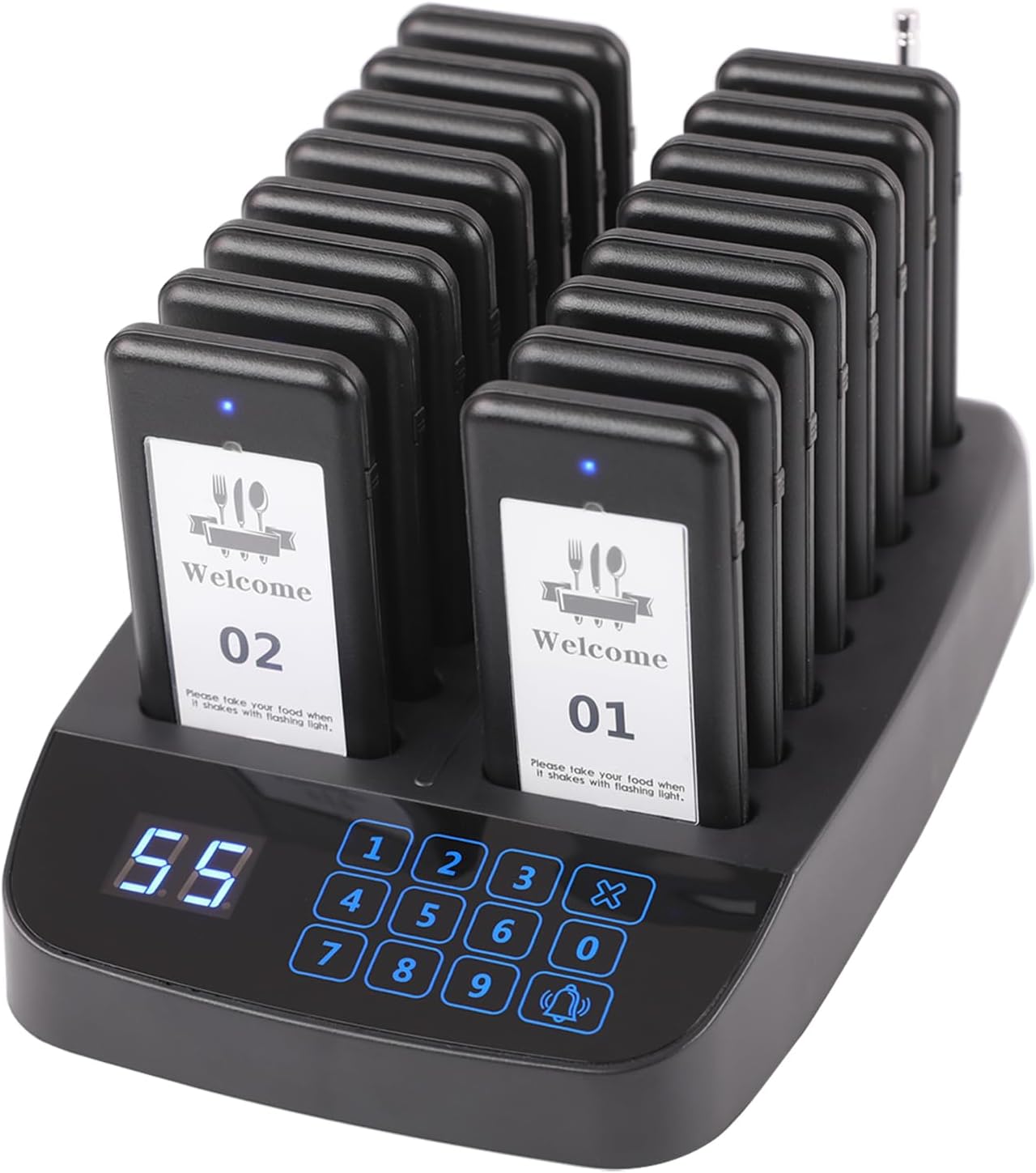
Figure 1: LOUKIENE Wireless Restaurant Pager System (Model LK-F101) showing the main charging base with 16 pagers inserted.
2. Package Contents
Please verify that all items listed below are included in your package:
- 1 x Keypad Transmitter Base
- 16 x Wireless Pagers (Receivers)
- 1 x Power Adapter
- 1 x User Manual
- 16 x Customizable "Welcome" Stickers for Pagers
3. Setup Guide
- Unpacking: Carefully remove all components from the packaging.
- Power Connection: Connect the provided power adapter to the transmitter base and plug it into a standard electrical outlet. The display on the base should illuminate.
- Pager Placement: Place all 16 pagers onto the charging slots of the transmitter base. Ensure each pager is seated correctly. The blue indicator light on each pager should turn on, indicating it is charging.
- Initial Charge: Allow the pagers to charge fully before first use. A full charge typically takes several hours and provides approximately 20 hours of frequent use.
- Pre-paired System: The pagers and transmitter are pre-paired at the factory. No reprogramming is typically required for initial setup.

Figure 2: The pager system is designed for easy setup, with pagers placed on the charging base.
4. Operating Instructions
4.1. Calling Pagers
To call a specific pager, simply enter the pager's number (e.g., 01, 02, ..., 16) on the keypad transmitter base and press the "CALL" button (bell icon). The corresponding pager will activate with its set prompt mode.

Figure 3: Detail of the keypad on the transmitter base for entering pager numbers and initiating calls.
4.2. Prompt Modes
The pagers support two distinct prompt modes to suit different environments:
- Mode 1 (Vibration + Flash + Beep): The duration of this alert can be set from 8 to 40 seconds. This mode is ideal for busy or noisy environments where a strong alert is needed.
- Mode 2 (Vibration + Flash): The duration of this alert is fixed at 40 seconds and cannot be changed. This mode is suitable for quieter settings where a less intrusive alert is preferred.

Figure 4: Illustration of the two available prompt modes for the pagers, including vibration, flash, and beep options.

Figure 5: The mute button located on the side of the pager, which can be pressed to stop the buzzing sound.
4.3. One-Touch Group Shutdown
To instantly power off all pagers currently on the charging base, enter "99" on the keypad and then press the "CALL" button. This feature requires pagers to be pre-paired with the transmitter.
4.4. Changing Transmitter ID (Advanced)
The system supports "One-to-Many" and "Many-to-One" configurations. You can set multiple pagers to the same number to notify them simultaneously, or set multiple keyboards to the same ID to call the same pagers. For detailed instructions on changing the transmitter ID, please refer to the video below.
Video 1: This video demonstrates how to change the transmitter ID for the LOUKIENE Wireless Restaurant Pager System, enabling advanced configurations like multiple transmitters controlling the same pagers.

Figure 6: Visual guide on how to set the individual pager's number, typically done via internal settings or pairing process.

Figure 7: Diagram illustrating the "Many to One" configuration, where multiple transmitters can call the same set of pagers by sharing the same transmitter ID.
5. Maintenance
- Cleaning: Use a soft, dry cloth to clean the transmitter base and pagers. Avoid abrasive cleaners or solvents.
- Water and Oil Resistance: The pagers are designed to be waterproof and oil-proof, making them suitable for restaurant environments. However, avoid submerging them in liquids.
- Battery Care: To prolong battery life, avoid completely draining the pagers' batteries frequently. Recharge them regularly by placing them on the base.
- Sticker Replacement: The pagers feature replaceable "Welcome" stickers. New stickers can be inserted to customize the pager appearance.
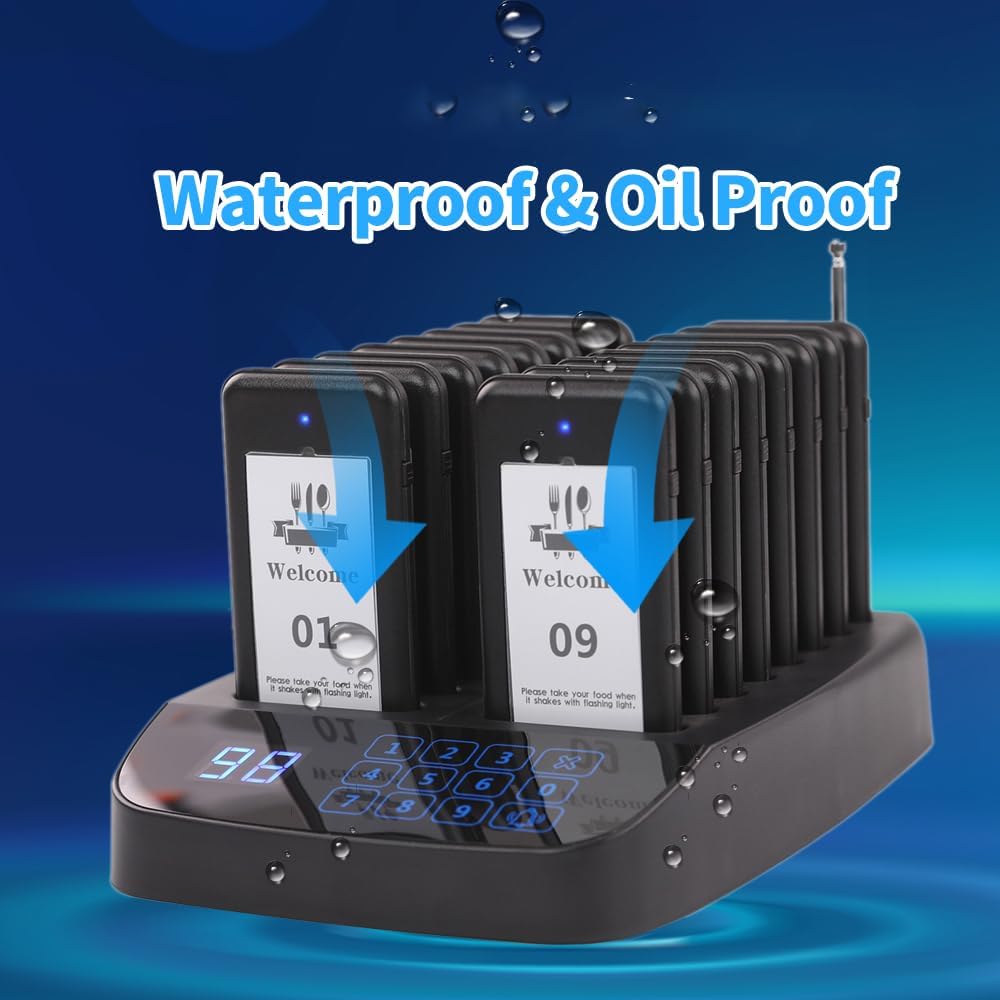
Figure 8: The pager system is designed with waterproof and oil-proof features, indicated by water droplets on the devices.

Figure 9: The pager features a replaceable sticker area, allowing for customization or branding.
6. Troubleshooting
| Problem | Possible Cause | Solution |
|---|---|---|
| Pager not responding to call. | Pager is out of range or battery is low. | Ensure pager is within 500ft range. Place pager on charging base to recharge. |
| Pagers not charging. | Power adapter not connected or faulty. Pagers not seated correctly. | Check power connection to the base. Ensure pagers are properly placed in charging slots. |
| System not powering on. | Power adapter issue or power outlet problem. | Verify power adapter is securely connected and try a different power outlet. |
| Pager alert is too loud/quiet. | Incorrect prompt mode selected. | Adjust the prompt mode settings on the transmitter base as per section 4.2. |
7. Specifications
- Model: LK-F101
- Brand: LOUKIENE
- Product Dimensions: 11 x 7 x 4 inches
- Item Weight: 3.1 pounds
- Range: Up to 500 feet (approx. 150 meters)
- Pagers Included: 16
- Pager Battery: 3.7V/200mAh rechargeable Lithium Ion (included)
- Pager Battery Life: Approximately 20 hours (frequent use)
- Prompt Modes: Vibration, Flash, Buzzer (selectable combinations)
- Power Input (Base): 100V-240V, Output: 9V 1A

Figure 10: Detailed dimensions of the pager system base and an individual pager for reference.

Figure 11: The bottom of the transmitter base, displaying model number (LK-F101) and power specifications.

Figure 12: Illustration of the system's long working distance, capable of reaching up to 300 meters (approximately 984 feet) in open areas.
8. Warranty and Support
LOUKIENE products are designed for durability and performance. For warranty information, technical support, or service inquiries, please contact LOUKIENE customer service through the retailer where the product was purchased or visit the official LOUKIENE website. Please retain your proof of purchase for warranty claims.


