
Product Overview
The SEANCHEER Beauty R1 is a versatile Bluetooth remote control designed to enhance your smartphone and tablet experience. It functions as a remote for TikTok and other short video apps, an e-book page turner, and a camera remote shutter button. Its compact and rechargeable design offers convenience and hands-free control for various digital activities.

Image: The SEANCHEER Beauty R1 Bluetooth Remote Control, a black oval-shaped device with control buttons, shown alongside a smartphone displaying a short video application. This illustrates its primary function for video control.
Product Components
Familiarize yourself with the different parts and buttons of your Beauty R1 remote control:

Image: A detailed diagram of the Beauty R1 remote control, highlighting its various components including the charging port, multi-function button, directional buttons (Up, Down, Left/Volume Up, Right/Volume Down), OK/Pause/Play/Like button, LED indicator light, Camera Shutter button, and ON/OFF switch.
- Charging Port: For connecting the USB-C charging cable.
- Multi-function Button: Used for various controls depending on the application.
- Up/Down Buttons: Primarily for scrolling or navigating.
- Left/Volume Up & Right/Volume Down Buttons: Used for page turning in e-books or adjusting volume.
- OK/Pause/Play/Like Button: Central button for confirming actions, playing/pausing media, or liking content.
- LED Indicator Light: Provides status feedback (e.g., pairing, charging).
- Camera Shutter Button: Dedicated button for triggering the camera.
- ON/OFF Switch: To power the device on or off.
Setup and Pairing
General Pairing Instructions:
- Ensure the remote control is charged.
- Turn on the remote control using the ON/OFF switch. The LED indicator light should blink, indicating it's in pairing mode.
- On your smartphone or tablet, go to Settings > Bluetooth.
- Turn on Bluetooth.
- Look for a device named "Beauty R1" in the list of available devices and tap to connect.
- Once connected, the LED indicator light on the remote will stop blinking and remain solid.
Important Settings for iOS Devices (iOS 14 or above):
For optimal performance with iPhone and iPad, especially for page turning and general navigation, you must enable AssistiveTouch.
- Go to Settings on your iOS device.
- Navigate to Accessibility.
- Tap on Touch.
- Enable AssistiveTouch.

Image: A four-panel image illustrating the steps to enable AssistiveTouch on an iOS device. It shows navigation from Home Screen to Accessibility, then to Touch, and finally toggling AssistiveTouch to the 'On' position.
Note: Enabling AssistiveTouch will display a small circular button on your screen. This is normal and required for the remote's full functionality on iOS.
Operating Instructions
TikTok and Short Video Control:
Control your short video experience hands-free:
- Use the Up and Down buttons to scroll through videos.
- Press the OK button to pause or play a video.
- Double-tap the OK button to "like" a video.

Image: Two individuals in a kitchen setting, one holding a smartphone on a stand displaying a TikTok video, and the other using the remote control to interact with the video, demonstrating hands-free short video browsing.
Page Turner for eBook Apps:
Enjoy reading e-books without touching your screen:
- Use the Left and Right buttons to turn pages forward or backward in compatible e-book applications (e.g., Kindle App, Google Play Books, Marvel Comics App).
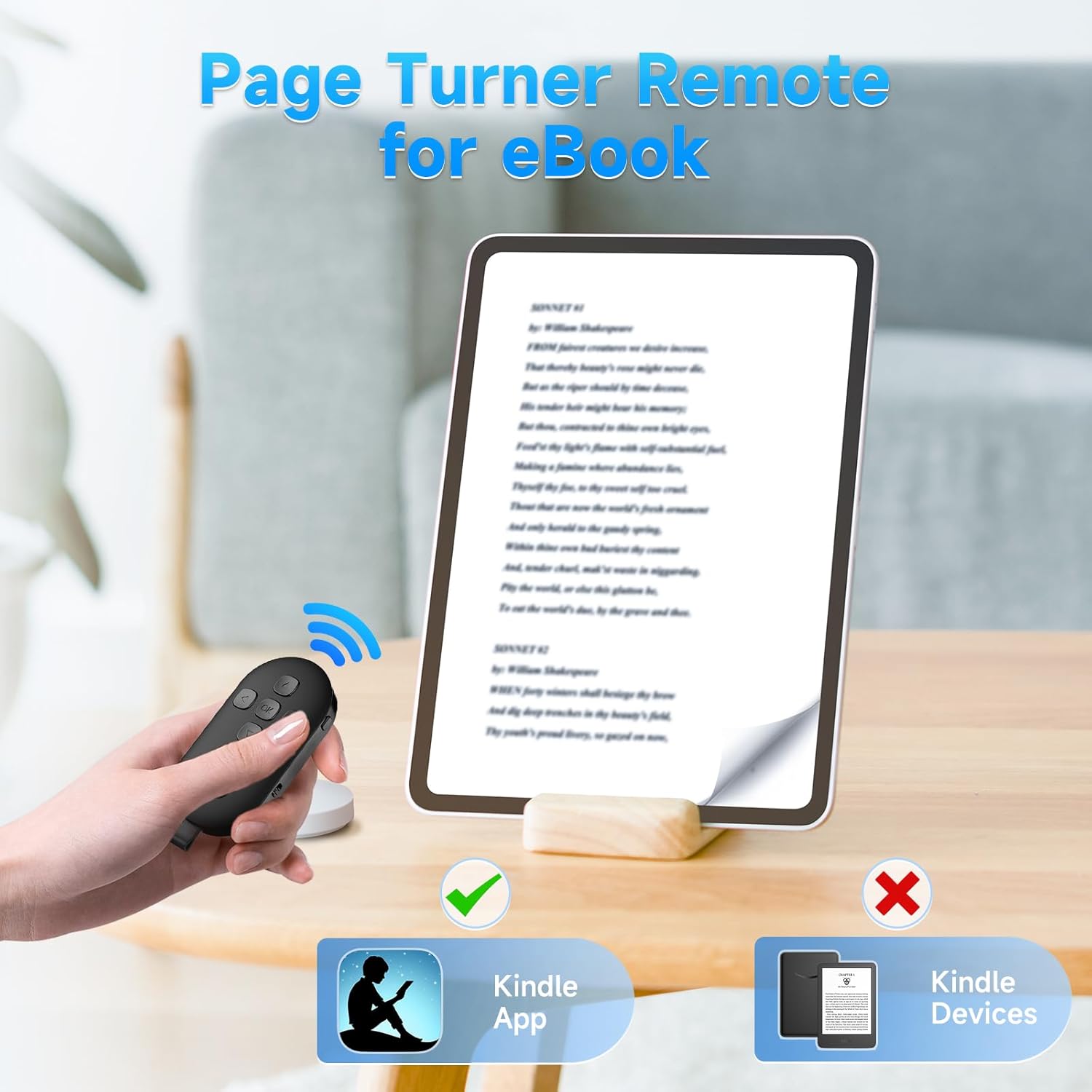
Image: A hand holding the Beauty R1 remote control, pointing towards a tablet displaying an e-book. The image indicates compatibility with Kindle App but not Kindle devices, illustrating its use as a page turner for smartphone and tablet e-book applications.
Camera Remote Shutter Button:
Capture photos and videos remotely:
- Open your smartphone's camera application.
- Press the dedicated Camera Shutter button on the remote to take a photo or start/stop video recording.

Image: A family posing for a photo on a beach, with a smartphone mounted on a selfie stick. A hand holds the Beauty R1 remote control, demonstrating its use as a remote camera shutter button for capturing group photos or selfies.
Official Product Video:
Video: An official product video demonstrating the setup process for iOS devices, how to pair the remote, and its functions as a page turner for e-book apps, a TikTok remote control (scrolling and liking), and a camera remote shutter. It also shows the USB-C charging port and the portability of the device.
Charging
The SEANCHEER Beauty R1 remote control is rechargeable via a USB-C port.
- Connect the provided USB-C cable to the charging port on the remote.
- Plug the other end of the cable into a standard USB power adapter or a computer's USB port.
- The LED indicator light will show the charging status (e.g., red while charging, off when fully charged).
Maintenance
To ensure the longevity and optimal performance of your remote control:
- Keep the device dry and away from extreme temperatures.
- Clean with a soft, dry cloth. Avoid using harsh chemicals or abrasive materials.
- Store in a safe place when not in use to prevent accidental damage or activation.
Troubleshooting
- Remote not connecting/pairing:
- Ensure the remote is charged and powered on.
- Make sure Bluetooth is enabled on your device.
- Forget the device in your Bluetooth settings and try pairing again.
- Ensure the remote is within the effective Bluetooth range of your device.
- Page turning not working on iOS:
- Verify that AssistiveTouch is enabled in your iOS Accessibility settings (Settings > Accessibility > Touch > AssistiveTouch).
- Ensure your iOS system is version 14 or above.
- Buttons not responding:
- Check if the remote is still connected via Bluetooth.
- Recharge the remote if the battery is low.
- Restart both the remote and your connected device.
Specifications
| Feature | Detail |
|---|---|
| Model Number | Beauty R1 |
| Product Dimensions | 1.77 x 0.39 x 2.95 inches |
| Item Weight | 0.776 ounces |
| Batteries | 1 Lithium Ion battery (included) |
| Compatible Devices | iPhone, iPad, Android smartphones and tablets |
| Color | Black |
| Special Feature | Lightweight |
Warranty and Support
SEANCHEER products undergo quality control checks before shipping. If you encounter any issues during transportation or use, please contact our customer service immediately for satisfactory service.
For further assistance, please refer to the contact information provided with your purchase or visit the official SEANCHEER store on Amazon: SEANCHEER Store