
Wigfar V5
Wigfar V5 Bone Conduction Headphones User Manual
Model: V5 | Brand: Wigfar
Introduction
Thank you for choosing Wigfar V5 Bone Conduction Headphones. These headphones are designed to provide a unique audio experience, allowing you to enjoy music while remaining aware of your surroundings. With IPX8 waterproofing and a built-in 32GB MP3 player, they are ideal for various activities including swimming, running, and daily use. This manual will guide you through the setup, operation, and maintenance of your new headphones.

Image: Wigfar V5 Bone Conduction Headphones, showcasing their waterproof design while partially submerged in water.
What's in the Box?
Please check the contents of your package to ensure all items are present:
- 1 x Wigfar V5 Bone Conduction Headset
- 1 x Swimming Earplugs
- 1 x Sponge Earplugs
- 1 x Protective Case for Headphones
- 1 x User Manual (this document)
- 1 x Magnetic Charging Cable
Note: A power adapter is not included. Please use a standard USB power adapter (5V/1A recommended).

Image: An overview of the items included in the Wigfar V5 Bone Conduction Headphones package, showing the headphones, earplugs, case, manual, and charging cable.
Product Overview
Familiarize yourself with the various parts and controls of your Wigfar V5 headphones.

Image: A diagram illustrating the multi-function buttons on both the left and right sides of the Wigfar V5 headphones, along with the charging port, beeping light, and microphone.
Controls:
- Multi-function Left Button:
- Switch MP3 Mode or Bluetooth
- Activate Voice Assistant
- Volume Down (-)
- Previous Song
- Multi-function Right Button:
- Power On/Off
- Pause/Play
- Answer/Hang Up Calls
- Volume Up (+)
- Reject Incoming Call
- Next Song
- Charging Port: Magnetic connection for charging and data transfer.
- Beeping Light: Status indicator.
- Microphone: For calls and voice assistant.
Setup
1. Charging the Headphones
Before first use, fully charge your headphones. The magnetic charging port ensures a secure connection.
- Connect the magnetic charging cable to the charging port on the headphones.
- Connect the USB end of the cable to a USB power adapter (not included) or a computer's USB port.
- The beeping light will indicate charging status. A full charge takes approximately 2 hours.

Image: A close-up view of the magnetic charging port on the Wigfar V5 headphones, highlighting its design for convenient and secure charging.
2. MP3 Mode (Built-in 32GB Memory)
The headphones have a built-in 32GB memory for storing music, allowing you to listen without a connected device, especially useful for swimming.
Uploading Audio Files:
- Download the audio files (MP3, WAV, AAC, WMA, FLAC, APE, M4A, AMR, etc.) to your computer.
- Connect your headphones to your computer using the magnetic charging cable. Your computer will recognize the headphones as a removable hard disk.
- Open the hard disk folder and drag and drop your desired audio files into it.
Note: Some audio files may need conversion to a compatible format.

Image: A visual guide demonstrating the steps to upload audio files to the Wigfar V5 headphones' internal memory via a computer connection.
3. Bluetooth Mode (Wireless Connectivity)
For wireless audio streaming from your smartphone, laptop, or other Bluetooth-enabled devices.
- Ensure the headphones are powered on.
- Press the Multi-function Left Button to switch to Bluetooth mode if currently in MP3 mode. The beeping light will indicate Bluetooth pairing readiness.
- On your device, go to Bluetooth settings and search for "Wigfar V5" (or similar).
- Select the headphones to pair. Once connected, you will hear an audible confirmation.
Note: Bluetooth mode cannot be used underwater. Please switch to MP3 mode when swimming.
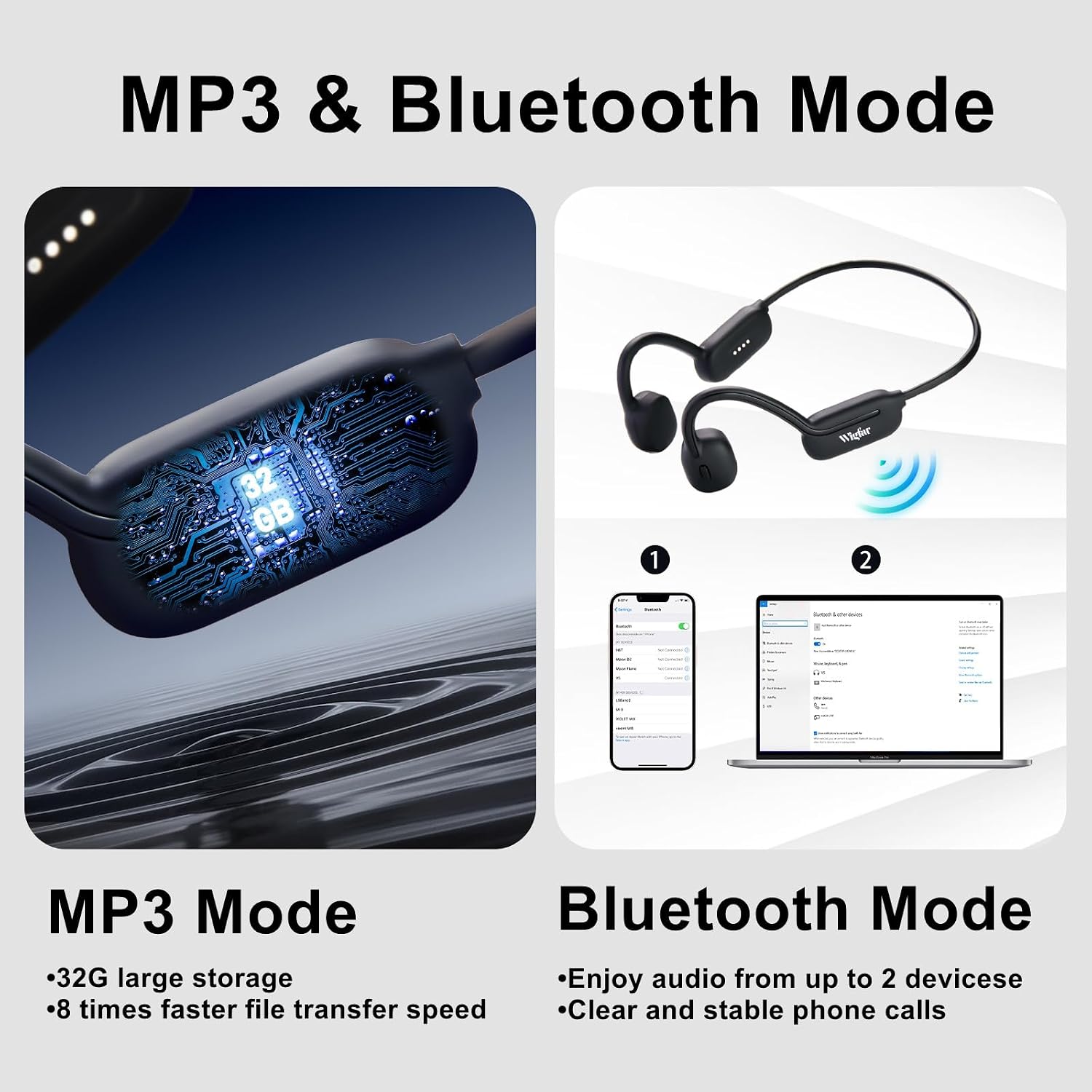
Image: A graphic illustrating the dual functionality of the Wigfar V5 headphones, highlighting both the 32GB MP3 mode for large storage and the Bluetooth mode for wireless connectivity with devices.
Operating Instructions
Power On/Off:
- Power On: Press and hold the Multi-function Right Button until the indicator light turns on.
- Power Off: Press and hold the Multi-function Right Button until the indicator light turns off.
Music Playback:
- Play/Pause: Short press the Multi-function Right Button.
- Next Song: Short press the Multi-function Right Button twice.
- Previous Song: Short press the Multi-function Left Button twice.
- Volume Up: Short press the Multi-function Right Button once.
- Volume Down: Short press the Multi-function Left Button once.
Call Management:
- Answer/End Call: Short press the Multi-function Right Button.
- Reject Call: Press and hold the Multi-function Right Button.
Voice Assistant:
- Activate Voice Assistant: Press and hold the Multi-function Left Button.
Usage Scenarios:
The Wigfar V5 headphones are designed for versatility:
- Swimming: Utilize the built-in MP3 mode for uninterrupted music underwater. The IPX8 waterproof rating ensures durability.
- Running & Daily Use: The open-ear bone conduction design allows you to hear ambient sounds, enhancing safety during outdoor activities and maintaining situational awareness in daily environments.

Image: A woman wearing Wigfar V5 headphones and swimming goggles, enjoying music while in a swimming pool, demonstrating the product's suitability for aquatic activities.
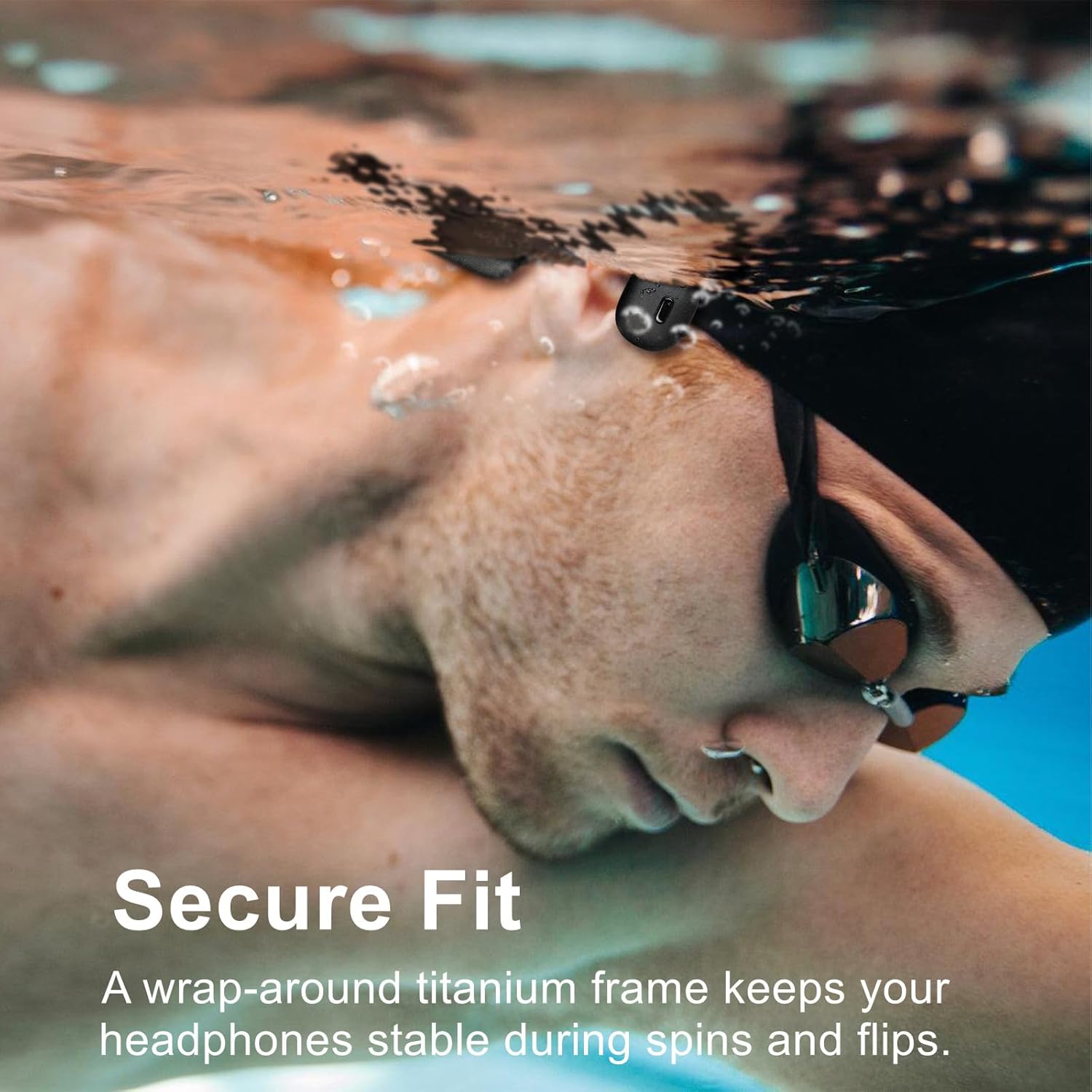
Image: A man swimming underwater with Wigfar V5 headphones, illustrating the secure fit provided by the wrap-around titanium frame, keeping the headphones stable during movement.

Image: A collage showing individuals using Wigfar V5 headphones in different settings, including working, exercising, and cycling, emphasizing the benefit of situational awareness.
Maintenance
Waterproofing Care:
The Wigfar V5 headphones are IPX8 waterproof, suitable for continuous immersion in water. However, proper care is essential to maintain their longevity.
- After use in chlorinated or saltwater, rinse the headphones with fresh water.
- Wipe the headphones dry with a soft cloth before charging or storing.
- Ensure the charging port is completely dry before connecting the magnetic charging cable to prevent corrosion.
- Avoid exposing the headphones to extreme temperatures or harsh chemicals.

Image: Wigfar V5 headphones with water splashing around them, visually representing their IPX8 waterproof, sweatproof, and rainproof capabilities, suitable for swimming.
Cleaning:
- Use a soft, damp cloth to clean the surface of the headphones.
- Do not use abrasive cleaners or solvents.
Troubleshooting
| Problem | Possible Cause | Solution |
|---|---|---|
| Headphones won't turn on/charge. | Low battery; charging cable not properly connected; faulty cable/adapter. | Ensure the magnetic charging cable is securely connected and the charging port is dry. Try a different USB power source or adapter. Allow 2 hours for a full charge. |
| No sound or low volume. | Volume too low; headphones not paired (Bluetooth); wrong mode (MP3/Bluetooth); audio file issue (MP3). | Increase volume on both headphones and connected device. Re-pair Bluetooth. Switch to the correct mode. Ensure MP3 files are compatible and not corrupted. |
| Bluetooth connection unstable or drops. | Too far from device; interference; low headphone battery. | Keep headphones within 10 meters of the device. Avoid strong electromagnetic interference. Charge headphones fully. |
| Cannot upload files to MP3 mode. | Cable not connected properly; driver issue; incompatible file format. | Ensure the magnetic cable is firmly connected to both headphones and computer. Try a different USB port. Convert audio files to supported formats (MP3, WAV, etc.). |
| Sound cuts out underwater. | Using Bluetooth mode underwater. | Bluetooth signals do not transmit well through water. Always switch to MP3 mode when using the headphones for swimming. |
Specifications
| Feature | Detail |
|---|---|
| Model Name | V5 |
| Connectivity Technology | Wireless (Bluetooth) |
| Wireless Communication Technology | Bluetooth 5.3 |
| Water Resistance Level | IPX8 Waterproof |
| Built-in Memory | 32GB (for MP3 mode) |
| Audio Driver Type | Bone Conduction Driver |
| Control Type | Touch Control |
| Battery Capacity | 150 mAh |
| Play Time | Up to 8 hours |
| Charge Time | Approx. 2 hours |
| Standby Time | Up to 7 days |
| Frequency Range | 20 Hz to 20,000 Hz |
| Material | Plastic, Silicone |
| Item Weight | 7 ounces (0.2 Kilograms) |
| Product Dimensions | 6.65 x 4.41 x 2.13 inches |

Image: A graphic detailing the battery specifications of the Wigfar V5 headphones, including 150 mAh capacity, 8 hours play time, 2 hours charge time, and 7 days long standby.
Warranty and Support
Wigfar is committed to providing high-quality products. For any issues or questions regarding your V5 Bone Conduction Headphones, please refer to the following:
- Customer Service: For support, please contact Wigfar customer service through the platform where you purchased the product.
- Warranty Information: Specific warranty details may vary by region and retailer. Please retain your proof of purchase for any warranty claims.
- Online Resources: Visit the official Wigfar store on Amazon for additional product information and updates: Wigfar Amazon Store.
Related Documents - V5
 |
Wigfar X57 Bone Conduction Headphones User Guide Comprehensive user guide for the Wigfar X57 Bone Conduction Headphones, covering setup, operation, charging, safety precautions, and specifications. |
 |
Wigfar Open Ear Headphones User Manual and Features Comprehensive guide to Wigfar Open Ear Headphones (Model NM01), covering setup, usage, parameter configuration, packaging, precautions, and after-sales service. Learn how to pair, control, and maintain your true wireless Bluetooth earbuds. |
 |
HIFI WALKER T10 Air Bone Conduction Headphones User Manual User manual for the HIFI WALKER T10 Air Bone Conduction Bluetooth Headphones, detailing setup, operation, specifications, and maintenance. |
 |
X6 Bone Conduction Headphones | IPX8 Waterproof MP3 Player Discover the X6 Bone Conduction Headphones, featuring IPX8 waterproofing, 32GB MP3 storage, and Bluetooth 5.3 for immersive underwater audio. Ideal for swimming, surfing, and running. |
 |
HONGNIX X2 Bone Conduction Headphones User Manual User manual for HONGNIX X2 bone conduction headphones. This guide details charging procedures using a DC 5V adapter, explaining the LED indicators for charging status. It also identifies and describes the device's control buttons: Control Button, Plus Button (+), Minus Button (-), and the Multi-Function Button (MFB), along with the charging port. The document includes Italian translations for these terms. Key features of the HONGNIX X2 include Bluetooth 5.3 connectivity, IP68 waterproofing, and 32GB of internal memory for MP3 playback, making them suitable for swimming, running, and gym activities. |
 |
X34 Bone Conduction Headphones User Guide Comprehensive user guide for the X34 bone conduction headphones, including pairing instructions, charging, controls, and safety precautions. |
Ask a question about this manual
Ask about setup, troubleshooting, compatibility, parts, safety, or missing instructions. Manuals+ will review the question and use this page’s manual context to help answer it.