Introduction
This manual provides essential instructions for the installation, operation, and maintenance of your Philips 1000 Series Fingerprint Touchscreen Electronic Deadbolt. Please read this manual thoroughly before installation and use to ensure proper function and safety.
The Philips 1000 Series Electronic Deadbolt offers multiple access methods, including fingerprint recognition, PIN codes, and traditional mechanical keys, designed for convenient and secure home access.
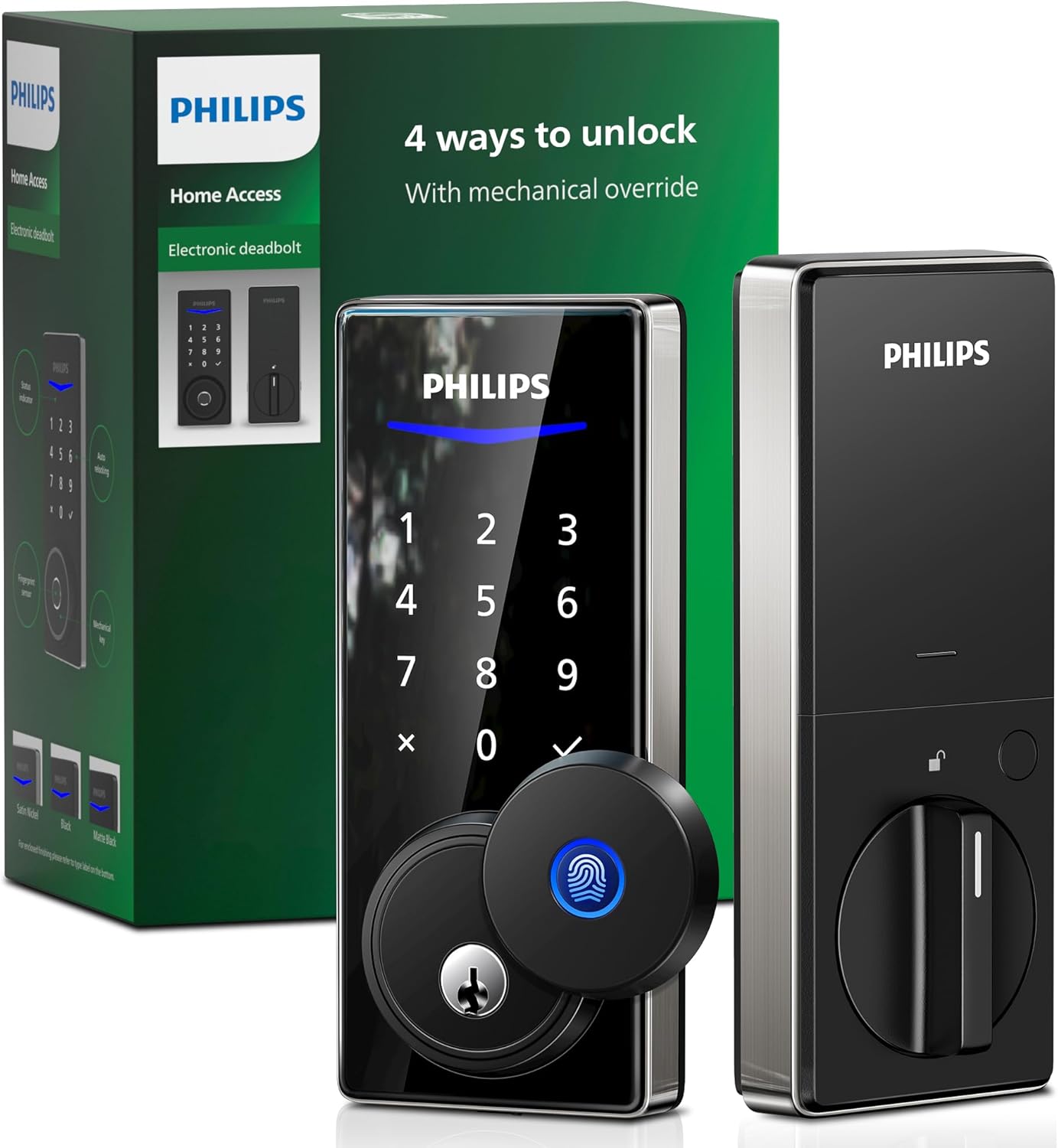
Image: Philips 1000 Series Fingerprint Touchscreen Electronic Deadbolt, showing the exterior and interior units, along with the product packaging highlighting the 4 ways to unlock feature.
Safety Information
- Do not attempt to disassemble or modify the lock. This may void the warranty and compromise security.
- Use only specified AA alkaline batteries. Do not mix old and new batteries or different types of batteries.
- Keep mechanical keys in a secure location outside the property, accessible only to trusted individuals.
- Avoid exposing the lock to direct sunlight, rain, or extreme temperatures for prolonged periods.
- Regularly check the battery level and replace batteries when the low battery alert is activated.
Package Contents
Please verify that all components are present before beginning installation. Refer to the product packaging for a detailed list of included items.
- Exterior Deadbolt Assembly
- Interior Deadbolt Assembly
- Deadbolt Latch
- Strike Plate
- Mounting Hardware
- Mechanical Keys (2)
- AA Alkaline Batteries (4)
- Installation Guide (separate document)
Setup and Installation
For detailed installation instructions, please refer to the dedicated Installation Guide included with your product. This section provides a general overview.
Battery Installation
- Remove the battery cover from the interior deadbolt assembly.
- Insert four (4) AA alkaline batteries, ensuring correct polarity (+/-).
- Replace the battery cover. The lock will typically emit a sound or light up to indicate power.
Initial Programming
After installation and battery insertion, follow the instructions in the Installation Guide to set up your initial administrator PIN code and register fingerprints. This is crucial for securing your lock.
Operating Instructions
Waking Up the Keypad
To activate the touchscreen keypad, place your palm over the lock's surface. The numbers will illuminate.
Unlocking Methods
The Philips 1000 Series Deadbolt offers four primary ways to unlock your door:
1. Fingerprint Recognition
Register up to 50 unique fingerprints for quick and secure access.
- Wake up the keypad.
- Place your registered finger on the fingerprint sensor.
- The lock will unlock if the fingerprint is recognized.

Image: A hand placing a finger on the fingerprint sensor of the Philips 1000 Series Electronic Deadbolt, illustrating the fingerprint unlock method.
2. PIN Code Entry
Store up to 20 unique PIN codes for family members and regular users.
- Wake up the keypad.
- Enter your registered PIN code.
- Press the checkmark (✓) button to confirm.
- The lock will unlock if the PIN code is correct.

Image: A hand touching the numerical keypad on the Philips 1000 Series Electronic Deadbolt, demonstrating PIN code entry.
3. Mechanical Key Override
Use the provided mechanical keys as a backup in case of battery depletion or electronic malfunction.
- Slide the fingerprint sensor cover to reveal the keyhole.
- Insert the mechanical key and turn to unlock.

Image: A hand inserting a mechanical key into the keyhole of the Philips 1000 Series Electronic Deadbolt, showing the manual override option.
4. One-Time PIN Code (Remote Generation)
Generate unlimited one-time PIN codes for visitors or temporary access. This feature typically requires a connected smart home system or app (refer to specific app instructions if applicable).
- Access the lock's associated mobile application (if available).
- Follow the app's instructions to generate a one-time PIN code.
- Provide the generated code to the visitor.
- The visitor enters the code on the lock's keypad, followed by the checkmark (✓) button.
Auto-Lock Function
The deadbolt can be configured to automatically lock after a set period once the door is closed. Refer to the programming instructions in your Installation Guide to enable or disable this feature and adjust the delay time.
Security Features
- Lockout Alarm: An alarm will sound after multiple incorrect entry attempts.
- Away Mode: Activates enhanced security features when you are away, such as disabling interior unlocking or triggering an alarm upon internal movement (refer to programming guide for details).
- Privacy Mode: Prevents external access attempts when activated from the interior.
Maintenance
Battery Replacement
The lock will provide a low battery alert when power is running low. Replace all four AA alkaline batteries promptly to avoid being locked out. Follow the battery installation steps outlined in the Setup section.
Cleaning
Clean the lock's exterior with a soft, dry cloth. Do not use abrasive cleaners, solvents, or chemical sprays, as these can damage the finish and electronic components.
Troubleshooting
| Problem | Possible Cause | Solution |
|---|---|---|
| Lock does not respond. | Dead batteries. | Replace all four AA alkaline batteries. Use mechanical key for access. |
| Fingerprint not recognized. | Finger not properly placed; unregistered fingerprint; dirty sensor. | Ensure finger covers the sensor completely. Re-register fingerprint if needed. Clean sensor with a soft cloth. |
| PIN code not working. | Incorrect PIN entered; unregistered PIN; keypad not active. | Wake up keypad. Verify PIN code. Re-enter PIN code carefully. |
| Auto-lock not engaging. | Feature disabled; door not fully closed. | Check programming settings to ensure auto-lock is enabled. Ensure door is completely closed and latched. |
If you encounter issues not listed here, please refer to the full troubleshooting section in your Installation Guide or contact Philips customer support.
Specifications
| Feature | Detail |
|---|---|
| Model Number | DDL210C-1H-SN |
| Brand | PHILIPS |
| Lock Type | Electronic Deadbolt |
| Unlocking Methods | Fingerprint, PIN Code, Mechanical Key, One-Time PIN Code |
| Fingerprint Capacity | Up to 50 |
| PIN Code Capacity | Up to 20 |
| Power Source | 4 x AA Alkaline Batteries |
| Battery Life | Approximately 1 year (depending on usage) |
| Material | Metal |
| Color | Nickel |
| Dimensions (L x W x H) | 6.9 x 16 x 3.3 cm |
| Item Weight | 1.87 kg |
| Special Features | Alarm, Auto-Lock, Fingerprint, Touchscreen |
Warranty and Support
For warranty information and customer support, please refer to the warranty card included with your product or visit the official Philips website. Keep your purchase receipt as proof of purchase.
For further assistance, you may contact Philips customer service through their official channels. Visit the Philips Store on Amazon for product information and support resources.


