
Xiaomi Xiaomi
Xiaomi Mi Air Purifier 4 Compact Instruction Manual
Model: Xiaomi
Introduction
The Xiaomi Mi Air Purifier 4 Compact is designed to provide clean and fresh air in your home or office. Featuring a True HEPA H13 3-Stage Filter System, it efficiently removes airborne pollutants, ensuring a healthier environment. Its compact design allows for easy placement on tabletops or floors, and its quiet operation makes it suitable for any room, including bedrooms.

Image: The Xiaomi Mi Air Purifier 4 Compact, a sleek, white cylindrical device with a perforated lower section and a control panel on top. A hand holding a smartphone with the Mi Home app is shown next to it, demonstrating smart control capabilities.
Setup
Unboxing and Initial Placement
Carefully remove the air purifier and its accessories from the packaging. The compact design makes it lightweight and easy to move, suitable for various locations such as tabletops or floors.

Image: A woman placing the compact air purifier on a kitchen counter, highlighting its small footprint and ease of placement.
Power Connection
Connect the provided power adapter to the air purifier and then plug it into a suitable power outlet. Ensure the connection is secure.
Filter Installation
Before first use, ensure the filter is properly installed. The filter is located at the bottom of the unit. Rotate the base counter-clockwise to unlock, remove the filter, remove any protective packaging from the filter, and then re-insert it. Rotate the base clockwise to lock it back into place.
Video: A demonstration of unboxing the Xiaomi Smart Air Purifier 4 Compact, including removing the protective plastic from the filter and re-installing it before connecting the power cable. This video is provided by the seller.
Operating Instructions
OLED Touch Display
The air purifier features an intuitive OLED touch display on its top panel for real-time air quality monitoring and control. The display shows air quality indicators, mode settings, Wi-Fi status, and child lock status.

Image: A close-up view of the air purifier's top OLED touch display, showing icons for power, mode switch, light adjustment, Wi-Fi, and child lock, along with an air quality indicator.
Operating Modes
The air purifier offers multiple operating modes to suit your needs:
- Automatic Mode: The purifier automatically adjusts its fan speed based on real-time air quality readings.
- Sleep Mode: Operates at a whisper-quiet 20dB, with the screen light dimmable or turnable off, ensuring undisturbed sleep.
- Manual Mode: Allows you to manually select the desired fan speed.

Image: The air purifier placed in a bedroom next to a sleeping child, illustrating its 20dB ultra-quiet operation in sleep mode.
Smart Control
Control your air purifier remotely using the Mi Home App or Xiaomi Home App. It also supports voice control functions with Alexa and Google Assistant (requires a smart voice device). The app allows you to turn the device on/off, change settings, and monitor filter life from anywhere.

Image: A person using a smartphone to control the air purifier via the Mi Home app, with logos indicating compatibility with Mi Home, Ok Google, and Alexa.
Maintenance
Filter Replacement
The 3-in-1 filter system is designed for long-lasting performance, with a lifespan of up to 12 months. The device will remind you when it's time to replace the filter. To replace, simply rotate and pull out the bottom section of the purifier to access the filter cartridge.

Image: An illustration showing the triple-layer filtration system, highlighting its effectiveness against pet hair, pollen, smoke, pet odors, dust, wildfire ash, cooking fumes, and other odors.
PM2.5 Sensor
The integrated Particulate Matter (PM2.5) sensor provides real-time sensing of changes in air quality, allowing the purifier to respond effectively to environmental conditions.
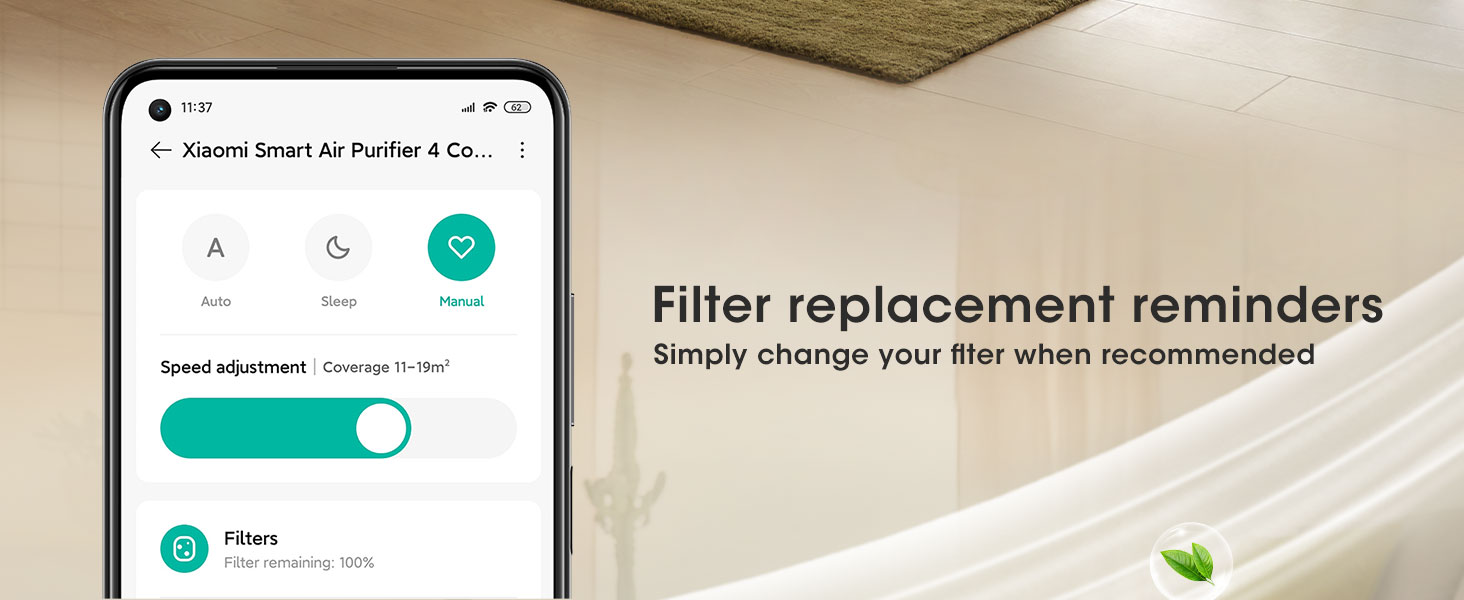
Image: A cutaway view of the air purifier showing the internal particulate matter sensor, emphasizing its real-time air quality sensing capability.
Troubleshooting
If you encounter any issues with your Xiaomi Mi Air Purifier 4 Compact, please refer to the following common solutions:
- Device not turning on: Ensure the power cable is securely connected to both the purifier and the power outlet. Check if the power outlet is functional.
- Poor purification performance: Check the filter life indicator on the OLED display or in the Mi Home App. Replace the filter if it's nearing the end of its lifespan. Ensure the air inlets and outlets are not obstructed.
- Unusual noise: Verify that the filter is correctly installed and locked into place. Check for any foreign objects inside the unit.
- App connectivity issues: Ensure your Wi-Fi network is stable and the purifier is within range. Restart the purifier and your router if necessary. Follow the app's instructions for re-pairing the device.
For persistent issues, please contact Xiaomi customer support.
Specifications
| Feature | Detail |
|---|---|
| Product Dimensions | 1 x 1 x 1 inches; 6.6 Pounds |
| Floor Area Coverage | 517 Square Feet |
| Noise Level | 20 dB (in sleep mode) |
| Controller Type | Touch Control |
| Wattage | 27 watts (maximum output) |
Warranty and Support
For warranty information and customer support, please refer to the documentation included with your product or visit the official Xiaomi website. You can also find additional support and FAQs on the Xiaomi Store page on Amazon.
Ask a question about this manual
Ask about setup, troubleshooting, compatibility, parts, safety, or missing instructions. Manuals+ will review the question and use this page’s manual context to help answer it.