
1. Introduction
This manual provides essential instructions for the safe and effective use of your Dexpt 26V Replacement Charger. Please read this manual thoroughly before use to ensure proper operation and compatibility with your JASHEN D18 or Vactidy Blitz V9/V8 cordless vacuum cleaner.
2. Product Overview
The Dexpt 26V Replacement Charger is designed to provide reliable power to compatible cordless vacuum cleaners. It features a compact design for easy portability and storage.
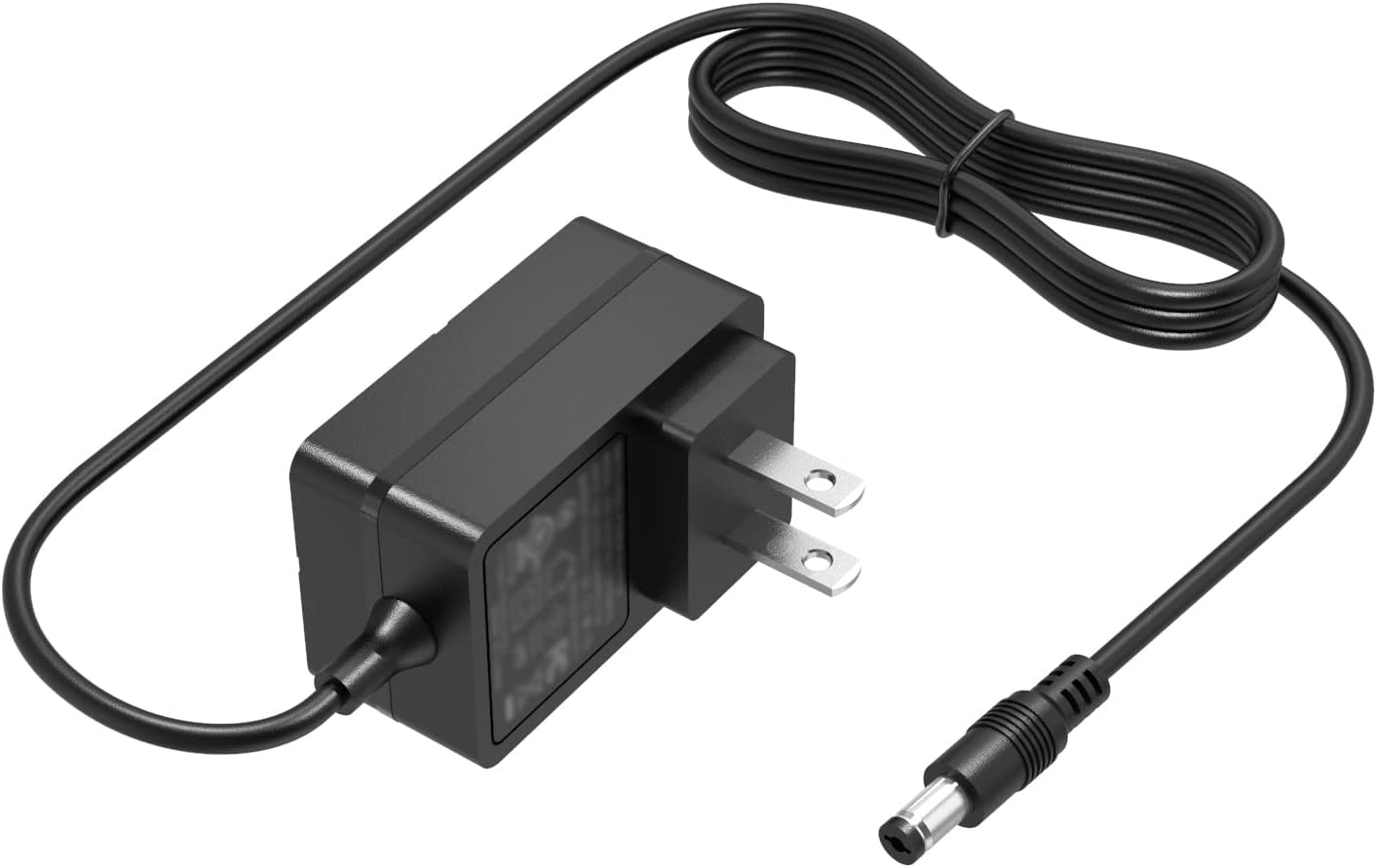
Image 1: The Dexpt 26V Replacement Charger, showing the power adapter block, attached cable, and round tip DC connector.
Package Contents:
- 1 x Dexpt 26V Replacement Power Adapter
3. Compatibility
This charger is specifically designed for use with the following cordless vacuum cleaner models:
- JASHEN D18
- Vactidy Blitz V9
- Vactidy Blitz V8
It is compatible with vacuum cleaners requiring 22.2V or 21.6V input and a round tip DC connector.
Verifying Compatibility:
- Check the Charging Port: Ensure your vacuum cleaner has a round tip DC charging port. This charger is not compatible with USB-C or other connector types.
- Check Power Specifications: Locate the power information label on your vacuum cleaner. Verify that the required input voltage is approximately 22.2V, 21.6V, or 26V, and the current draw is within the charger's capacity (1A).

Image 2: Illustration showing the correct round tip DC port and an incorrect USB-C port for charger compatibility.

Image 3: A visual guide demonstrating how to check the charging port and power specifications (Volts, Amps) on a cordless vacuum cleaner for compatibility with the charger.
Warning: Do not use this charger with devices that have a rated power exceeding 26W or incompatible connector types. Using an incorrect charger can damage your device or pose a safety risk.
4. Setup and Operation
- Connect to Vacuum: Insert the round tip DC connector of the charger into the charging port of your JASHEN D18, Vactidy Blitz V9, or Vactidy Blitz V8 cordless vacuum cleaner.
- Connect to Power Outlet: Plug the charger's AC adapter into a standard 100-240V wall outlet.
- Charging Indication: Your vacuum cleaner should indicate that it is charging (e.g., an indicator light). Refer to your vacuum cleaner's manual for specific charging indicators.
- Charging Completion: Once the vacuum cleaner battery is fully charged, disconnect the charger from both the vacuum and the wall outlet.

Image 4: A cordless vacuum cleaner connected to the Dexpt charger, plugged into a wall outlet, demonstrating the charging process.
5. Specifications
| Feature | Specification |
|---|---|
| Model Number | RSF-DY115B-2601000US |
| Input Voltage Range | 100-240V AC |
| Output | 26V 1A (26W Max) |
| Connector Type | Round Tip DC Connector |
| Package Dimensions | 4.65 x 2.72 x 1.81 inches |
| Item Weight | 4.4 ounces |

Image 5: The compact design of the Dexpt charger, shown next to a smartphone for scale, highlighting its small dimensions (2.25 inches x 1.3 inches).
6. Safety Information
- Use only with compatible devices as specified in this manual.
- Do not expose the charger to water, moisture, or extreme temperatures.
- Avoid dropping or subjecting the charger to severe impact.
- Do not attempt to disassemble or repair the charger. Contact support if damaged.
- Ensure proper ventilation when charging; do not cover the charger.
- Keep out of reach of children.
- Unplug the charger from the wall outlet when not in use or during electrical storms.
7. Troubleshooting
Charger Not Working / Device Not Charging:
- Verify Compatibility: Double-check that your vacuum cleaner model (JASHEN D18, Vactidy Blitz V9, V8) and its power requirements (voltage, connector type) match the charger's specifications. Refer to Section 3.
- Check Connections: Ensure the charger is securely plugged into both the vacuum cleaner and a functional wall outlet.
- Test Outlet: Try plugging another device into the wall outlet to confirm it is supplying power.
- Inspect Charger: Check the charger cable and adapter for any visible damage. Do not use if damaged.
- Vacuum Cleaner Issue: The issue might be with the vacuum cleaner's battery or charging port, not the charger. Consult your vacuum cleaner's manual.
8. Warranty and Support
Dexpt provides the following guarantees for this product:
- 30-Day Replacement Guarantee: Within 30 days of purchase, we offer a no-questions-asked replacement.
- 360-Day Quality Guarantee: A 360-day quality guarantee is provided by the manufacturer.
For technical support or warranty claims, please contact Dexpt customer service. Please have your purchase information and product model number (RSF-DY115B-2601000US) ready.

Image 6: An illustration depicting customer support services, highlighting 30-day refund, 365-day replacement policy, and 24-hour technical support.