
1. Introduction
This manual provides essential information for the safe and effective operation of your Bonvenon Professional Hanging Swirl Confetti Machine, Model MK-CN08. Please read this guide thoroughly before installation and use to ensure proper function and longevity of the device. This machine is designed to create a swirling confetti effect for various event settings.
2. Safety Information
Always adhere to the following safety precautions to prevent injury or damage to the equipment:
- Ensure the machine is securely mounted using the included safety rope and appropriate rigging hardware.
- Do not operate the machine near flammable materials or liquids.
- Keep hands and foreign objects away from the confetti output area during operation.
- Disconnect power before performing any maintenance or loading confetti.
- Operate only with the specified voltage (AC 220V 50HZ).
- This device is intended for professional use. Ensure trained personnel handle installation and operation.
3. Package Contents
Verify that all items are present in the package:
- Bonvenon Confetti Machine (Model MK-CN08)
- Remote Control
- Safety Rope
- Power Cable
- Signal Cable (DMX)
- Instruction Manual

Image: Contents of the Bonvenon Confetti Machine package, including the machine, remote, cables, and manual.
4. Product Overview
The Bonvenon MK-CN08 is a professional hanging swirl confetti machine designed for large-area coverage. It features a robust motor for consistent confetti dispersion and multiple control options.
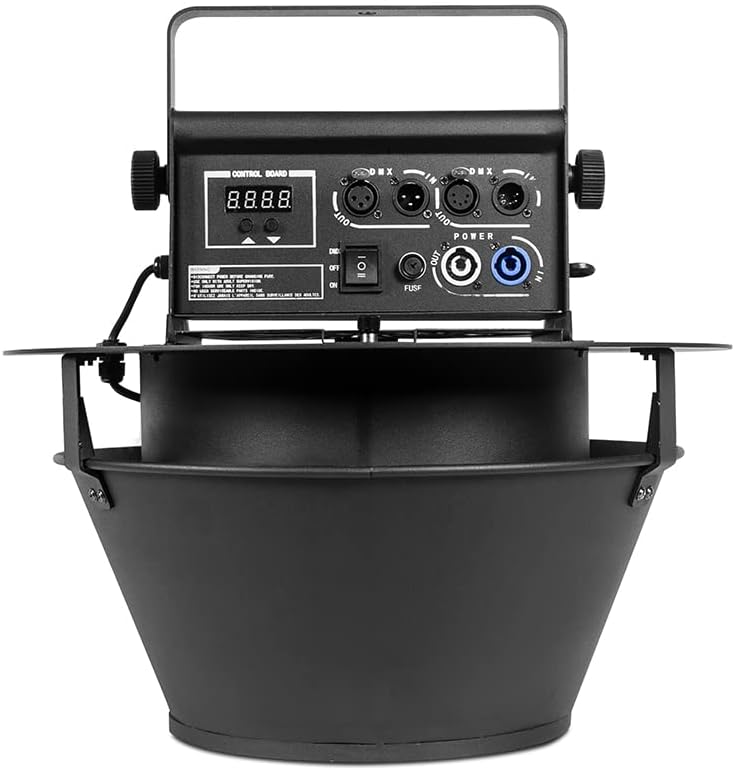
Image: Front view of the Bonvenon Confetti Machine, highlighting the control panel and confetti output.
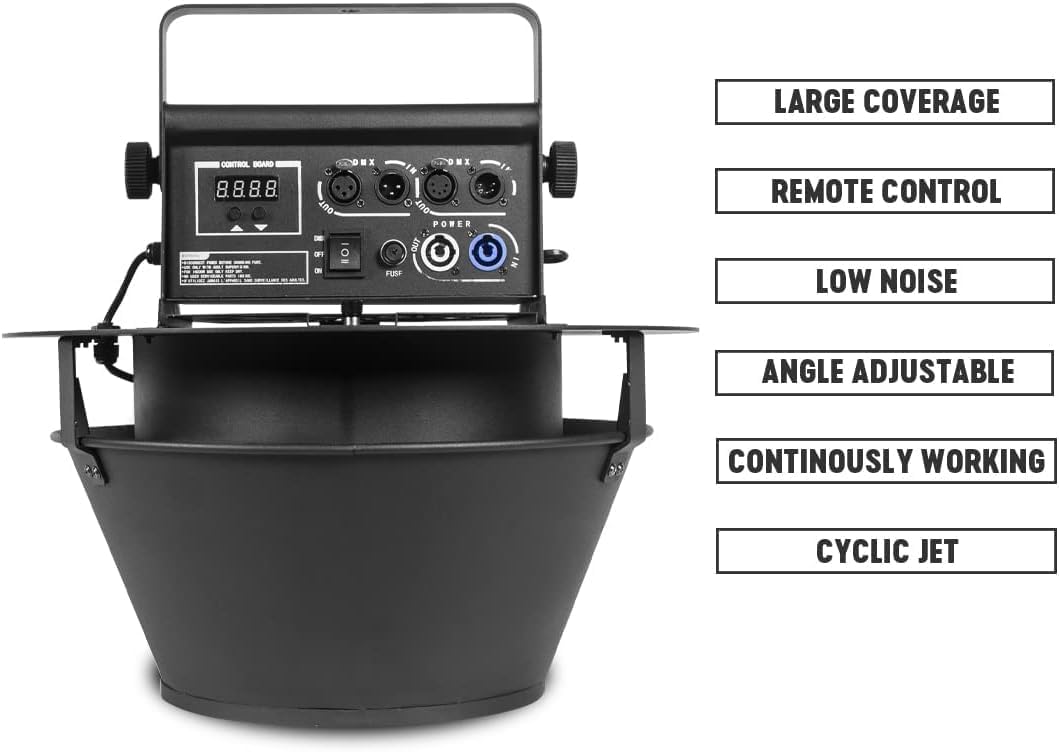
Image: Key features of the confetti machine, including large coverage, remote control, low noise, adjustable angle, continuous working, and cyclic jet.
Video: Demonstration of the Bonvenon Swirl Confetti Machine in operation, showing confetti dispersion from two units in a studio setting.
5. Setup
Follow these steps for initial setup:
- Mounting: Securely hang the confetti machine at the desired height using the integrated hanging bracket and safety rope. Ensure the mounting point can support the machine's weight (approximately 9.55 kg).
- Loading Confetti:

Image: Visual guide for loading confetti. Unscrew the knob and open the top cover to place confetti into the machine.
- Unscrew the knob on the top cover.
- Open the top cover.
- Carefully place up to 1 KG (approximately 2.2 lbs) of confetti or petals into the machine's reservoir. The machine can hold up to 3 lbs of petals or colored paper at a time.
- Close the top cover and secure the knob.
- Power Connection: Connect the power cable to the machine's power input and then to a suitable power outlet (AC 220V 50HZ).
- DMX Connection (Optional): If using DMX control, connect a DMX signal cable from your DMX controller to the DMX IN port on the machine. For multiple units, daisy-chain from DMX OUT to the next machine's DMX IN.
6. Operating Instructions
The Bonvenon Confetti Machine offers both remote and DMX control options.
6.1. Remote Control Operation
The included remote control allows for basic ON/OFF functionality.
- Ensure the machine's power switch is in the 'ON' position.
- Press the 'ON' button on the remote to start confetti dispersion.
- Press the 'OFF' button to stop the confetti effect.
6.2. DMX Control Operation
For advanced control and integration into a lighting system, use DMX512 protocol.
- Set the DMX address on the machine's control board according to your DMX system's configuration. Refer to the DMX channel chart (if provided in a separate document or on the machine itself) for specific functions.
- Use your DMX controller to send commands to the machine, typically controlling activation and duration of the confetti effect.

Image: The confetti machine in action, illustrating the powerful airflow generated by its high-performance shaded pole motor for effective confetti dispersion.
7. Maintenance
Regular maintenance ensures optimal performance and extends the lifespan of your confetti machine.
- Cleaning: After each use, ensure all confetti remnants are removed from the reservoir and output area. Use a soft, dry cloth to clean the exterior. Do not use abrasive cleaners or solvents.
- Storage: Store the machine in a dry, dust-free environment when not in use.
- Inspection: Periodically check all cables, connections, and mounting hardware for any signs of wear or damage. Replace any damaged components immediately.
8. Troubleshooting
If you encounter issues, refer to the following common problems and solutions:
| Problem | Possible Cause | Solution |
|---|---|---|
| Machine does not power on. | No power supply; Blown fuse. | Check power cable connection; Replace fuse (10A). |
| Confetti does not disperse or disperses weakly. | Insufficient confetti; Obstruction in output; Motor issue. | Add more confetti; Clear any obstructions; Contact support if motor is faulty. |
| Remote control not working. | Remote battery low; Machine not in remote mode. | Replace remote battery; Ensure machine is not exclusively in DMX mode. |
| DMX control not responding. | Incorrect DMX address; Faulty DMX cable; Controller issue. | Verify DMX address; Check DMX cable connections; Test with another DMX device. |
If the problem persists after attempting these solutions, please contact customer support.
9. Specifications
Technical specifications for the Bonvenon Professional Hanging Swirl Confetti Machine (Model MK-CN08):
- Model: MK-CN08
- Brand: Bonvenon
- Voltage: AC 220V 50HZ
- Power: 100 W
- Fuse: 10A
- Control Modes: Remote Control, DMX512
- Coverage Area: Up to 50 square meters
- Confetti Capacity: Approximately 1 KG (2.2 lbs) per load, up to 3 lbs of petals/paper
- Remote Control Distance: Up to 50 meters
- Product Dimensions: 17.7"L x 17.7"W x 18.1"H (45cm x 45cm x 46cm)
- Item Weight: 18 pounds (9.55 kg)
- Material: Plastic
- Color: Black
10. Warranty and Support
Bonvenon products are designed for reliability and performance. For warranty information or technical support, please refer to the contact details provided with your purchase documentation or visit the official Bonvenon website. Keep your purchase receipt as proof of purchase for warranty claims.