
Product Overview
This ICSTATION Portable FM Radio Kit is designed for electronics enthusiasts and educational purposes, offering a hands-on soldering experience to build a functional FM radio. It features an innovative two-piece acrylic case for simplified assembly, automatic station scanning, and dual power supply options. The kit provides clear sound quality with a 3W speaker and a 3.5MM headphone jack, making it suitable for various listening environments.

Image: The fully assembled ICSTATION Portable FM Radio Kit, showcasing its clear acrylic casing, red PCB, LED display, and telescopic antenna.
What's in the Box
The package includes all necessary components to assemble your FM radio kit:
- All electronic components for the FM radio circuit board.
- Two-piece rounded acrylic cases for enclosure.
- Telescopic antenna.
- Power cable (USB).
- Detailed step-by-step soldering guide.
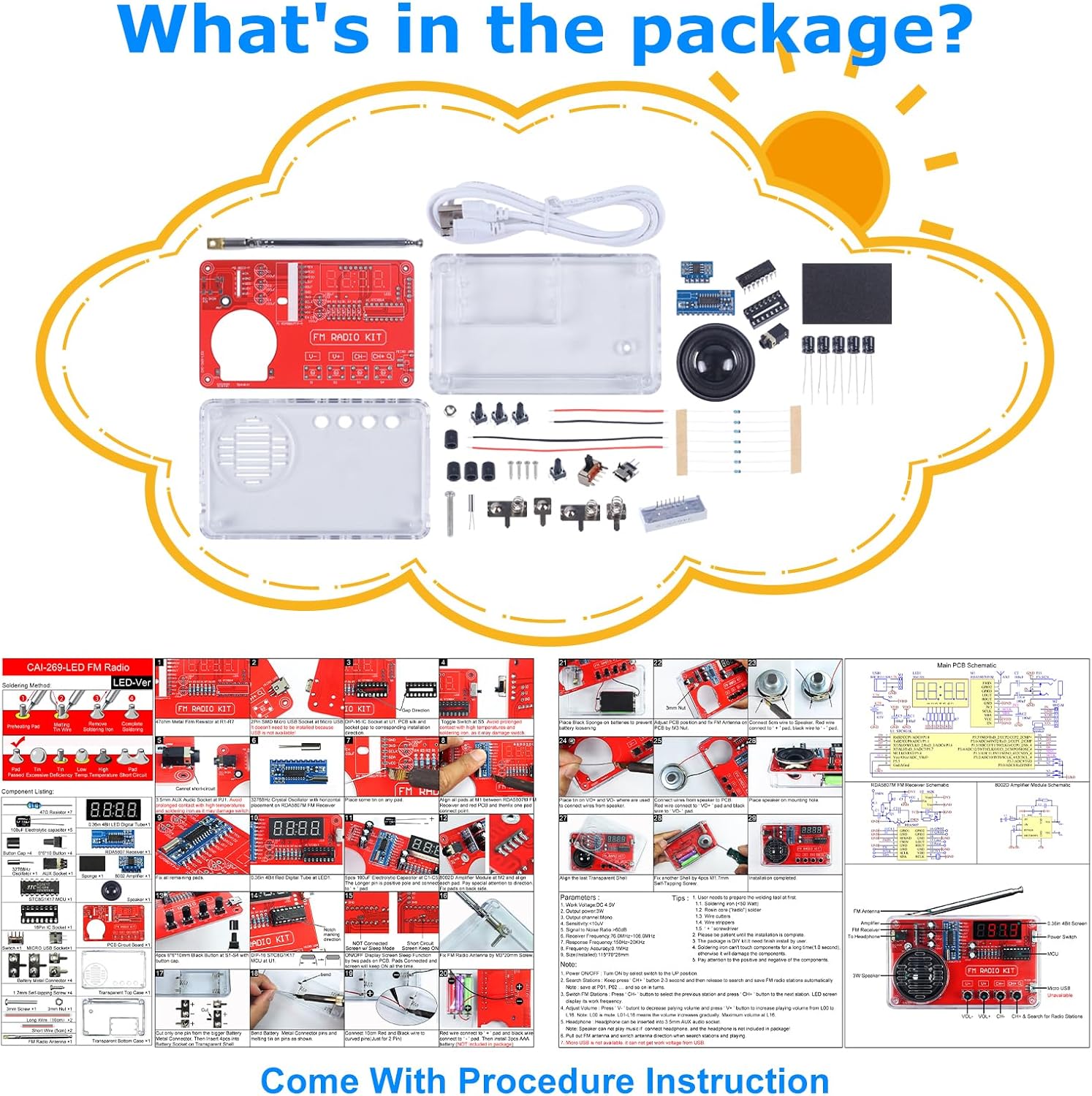
Image: An overhead view displaying all components included in the kit, such as the PCB, acrylic case parts, speaker, various electronic components, and the instruction manual.
Setup and Assembly
This kit requires soldering. Follow the included step-by-step soldering guide carefully. Ensure you have appropriate soldering tools (soldering iron, solder, safety glasses, etc.) before beginning assembly.
- Prepare Components: Unpack all components and identify them using the provided guide.
- Solder Components to PCB: Systematically solder each component onto the designated pads on the Printed Circuit Board (PCB). Pay close attention to component polarity where applicable (e.g., diodes, electrolytic capacitors, ICs).
- Connect Speaker: Connect the speaker wires to the appropriate terminals on the PCB.
- Assemble Acrylic Case: Once all soldering is complete and verified, carefully place the assembled PCB into the two-piece rounded acrylic case. Secure the case using the provided screws.
- Attach Antenna: Screw the telescopic antenna into its designated port on the case.

Image: A visual guide showing key assembly steps, including soldering components, connecting the speaker, and securing the PCB within the acrylic case.
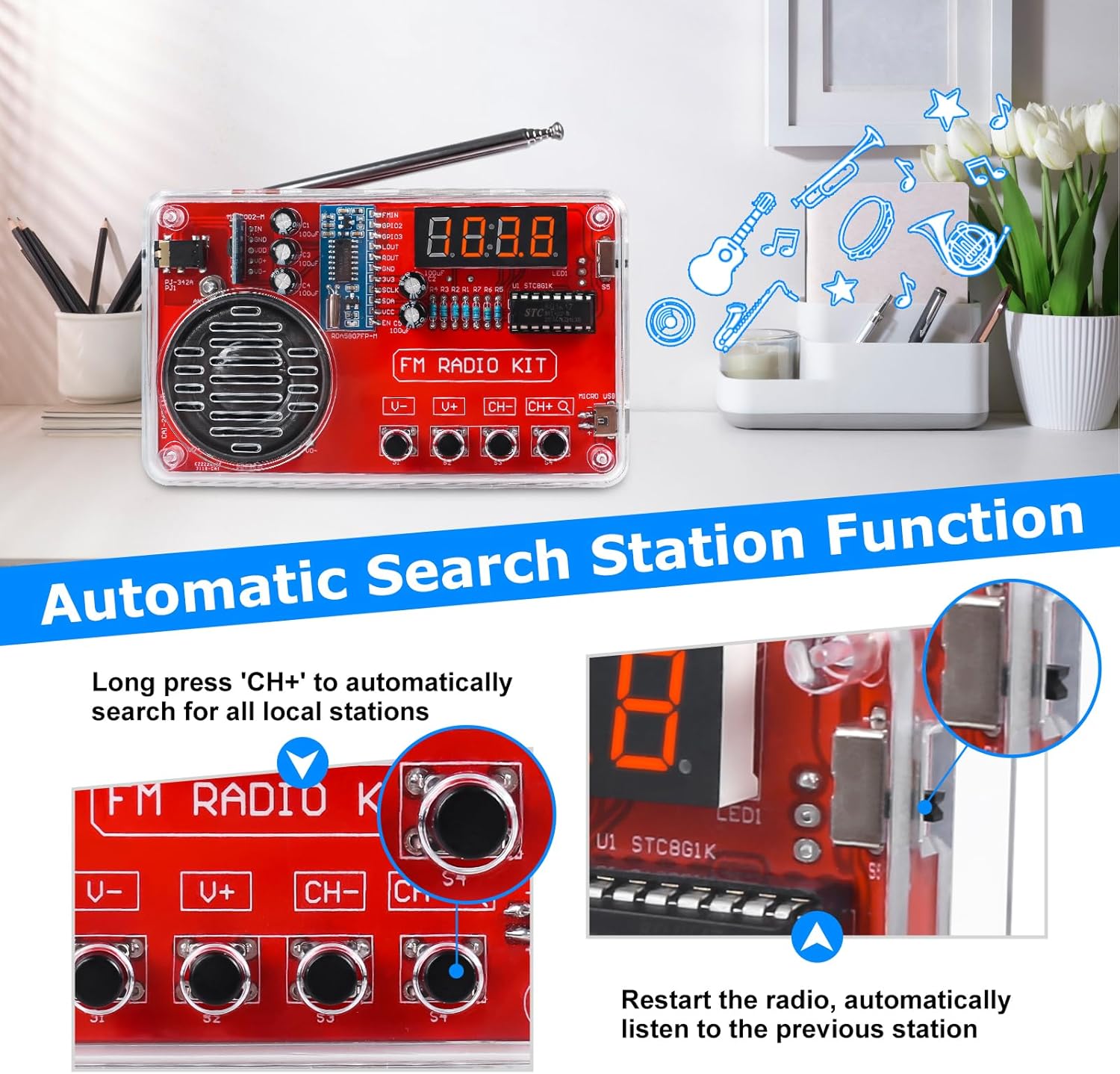
Image: A close-up view of the two-piece acrylic shell, demonstrating how it encloses the radio's circuit board for a secure and comfortable grip.
Operating Instructions
Powering the Radio
The radio offers two power supply options:
- AAA Batteries: Insert 3 AAA batteries (not included) into the battery compartment.
- USB Power: Connect the provided power cable to the Micro USB port on the radio and a compatible USB power source.
Use the power switch to turn the radio ON or OFF.
Automatic Station Search
To automatically search for and save available FM stations:
- Press and hold the CH+ button. The radio will scan the frequency band and automatically store found stations.
- To navigate through saved stations, briefly press the CH+ or CH- buttons.

Image: The radio's front panel highlighting the control buttons (U-, U+, CH-, CH+) and the LED display, illustrating the automatic station search feature.
Volume Control
Adjust the volume using the U+ (Volume Up) and U- (Volume Down) buttons.
Headphone Use
For private listening, plug 3.5MM headphones into the headphone jack located on the side of the radio.

Image: A person listening to the radio with headphones, emphasizing the clear sound quality and the convenience of the 3.5mm headphone jack.
Maintenance
To ensure the longevity and optimal performance of your ICSTATION Portable FM Radio Kit:
- Cleaning: Use a soft, dry cloth to clean the exterior of the radio. Avoid using harsh chemicals or abrasive materials.
- Battery Replacement: If using AAA batteries, replace them when the radio's performance diminishes or it fails to power on. Note that accessing the battery compartment requires partial disassembly of the case.
- Storage: Store the radio in a cool, dry place away from direct sunlight and extreme temperatures.
- Antenna Care: Handle the telescopic antenna gently to prevent bending or breaking.
Troubleshooting
| Problem | Possible Cause | Solution |
|---|---|---|
| Radio does not power on. |
|
|
| Poor reception or static. |
|
|
| No sound from speaker/headphones. |
|
|
Specifications
- Model Number: GY21353-2
- Tuner Technology: FM (87-108MHz)
- Speaker Output: 3W
- Audio ICs: 8002D amplifier IC, RDA5078 radio IC
- Display: LED
- Power Source: 3 x AAA batteries (not included) or USB power
- Connectivity: 3.5MM Headphone Jack
- Product Dimensions: 4.52"L x 1.1"W x 2.75"H
- Item Weight: 5.3 ounces
Warranty Information
This product is covered by a standard manufacturer's warranty against defects in materials and workmanship. Please retain your proof of purchase for warranty claims. For specific warranty terms and conditions, refer to the documentation included with your purchase or contact ICSTATION customer support.
Customer Support
For technical assistance, troubleshooting, or any questions regarding your ICSTATION Portable FM Radio Kit, please contact our customer support team. Our experienced technicians are available to provide guidance and support to ensure a rewarding learning and usage experience.
Refer to the contact information provided in your product packaging or visit the official ICSTATION website for support details.