
xijia SP12/120-5000L
Xijia 5000W Pure Sine Wave Inverter User Manual
Model: SP12/120-5000L
1. Introduction
This manual provides essential information for the safe and efficient operation of your Xijia 5000W Pure Sine Wave Inverter. This device converts 12V DC power from a battery source into 120V AC power, suitable for various applications including off-grid solar systems, home backup, RVs, and trucks. The inverter delivers a continuous output of 5000W with a peak surge capacity of 10000W, ensuring stable and high-quality power for sensitive electronics.
Please read this manual thoroughly before installation and use to ensure proper function and to prevent damage to the unit or connected devices.
2. Safety Information
Warning: Improper installation or use can result in electric shock, fire, or damage to the inverter and connected equipment. Always follow these safety guidelines:
- Ensure the inverter is installed in a well-ventilated area, away from flammable materials, moisture, and direct sunlight.
- Connect the inverter only to a 12V DC battery system. Connecting to other voltage systems may cause damage.
- Always connect the inverter to the battery before connecting any AC loads.
- Ensure all connections are tight and secure to prevent loose connections, which can cause overheating and arcing.
- Do not open the inverter casing. There are no user-serviceable parts inside. Refer servicing to qualified personnel.
- Keep children away from the inverter and its connections.
- Wear appropriate personal protective equipment, including eye protection and insulated gloves, when working with batteries and electrical connections.
- Disconnect the battery before performing any maintenance or cleaning.
- The inverter generates heat during operation. Ensure adequate clearance around the unit for proper cooling.
3. Package Contents
Verify that all items are present in your package:
- 1 x Xijia 5000W Pure Sine Wave Power Inverter
- 1 x Remote Switch (with 4-meter cable)
- 2 x Battery Cables (for DC input)
- 9 x Fuses (spare)
- 1 x User Manual (this document)
4. Product Overview
Familiarize yourself with the components and connections of your Xijia 5000W Pure Sine Wave Inverter.

Figure 4.1: Front and Rear Panels of the Xijia 5000W Inverter. The front panel features a digital display, indicator lights, a power switch, a remote control port, high current AC output terminals, and four standard US AC sockets. The rear panel includes positive and negative DC input terminals (connected in parallel) and an intelligent cooling fan.
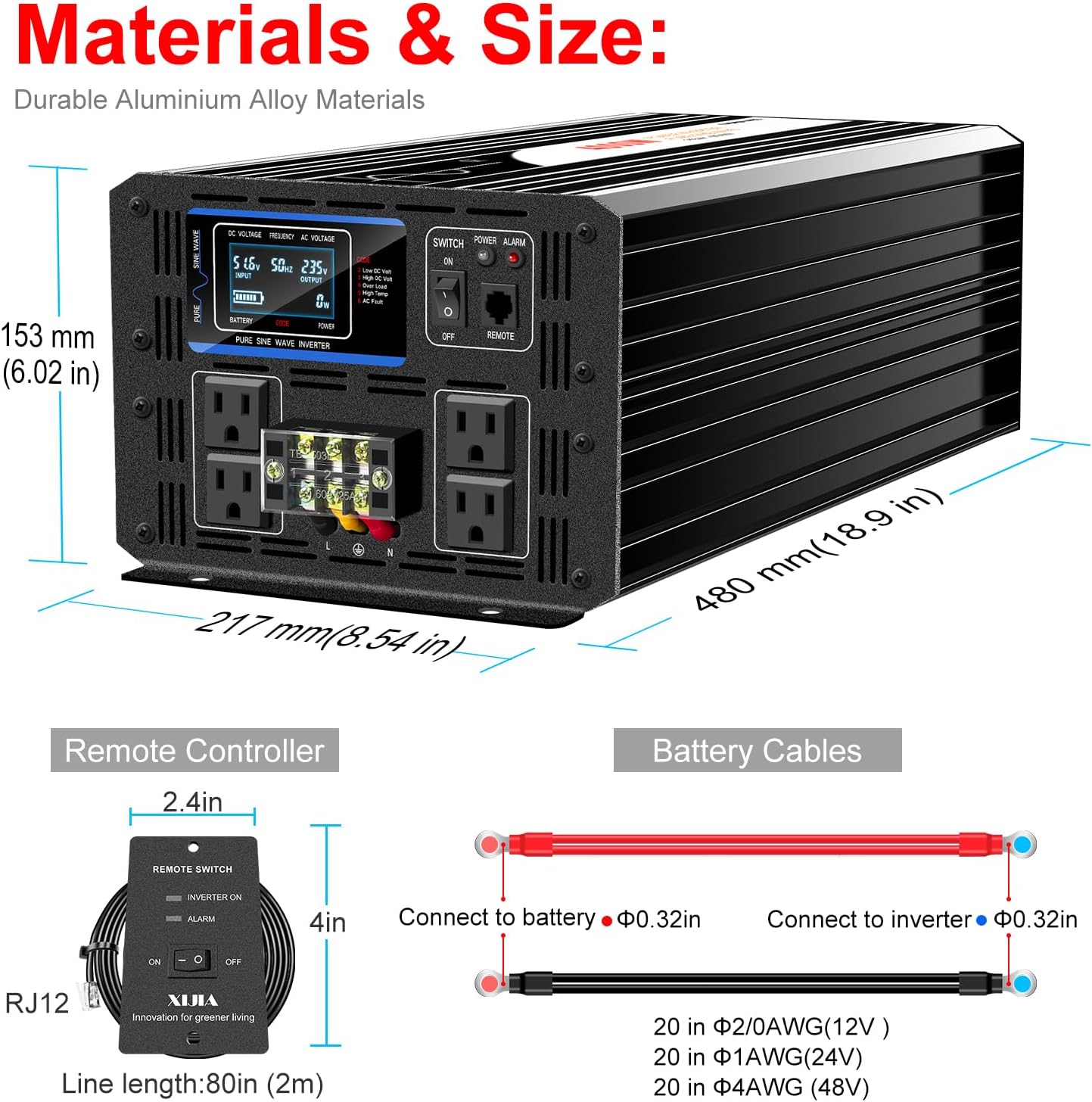
Figure 4.2: Remote Controller and Battery Cables. The remote controller connects via an RJ12 cable (2 meters long) and features an ON/OFF switch and an alarm indicator. The battery cables are provided for connecting the inverter to a 12V battery bank.
4.1 Front Panel Features
- Digital Display: Shows input voltage, output power, and protection modes.
- Indicator Light: Provides status feedback (e.g., power on, fault).
- Switch: Main power ON/OFF switch for the inverter.
- Remote Control Port: Connects the included remote switch.
- High Current AC Output: Terminals for connecting high-power AC loads directly.
- Four US Sockets: Standard 120V AC outlets for connecting appliances.
4.2 Rear Panel Features
- Negative DC Input: Terminal for connecting the negative (-) battery cable.
- Positive DC Input: Terminal for connecting the positive (+) battery cable.
- Intelligent Fan: Automatically activates to cool the inverter during operation.
5. Setup and Installation
Proper installation is crucial for the inverter's performance and safety. Follow these steps carefully:
5.1 Mounting the Inverter
- Choose a dry, cool, and well-ventilated location. Avoid areas exposed to direct sunlight, heat sources, or moisture.
- Ensure there is at least 6 inches (15 cm) of clear space around the inverter for proper airflow, especially around the cooling fan.
- Mount the inverter securely on a stable, non-flammable surface using appropriate fasteners.
5.2 Connecting to the Battery (DC Input)
Important: Ensure the battery system is 12V DC. Disconnect any loads from the battery before making connections.
- Connect the red battery cable to the positive (+) terminal of your 12V battery bank.
- Connect the other end of the red cable to the positive (+) DC input terminal on the rear of the inverter. Tighten securely.
- Connect the black battery cable to the negative (-) terminal of your 12V battery bank.
- Connect the other end of the black cable to the negative (-) DC input terminal on the rear of the inverter. Tighten securely.
- Verify all connections are tight and correct polarity is maintained. Incorrect polarity will damage the inverter.
5.3 Connecting the Remote Switch
Plug the RJ12 cable from the remote switch into the "REMOTE" port on the front panel of the inverter. This allows for convenient remote control of the inverter's power.
5.4 Grounding the Inverter
For safety, ensure the inverter chassis is properly grounded. Connect a suitable grounding wire from the inverter's grounding terminal to an appropriate earth ground point (e.g., vehicle chassis, ground rod).
6. Operating Instructions
Once the inverter is properly installed and connected, follow these steps to operate it:
6.1 Powering On the Inverter
- Ensure all AC loads are disconnected or turned off before powering on the inverter.
- Flip the main "SWITCH" on the front panel to the "ON" position. Alternatively, use the remote switch.
- The digital display will illuminate, showing the input DC voltage and other operational parameters. The indicator light should be green.
6.2 Connecting AC Loads
After the inverter is powered on, you can connect your AC appliances:
- Plug your 120V AC appliances into the four US sockets or connect to the high current AC output terminals.
- Ensure the total continuous wattage of all connected appliances does not exceed 5000W. The inverter has a surge capacity of 10000W for starting motors or other inductive loads, but this is for short durations.
- For optimal performance and to prevent overload, turn on appliances one by one, starting with the highest wattage device.

Figure 6.1: Examples of appliances that can be powered by the Xijia 5000W Inverter, including hair curlers, hair dryers, electric drills, refrigerators, water heater pumps, and air conditioners, provided their combined wattage is within the inverter's capacity.
6.3 Understanding the LCD Display
The LCD display provides real-time information about the inverter's status:
- DC Voltage: Displays the input voltage from the battery.
- AC Voltage: Displays the output AC voltage.
- Output Power: Shows the current power consumption of connected loads.
- Protection Mode: Indicates if any protection (e.g., overload, low voltage) is active.
6.4 Powering Off the Inverter
- Turn off all connected AC appliances.
- Flip the main "SWITCH" on the front panel to the "OFF" position. Alternatively, use the remote switch.
- The digital display will turn off, and the indicator light will extinguish.
7. Maintenance
Regular maintenance ensures the longevity and reliable operation of your inverter.
- Cleaning: Periodically clean the exterior of the inverter with a dry, soft cloth. Ensure the cooling fan vents are free from dust and debris. Do not use liquid cleaners.
- Connection Check: Regularly inspect all DC and AC connections to ensure they are tight and free from corrosion. Loose connections can cause overheating.
- Battery Maintenance: Ensure your battery bank is properly maintained and charged according to the battery manufacturer's instructions. A healthy battery is essential for inverter performance.
- Fuse Replacement: The inverter includes spare fuses. If a fuse blows, replace it with a fuse of the same type and rating. Refer to the specifications for fuse details.
Caution: Do not attempt to service the internal components of the inverter. Refer all internal servicing to qualified technicians.
8. Troubleshooting
The Xijia 5000W Inverter is equipped with multiple protection features. The LCD display will indicate the active protection mode if an issue occurs. Refer to the table below for common issues and solutions.
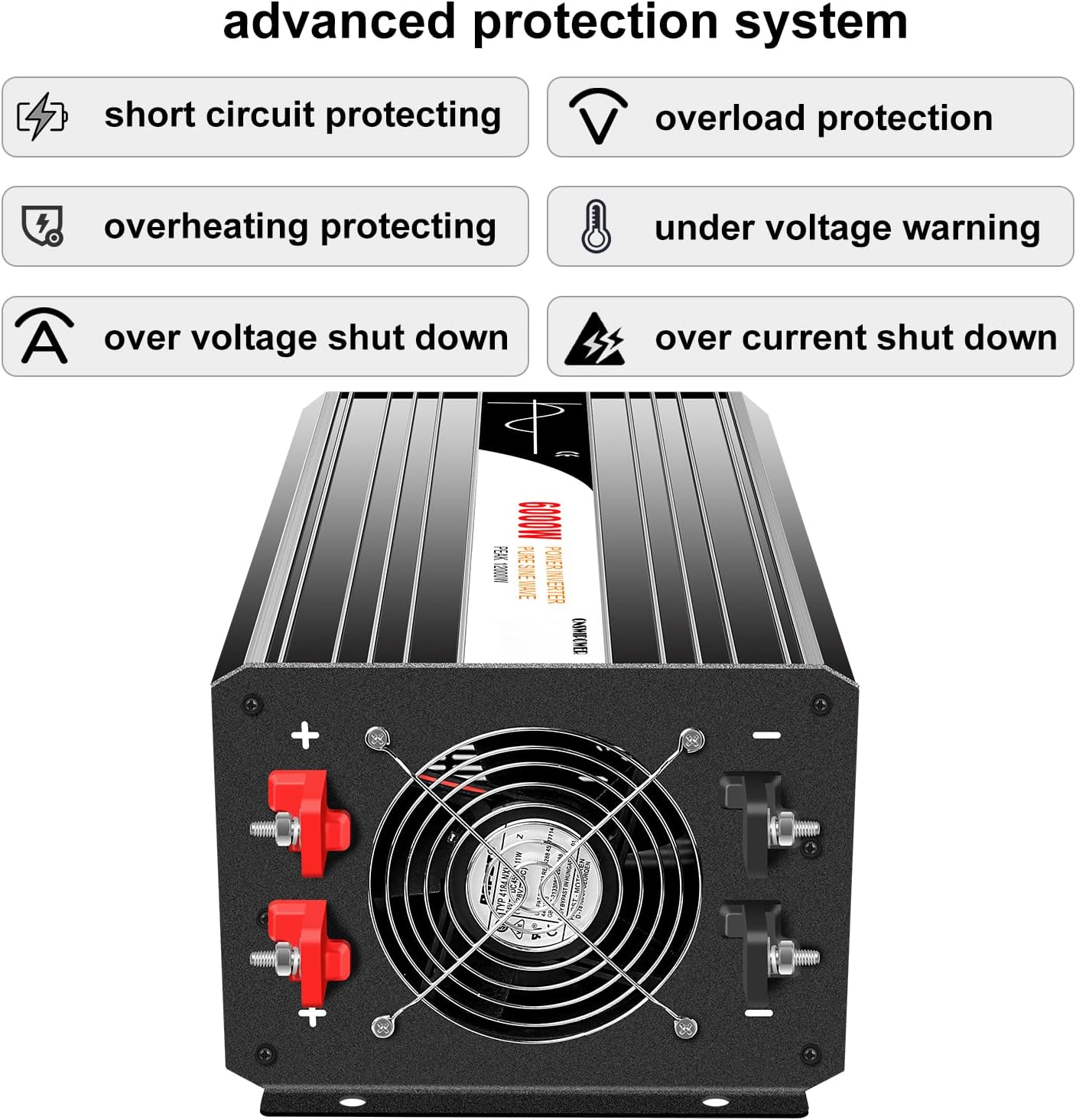
Figure 8.1: The Xijia Inverter features an advanced protection system including short circuit protection, overload protection, overheating protection, undervoltage warning, overvoltage shut down, and overcurrent shut down.
| Problem | Possible Cause | Solution |
|---|---|---|
| No AC Output / Inverter not turning on |
|
|
| Overload Alarm (LCD displays "Overload") |
|
|
| Low Voltage Shut Down (LCD displays "Low Voltage") |
|
|
| Over Voltage Shut Down (LCD displays "Over Voltage") |
|
|
| Over Temperature Shut Down (LCD displays "Over Temp") |
|
|
| Short Circuit Protection (LCD displays "Short Circuit") |
|
|
9. Specifications
Technical specifications for the Xijia 5000W Pure Sine Wave Inverter, Model SP12/120-5000L.
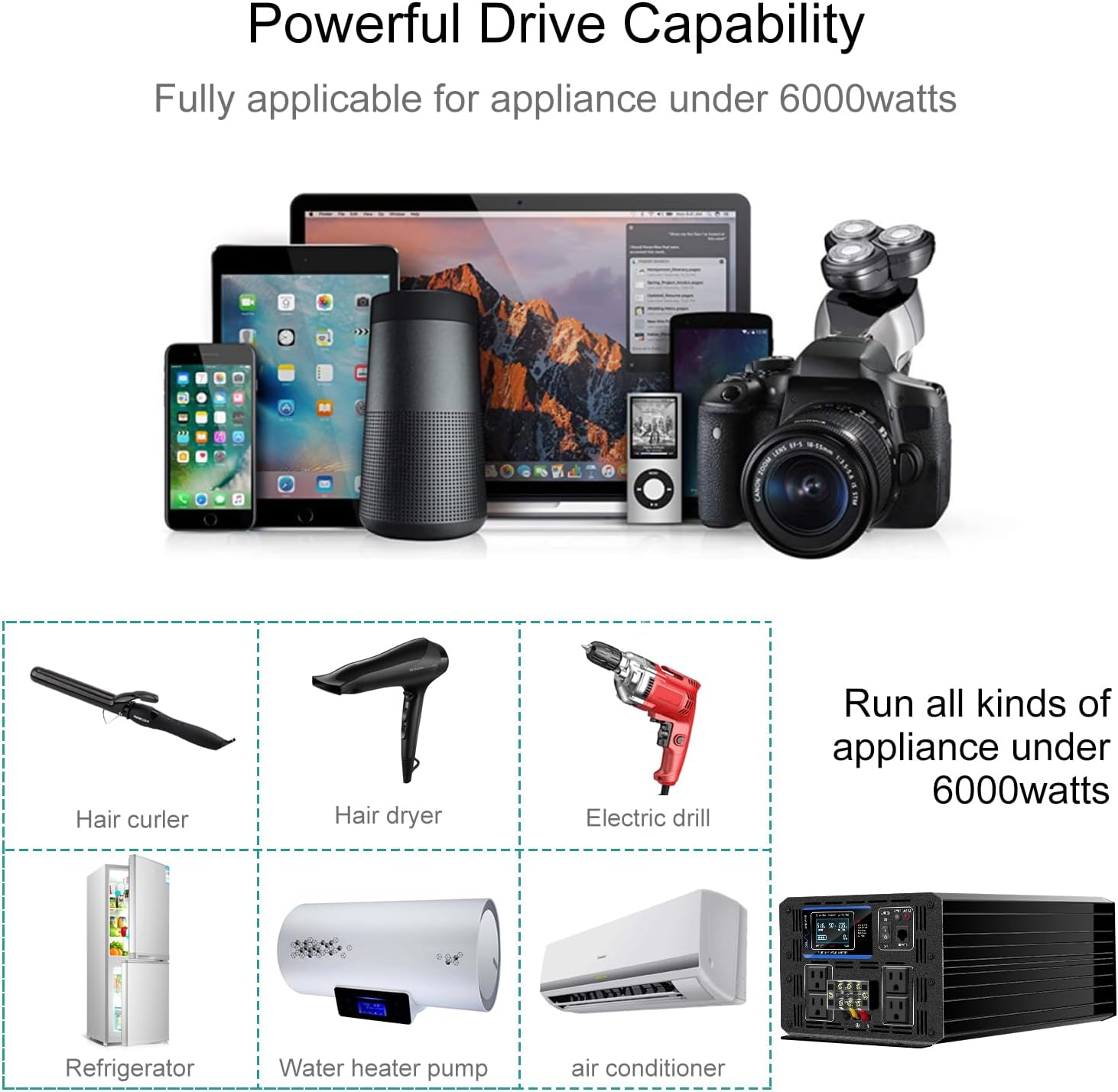
Figure 9.1: Dimensions of the Xijia 5000W Pure Sine Wave Inverter: 480mm (18.9 in) length, 217mm (8.54 in) width, and 153mm (6.02 in) height. Made from durable aluminum alloy materials.
| Feature | Specification |
|---|---|
| Continuous Power | 5000W |
| Surge Power | 10000W |
| Frequency | 60Hz ±0.5Hz |
| Wave Form | Pure Sine Wave |
| AC Regulation | THD <3% (Linear Load) |
| Output Efficiency | 92% |
| DC Voltage Input | DC 12V |
| AC Voltage Output | 110VAC or 120VAC ±5% |
| DC Voltage Range | 10V - 15V |
| Low Voltage Shut Down | 10V |
| Over Voltage Shut Down | 15V |
| Low Voltage Recovery | 12.5V |
| Over Voltage Recovery | 15V |
| Protection Features | Low Voltage, Over Voltage, Overload, Over Temperature, Short Circuit, Reverse Polarity (with automatic recovery for most) |
| Working Temperature | -10°C to +50°C |
| Storage Temperature | -30°C to +70°C |
| Production Size (L*W*H) | 480mm * 217mm * 153mm (18.9in * 8.54in * 6.02in) |
| Net Weight / Gross Weight | 13 kg / 13.5 kg |
| Start Type | Soft-start |
| Number of AC Outlets | 4 (US Sockets) |
| Material | Durable Aluminum Alloy |
10. Warranty and Support
Your Xijia 5000W Pure Sine Wave Inverter comes with a manufacturer's warranty to ensure your peace of mind.
- Warranty Period: This product is covered by a 1-year parts warranty from the date of purchase.
- Warranty Coverage: The warranty covers defects in materials and workmanship under normal use. It does not cover damage caused by improper installation, misuse, accidents, unauthorized repairs, or natural disasters.
- Claiming Warranty: For warranty service, please contact your retailer or the manufacturer, XIJIA, with your proof of purchase.
- Technical Support: If you encounter any issues or have questions regarding the operation or installation of your inverter, please refer to the troubleshooting section of this manual or contact XIJIA customer support.
Ask a question about this manual
Ask about setup, troubleshooting, compatibility, parts, safety, or missing instructions. Manuals+ will review the question and use this page’s manual context to help answer it.