
1. Product Overview
The SUPOOBE YP2318 Electric Dehumidifier is designed to efficiently remove excess moisture from your indoor environment, promoting a healthier and more comfortable living space. Utilizing advanced semiconductor condensation technology, this unit operates quietly while offering powerful dehumidification capabilities.
Key Features:
- Efficient Dehumidification: Absorbs up to 650 ml of moisture per day, suitable for areas up to 20 square meters (120 m³).
- Quiet Operation: Advanced Peltier technology ensures low noise levels, especially in sleep mode (below 30 dB).
- Automatic Shut-off: Automatically powers off when the 2.2-liter water tank is full or removed, indicated by a red light.
- Flexible Drainage: Offers both manual tank emptying and continuous drainage via an included hose.
- User-Friendly Controls: Features 4 touch buttons, a high-resolution LED screen, 2 dehumidification modes (Day/Night), adjustable ambient light, and an 8/12/24-hour timer.
- Portable Design: Compact with an integrated ergonomic handle for easy relocation.
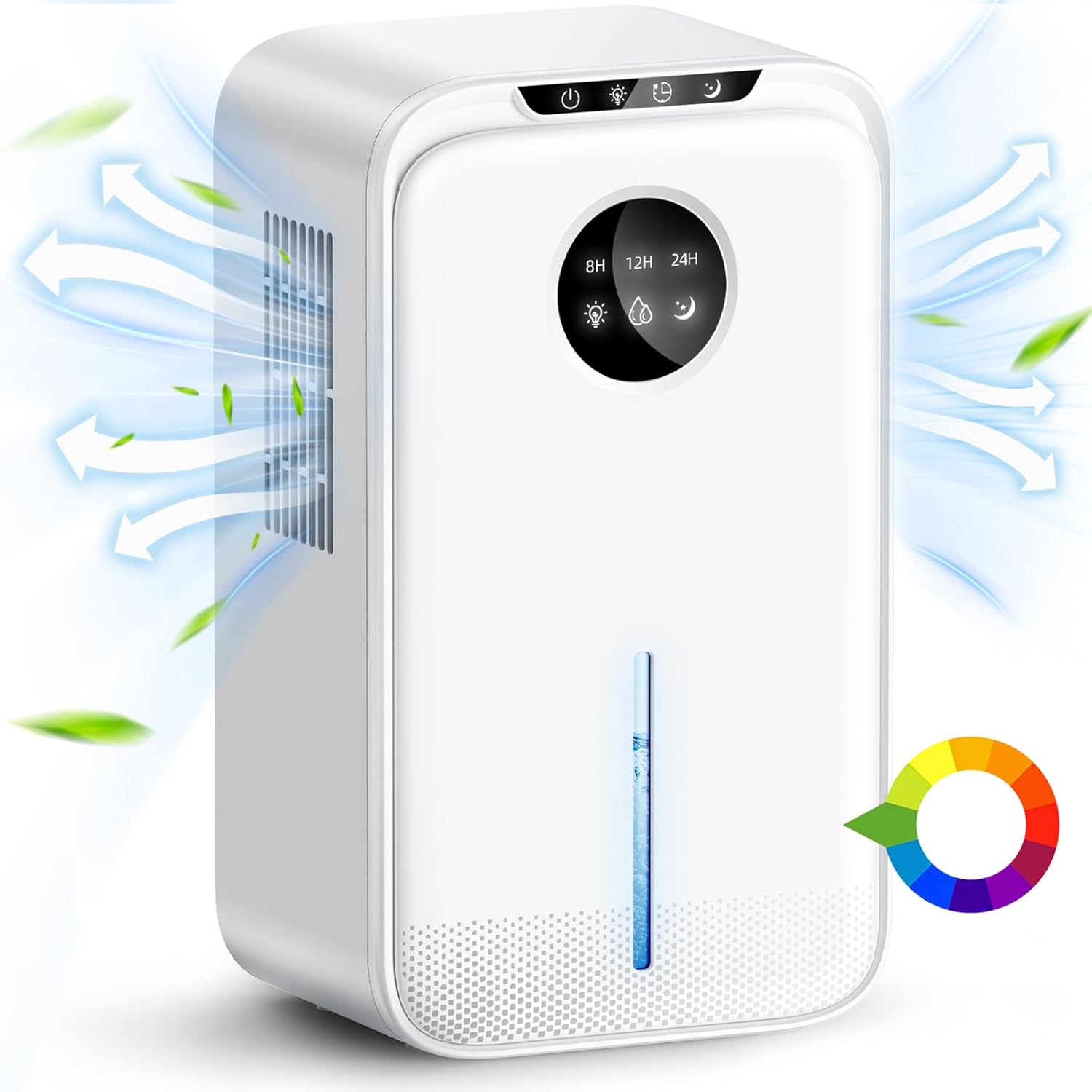
Image 1.1: The SUPOOBE YP2318 Electric Dehumidifier, showcasing its compact design and air circulation.
2. Package Contents
Please check the package for the following items:
- SUPOOBE YP2318 Electric Dehumidifier Unit
- Drain Hose
- Power Cable
- User Manual

Image 2.1: Illustration of the package contents, including the dehumidifier, manual, drain hose, and power cable, along with product dimensions.
3. Setup
3.1 Placement
Place the dehumidifier on a flat, stable surface in the desired room. Ensure there is adequate space around the unit (at least 10-20 cm) for proper air circulation. The unit is suitable for rooms up to 20 square meters (120 m³), such as bedrooms, bathrooms, kitchens, or living rooms.

Image 3.1: The dehumidifier shown in different room environments (living room, kitchen, bedroom) to illustrate its versatility and effective coverage for dampness problems.
3.2 Power Connection
- Ensure the dehumidifier is switched off.
- Connect the power cable to the power inlet on the back of the unit.
- Plug the power cable into a suitable electrical outlet.
3.3 Drainage Options
The dehumidifier offers two drainage methods:
- Manual Drainage: The 2.2-liter water tank collects condensed moisture. When full, the unit will automatically shut off, and a red indicator light will illuminate. Empty the tank manually.
- Continuous Drainage: For continuous operation without manual emptying, connect the included drain hose to the drainage port on the back of the unit. Route the hose to a suitable drain or larger container, ensuring it has a downward slope for gravity drainage.

Image 3.2: The dehumidifier demonstrating both manual drainage (water tank full, red light) and continuous drainage with the attached hose.
4. Operating Instructions
4.1 Control Panel
The dehumidifier features a control panel with 4 touch buttons and an LED display for easy operation.

Image 4.1: Close-up view of the dehumidifier's multi-function control panel, intelligent screen display, portable handle, and continuous drainage feature.
4.2 Power On/Off
Press the Power button (usually indicated by a circle with a vertical line) to turn the unit on or off.
4.3 Dehumidification Modes
The unit offers two operating modes:
- Day Mode: Standard dehumidification for active use.
- Night Mode (Sleep Mode): Operates at a lower fan speed for quieter performance (below 30 dB), ideal for use during sleep.
Press the Mode button (often indicated by a moon or sun icon) to switch between these modes.

Image 4.2: The dehumidifier highlighting its quiet operation (30dB), sleep mode, optional ambient light, and 8/12/24-hour countdown timer.
4.4 Timer Function
Set the dehumidifier to automatically shut off after a specified period:
- Press the Timer button (indicated by a clock icon).
- Cycle through the available timer settings: 8 hours, 12 hours, or 24 hours.
- The unit will operate for the selected duration and then power off.
4.5 Ambient Light
The dehumidifier features an adjustable 7-color LED ambient light. Press the Light button (indicated by a light bulb icon) to cycle through the colors or turn the light off.
4.6 Water Tank Full Indicator
When the 2.2-liter water tank is full, the dehumidifier will automatically shut off, and a red indicator light will illuminate to remind you to empty the tank.

Image 4.3: An internal view of the dehumidifier demonstrating the double semiconductor condensation technology, showing moisture reduction from 80% to 45% and the 2200ml water tank capacity.
5. Maintenance
5.1 Emptying the Water Tank
When the water tank is full, the unit will stop operating and display a red light. Carefully remove the water tank from the unit, empty the collected water, and then reinsert the tank securely until it clicks into place. Ensure the tank is properly seated for the dehumidifier to resume operation.
5.2 Cleaning the Unit
Regular cleaning helps maintain the dehumidifier's efficiency and extends its lifespan.
- Exterior: Wipe the exterior of the unit with a soft, damp cloth. Do not use abrasive cleaners or solvents.
- Water Tank: Clean the water tank periodically with mild soap and water to prevent mold or mildew buildup. Rinse thoroughly and dry before reinserting.
- Air Inlets/Outlets: Gently clean any dust or debris from the air inlets and outlets using a soft brush or vacuum cleaner attachment.
Caution: Always unplug the dehumidifier from the power outlet before cleaning or performing any maintenance.
6. Troubleshooting
If you encounter any issues with your dehumidifier, please refer to the following common problems and solutions:
| Problem | Possible Cause | Solution |
|---|---|---|
| Dehumidifier does not turn on. | No power supply. Water tank not properly inserted. | Check power cable connection and outlet. Ensure water tank is fully and correctly seated. |
| Red indicator light is on. | Water tank is full. Water tank is removed or not properly inserted. | Empty the water tank. Reinsert the water tank correctly. |
| Dehumidification is not effective. | Room size exceeds capacity. Air inlets/outlets are blocked. Room temperature is too low. | Ensure the room size is within 20 m². Clear any obstructions. Optimal operating temperature is above 15°C (59°F). |
| Unit is noisy. | Operating in Day Mode. Unit is not on a flat surface. | Switch to Night Mode for quieter operation. Place the unit on a stable, flat surface. |
7. Specifications
| Feature | Specification |
|---|---|
| Brand | SUPOOBE |
| Model Number | YP2318 |
| Product Dimensions (L x W x H) | 13.4 x 18.4 x 32.1 cm |
| Weight | 2.12 Kilograms |
| Water Tank Capacity | 2.2 Liters (2200 ml) |
| Power | 40 Watts |
| Automatic Shut-off | Yes |
| Special Features | Automatic shut-off, 8-12-24 hour countdown timer, Efficient dehumidification, 7-color LED light |
| Floor Area Coverage | 20 square meters |
| Recommended Use | Domestic |
| Included Components | Electric Dehumidifier, User Manual, Drain Hose |
8. Warranty and Support
Information regarding product warranty and customer support was not available in the provided product details. Please refer to the product packaging or contact the retailer for specific warranty terms and support options.